


Mooncell LED Control System: Complete Guide for LED Display Projects
What the Mooncell LED control system is, how its video processors, controllers and receiving cards work together inside an LED display, and how to choose the right control chain — explained by LEGIDATECH, an LED screen manufacturer. We are not a Mooncell retailer: we engineer Mooncell hardware into complete LED display solutions.
Factory-direct · Pre-configured control systems · 24-hour engineering response
1. What Is the Mooncell LED Control System?
The Mooncell LED control system is the hardware and software chain that converts a video signal into the pixel-by-pixel instructions an LED screen displays — including video processors, sending controllers, receiving cards, multimedia servers and the AutoLED / LEDmagic software ecosystem.
Founded in 2008 and headquartered in Shenzhen, Mooncell specializes in LED display control and video processing technology, including its T6 LED control chip generation (company background as publicly stated by the brand). In a complete LED display system, Mooncell components sit between the content source and the LED cabinets:
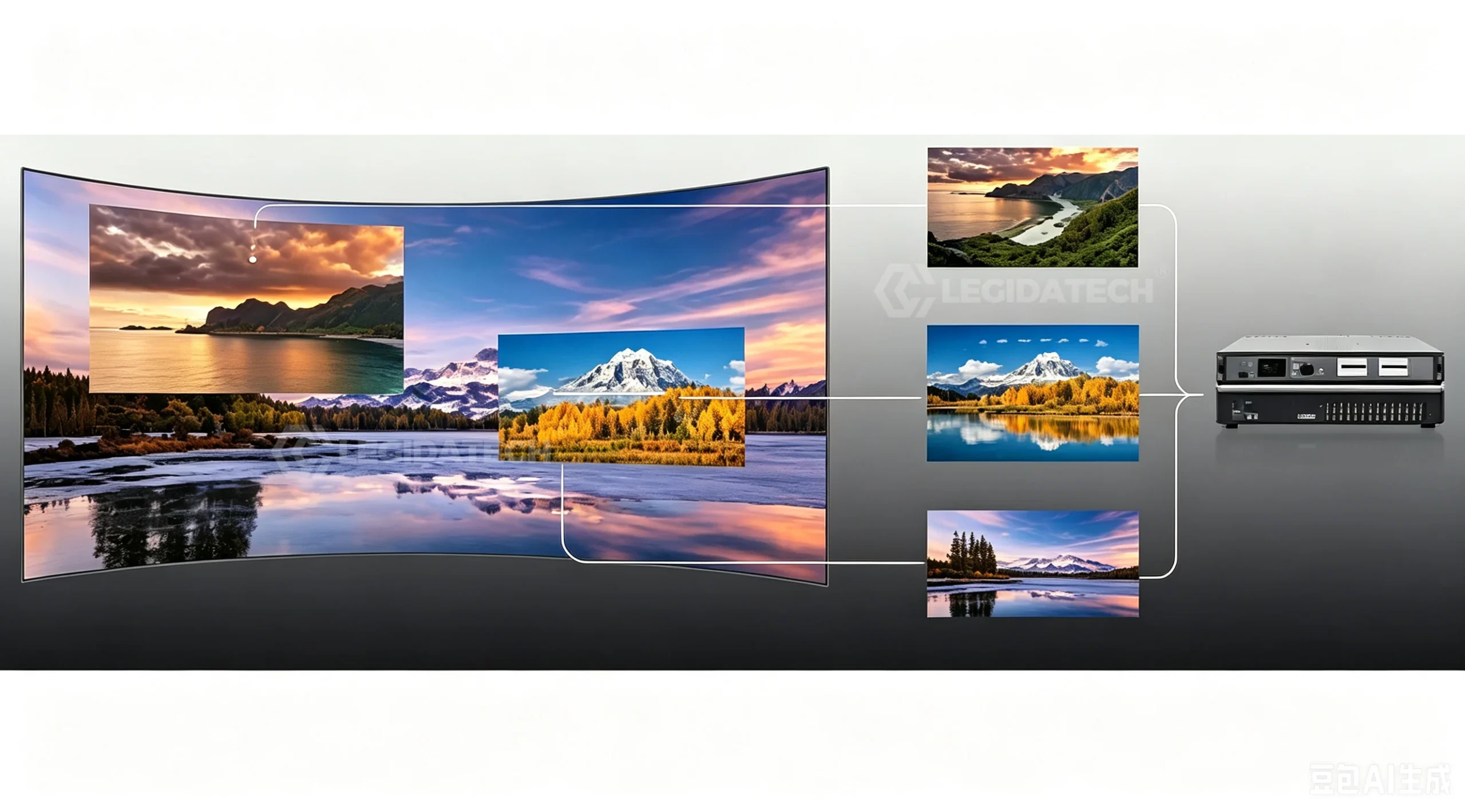
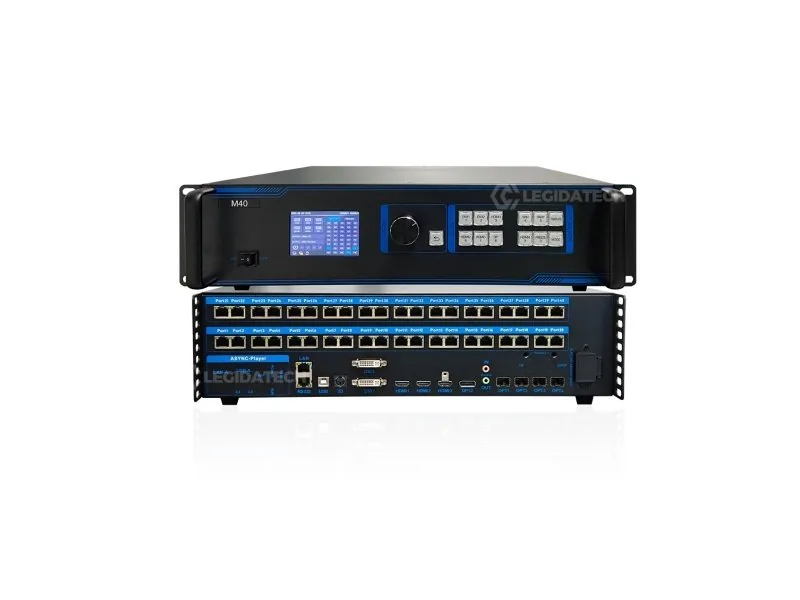
- Video processors (MVB series, M40) — scale, crop and convert incoming video (HDMI, DVI, DP), then drive multiple output ports. A “2-in-1” processor also embeds the sending function, eliminating a separate sending box.
- Sending controllers (MTB series) — dedicated master controllers that package video data and transmit it to receiving cards over Gigabit Ethernet, with cascade and backup features for fixed installations.
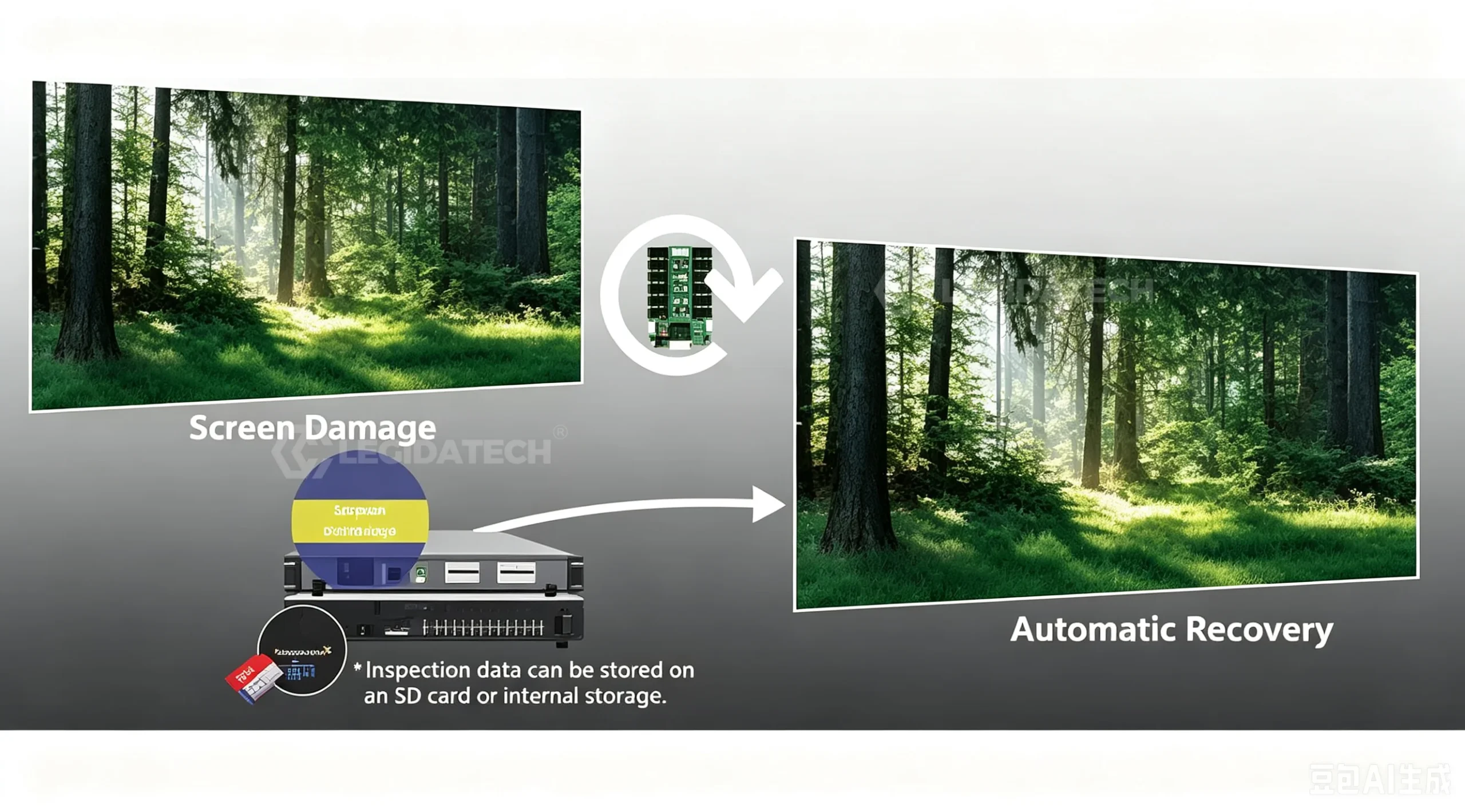
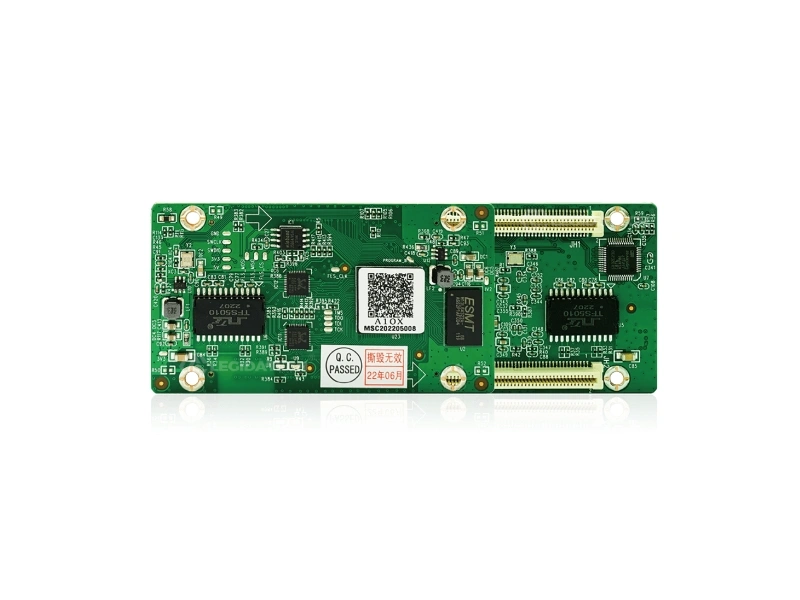
- Receiving cards (A10X, A712) — mounted inside each LED cabinet; they decode the GigE data stream and drive the cabinet’s LED modules, with per-pixel calibration storage.
- Multimedia servers (MC-C2) and asynchronous players (MB series) — for multi-window, cloud-published and network-scheduled content in signage and DOOH projects.
For a deeper walkthrough of each category and every model, see our Mooncell LED controller lineup guide.
ISE 2025 coverage of the Mooncell B2000S controller driving a complex LED dome display (rAVe PUBS).
2. How Mooncell Works With an LED Display System
Every LED screen — fixed, rental or creative — follows the same five-stage signal path. Understanding this chain is how professional buyers evaluate any control system, and why the control system you choose directly limits what the screen can display.
Content Source
PC, media player, camera, broadcast feed or streaming device
Video Processor & Controller
MVB-series / M40 — scaling, cropping, multi-input switching, 4K@60Hz processing
Sending Device
Built into 2-in-1 processors, or a dedicated MTB-series master controller
Receiving Card
A10X / A712 inside each cabinet — decodes GigE data, drives LED modules
LED Cabinet
LED modules, power supplies and structure — the visible screen
In a 2-in-1 Mooncell processor (MVB4S Pro, MVB12E, M40), stages 2 and 3 are merged into one unit — video processing and sending happen in the same chassis, which reduces cabling, cost and potential points of failure. In larger or redundant systems, a separate MTB400E master controller can take over the sending stage for cascade layouts and dual backup.
Each Gigabit Ethernet output of the sending stage feeds a chain of receiving cards; the pixel budget of every link in the chain must be calculated before the system is specified. See how to calculate receiving cards and sending cards for the full method.
3. Mooncell Product Overview
A technical reference to the Mooncell models covered on this site. Each card links to its dedicated product page with full specifications, configuration notes and application examples. Prices are intentionally not the focus here — these pages are engineering references, not a shopping catalog.
2-in-1 Video Processors
MVB-series and M40 combine video processing with LED sending in one chassis.
Receiving Cards
Cabinet-level cards that decode GigE data and drive the LED modules.
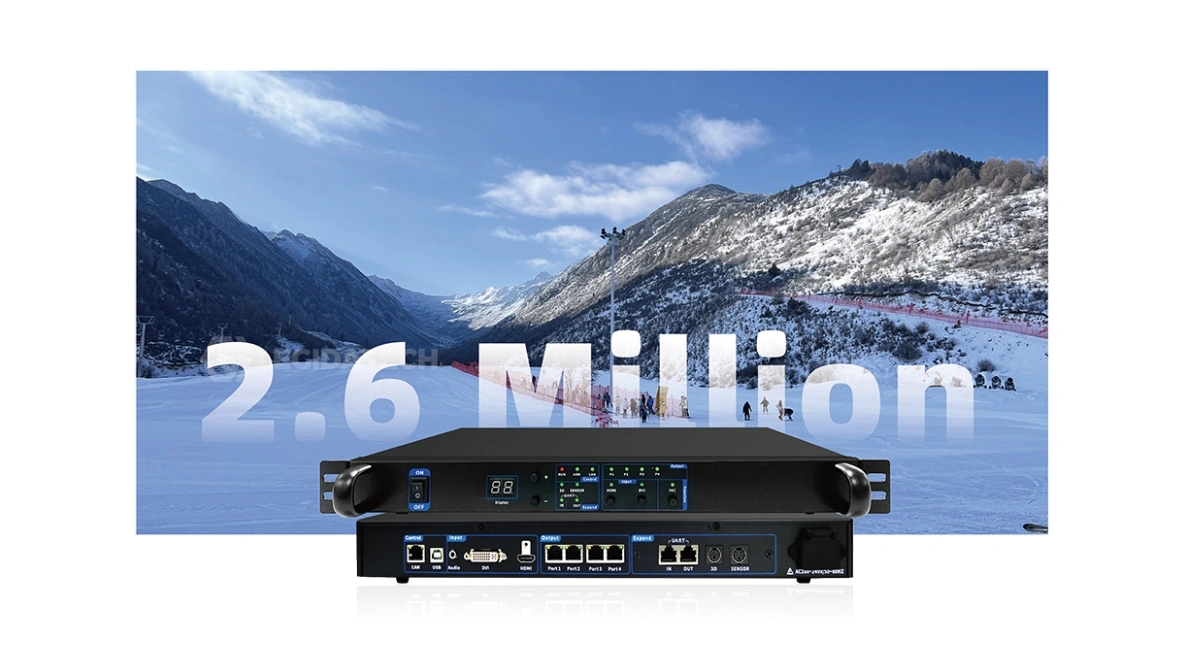
Master Controllers
Dedicated sending-stage controllers for fixed installations.
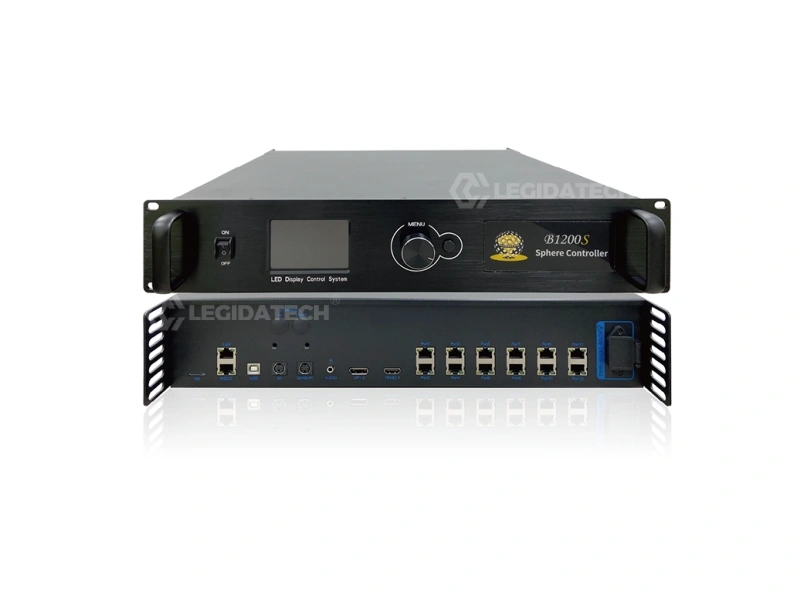
Creative & Special-Shape Controllers
Purpose-built control for sphere, dome, ring, floor and irregular displays.
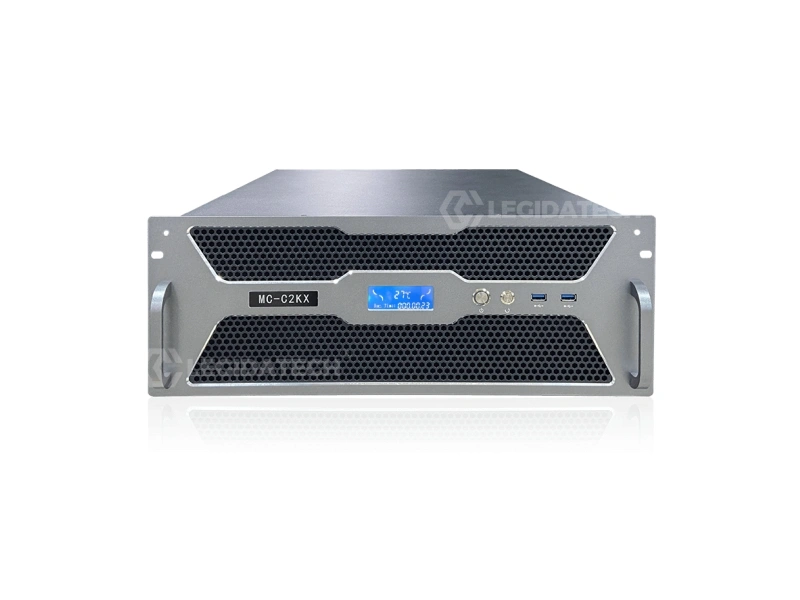
Multimedia Servers
Multi-window playback and cloud-published content for signage and DOOH.
Need the Full Lineup?
Our 2026 selection guide maps every category above to project sizes, with three worked pixel-calculation examples.
Open the Mooncell Lineup GuideMooncell MVB8S processor walkthrough — 8 LED outputs, scaling and menu operation.
4. Mooncell Product Comparison
The table below compares the verified loading capacity, interfaces and typical applications of each model covered on this site, so you can see at a glance where each unit fits in a control chain. Parameters are taken from the linked product pages; for the official specification sheets, follow the download links on each page.
| Model | Category | Max Pixel Loading | Key Interfaces | Typical Application |
|---|---|---|---|---|
| M40 | 2-in-1 video processor | Up to 26M pixels, 16K-wide; 655,360 px per GigE port (1280×512) | 6 video inputs incl. 2× DVI, 4K@60Hz; 40 GigE + fiber outputs | Stadium, broadcast, very large walls |
| MVB12E | 2-in-1 video processor | 7.8M pixels | 4K@60Hz input; 12 GigE outputs | 4K conference, event and control-room walls |
| MVB4S Pro | 2-in-1 video processor | 2.6M pixels, max 3840×1920 | HDMI / DVI / VGA inputs; 4 GigE outputs | Church, lobby, retail (≈2.6M px) |
| MTB400E | Master sending controller | 2.6M pixels | HDMI + DVI; 4 GigE; dual backup; cascade | Fixed installations needing redundancy |
| B1200S | Creative controller | Shape-driven pixel mapping | Pre-configured mapping for bespoke shapes | Sphere, dome, ring, floor, 3D displays |
| MB400S | Special-shape controller | 1.3M pixels | Android 7.1, H.265 4K hardware decoding | Irregular and creative displays |
| A10X | Receiving card | 512×640 px (327,680 px) per card | 32 groups RGB parallel data | Standard indoor/outdoor cabinets |
| A712 | Receiving card | 512×384 px (196,608 px) per card | 18-bit pixel-by-pixel calibration | 4K walls; calibration-focused projects |
| MC-C2 | Multimedia server | 4× 4K@60Hz DP outputs | Rackmount; LEDmagic cloud publishing | Multi-window, command centers, DOOH |
Comparison notes: a “2-in-1” processor includes the sending stage; a master controller is a standalone sending stage; receiving cards are always inside the cabinets. Which combination you need depends on total pixel count and application — see Section 5.
5. Mooncell Applications Across LED Display Types
Different display types impose different control requirements. Here is how Mooncell control systems map to the main LED display categories — and what changes at the control layer for each.
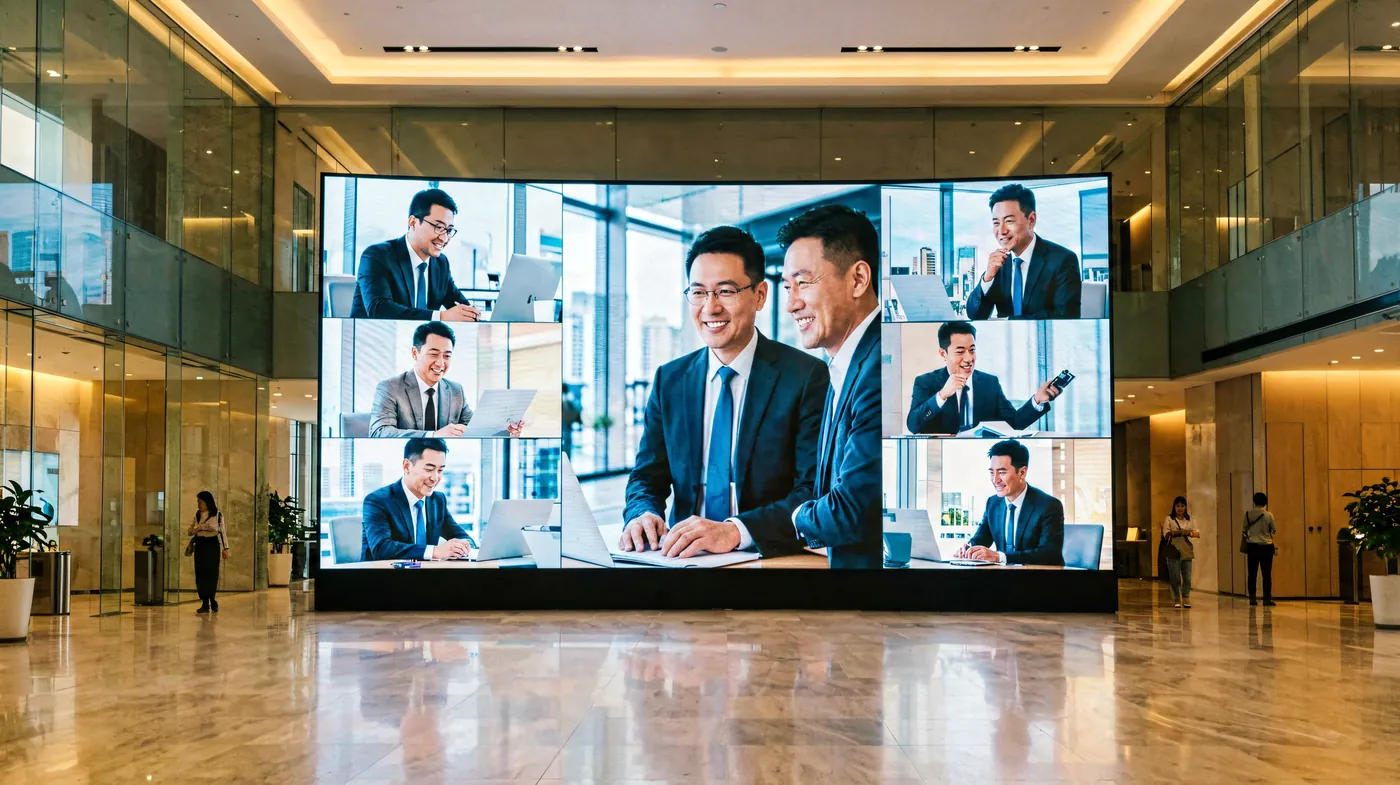
Indoor LED Displays
Fixed indoor walls — retail, corporate lobbies, houses of worship, control rooms. Typical chain: one 2-in-1 processor sized to the pixel count (MVB4S Pro up to 2.6M px, MVB12E up to 7.8M px) plus A10X or A712 cards in each cabinet.

Outdoor Advertising LED Displays
Outdoor billboards need higher brightness handling, robust GigE distribution across long cable runs and — for signage networks — asynchronous playback. Master controllers with dual backup (MTB400E) or cloud-published media servers (MC-C2, MB series) fit here.
Rental & Stage LED Displays
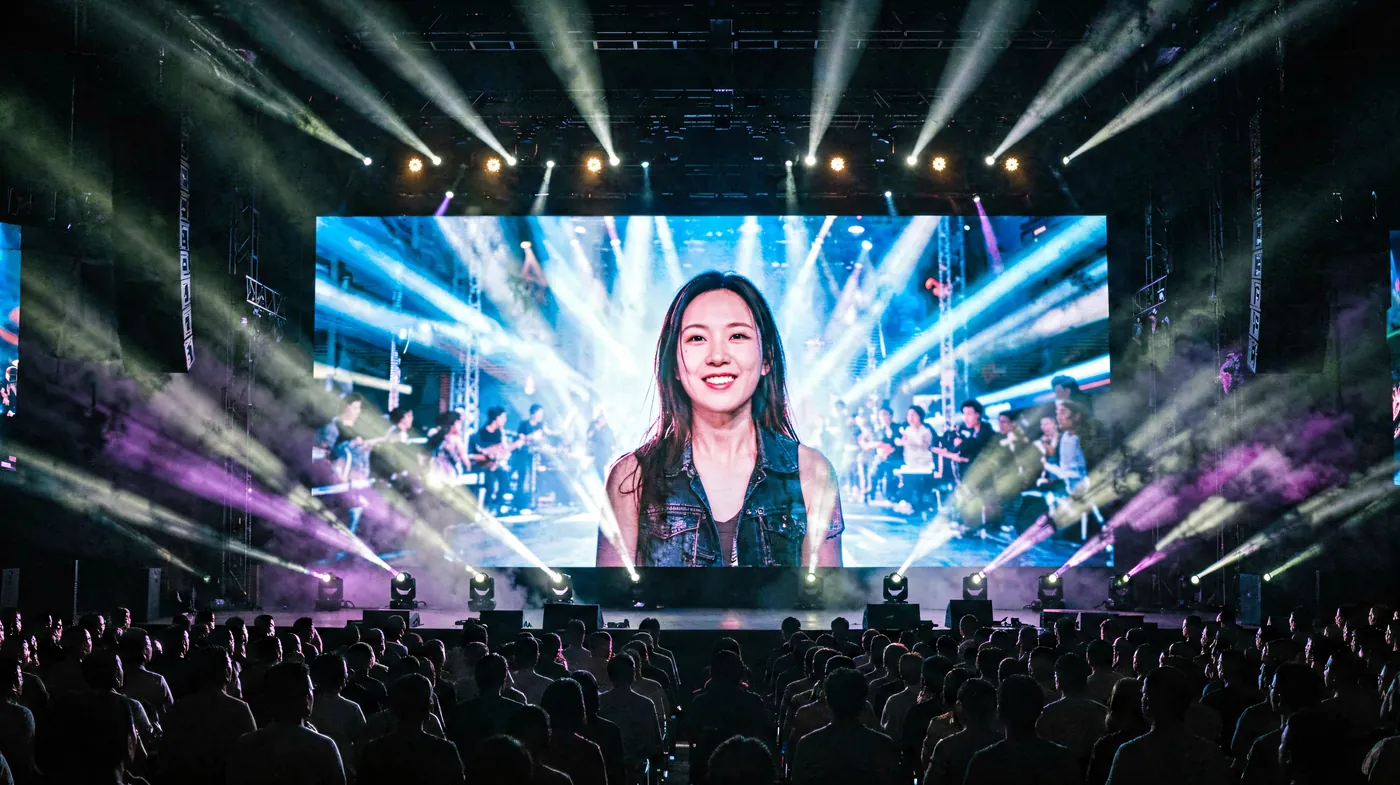
Touring and event screens prioritize fast setup, live switching and reliability under pressure. 2-in-1 processors reduce rig cabling; quick mapping in AutoLED matters more than permanent calibration. Stage projects often mix standard walls with curved or creative elements.
Commercial & Retail Displays
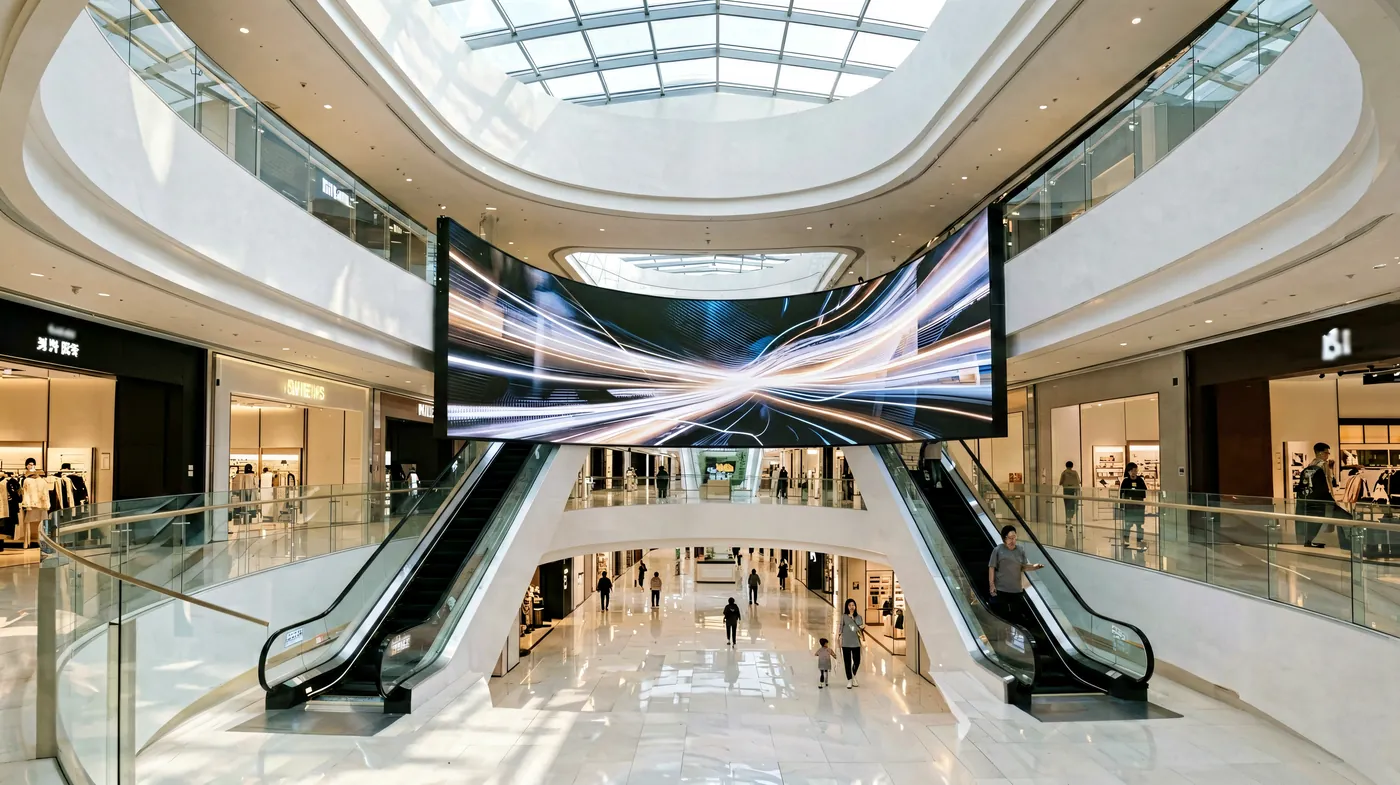
Shopping centers and storefront networks mix small format walls with DOOH scheduling. Asynchronous players and the MC-C2 server with LEDmagic cloud publishing let operators update content remotely — the control system becomes a content management tool, not just a signal path.
LED screen for shopping center solutions → · Mooncell media player guide →
Large-Format & Creative LED Displays
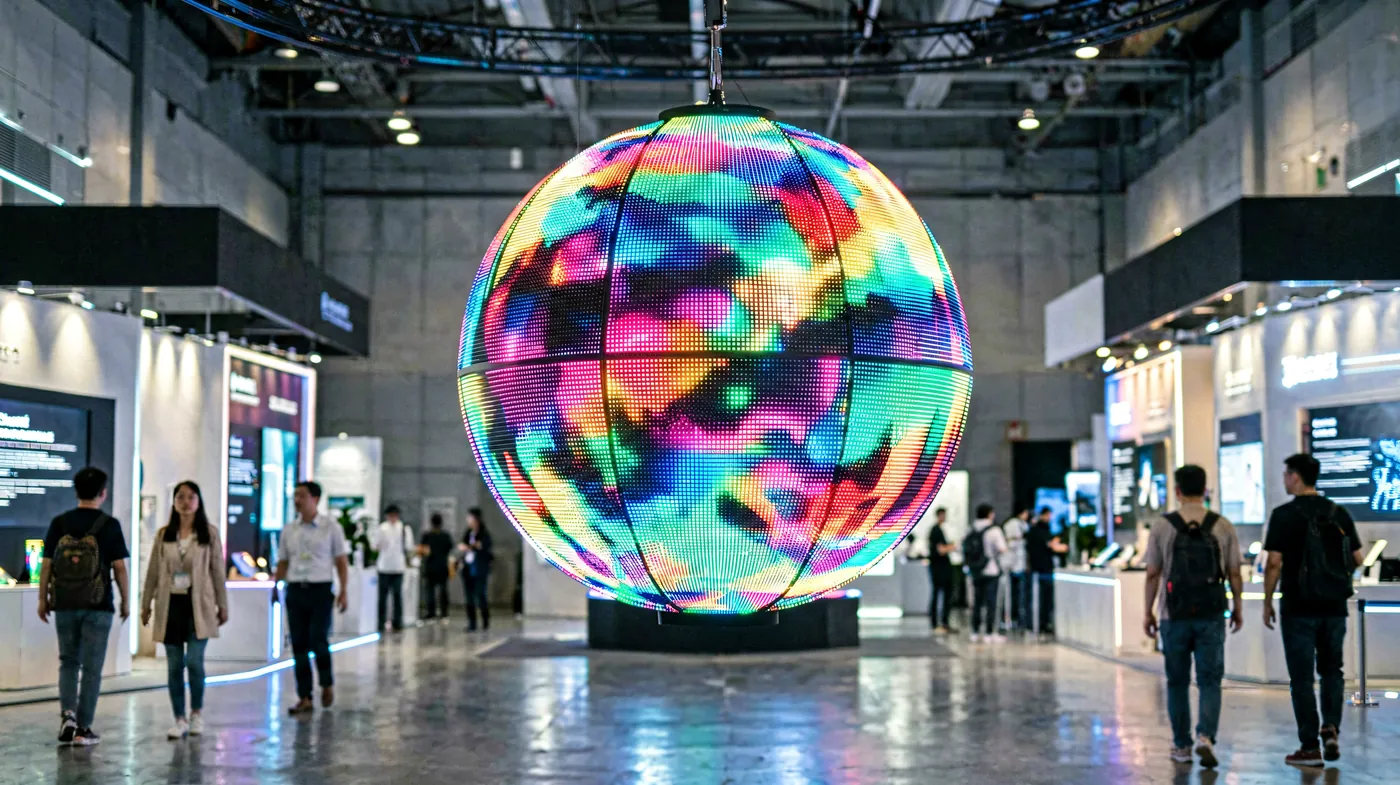
Sphere, dome, ring, floor-tile and 3D anamorphic screens break the rectangular pixel grid. B1200S and MB400S handle the irregular pixel mapping that standard processors cannot; the rest of the chain stays standard Mooncell hardware.
Custom Application?
Send us your screen size, pixel pitch and content sources — our engineers will specify the complete Mooncell control chain for your project.
Discuss Your ProjectOfficial Mooncell demo: interactive floor LED with a video-linkage player and three-fold creative screen.
6. How to Choose a Mooncell Controller
Controller selection is arithmetic before it is opinion. Work through these five questions in order, and the right model falls out of the calculation.
Screen resolution
Multiply width × height in pixels. A 1920×1080 cabinet wall is 2.07M px; a 4K wall is 8.29M px. This number sets the processor class: ≤2.6M px → MVB4S Pro; ≤7.8M px → MVB12E; up to 26M px → M40.
Screen size & cabinet count
Cabinet count decides receiving card quantity: A10X drives 327,680 px per card (512×640), A712 drives 196,608 px (512×384). Total pixels ÷ per-card capacity = card count, rounded up.
Input source
One HDMI laptop feed? A broadcast switcher? Multiple 4K sources? Each processor model accepts a specific input set — verify HDMI/DVI/DP count and 4K@60Hz support before specifying.
Application
Fixed installs favor redundancy (MTB400E dual backup); rental favors speed of setup (2-in-1 processors, fewer cables); signage networks favor asynchronous publishing (MB series, MC-C2); creative shapes require B1200S/MB400S mapping.
Processing requirements
Scaling, cropping, PIP, low latency and multi-window define how much video processing you actually need — a pure single-input wall does not need a broadcast-grade processor.
Worked example (from our selection guide): a church wall of 2.07M pixels → MVB4S Pro + 7× A10X. A native-4K wall of 8.29M pixels → M40 + 26× A10X. An outdoor billboard of 153,600 px is comfortably handled by an entry 2-in-1 unit.
For generic sending-card math that applies to any brand, see how to choose an LED sending card.
How to use Mooncell LED software — configuration walkthrough (EXCEL LED DISPLAY).
7. Mooncell vs Other LED Control Systems
Buyers evaluating control systems usually shortlist NovaStar, Colorlight, Linsn and Huidu alongside Mooncell. Each brand is strong; the differences matter by project type, budget and support channel — not by “which brand wins” in the abstract.
Mooncell vs NovaStar
NovaStar has the largest global installer base and the widest software ecosystem (NovaLCT, VNNOX); Mooncell is strong in high-pixel-count 2-in-1 processors and creative/special-shape control, often at lower hardware cost for the same pixel capacity. Full data tables in our comparison.
Mooncell vs Colorlight
Colorlight’s X series is widely used in rental and fixed installs with mature LEDVISION tooling; Mooncell’s 2-in-1 MVB line and creative controllers address dome, sphere and floor mapping that standard Colorlight processors do not target.
Mooncell vs Linsn & Huidu
Linsn remains a budget-first option in some regions; Huidu dominates asynchronous/Wi-Fi control. Mooncell’s strength is the synchronous 2-in-1 chain plus purpose-built creative controllers.
Cross-brand references: What is the NovaStar control system? · What is the Colorlight control system? · NovaStar vs Colorlight.
8. Mooncell Knowledge Center
Five in-depth guides written from a manufacturer’s perspective — organized by what you are trying to do.
 Product Guides
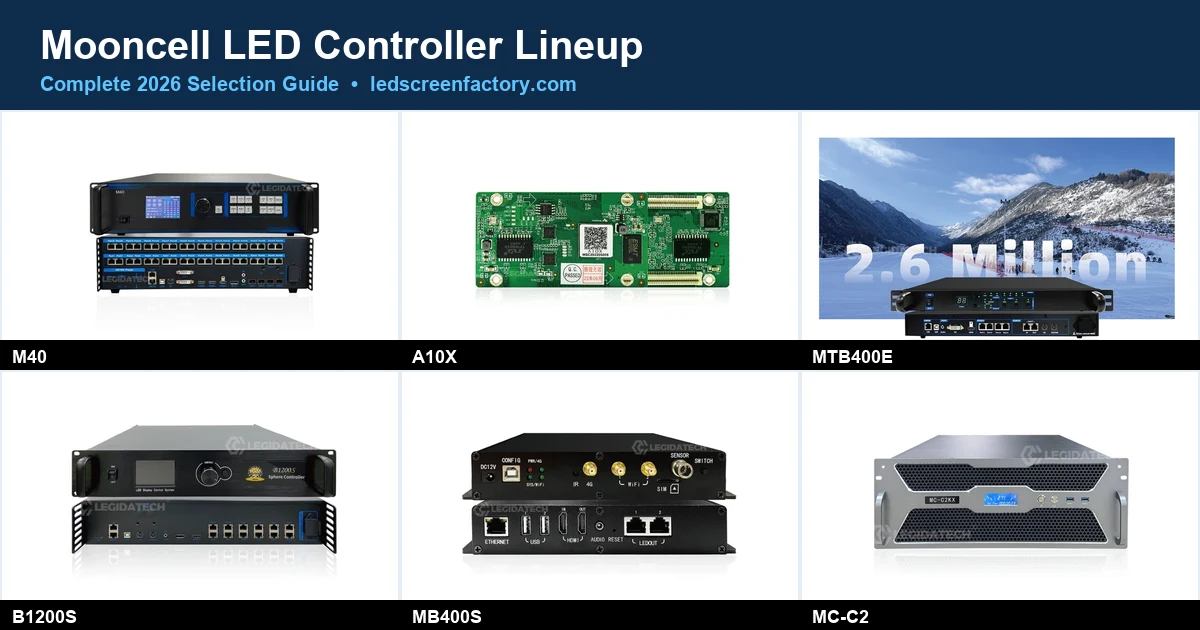
Mooncell LED Controller Lineup: Complete 2026 Selection Guide
Every product category, three worked pixel calculations, and a decision path from project to model.
 Technical Guides
Mooncell Software Explained: AutoLED, LEDmagic & Server C2
Which software pairs with which hardware, download sources, setup steps and a troubleshooting checklist.
 Comparisons
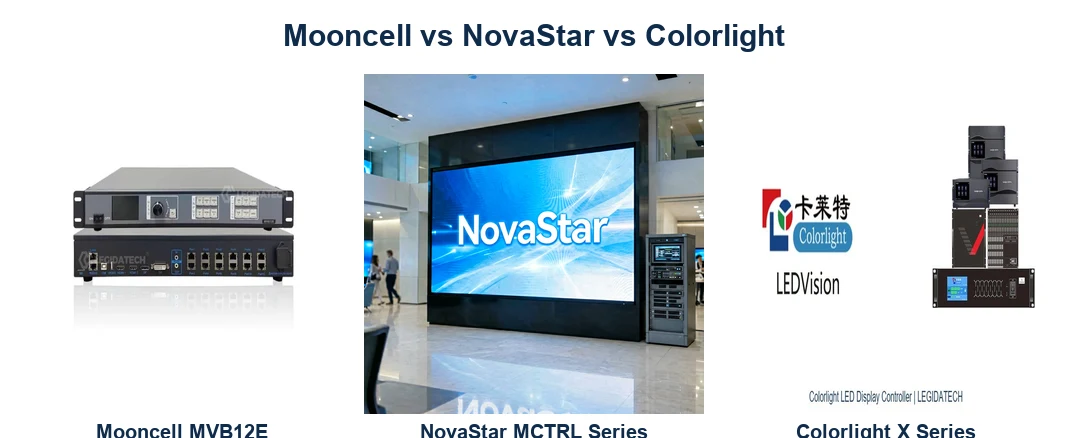
Mooncell vs NovaStar vs Colorlight: Which Fits Your Project?
Three-way brand comparison with real pixel-capacity tables, software ecosystems and price references from public listings.
 How-to
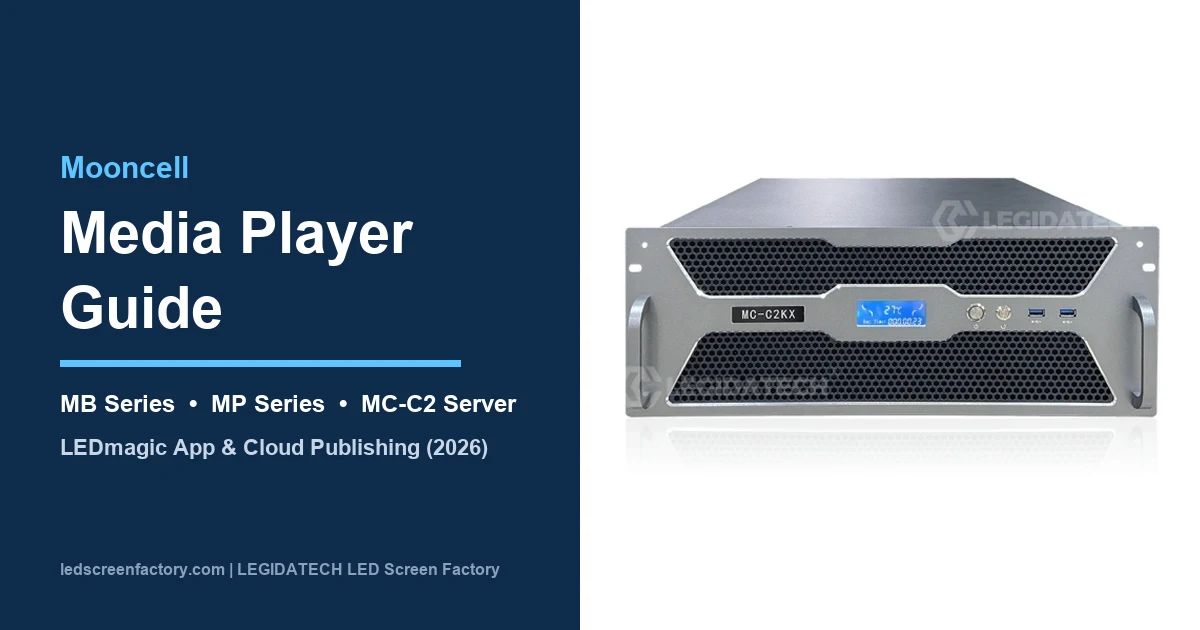
Mooncell Media Player Guide: MB Series vs MC-C2 Server
Synchronous vs asynchronous decision framework, LEDmagic app and cloud publishing workflow.
 Applications
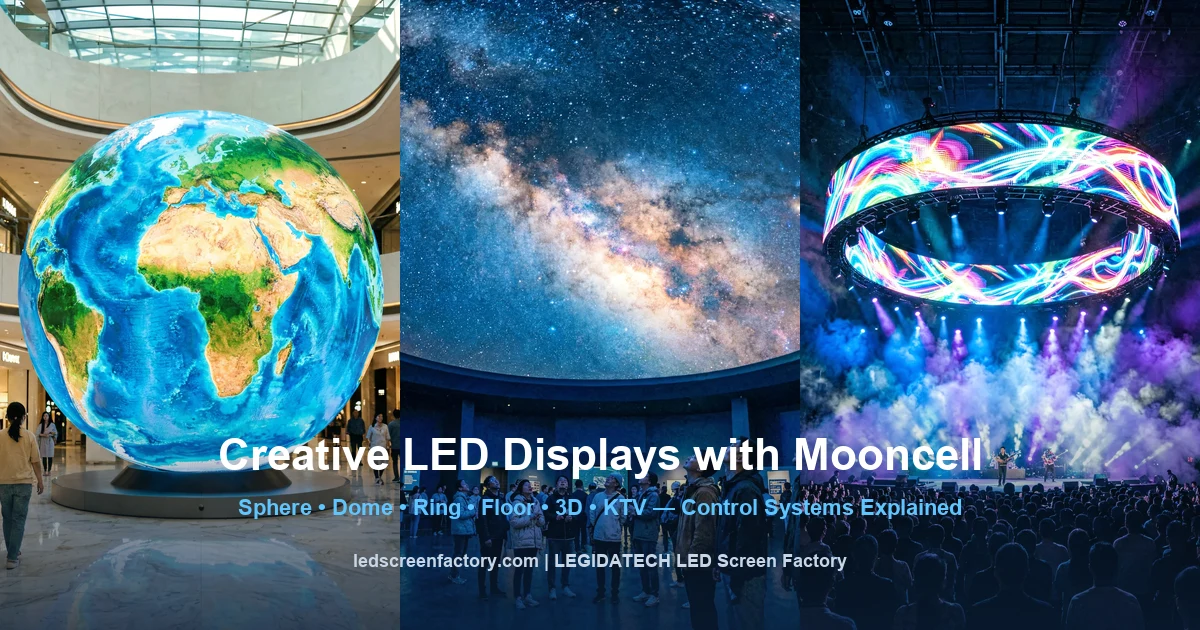
Creative LED Displays with Mooncell: Sphere, Floor, Dome & 3D
Five creative scenarios, the control challenge in each, and the Mooncell combination that solves it.
More Control-System Knowledge
Beyond Mooncell, our control-system library covers NovaStar, Colorlight, Linsn and Huidu — plus vendor-neutral setup and calculation guides.
LED Video Wall Controller Guide9. Why LED Display Manufacturers Need the Right Control System
The control system is the least visible part of an LED display — and the most common cause of underperformance. From a factory perspective, here is what the control chain determines before the screen ever reaches the site.
Screen Resolution
The processor’s pixel budget is a hard ceiling. A 2.6M-pixel processor cannot drive a 7.8M-pixel 4K wall, no matter how good the cabinets are — the control chain must be specified to the wall’s native resolution, not upscaled into it.
Refresh Rate
High-refresh output (e.g. 3840Hz) depends on both the receiving card’s scan support and the processor’s output timing. Camera-shoot quality at events is decided at this layer.
Content Source
The input matrix (HDMI/DVI/DP, 4K@60Hz capability) determines what the wall can ever show. Specifying a processor without listing the content sources is the most common B2B spec error we see.
Video Processing
Scaling, cropping, PIP and low-latency modes are processor features, not cabinet features. A 16K-wide wall needs the M40’s processing class; a single-feed lobby screen does not.
Receiving Cards
Card loading capacity (A10X 327,680 px vs A712 196,608 px) sets cabinet-to-card ratios and therefore system cost; calibration storage on the card is what keeps colors uniform across 500+ cabinets over years.
Screen Size
Very large walls need port topology planning — how many GigE ports, how cabinets are chained, where fiber replaces copper. This is engineering work, not a plug-and-play step.
Installation & Maintenance
A pre-configured control system (mapping, EDID, port assignment loaded at the factory) turns a two-day on-site commissioning into a half-day. Redundant controllers and spare receiving cards change long-term service cost.
Reliability & Compatibility
Single-source systems eliminate the integration risk between control hardware and LED cabinets — one warranty, one support contact, and hardware that was burn-in tested together.
Related engineering guides: LED display controller setup guide · LED display types in 2026 · sending card selection.
10. LEGIDATECH LED Display Solutions
The Mooncell control system is one layer of what we deliver. LEGIDATECH is an LED screen manufacturer that designs and builds the complete display around it — cabinets, modules, power, structure and control — sized to your application, viewing distance and content requirements.
Indoor Fixed LED Display
Lobby, retail, control-room and worship walls from P0.9 to P3.9, factory pre-configured with Mooncell or your preferred control brand.
Outdoor Advertising LED Display
Billboards and building wraps engineered for brightness, weather and long cable runs — with redundant control paths where uptime is contractual.
Stage Rental LED Display
Rental cabinets and flight cases with fast-rig hardware, quick-mapping control setups and event-grade reliability.
Also explore: custom LED display for creative shapes · stage screen buying guide · KTV LED screen solutions · about LEGIDATECH.
11. Mooncell LED Control System — Frequently Asked Questions
What is a Mooncell LED control system?
A Mooncell LED control system is the hardware and software chain — video processor, sending controller, receiving cards and AutoLED/LEDmagic software — that converts a video signal into the pixel data an LED screen displays. It sits between the content source and the LED cabinets and determines maximum resolution, refresh behavior and how content is mapped to the wall.
What is the difference between a Mooncell controller, video processor and receiving card?
The video processor (MVB series, M40) scales and converts incoming video; the controller (or the sending stage inside a 2-in-1 processor) packages that video into GigE data streams; the receiving card (A10X, A712) inside each cabinet decodes the stream and drives the LED modules. All three are required in a synchronous system — a 2-in-1 processor merges the first two.
Which Mooncell processor do I need for my screen resolution?
Calculate total pixels (width × height). Up to 2.6M pixels, the MVB4S Pro fits; up to 7.8M pixels, the MVB12E drives a full 4K wall; up to 26M pixels (16K-wide), the M40 handles stadium-scale and ultra-wide displays. Each model’s product page lists its exact port and input configuration.
What is an LED receiving card and how many do I need?
A receiving card decodes the GigE data sent by the controller and drives the LED modules of one or more cabinets. Divide total screen pixels by the card’s loading capacity — 327,680 px (512×640) for the A10X or 196,608 px (512×384) for the A712 — and round up. See our receiving card calculation guide.
Is Mooncell a good alternative to NovaStar?
For many projects, yes — Mooncell’s 2-in-1 MVB processors and creative controllers are competitive on pixel capacity and special-shape control, often at lower hardware cost than equivalent NovaStar configurations. The choice depends on your project type, software preference and local support. We break this down with parameter tables in the Mooncell vs NovaStar vs Colorlight comparison.
Which software does a Mooncell LED control system use?
Synchronous systems are configured with AutoLED (screen setup, receiving card mapping, EDID); asynchronous players and media servers use LEDmagic plus cloud publishing. Download sources, version notes and setup steps are in our Mooncell software guide.
Can Mooncell control systems drive outdoor LED displays?
Yes. Outdoor projects typically pair a 2-in-1 processor or a redundant master controller (MTB400E) with standard receiving cards; the outdoor-specific engineering is in the cabinets — weatherproofing, brightness and power — not the control protocol. For signage networks, asynchronous MB-series players or the MC-C2 server add remote content scheduling.
Is Mooncell compatible with other brands of receiving cards?
Mooncell processors are designed to work with Mooncell receiving cards, and we always specify matched Mooncell chains in our systems. Mixing brands between the sending and receiving stages is technically possible in some configurations but is not supported or recommended — it removes calibration consistency and complicates warranty support.
Does LEGIDATECH sell Mooncell controllers separately?
We are an LED screen manufacturer, not a Mooncell retailer or authorized distributor. Mooncell hardware is supplied as part of complete LED display projects — specified, pre-configured and burn-in tested together with the cabinets it drives. For standalone controller purchases, Mooncell’s official site lists distribution channels.
How do I get a quote for a Mooncell-based LED display system?
Send us your screen size, pixel pitch, application and content sources through the form below or any inquiry button on this page. Our engineers calculate the pixel budget, select the control chain and return a complete system quotation within 24 hours.
12. Mooncell LED Control Systems in Depth: Architecture, Selection and System Integration
This section is the long-form technical reference behind the page above — written for integrators, procurement engineers and display manufacturers who need to understand how a Mooncell control chain behaves as a system, not as a list of boxes.
LED Display Control Architecture: Where Each Component Lives
An LED display is a distributed pixel engine. Every frame shown on the wall starts as a video signal, is converted into a standardized pixel stream, is split across dozens of Gigabit Ethernet ports, and is finally reconstructed by receiving cards inside each cabinet. The architecture has five functional layers, and Mooncell hardware maps cleanly onto each of them.
The first layer is content acquisition. In a synchronous system, this is a live video input — HDMI from a laptop, DVI from a switcher, DP from a media server, or an SDI-to-input conversion upstream. The MVB-series processors accept multi-format inputs and support 4K@60Hz acquisition on the higher models, which matters because a processor that only accepts 1080p input will force every 4K source through an external scaler first.
The second layer is video processing: scaling, cropping, color adjustment, PIP and multi-window composition. The Mooncell M40, for example, supports up to 26M pixels with 16K-wide canvas capability, which means a single chassis can process an ultra-wide ribbon wall without a downstream splitter. This is the layer where “2-in-1” matters: the MVB4S Pro, MVB12E and M40 perform processing and sending in one chassis, collapsing two physical boxes and two failure domains into one.
The third layer is sending. Whether embedded (2-in-1) or standalone (MTB-series master controllers), the sending stage packages the processed frame into GigE streams, one per output port. Each GigE port has a defined pixel budget — on the M40, a single port carries up to 655,360 pixels (1280×512) — and the port topology must be planned so no chain is overloaded and the cabinet mapping matches the physical wall.
The fourth layer is the receiving card. Mounted inside each cabinet, the A10X and A712 decode the incoming GigE stream and drive the LED modules through parallel RGB data groups. The A10X supports 512×640 pixels per card across 32 groups of RGB parallel data; the A712 supports 512×384 pixels and carries an 18-bit pixel-by-pixel calibration pipeline. The card also stores calibration coefficients, which is what keeps 500 cabinets color-uniform over years of operation.
The fifth layer is the cabinet itself — LED modules, power supplies, structure and cabling. Control hardware and cabinets are interdependent: the card form factor must match the cabinet’s mounting points, the module scan type must be supported by the card firmware, and the power budget must include the card’s consumption. This is precisely why factory-integrated systems avoid most field failures: the entire chain is validated together before shipping.
Controller Selection: Pixel Math Before Brand Preference
Selection begins with the total pixel count of the wall, computed as horizontal resolution × vertical resolution. A 1920×1080 wall is 2,073,600 pixels; a UHD wall is 8,294,400; a 153,600-pixel outdoor billboard (640×240 equivalent) is an entirely different class. The processor’s maximum loading capacity is a hard constraint: the MVB4S Pro drives up to 2.6M pixels, the MVB12E up to 7.8M, and the M40 up to 26M. Under-specifying the processor means the wall either cannot reach native resolution or requires multiple chained units.
Receiving card count follows from the same number. Total pixels divided by per-card capacity — 327,680 for the A10X, 196,608 for the A712 — gives the minimum card count, which must then be reconciled with physical cabinet geometry. A wall built from 960×960 cabinets may force more cards than the pure arithmetic suggests, because each cabinet needs its own card regardless of partial loading. The difference between arithmetic and geometry is where experienced system design earns its value.
The input matrix is the third constraint, and the most frequently overlooked. List every content source the wall must accept — laptop HDMI, broadcast switcher output, camera feed, streaming box — and verify the processor’s input count and format support. A processor with one HDMI input cannot host a two-camera live event without an external switcher, and 4K sources require 4K@60Hz-capable inputs. Processing features — scaling, cropping, PIP, low-latency mode — are then matched to the application: a control-room wall needs multi-window; a retail window needs none.
Finally, the application layer decides the architecture’s shape. Fixed installations prioritize redundancy and remote management, which favors master controllers with dual backup and cascade (MTB400E) or cloud-managed servers (MC-C2). Rental and stage work prioritizes setup speed and compact rigging, which favors 2-in-1 processors with quick mapping in AutoLED. Signage networks favor asynchronous players that continue playing content when the network drops. Creative shapes — sphere, dome, ring, floor — require the pixel mapping logic of the B1200S and MB400S, which handle irregular grids that rectangular processors cannot address.
Video Processing in LED Displays: What the Processor Actually Does
Video processing in an LED display is often misunderstood as “making the picture look good.” More precisely, it is the engineering task of making the incoming signal fit the wall’s physical pixel grid, in real time, without visible artifacts. Four functions dominate.
Scaling converts the source resolution to the wall resolution. Because LED walls rarely match standard video resolutions — a 2.07M-pixel wall is not 1080p — every frame is rescaled. Poor scaling produces jagged text and soft video; a processor built for the wall’s pixel count does it cleanly and without adding latency.
Cropping and positioning handle aspect-ratio mismatches. A 16:9 source on an ultra-wide wall must be cropped, positioned or windowed; PIP composition places multiple sources on the canvas simultaneously. The M40’s 16K-wide canvas is designed for exactly these large-canvas composition tasks.
Color and gamma processing aligns the wall with the source’s color space — essential when the wall is camera-shoot-critical, since the broadcast feed and the wall must agree on white point and luminance curve.
Latency management matters for stage and event work: every processing step adds delay, and low-latency modes trade processing features for speed. The correct setting depends on whether the wall is showing a PowerPoint or a live camera feed of the person standing next to it.
Receiving Cards: The Point Where Control Meets LEDs
The receiving card is the least glamorous and most consequential component in the chain. It decodes the GigE stream, drives the modules, and stores calibration data — and its limits define the cabinet-level economics of the whole system.
Loading capacity determines how many modules a single card can drive. The A10X’s 327,680-pixel capacity (512×640) means a P2.5 cabinet of 512×512 pixels needs exactly one card; the same cabinet at P1.9 (640×640 equivalent grid) may need capacity headroom planning. Fewer, higher-capacity cards reduce per-cabinet cost and connector count — a direct system cost driver at scale.
Calibration is the card’s second job. LED brightness varies ±15% or more between individual diodes at manufacture; per-pixel calibration coefficients stored on the card correct each pixel individually, producing the uniform fields that professional buyers expect. The A712’s 18-bit pipeline is aimed at walls where color precision is a contractual requirement. When calibration coefficients are stored on the card rather than on a laptop, the wall survives processor replacement without re-calibration.
Reliability engineering completes the picture: cards are the most numerous electronic components in a system (a 100-cabinet wall carries 100 cards), so their failure rate dominates the system’s mean time between field service visits. In practice, a spare card is a standard part of every project delivery, and card-level hot-swap design means a failure costs minutes, not a day.
Synchronous vs Asynchronous Control: Two Different Systems
A distinction that confuses many first-time buyers: synchronous and asynchronous LED control solve different problems. A synchronous system requires a live video source connected at all times — a PC, a switcher or a media server feeds the wall in real time, and everything shown is exactly what the source outputs. Mooncell’s MVB processors, MTB controllers and A-series receiving cards form this class. It is the correct architecture for conference rooms, stages, broadcast studios and any wall whose content changes live.
An asynchronous system, by contrast, stores content locally and plays it without a connected source. The MB-series players and the MC-C2 server download content over the network, schedule it, and keep playing when the network drops. This is the standard architecture for billboards, storefront signage and distributed DOOH networks, where content changes daily rather than per second, and where a dead network must not mean a dead screen. Some Mooncell devices blur the line — the MC-C2 combines server-grade multi-window output with cloud publishing — but the fundamental distinction is simple: live content needs synchronous control; scheduled content usually does not.
Choosing wrongly is expensive in both directions. A synchronous chain on a billboard requires an always-on PC at the site and loses playback on every network outage; an asynchronous player behind a stage wall cannot follow a live camera. The application defines the architecture, which is why the questions in Section 6 begin with what the screen must show, not which box to buy.
Software and Configuration: AutoLED, LEDmagic and the Cloud
Hardware is half the system; the software that configures it is the other half. Mooncell’s software family splits along the same line as the hardware: AutoLED configures synchronous systems, and LEDmagic manages asynchronous players and cloud-published content. Integrators who know both can commission any Mooncell-based wall without vendor assistance — which is why software support is a legitimate selection criterion, equal to pixel capacity.
AutoLED handles the tasks that define a wall: receiving card mapping (which cabinet is where in the pixel grid), output port assignment, EDID settings, calibration loading and screen test patterns. Configuration files created in AutoLED are loaded at the factory in our workflow, so the wall arrives with its mapping pre-installed. LEDmagic covers the asynchronous side — content upload, playlist scheduling, screen grouping and remote monitoring through the cloud platform — turning dozens of distributed screens into one managed network.
For B2B buyers, the software layer carries two practical consequences. First, configuration quality determines commissioning time: a correctly built AutoLED map means a wall lights up on first connection; a hand-built map means a day of troubleshooting. Second, software is where compatibility claims are tested — the receiving card firmware, module driver and configuration tool versions must align, and a factory that controls this alignment removes a failure class the buyer never sees. Our Mooncell software guide documents the version matrix and the most common configuration failures in detail.
Applications: How the Control Chain Changes by Display Type
Indoor fixed displays — retail, corporate, worship, control rooms — optimize for image quality and stability. The chain is usually a single 2-in-1 processor, GigE distribution to standard cards, and calibration done once at commissioning. Redundancy is added where downtime is contractual: dual-backup sending controllers, dual power inputs, spare cards on site.
Outdoor advertising displays add environmental and network constraints. Long cable runs push distribution planning toward fiber beyond copper limits; asynchronous playback keeps content alive when the network drops; cloud-published servers allow a remote operator to schedule content across multiple screens. The control chain becomes a network service, not just a local signal path.
Rental and stage displays invert the priorities: setup speed and compactness first. 2-in-1 processors eliminate a box; quick mapping in AutoLED lets crews reconfigure cabinets between shows; flight-cased racks protect the control hardware on the road. Latency management and live-switch capability are the processing priorities.
Commercial and large-format creative displays stretch the architecture at its edges. A 16K-wide atrium ribbon is a canvas problem (M40); a dome or sphere is a mapping problem (B1200S, MB400S); an interactive floor is a synchronization problem across tiles. Each of these is why control systems exist as an engineering discipline rather than a commodity purchase.
System Integration: Why the Control Chain and the Cabinets Should Be One Project
In a factory-integrated system, control hardware and cabinets are specified, assembled and burn-in tested together. Receiving card mapping is loaded at the factory; EDID and port topology are pre-configured; the complete chain runs a 24-hour burn-in before crating. On site, commissioning becomes connection and verification rather than debugging — which is the difference between a half-day install and a two-day one.
Integration also unifies warranty and support. When cabinets, cards, processors and power come from one LED screen manufacturer, one support team owns every layer of the signal path — no vendor finger-pointing when a wall shows artifacts. For buyers outside the industry, this is invisible until something fails; for procurement engineers, it is the first question asked.
Compatibility risk is the final argument. The LED industry has no universal plug-and-play standard between control brands and cabinet electronics; every combination is a small integration project. Choosing a manufacturer that specifies the control system as part of the display — Mooncell or any of the other brands we work with — removes that risk class entirely, because the integration was done once, in engineering, before your wall existed.
Build Your LED Display Around the Right Control System
Tell us your screen size, pixel pitch, application and content sources — LEGIDATECH will engineer the complete solution: Mooncell control chain, cabinets, modules, power and structure, pre-configured and factory tested.
Start Your LED Display Project InquiryFactory-direct pricing · 24-hour quotation · Worldwide shipping from Shenzhen
LED Control System Hub Network
This page is part of the LEGIDATECH LED control system knowledge hub. Compare all four major control system brands in one place.
Explore the LED Control System Hub →