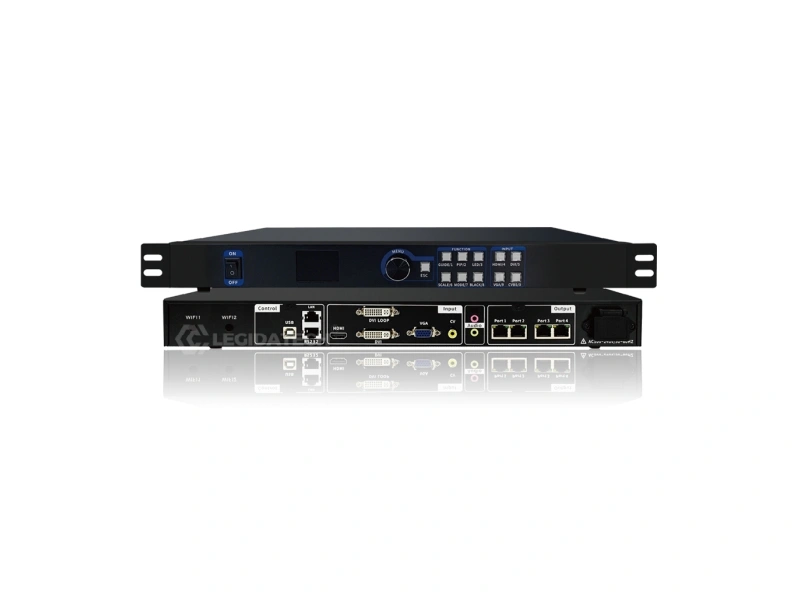
MVB4S Pro Overview — What It Is, What It Does, Who It’s For
What Is It?
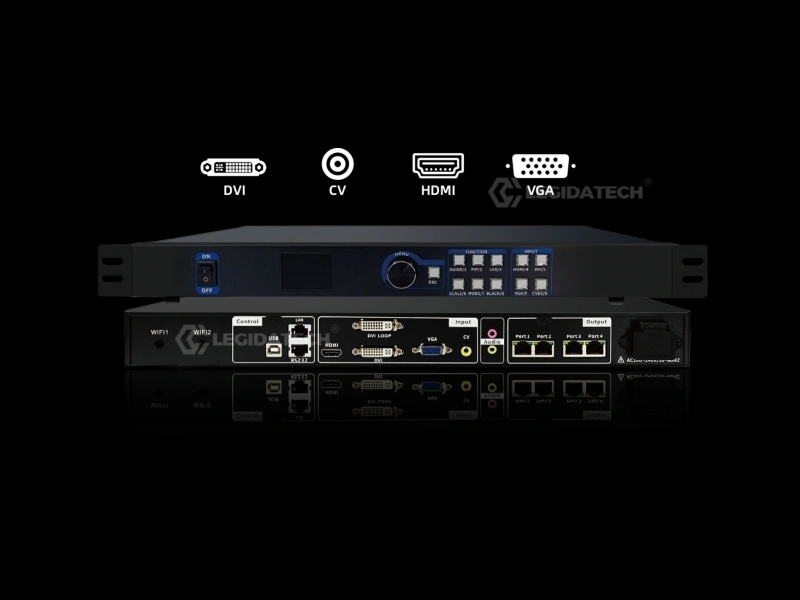
A 2-in-1 LED video processor + sending card by Mooncell. Drives up to 2.6 million pixels across 4 Gigabit Ethernet ports. HDMI, DVI, VGA inputs. PIP dual-window. Quick screen mapping.
What Does It Do?
Receives video from cameras, media players, and laptops — processes, scales, and routes — then sends pixel data to LED receiving cards. One box replaces a video switcher + sending card.
Who Is It For?
LED integrators, rental companies, advertising project contractors, system integrators — anyone procuring a complete LED display system who needs a reliable processor + screen bundle.
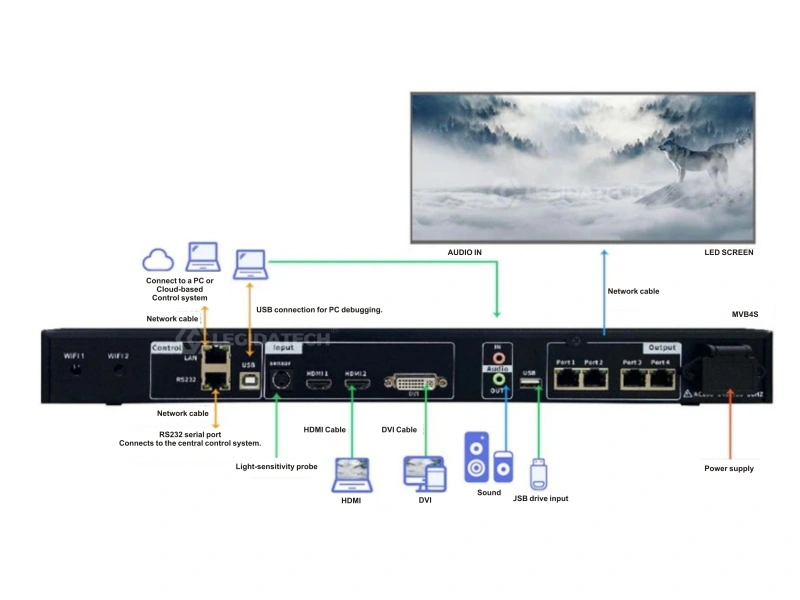
Rear Panel — All Input/Output and Control Connections
How MVB4S Pro Works — Signal Flow
Every LED display project follows this chain. The MVB4S Pro handles steps 2-4 in a single device.
📹
Video Source
HDMI/DVI/VGA
→
⚙️
MVB4S Pro
Process + Scale + Route
→
🔌
Receiving Card
Mooncell R-Series
→
🧱
LED Cabinet
Indoor/Outdoor
→
🖥️
LED Display
Complete Video Wall
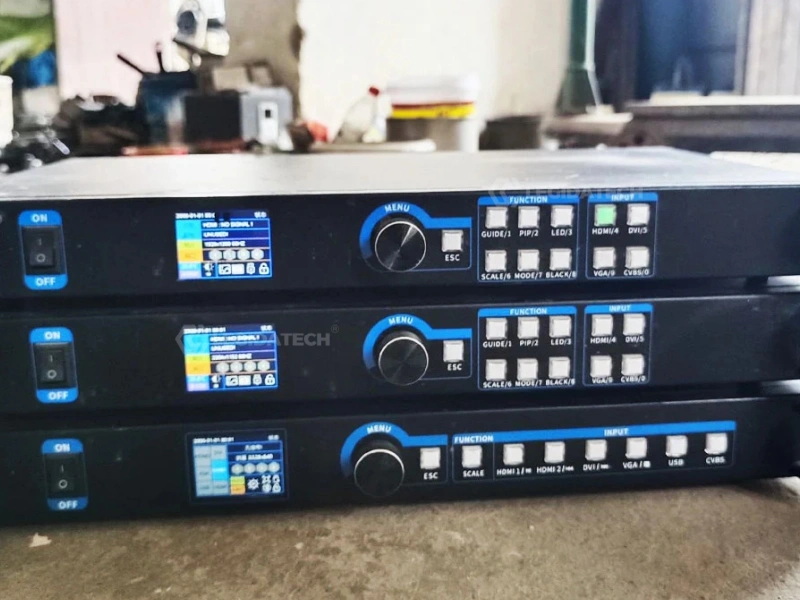
MVB4S Pro in a Typical LED Display Control Rack — 4× Gigabit Ethernet to Receiving Cards
Video signal enters the MVB4S Pro through HDMI, DVI, or VGA. The built-in 12-bit processing chip scales, de-interlaces, and color-corrects the image. The processor routes pixel data through 4 Gigabit Ethernet ports directly to LED receiving cards on each cabinet, which drive the LED modules. The result: a seamless, synchronized LED video wall powered entirely through one MVB4S Pro — powered by one device, configured in minutes.
Complete LED Display Solutions Compatible with Mooncell Systems
MVB4S Pro + LEGIDATECH LED displays = one supplier, one warranty, factory-direct pricing. Select your application:
🏢
Indoor LED Display
Fine-pitch P1.2-P4 for retail, corporate, broadcast.
Recommended indoor and outdoor pixel pitches matched to MVB4S Pro’s 2.6M pixel capacity. A 1920×1080 Full HD wall uses ~2.07M pixels — well within range.
Indoor
P1.25
Ultra-fine pitch
Indoor
P1.53
Premium close-view
Indoor
P1.86
Conference & retail
Indoor
P2.5
Best value indoor
Outdoor
P3.91
Close-view outdoor
Outdoor
P5
Advertising standard
Outdoor
P6.67
Long-distance view
Outdoor
P8–P10
Billboard & highway
Compatible Components for Your LED Display System
Receiving Cards
Mooncell R-series, NovaStar A8s/A5s. One per LED cabinet.
Sending Card
Built into MVB4S Pro. For expansion, see our guide.
Power Supply
Mean Well, G-energy, Delta. 5V/4.5V for LED modules.
Fiber Converter
Long-distance Ethernet-to-fiber for remote LED cabinets.
Video Processor
Huidu VP620/VP830. For larger projects needing more inputs.
Control Software
AutoLED, HDPlayer, NovaLCT. Free downloads.
Typical Applications
⛪
Church
💼
Meeting Room
🎤
Stage / Event
🏬
Advertising
🛍️
Shopping Mall
✈️
Airport
📺
TV Studio
🎛️
Command Center
Why Engineers Choose MVB4S Pro
Not features. The reasons technicians and integrators prefer this processor on-site.
⚡
Quick Commissioning
One-click screen mapping. No PC needed for basic setup. On-site in minutes.
🔗
Stable Transmission
Gigabit Ethernet output. Standard CAT6 cable. No proprietary connectors.
🛠️
Simple Maintenance
Front-panel LCD + knob. All settings accessible without a PC. Voltage/temp self-monitoring.
🎨
Professional Image Quality
12-bit processing. De-interlacing. No motion blur, no jagged edges.
🕐
24/7 Operation
Industrial design. 20W low heat. No active cooling required. Built for continuous 24/7 duty cycles powering LED video walls of any size.
Why LEGIDATECH for Your Complete LED Display Project
The processor matters. The supplier matters more.
🏭
Shenzhen Factory
5000m² workshop. Direct from production line.
🔧
OEM / ODM
Custom LED solutions. Your branding, our manufacturing.
✅
CE · RoHS Certified
Full compliance. European and international standards.
Check: Input source LED on front panel — if flashing, source is selected but has no signal. Verify cable connection. Confirm source device is outputting a supported resolution (max 1920×1200 for DVI, 1920×1080 for HDMI). Solution: Connect a known-working source. Check EDID settings.
Image Flickering or Tearing
Check: Ethernet port indicator — solid yellow + flashing green = normal. Both solid = no receiving card detected. Solution: Re-seat Ethernet cables. Verify receiving card firmware matches. Check that output resolution does not exceed 2.6M pixels or width 3840.
Color Distortion or Wrong Colors
Check: Color depth setting. VGA sources may need manual RGB adjustment. Solution: Verify HDMI/DVI cable supports required color depth. For VGA, run Auto-adjust. Check EDID color format matches source output (RGB vs YCbCr).
Screen Partially Not Displaying
Check: Ethernet port assignment in output settings. Network cable to affected section. Solution: Verify each of 4 Ethernet ports is properly mapped in AutoLED software. Check receiving card status LEDs. Confirm total pixel load across ports does not exceed 2.6M.
Frequently Asked Questions
What is Mooncell MVB4S Pro?▾
A 2-in-1 LED video processor and sending card. Drives up to 2.6 million pixels. HDMI, DVI, VGA inputs. Quick screen configuration without PC software.
What inputs does it support?▾
2× HDMI 1.3, 1× DVI (with LOOP output), 1× VGA. Max input resolution: 1920×1200 DVI, 1920×1080 HDMI, 3840×640 VGA.
Can it control outdoor LED displays?▾
Yes. The MVB4S Pro works with both indoor and outdoor LED displays using Mooncell receiving cards. Outdoor P3.91–P16 are fully supported.
Can it be used for rental LED screens?▾
Yes. Quick screen configuration, multiple input switching, and compact 1U form factor make it ideal for rental and staging applications.
How to connect receiving cards?▾
Connect CAT6 Ethernet cables from the 4 Gigabit ports on MVB4S Pro to the input ports on each LED cabinet’s receiving card. Use AutoLED software or the LCD menu to map the outputs.
How to configure the software?▾
Download AutoLED from Mooncell or LEGIDATECH download center. Connect via USB-B or LAN. Set resolution, map Ethernet ports, configure EDID.
Can it work 24/7?▾
Yes. 20W low power, no active cooling required. 0°C–50°C operating range. Built-in voltage and temperature self-monitoring. Designed for continuous operation.
What LED screens are compatible?▾
All LEGIDATECH indoor, outdoor, rental, church, conference, and custom LED displays using Mooncell receiving cards. See our compatible displays section above.
How to choose the right controller?▾
Calculate your total pixel count (width × height). If under 2.6M pixels and you need HDMI/DVI/VGA inputs, the MVB4S Pro is the right choice. For larger walls (up to 26M pixels), consider the Mooncell M40.
MVB4S Pro processor + LEGIDATECH LED displays — one supplier, complete solution.
Explore the Mooncell LED Control System Hub →Complete guide to the Mooncell LED control system — how processors, controllers and receiving cards work together, full product comparison, selection logic and applications.