


NovaStar LED Control System
Complete Resource Center for LED Display Buyers
Your comprehensive guide to NovaStar controllers, video processors, receiving cards, and complete LED display control solutions — from an LED screen manufacturer with 15+ years of experience.
1. What Is NovaStar in an LED Display System?
NovaStar is the global leader in LED display control technology — the critical link between your video source and every pixel on screen.
Founded in 2008, NovaStar Tech Co., Ltd. (Shenzhen Stock Exchange: 301589) has grown from a calibration startup into the company that powers 60-70% of the world’s LED displays. Their technology was behind the Beijing 2008 Olympics opening ceremony, the Rio 2016 Games, the Russia 2018 World Cup, and countless concerts, broadcast studios, and digital billboards worldwide.
A NovaStar LED control system is the hardware-and-software backbone that converts video signals from your media source (PC, camera, media server) into the precise digital data that thousands of LED driver ICs can interpret — pixel by pixel, frame by frame. Think of it as the brain and nervous system of any LED display.
The system operates in two fundamental modes: Synchronous (real-time mirroring for live events and broadcast) and Asynchronous (cloud-managed playback for digital signage networks via NovaCloud).
How a NovaStar LED Control System Works
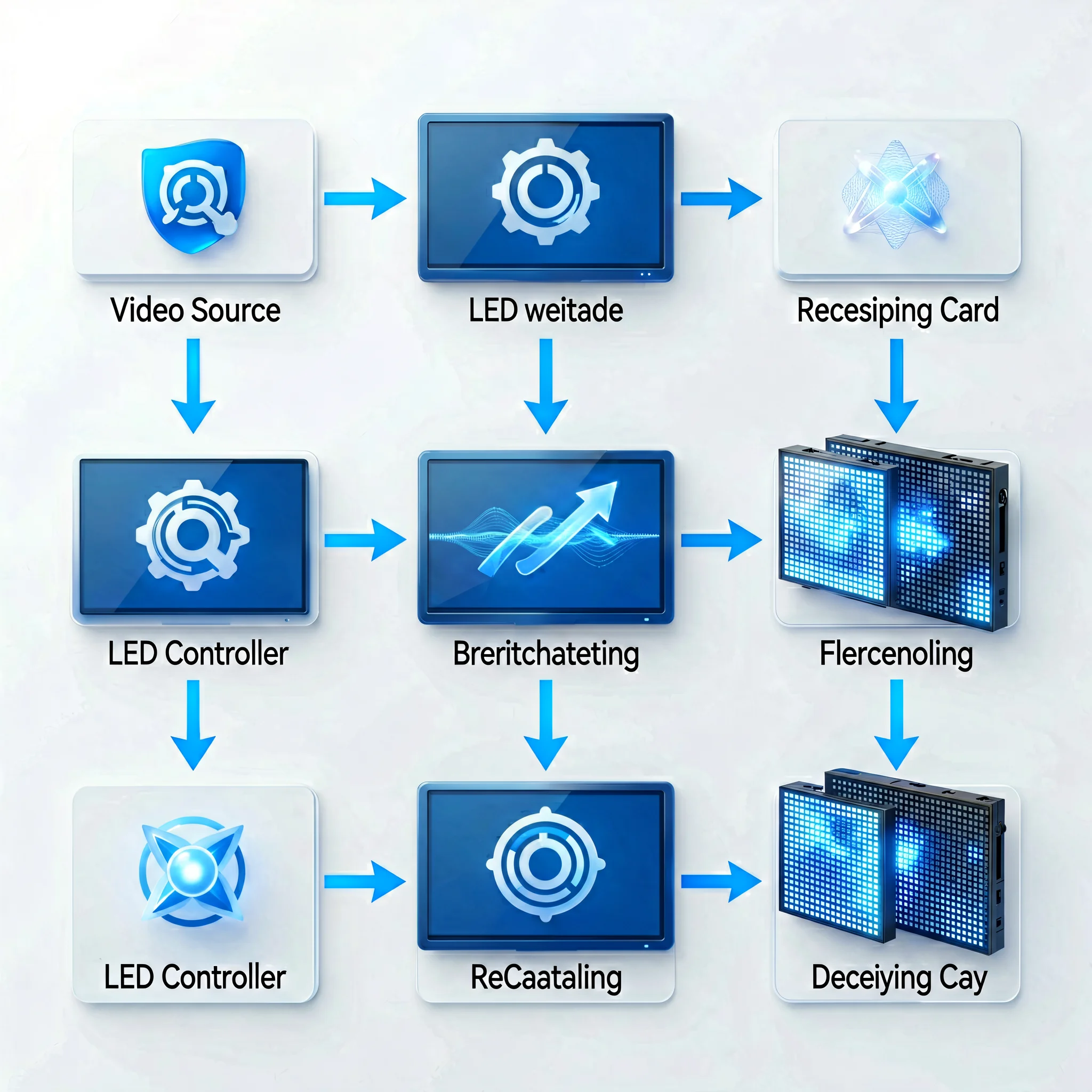
The controller processes incoming video → splits it across Ethernet ports → receiving cards in each cabinet decode the signal → LED driver ICs illuminate individual pixels in perfect synchronization.
2. NovaStar Product Categories
NovaStar’s 2026 product ecosystem spans five integrated categories — from signal input to cloud management.
3. Featured NovaStar Products
Factory-direct NovaStar controllers, processors, and receiving cards — sourced directly from the manufacturer and pre-tested with LED display systems.
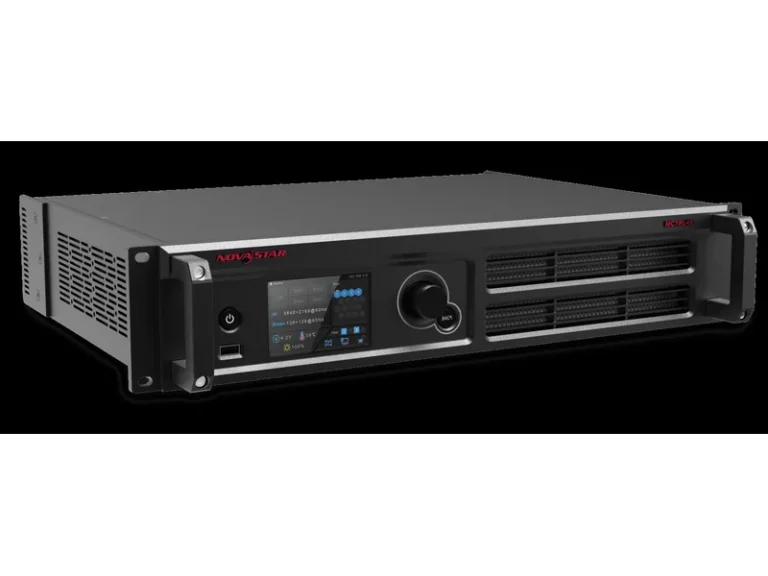
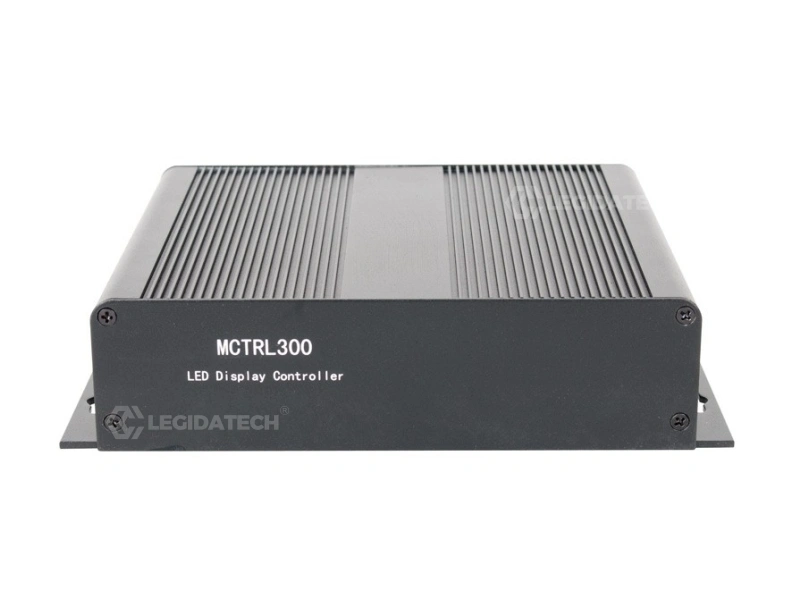
MCTRL Series — Independent LED Sending Controllers
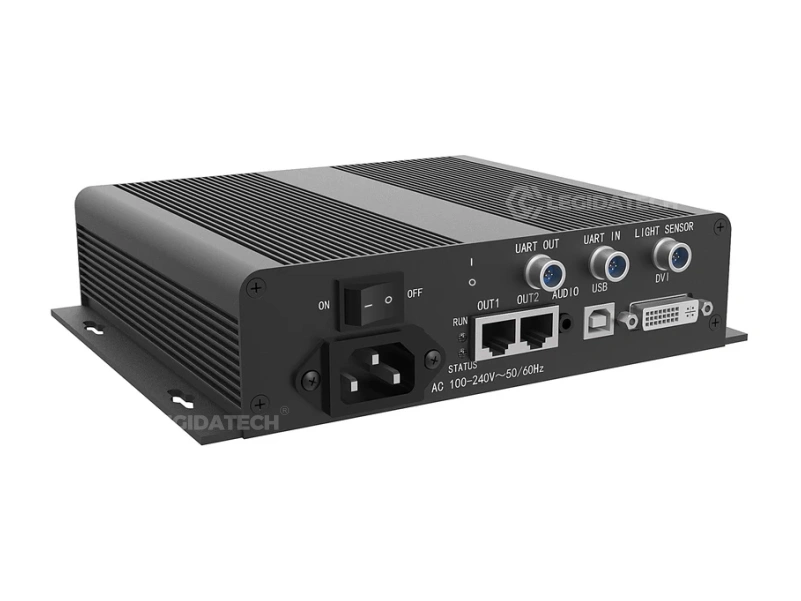
- 1.3 Million Pixels Max Load
- 1× DVI Input | 4× RJ45 Outputs
- Cascade Up to 20 Units
- Ultra-Compact & Portable
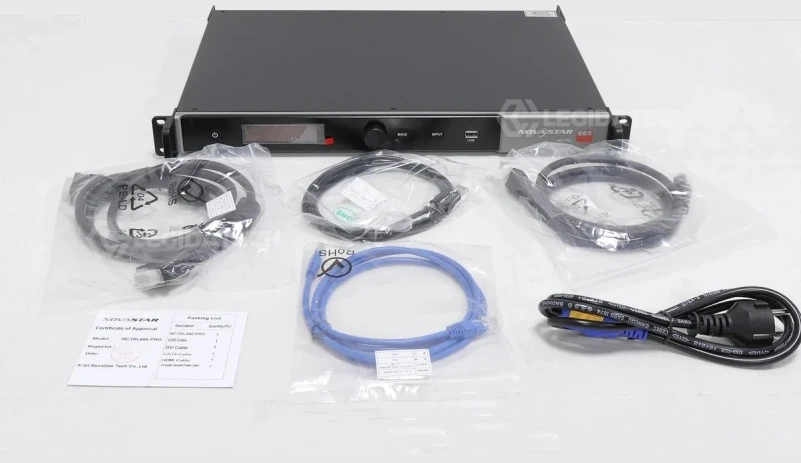
- 2.3 Million Pixels Max Load
- 3G-SDI + HDMI + DVI Inputs
- GENLOCK Frame Sync
- Dual 10G Optical Fiber Output
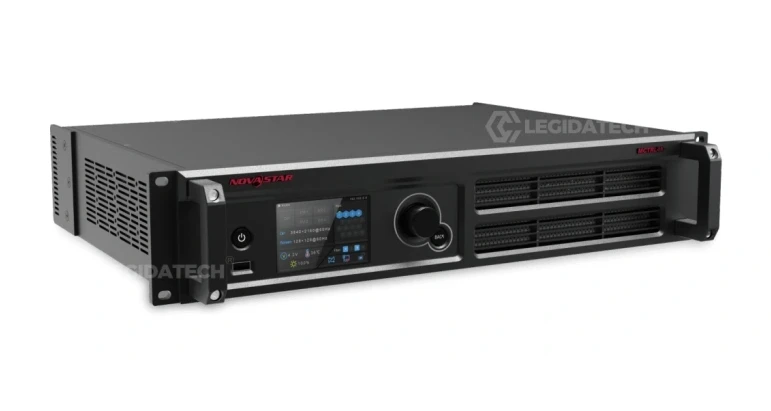
- 8.8 Million Pixels Max Load
- 16× EtherCON + 4× 10G Fiber Ports
- HDR10 / HLG Support
- 3D Display + Genlock
VX Series — All-in-One LED Display Controllers
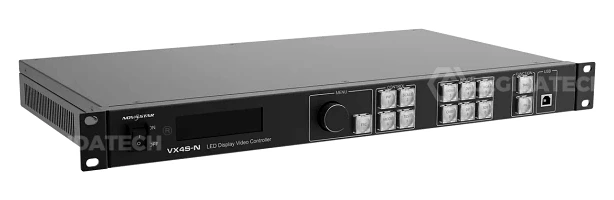
- 2.6 Million Pixels Max Load
- 4× RJ45 Ethernet Outputs
- Integrated Video Processing
- Compact 1U Design
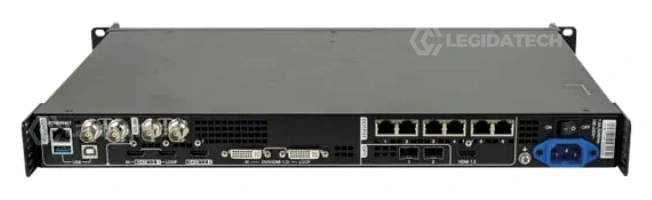
- 3.9 Million Pixels Max Load
- 6× RJ45 Ethernet Outputs
- Multi-Input Switching + PIP
- 4K Input Support
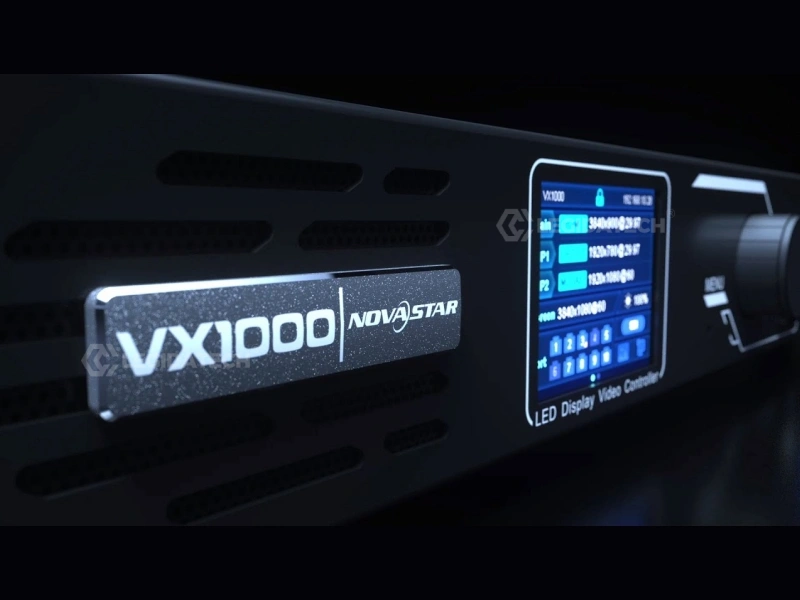
- 6.5 Million Pixels Max Load
- 10× RJ45 + 2× 10G Fiber Ports
- 3D + Genlock + 3 Layers PIP
- 3G-SDI + HDMI 2.0 + DP 1.2
Receiving Cards for LED Modules
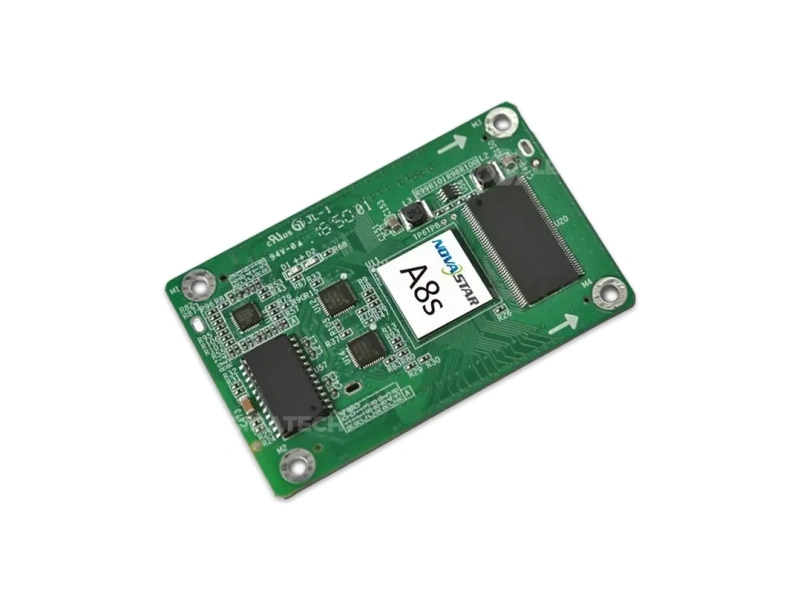
- 512×384 Pixels per Card
- 32 RGB Groups | HDR Support
- Image Rotation at Any Angle
- 18bit+ Grayscale Processing
- 512×384 Pixels per Card
- 32 RGB Groups | 18bit+
- Compact for Rental Cabinets
- Mapping Function Support
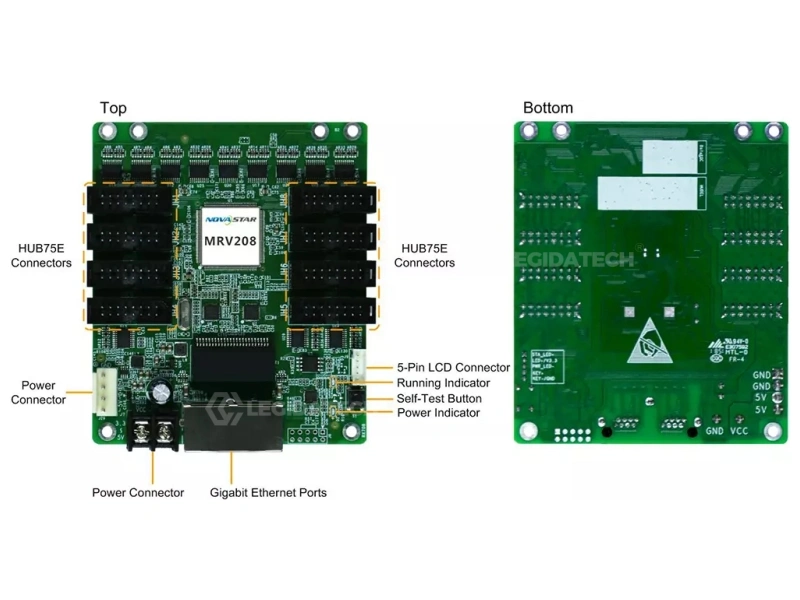
- 256×256 Pixels per Card
- 8 HUB75E Connectors
- Most Affordable NovaStar Card
- Ideal for Fixed Indoor Signs
4. NovaStar by LED Display Application
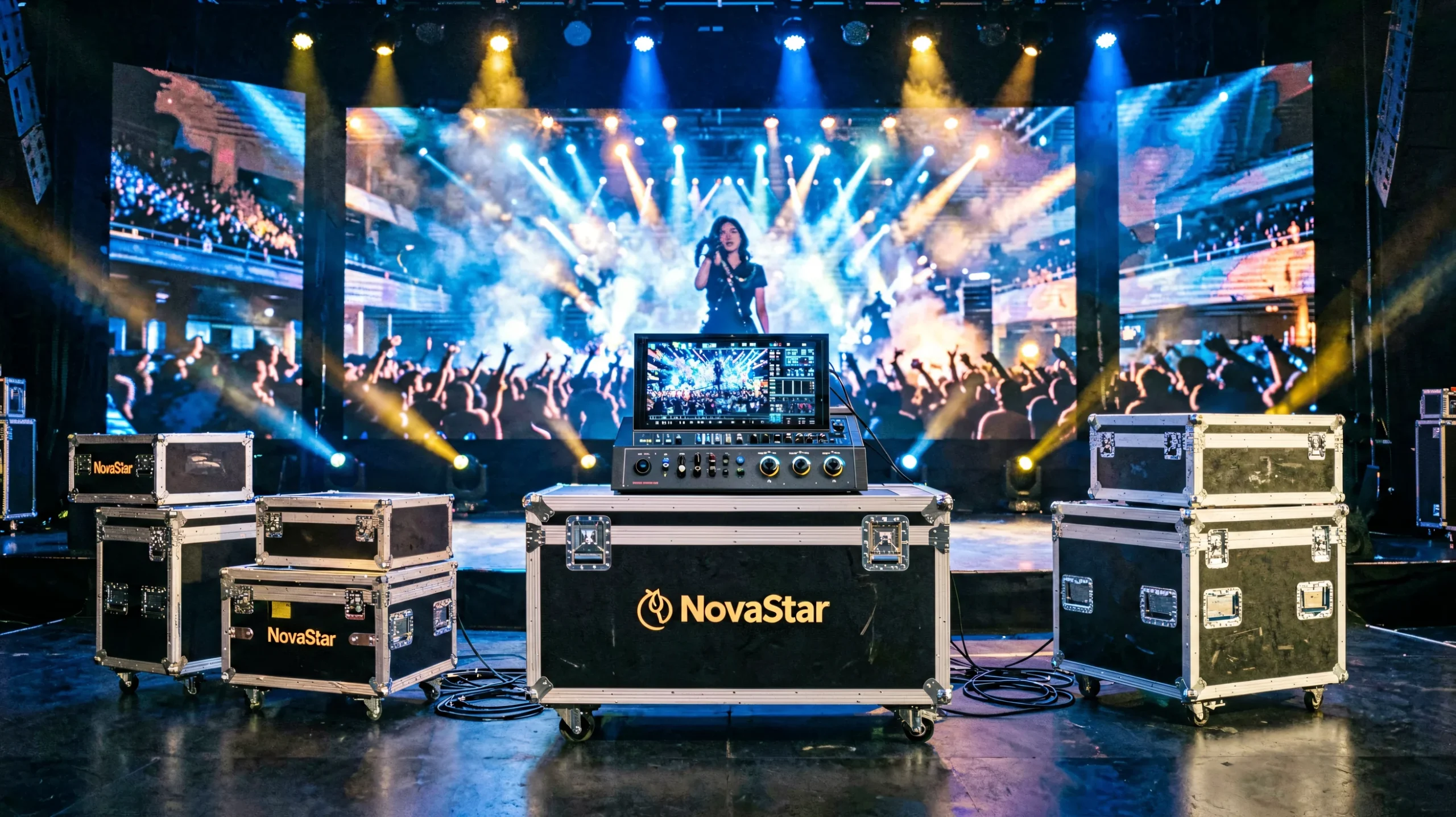
Different LED display applications demand different control systems. Here’s how to match NovaStar controllers to your specific use case — and explore the complete LED display solutions we offer.
5. NovaStar Controller Comparison
Compare NovaStar MCTRL and VX series controllers side-by-side. Find the right model for your pixel count, input requirements, and application.
| Model | Type | Max Pixels | Ports | Key Inputs | Standout Feature | Best For |
|---|---|---|---|---|---|---|
| MCTRL300 View Details → | Pure Sender | 1.3M | 4× RJ45 | DVI | Ultra-portable, cascade 20 units | Small indoor signs, single cabinets |
| MCTRL660 View Details → | Pure Sender | 2.3M | 4× RJ45 | DVI + HDMI | Dual-mode input flexibility | Mid-size fixed installations |
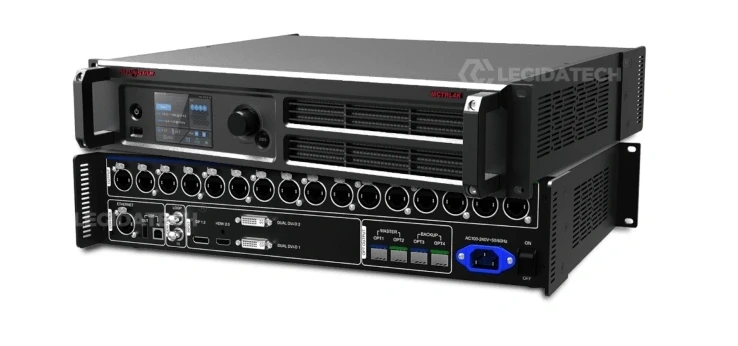
| MCTRL660 PRO View Details → | Pure Sender | 2.3M | 6× RJ45 + 2× 10G Fiber | 3G-SDI + HDMI + DVI | GENLOCK + SDI + Fiber | Broadcast, live production, OB vans |
| MCTRL4K View Details → | Pure Sender | 8.8M | 16× EtherCON + 4× 10G Fiber | DP + HDMI 2.0 + 2× DL-DVI | HDR10/HLG + 3D + 4K@60Hz | Large 4K walls, HDR, XR virtual production |
| MCTRL R5 View Details → | Pure Sender | 4.1M | 8× RJ45 + 4× 10G Fiber | DP 1.2 + HDMI 2.0 + DL-DVI | 360° Free-Angle Rotation | Creative displays, rental stages |
| VX4S-N View Details → | All-in-One | 2.6M | 4× RJ45 | HDMI + DVI + VGA + CVBS | Integrated processor + sender | Small-to-mid fixed installations |
| VX600 View Details → | All-in-One | 3.9M | 6× RJ45 | HDMI + DVI + DP + 3G-SDI | Multi-input PIP + scaling | Conference rooms, mid-size events |
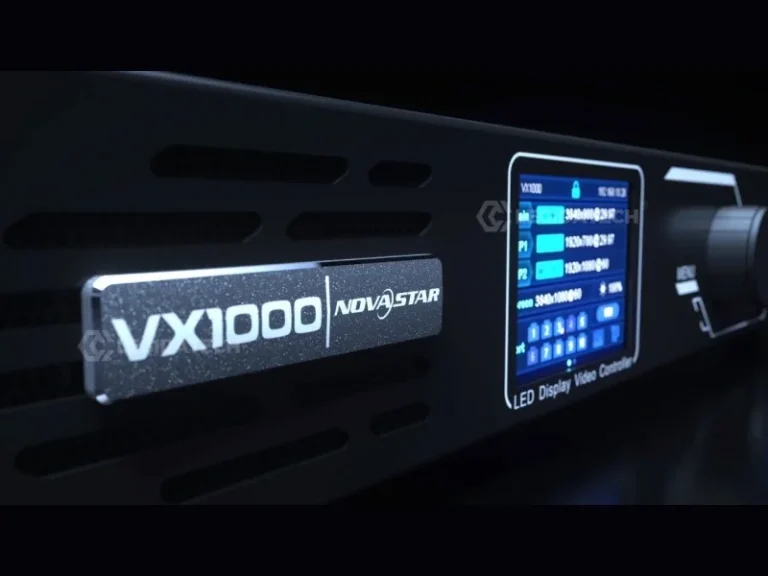
| VX1000 View Details → | All-in-One | 6.5M | 10× RJ45 + 2× 10G Fiber | 3G-SDI + HDMI 2.0 + DP 1.2 | 3D + Genlock + 3-Layer PIP | Large events, broadcast, stadiums |
6. How to Choose a NovaStar Controller
Follow this four-step decision framework to select the right NovaStar controller for your LED display project.
Asynchronous (NovaCloud): Pre-scheduled content, cloud-managed — for billboards, digital signage networks.
7. NovaStar vs Other Control System Brands
NovaStar isn’t the only option. Here’s an honest comparison from an LED display manufacturer that works with all major brands daily.
- 60-70% global market share
- Full 4K/8K ecosystem (COEX, MCTRL4K)
- Industry-best pixel calibration
- Mature VNNOX cloud platform
- Dual-loop signal redundancy
- HDR10 / HLG / 3D support
- Global support network (37+ branches)
- Premium pricing
- Fast innovator, competitive pricing
- Strong creative/3D display support
- Universal 5A receiving card
- X Series 4K/8K controllers
- Colorlight Cloud platform
- Smaller global support network
- Less mature calibration system
- Fewer rental-specific products
- Async specialist — best for billboards
- Very competitive pricing
- Built-in WiFi on most models
- Simple setup, user-friendly
- Good for single/dual-color displays
- Limited 4K support
- Smaller sync product range
- Less suitable for broadcast/rental
8. NovaStar Tutorials & Guides Library
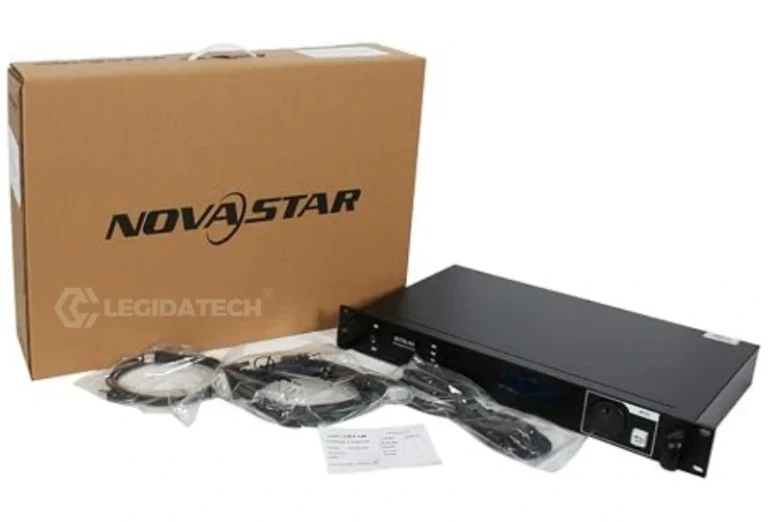
Curated resources from our LED display engineering team — buying guides, product comparisons, technical tutorials, and pricing analysis.
9. NovaStar Video Learning Center
Watch expert-led tutorials on NovaStar LED controller setup, configuration, and operation — curated for LED display buyers and integrators.
How Do You Configure An LED Wall? feat. Novastar Processors — 183K views | Above AVL Gear
NovaLCT Setup & Configuration Tutorial — 263K views | Kevin Ring Video Tutorials
NovaStar VX400 Pro Tutorial — Unboxing & LED Screen Configuration (Latest 2026) | Color Art LED
10. LED Display Applications Powered by NovaStar
From indoor fine-pitch walls to outdoor stadium screens, NovaStar control systems drive LED displays across every application category.
11. Complete LED Display Solutions with NovaStar Control Systems
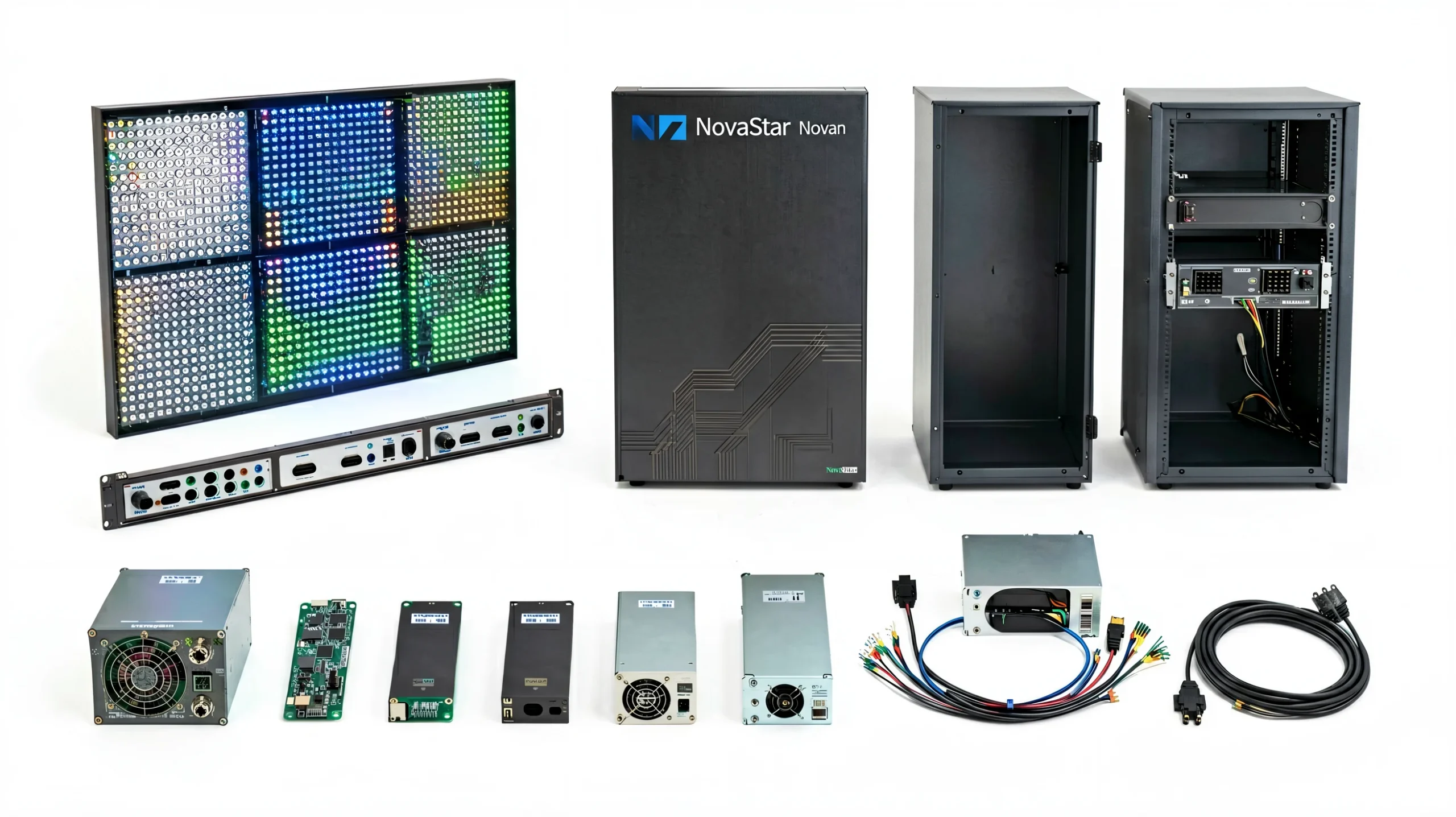
NovaStar is one critical part of a complete LED display system. A fully functional LED display requires:
- LED Modules — the pixel-level building blocks
- Cabinets — structural housing for modules
- NovaStar Control System — controller + receiving cards + software
- Power Supplies — stable electrical delivery
- Cabling & Signal Distribution — Ethernet, fiber, power
- Mounting Structure — wall-mount, hanging, or ground-support
- Calibration & Configuration — factory pre-testing and on-site commissioning
By sourcing your LED display and NovaStar control system together from one manufacturer, you get a pre-configured, pre-tested solution — not a box of incompatible parts.
Get Factory Price Quote →12. Why Work With an LED Display Manufacturer?
When you source NovaStar controllers from an LED screen manufacturer instead of a reseller, you get more than a box — you get integration, testing, and support.
13. Frequently Asked Questions
Answers to the most common questions about NovaStar LED control systems — from an LED display manufacturer’s perspective.
NovaStar is the control system that converts video signals from your source (PC, camera, media server) into the data that each LED pixel needs to display. It consists of a controller (sending card) that processes and distributes video, receiving cards in each LED cabinet that decode the signal, and software (NovaLCT, VNNOX) for configuration. Without a control system, an LED display is just a collection of unlit diodes — NovaStar makes it a screen.
It depends on three factors: (1) Pixel count — calculate Width × Height to find your minimum pixel capacity. (2) Application — indoor fixed (VX600, MCTRL660), outdoor (MCTRL660 PRO + MRV416), rental (COEX, VX1000, MCTRL R5). (3) Features needed — Genlock for broadcast, HDR for fine-pitch, 3D for immersive, fiber for long distance. See our complete buyer’s guide for detailed selection help.
The MCTRL series are pure sending cards — they transmit pre-processed video to receiving cards and need a separate video processor for input switching and scaling. The VX series are all-in-one controllers that integrate video processing (multiple inputs, scaling, PIP) and LED transmission in a single unit. For most mid-size projects, a VX all-in-one is simpler and more cost-effective. For high-end broadcast or HDR workflows, a dedicated processor + MCTRL4K is preferred. Read our full VX vs MCTRL comparison.
A receiving card is a small circuit board mounted inside each LED cabinet. It receives Ethernet data from the controller (sending card), decodes it, and drives the individual LED modules. NovaStar offers two lines: MRV Series (MRV208-N, MRV416, etc.) for fixed installations — prioritizing stability and cost-efficiency — and A Series (A5s Plus, A8s, A10s Plus) for rental and high-performance applications, offering features like Mapping, HDR, and free-angle rotation. Each cabinet typically needs one receiving card.
Absolutely. NovaStar is actually the industry standard for rental and touring LED displays. Their A Series receiving cards (A5s Plus, A8s, A10s Plus) are specifically designed for rental — compact form factor, fast Mapping function for locating cards via software, and compatibility with industry-standard rental cabinets. Pair with a COEX controller or VX1000 for large rental stages, or an MCTRL R5 for creative/rotating displays. Most major concert tours and festivals use NovaStar.
For professional applications — rental, broadcast, stadiums, fine-pitch — NovaStar is the safer choice with deeper calibration, better redundancy, and a more mature global support network. For budget-sensitive fixed installations or creative/3D displays, Colorlight offers strong innovation at competitive prices. Both are excellent brands. The key rule: never mix brands — a NovaStar controller only works with NovaStar receiving cards. Read our full brand comparison.
The pixel capacity varies by model: MCTRL300 = 1.3 million, MCTRL660/MCTRL660 PRO = 2.3 million, MCTRL R5 = 4.1 million, VX4S-N = 2.6 million, VX600 = 3.9 million, VX1000 = 6.5 million, MCTRL4K = 8.8 million. Always stay within 90% of the rated capacity for stable operation. Calculate your pixel count as: Display Width × Display Height in pixels.
NovaLCT — the primary LED display debugging and configuration software (Windows). Used for loading RCFGX files, adjusting brightness, screen mapping, and firmware upgrades. Smart LCT — intelligent configuration for Mac and Windows (discontinued, but still used). VNNOX — cloud-based content management and remote monitoring platform for managing multiple screens. Screen Genie — asynchronous content editing and scheduling for NovaCloud players. NovaStudio — professional media server software for complex multi-screen playback. All software is free to download from NovaStar’s website.
No. Each brand’s control system uses proprietary communication protocols. A NovaStar sending card will only work with NovaStar receiving cards. A Colorlight controller will only work with Colorlight receiving cards. The entire signal chain — sender, receivers, and software — must be from the same brand. This is the #1 compatibility mistake we see in LED display projects. Choose your controller and receiving card brand together.
Standard CAT6 Ethernet is stable up to 100 meters (328 ft) between the controller and receiving card. For longer distances, NovaStar offers fiber optic converters (CTV10PRO) that extend the signal up to 20 km with zero signal degradation. Many high-end controllers (MCTRL660 PRO, MCTRL4K, VX1000) have built-in 10G SFP+ fiber ports, eliminating the need for external converters. For outdoor stadiums and large-venue installations, fiber is the standard choice.
For professional applications — rental, broadcast, stadiums, fine-pitch displays — yes. NovaStar’s calibration quality, signal redundancy (dual-loop backup), cloud platform maturity (VNNOX), and global support network (37+ branches) justify the premium. If a controller fails during a live broadcast or concert, the cost of that failure far exceeds the price difference. For simple budget indoor signs that don’t need advanced features, Linsn or Huidu remain cost-effective alternatives. Match the controller to the criticality of the application.
Sending cards: Divide your total pixel count by the controller’s rated capacity. Always leave 10% headroom. Example: 4 million pixel display → need a controller rated for at least 4.4M pixels. One MCTRL4K (8.8M) or VX1000 (6.5M) would handle it. Receiving cards: Each receiving card supports a certain pixel load depending on the model. For an MRV416 (512×512 per card), a 1920×1080 display would need approximately 8-10 receiving cards depending on cabinet design. See our complete calculation guide with real examples at every pixel pitch.
Yes. The MCTRL4K is NovaStar’s dedicated 4K controller with full HDR10 and HLG support, handling up to 4096×2160@60Hz input. The VX1000 all-in-one supports 4K×1K@60Hz with HDR processing. The COEX platform (MX40 Pro, CX80 Pro) handles 4K and 8K workflows with advanced HDR and color grading. For HDR content, the MCTRL4K paired with A8s or A10s Plus receiving cards is the recommended configuration. HDR matters most for fine-pitch indoor displays (P0.9-P1.8) where the enhanced contrast and color depth are visible.
All NovaStar software is available for free download from the official NovaStar website. This includes NovaLCT, Smart LCT, VNNOX, Screen Genie, and firmware for all controllers. User manuals and quick-start guides are also available. For RCFGX configuration files specific to your LED modules, your LED display manufacturer should provide these — they’re customized to each module type. If you purchased LED displays from us, contact our support team for your specific RCFGX files.
NovaStar provides a standard 1-year manufacturer warranty on all controllers and receiving cards. When sourced through LEGIDATECH as part of a complete LED display system, we extend this to a 3-year warranty with English-language technical support. We stock spare sending cards and receiving cards for rapid replacement, and provide remote configuration support via TeamViewer/AnyDesk. For rental companies, we recommend keeping 10-15% spare receiving cards on hand for immediate swap-out during tours.
14. NovaStar LED Control System — Complete Guide for LED Display Buyers
Everything an LED display buyer needs to know about NovaStar control systems — how they work, how to choose the right products, and how to avoid costly mistakes. Written from the perspective of an LED screen manufacturer with 15+ years of hands-on integration experience.
How NovaStar Control Systems Work: The Architecture Behind Every LED Display
At its core, a NovaStar LED control system solves one fundamental problem: how do you take a standard video signal — HDMI from a laptop, SDI from a broadcast camera, DP from a media server — and transform it into the precise, pixel-level instructions that make tens of thousands of individual LEDs light up in perfect synchronization?
The answer is a four-stage pipeline that has become the industry standard. Stage 1: Signal Reception. The controller receives video through its input ports. Entry-level models like the MCTRL300 accept DVI only; mid-range models like the MCTRL660 PRO add 3G-SDI and HDMI; flagship models like the VX1000 and MCTRL4K support HDMI 2.0, DisplayPort 1.2, and 3G-SDI simultaneously. Stage 2: Processing. If you’re using an all-in-one controller (VX Series), the video is scaled, color-corrected, and optionally layered with PIP before transmission. Pure sending cards (MCTRL Series) expect pre-processed video from a separate processor. Stage 3: Distribution. The controller splits the video frame into segments and transmits each segment over a dedicated Gigabit Ethernet port to the corresponding LED cabinet. Stage 4: Decoding & Display. The receiving card inside each cabinet decodes its segment of the Ethernet data stream and sends precise timing signals to the LED driver ICs, which illuminate the individual red, green, and blue LEDs.
This entire pipeline runs at 60 frames per second — meaning each stage must complete in under 16.7 milliseconds. For broadcast applications requiring Genlock synchronization, that timing must be exact to the frame, hence the specialized hardware in the MCTRL660 PRO and MCTRL4K.
Understanding NovaStar Controllers, Processors & Receiving Cards
One of the most common points of confusion for LED display buyers is the difference between a controller, a video processor, and a receiving card. Here’s the simplest way to understand them:
The controller (sending card) is the device that sits between your video source and the LED display. It takes a video signal and converts it into the Ethernet data format that LED cabinets understand. The MCTRL series are pure controllers — they do this one job, and they do it well.
A video processor (like NovaStar’s H Series or the processor portion inside a VX all-in-one) handles tasks that happen before the controller: input switching (choosing which video source to display), scaling (making a 1080p signal fill a 4K display), color correction, PIP (picture-in-picture for showing multiple sources), and HDR tone mapping. In traditional setups, you’d have a separate video processor feeding into a separate controller. The VX series collapses both functions into one device.
The receiving card is the unsung hero. Mounted inside each LED cabinet, it receives Ethernet data from the controller and drives the actual LED modules. Each receiving card supports a certain number of pixels — typically 256×256 to 512×512 depending on the model — and a cabinet containing more pixels than one card can handle will need multiple receiving cards. The MRV series (MRV208-N, MRV416) is designed for fixed installations where the cabinet is unlikely to be reconfigured. The A series (A5s Plus, A8s, A10s Plus) is designed for rental, with features like the Mapping function that lets technicians instantly see each card’s position on the wall via software.
Choosing the Right NovaStar Controller for Your Project
After integrating thousands of LED displays, we’ve developed a practical selection framework that goes beyond simply checking pixel counts:
For small indoor displays under 3 square meters — conference room screens, retail window displays, small worship venue screens — the MCTRL300 or VX4S-N is usually sufficient. These drive up to 1.3-2.6 million pixels, which covers most displays up to about 1920×1080 resolution. The VX4S-N is preferable if you need to switch between multiple input sources (laptop + media player). Budget range: $120-$500.
For mid-size fixed installations — corporate lobby walls, medium outdoor billboards, museum displays — the MCTRL660 PRO or VX600 hits the sweet spot. With 2.3-3.9 million pixel capacity and features like Genlock for displays that will be filmed, these controllers handle the majority of professional installations. The MCTRL660 PRO’s built-in SDI input and fiber output make it especially suitable for displays where the control room is distant from the screen.
For large-format and 4K displays — stadium screens, 4K video walls, broadcast studios, XR virtual production — you need the MCTRL4K or VX1000. The MCTRL4K’s 8.8 million pixel capacity and HDR10/HLG support make it the definitive choice for any display exceeding 4 million pixels or requiring HDR. The VX1000 offers slightly less pixel headroom (6.5M) but adds the convenience of built-in video processing with multi-layer PIP — ideal for live events where you’re switching between camera feeds, graphics, and sponsor logos on the same LED wall.
For creative and rental applications — rotating displays, curved screens, touring stages — the MCTRL R5’s 360° free-angle rotation capability is unique in NovaStar’s lineup. Pair it with A10s Plus receiving cards for Mapping functionality that dramatically speeds up on-site setup and teardown.
NovaStar for Indoor, Outdoor & Rental LED Displays
Each LED display environment imposes different demands on the control system, and matching the right NovaStar components to the application is where many projects succeed or fail.
Indoor LED displays present the widest range of requirements. A P0.9 fine-pitch display in a broadcast studio needs Genlock, HDR, and absolute color accuracy — demanding a MCTRL4K or COEX controller with A8s/A10s receiving cards. A P3 conference room display just needs reliable playback with easy source switching — perfectly served by a VX600 all-in-one. Indoor displays also benefit from NovaStar’s Dynamic Booster technology, which maintains grayscale performance when the display is dimmed to 30-50% brightness for viewer comfort.
Outdoor LED displays have three unique challenges: extreme brightness (5,000-10,000 nits), weather exposure, and often long distances between the control room and the screen. For brightness, NovaStar’s pixel-level calibration ensures uniform output even at maximum drive levels. For weather, the MRV series receiving cards are conformally coated for humidity resistance. For distance, fiber optic transmission (via built-in SFP+ ports on the MCTRL660 PRO/MCTRL4K or external CTV10PRO converters) is non-negotiable for runs exceeding 100 meters. Outdoor billboards that don’t need real-time video often use NovaStar’s asynchronous Taurus TB series with 4G cloud management instead of a synchronous controller.
Rental and stage LED displays prioritize speed and flexibility above all else. Setup and teardown happen in hours, not days. The Mapping function on A Series receiving cards lets crews locate every card’s position on the wall in minutes. Genlock on the controller prevents the rolling shutter artifacts that ruin camera feeds. And signal redundancy (dual-loop backup) ensures the show goes on even if a cable fails mid-performance. The COEX platform is purpose-built for this environment, but a VX1000 with A10s Plus cards is the most common configuration we supply to rental companies.
NovaStar vs Colorlight: A Manufacturer’s Perspective
We integrate both NovaStar and Colorlight systems daily, and the choice between them is more nuanced than most comparison charts suggest. NovaStar’s dominance (60-70% market share) isn’t just brand momentum — it reflects genuine technical advantages in calibration, redundancy, and cloud infrastructure. When you need a display that must work flawlessly on live television, NovaStar is the safer bet. But Colorlight has been innovating aggressively, particularly in the mid-market. Their X Series all-in-one controllers (X4, X8m, X16) offer competitive specifications at aggressive prices, and their universal 5A receiving card (one card for both sync and async modes) simplifies inventory for rental companies that operate both types of displays.
The real decision factor isn’t specifications — it’s ecosystem lock-in. Once you standardize on a control system brand, switching costs are high: you’d need to replace every receiving card in every cabinet. For new projects, we generally recommend NovaStar for professional/broadcast/rental applications and present Colorlight as a cost-optimized alternative for fixed installations where advanced calibration, HDR, and Genlock are not required. For buyers who want the safest choice with the widest compatibility and deepest support — NovaStar.
Installation, Setup & Common Mistakes
After integrating thousands of LED displays, here are the most common mistakes we see — and how to avoid them:
1. Exceeding pixel capacity. Every controller has a hard pixel limit. A 2.5 million pixel display connected to an MCTRL300 (rated for 1.3M) will not work — period. Always calculate your exact pixel count and leave 10% headroom. A display running at 95% capacity may work in testing but fail under sustained load.
2. Mixing control system brands. We cannot emphasize this enough: NovaStar sending cards only work with NovaStar receiving cards. Colorlight controllers only work with Colorlight receiving cards. Linsn only works with Linsn. The protocols are proprietary and incompatible. Buy your controller and receiving cards as a matched set.
3. Ignoring the RCFGX file. Each LED module type needs a specific RCFGX configuration file loaded into the receiving card. Without the correct RCFGX, the display will show garbage patterns or nothing at all. Your LED display manufacturer should provide these files — if they don’t, demand them before taking delivery.
4. Underestimating Ethernet cable quality. Standard CAT5e is not sufficient for reliable NovaStar signal transmission at the full 100-meter limit. Use shielded CAT6 or CAT6A cable. For outdoor installations, use outdoor-rated, UV-resistant cable with proper grounding. A failing Ethernet cable is the #1 cause of intermittent display issues.
5. Skipping burn-in testing. Every NovaStar controller and receiving card should undergo at least 48-72 hours of continuous operation before deployment. We catch approximately 2-3% of cards during burn-in that would have failed in the field. For mission-critical installations, this step is non-negotiable.
Purchasing Considerations from an LED Display Manufacturer
When you buy a NovaStar controller, you’re not just buying hardware — you’re buying into an ecosystem that will define your LED display’s capabilities, reliability, and expandability for years. Here are the factors that experienced buyers consider:
Bundle vs. separate purchasing. Buying controllers separately from LED cabinets often appears cheaper on paper but introduces compatibility risk. A pre-configured system from one manufacturer arrives with the RCFGX files loaded, the receiving cards installed, the network topology planned, and the entire system tested together. The cost of on-site troubleshooting — especially when the controller supplier blames the LED supplier and vice versa — typically exceeds any component-level savings.
Future-proofing. Choose a controller with 20-30% more pixel capacity than you need today. LED displays are modular; many customers expand their walls over time. Upgrading from an MCTRL300 to an MCTRL660 PRO later costs more than buying the higher-capacity controller initially.
Spare parts strategy. For rental companies, we recommend 10-15% spare receiving cards and at least one spare controller per model in your fleet. A $80 receiving card that prevents a $50,000 rental from going dark is the best insurance you’ll ever buy. For fixed installations, at minimum, keep one spare receiving card and one spare power supply per 20 cabinets.
Software compatibility. NovaStar regularly updates NovaLCT and firmware. New features — like the Image Booster technology in NovaLCT V5.4.0+ — may require both software updates and compatible receiving card hardware. Before purchasing, confirm that your chosen hardware supports the software features you plan to use.
💡 Manufacturer’s Tip: The most cost-effective NovaStar configuration for 80% of our B2B customers is the VX600 all-in-one controller + A5s Plus receiving cards. It covers displays up to 3.9 million pixels (roughly 2K resolution), includes built-in video processing with PIP, eliminates the need for a separate video processor, and costs less than an MCTRL660 PRO + external processor combination. Unless you specifically need Genlock, SDI input, or 4K resolution, start with the VX600.
The Future of NovaStar: COEX, 5G, and Cloud-Native Control
NovaStar’s 2026 product roadmap points toward three major trends. COEX Platform: A new generation of controllers (MX40 Pro, MX30, CX80 Pro) with built-in splicing, multi-layer processing, and native 8K support — designed for the convergence of LED displays with XR virtual production and broadcast. 5G Connectivity: NovaStar’s Taurus TB series already supports 4G cloud management; 5G-enabled models will enable real-time video streaming to remote billboards without dedicated fiber. Cloud-Native Management: The VNNOX platform is evolving toward full cloud-native architecture, where every controller, receiving card, and sensor in a distributed display network reports health data to a centralized AI-powered dashboard that predicts failures before they happen.
For LED display buyers, the strategic implication is clear: invest in a control system platform, not just a controller model. NovaStar’s 15-year track record of backward compatibility, the breadth of their product ecosystem, and their public listing on the Shenzhen Stock Exchange signal that they will remain the safe, well-supported choice for the foreseeable future — whether you’re buying one display or building a global network of screens.
Ready to Build Your LED Display with NovaStar Control?
Factory-direct pricing • Pre-configured & tested systems • Engineering support in English • Global shipping • 3-year warranty
📧 legidatechled@gmail.com | 📞 +86-185-69492693 | 💬 WhatsApp
LED Control System Hub Network
This page is part of the LEGIDATECH LED control system knowledge hub. Compare all four major control system brands in one place.
Explore the LED Control System Hub →