


NovaStar A8s LED Receiving Card — 512×384 Pixel-Level Control
The A8s is a high-end small receiving card that delivers LED Image Booster technology, HDR10 (CTA standard) / HLG (BBC-NHK Hybrid Log-Gamma) support, 3D output, and pixel-level calibration. Engineered by NovaStar and distributed globally by LEGIDATECH, it transforms standard LED screens into precision display systems with smoother grayscale, accurate color, and cinema-grade visual performance.
What Is the NovaStar A8s LED Receiving Card?
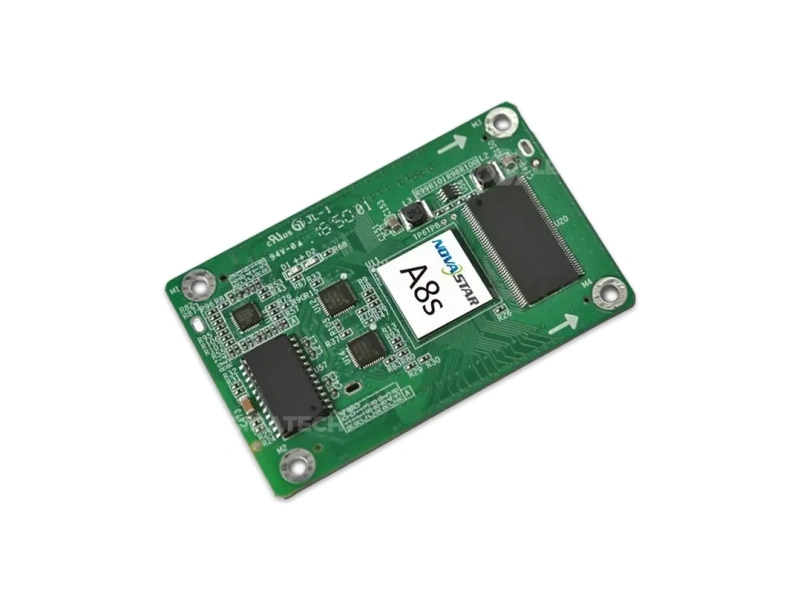
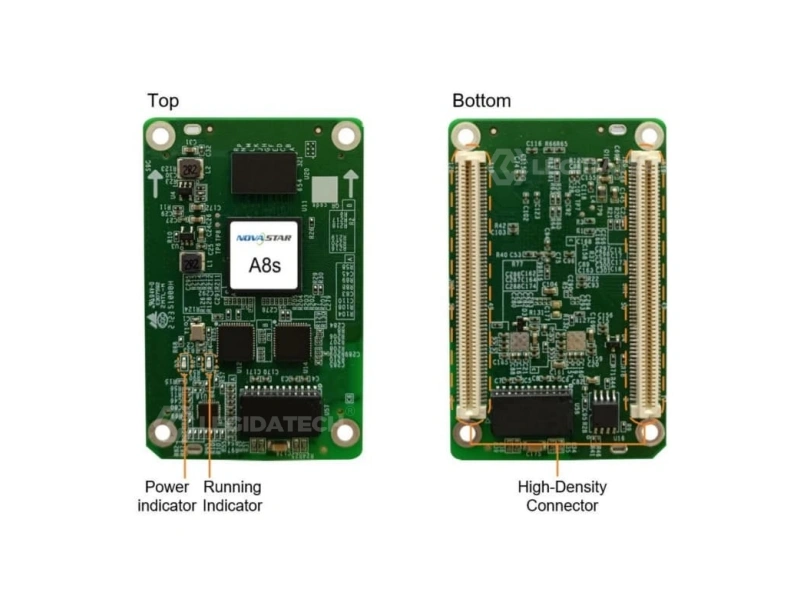
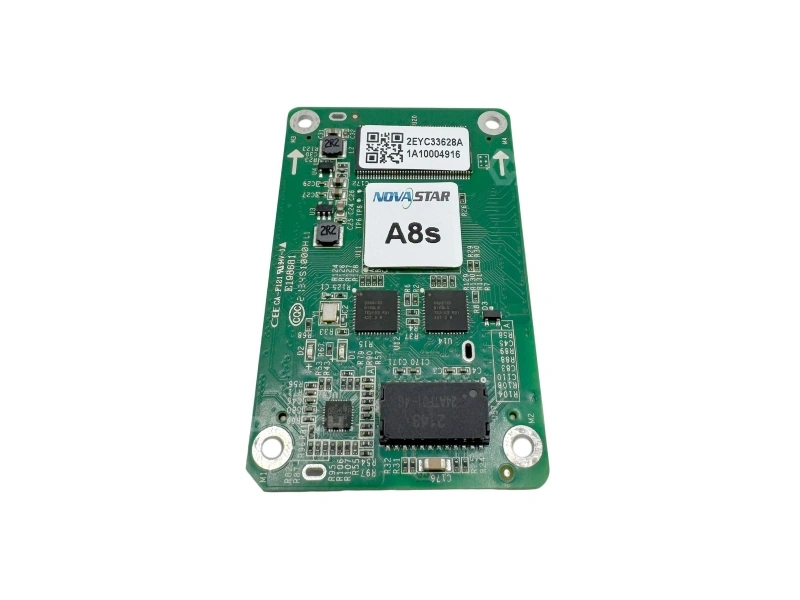
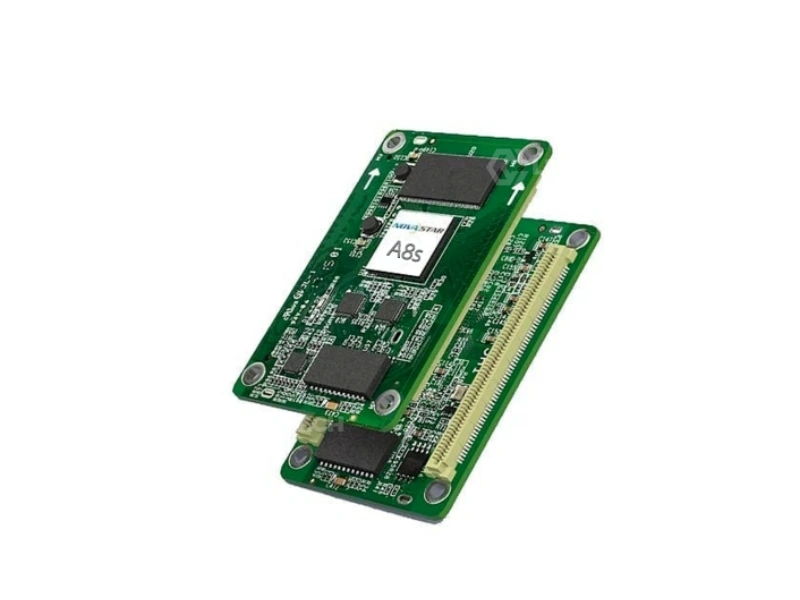
The NovaStar A8s LED receiving card is a high-end, compact control board that sits inside every LED display cabinet and serves as the bridge between the sending card (controller) and the LED modules. A single A8s supports up to 512×384 pixels for PWM driver ICs (or 384×384 for common ICs), making it one of the most capable small-format receiving cards in the NovaStar lineup.
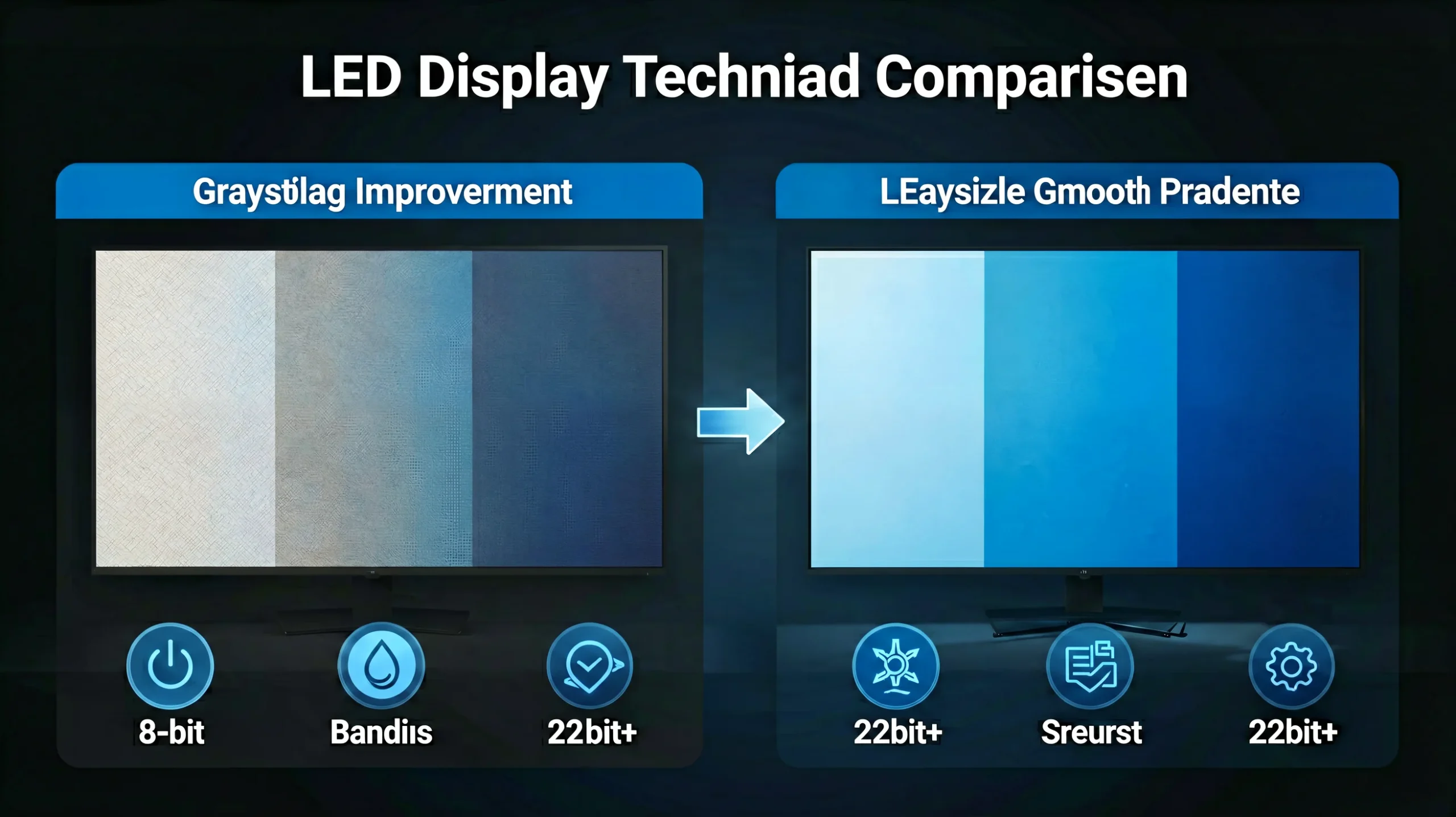
Unlike entry-level receiving cards that simply relay data, the A8s actively processes and enhances the image signal. Its exclusive LED Image Booster technology precisely calibrates the color gamut and grayscale of each LED, improving the grayscale by 64 times (22bit+). The result: a visibly smoother, more uniform image—even at low brightness levels where cheaper cards show banding and color cast.
Key Features of the A8s LED Receiving Card
The A8s goes far beyond basic signal relay. Each feature is engineered to solve a real-world LED display challenge.
◆ LED Image Booster — 64× Grayscale Improvement
The A8s’s exclusive Image Booster engine operates across three dimensions simultaneously: Color Management allows real-time color gamut switching between different gamut profiles; Precise Grayscale individually corrects 65,536 levels (16-bit) of the driver IC to eliminate brightness spikes, dips, and color cast at low grayscale; and 22bit+ improves grayscale by 64 times, preserving shadow details even at minimal brightness. This is the technology that separates a professional LED screen from a consumer-grade one.
◆ HDR10, HLG & 3D — Future-Ready Signal Processing
The A8s natively supports HDR10 and HLG high dynamic range formats. When paired with an HDR-compatible sending card, it faithfully reproduces the original brightness range and color space of HDR content—critical for broadcast, film production, and premium retail displays. The 3D output capability enables active 3D imaging for simulation, education, and entertainment venues. Additionally, individual gamma adjustment for RGB channels provides surgical control over white balance at low brightness, eliminating the reddish or greenish tint common on other cards.
◆ Dual-Card Backup, Low Latency & EMC Class B (IEC CISPR 32) Reliability
Reliability is non-negotiable in mission-critical LED installations. The A8s supports dual-card backup—two cards mounted on one hub board with automatic failover. Loop backup between receiving cards and the sending card ensures uninterrupted display even when a cable fault occurs. The low latency mode reduces video delay to just 1 frame (with compatible driver ICs), essential for live events and broadcast. The EMC Class B compliant hardware design ensures stable operation in electromagnetically noisy environments like broadcast studios and industrial facilities.
LED Image Booster: How 22bit+ Transforms Your Display
Most receiving cards just pass data through. The A8s makes the image better. Here’s how each of the three Image Booster technologies works in practice.
Color Management
Allows operators to freely switch the screen’s color gamut between different profiles (sRGB, DCI-P3, NTSC) in real time. For rental companies serving different clients, this means one screen can match a broadcast monitor for TV production in the morning and a cinema projector for a film premiere at night.
- Real-time gamut switching without recalibration
- Eliminates oversaturation on camera
- Critical for broadcast and film applications
Precise Grayscale
Individually corrects 65,536 levels of grayscale (16-bit) per driver IC. This directly fixes the most common LED display problems at low brightness: brightness spikes where some LEDs are too bright, dips where others are too dark, color cast where white looks pink or green, and mottling where patches of the screen look uneven.
- Eliminates low-brightness mottling
- Works with individual RGB gamma adjustment
- Visible improvement even on entry-level modules
22bit+ Grayscale Enhancement
Improves LED display grayscale by 64 times compared to standard processing. This prevents grayscale loss when brightness is reduced—a common scenario in indoor and rental applications. Dark areas retain visible detail instead of collapsing to black, and gradients appear smooth and continuous rather than stepped.
- Preserves shadow detail at low brightness
- Eliminates visible banding in gradients
- NovaLCT V5.4.0+ required for full functionality
A8s Technical Specifications
NovaStar Receiving Card Comparison: Which Model Fits Your Project?
Not every project needs the A8s. Here’s a data-driven comparison to help B2B buyers make the right call. For full system design support, consult our NovaStar control system guide.
| Feature | ★ A8s | A8s-N | A10s Pro | A5s Plus |
|---|---|---|---|---|
| Max Loading (PWM) | 512×384 | 512×384 | 512×512 | 512×384 |
| Parallel RGB Groups | 32 | 32 | 32 | 32 |
| 22bit+ Grayscale | ✔ Yes | ✔ Yes | ✔ Yes | ✘ No |
| HDR10 / HLG | ✔ Yes | ✔ Yes | ✔ Yes | ✘ No |
| Low Latency (1 frame) | ✔ Yes | ✔ Yes | ✔ Yes | ✘ No |
| 3D Output | ✔ Yes | ✔ Yes | ✔ Yes | ✘ No |
| Pixel-Level Calibration | ✔ Yes | ✔ Yes | ✔ Yes | ✔ Yes |
| Dynamic Booster | ✘ No | ✘ No | ✔ Yes | ✘ No |
| Full-Grayscale Calibration | ✘ No | ✘ No | ✔ Yes | ✘ No |
| Frame Rate (max adaptive) | 60Hz | 60Hz | 240Hz | 60Hz |
| Dual-Card Backup | ✔ Yes | ✔ Yes | ✔ Yes | ✔ Yes |
| EMC Class | Class B | Class B | Class B | Class B |
| Best For | Broadcast, Rental, Premium Fixed | Fixed Install, Budget Rental | High-End, XR/VP, 240Hz | Small-Medium Fixed Displays |
🔗 A8s Product Ecosystem
| Works With | NovaLCT V5.4.0+ (required for full Image Booster) |
| Compatible | MCTRL R5, MCTRL4K, VX600, VX1000, COEX MX, Taurus TB — all NovaStar sending cards |
| Replaced By | A8s-N — current production version, identical specs, updated PCB |
| Budget Pick | MRV416-N — cost-effective, 16 HUB75E, 18bit+, no HDR |
💡 Quick Decision Guide
- Small display (<100k px)? A5s Plus or MRV416-N — A8s is overspecified
- Need HDR + 3D for broadcast? A8s is the optimal sweet spot
- Need 240Hz + Dynamic Booster? Upgrade to A10s Pro
- Indicator flashing every 3s? Check Ethernet cable connection to sending card
- MCTRL4K compatible? Yes — A8s works with all NovaStar sending cards
Where the A8s Excels: Application Scenarios
Fixed Installation (DOOH / Retail / Corporate)
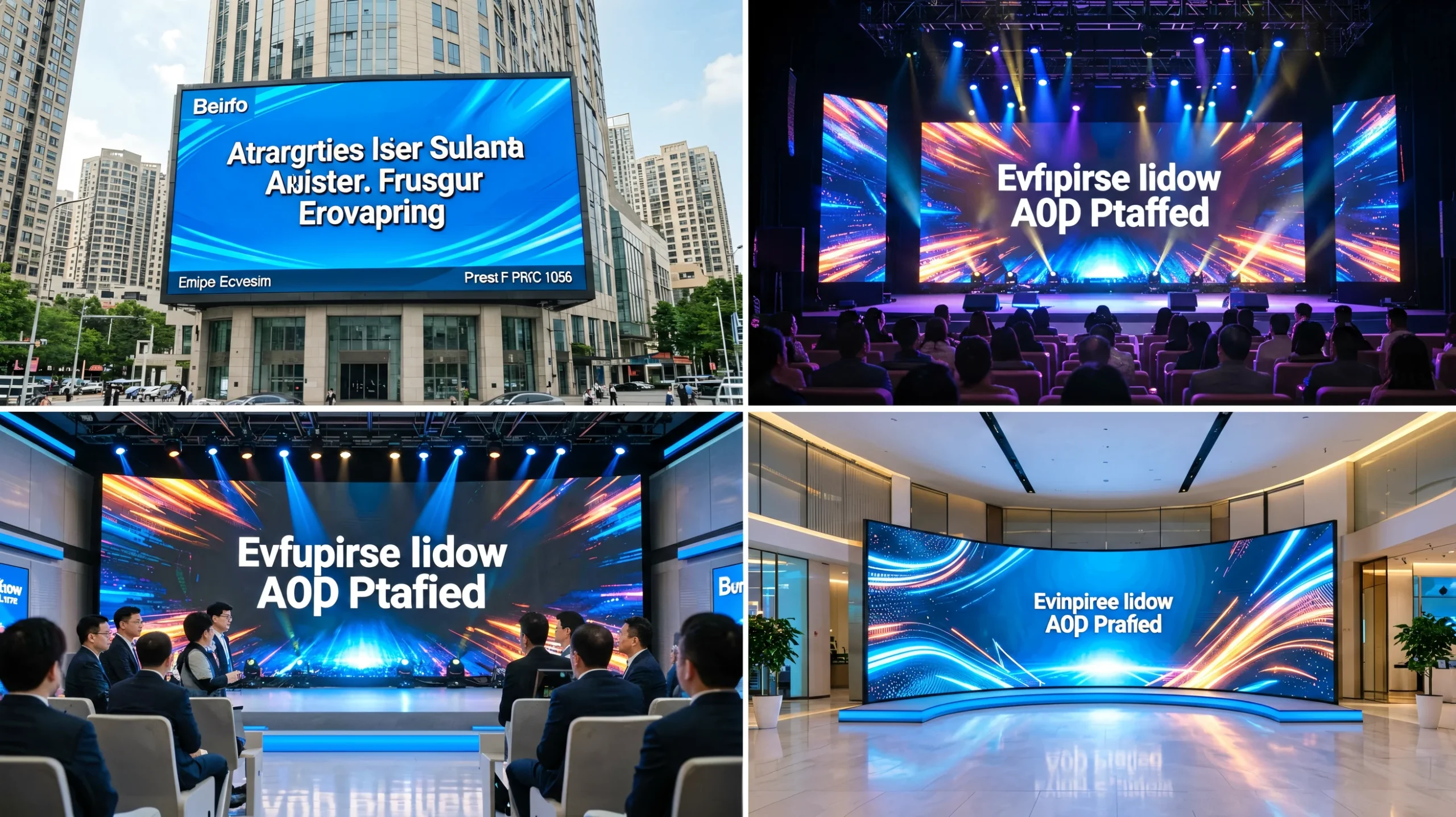
The A8s’s EMC Class B compliance and pixel-level calibration make it ideal for permanent indoor LED displays in shopping malls, corporate lobbies, airports, and digital-out-of-home (DOOH) networks. Its dual-card backup ensures 24/7 operation without interruption.
Rental & Staging (Concerts / Events / Exhibitions)
Low latency (1 frame) and HDR support mean the A8s handles live camera feeds with zero visible delay. Quick-upload calibration and mapping functions slash setup time between events—a critical advantage for rental houses.
Broadcast & Virtual Production (XR/VP Studios)
Color Management with real-time gamut switching, HDR10/HLG, and individual RGB gamma control make the A8s camera-ready. EMC Class B hardware means no interference with sensitive broadcast equipment in studio environments.
Creative & Custom-Shape LED Displays
With image rotation at any angle (when used with SmartLCT + MCTRL R5) and 90°-increment rotation, the A8s handles unconventional screen shapes—curved, angled, and free-form creative installations that typical cards cannot drive correctly.
How to Install and Configure the A8s Receiving Card
Hardware Installation (4 Steps)
- Power off the system completely. Never insert or remove the receiving card while powered—this can damage the high-density connectors.
- Mount the A8s on the hub board. Align the high-density connectors and press firmly. The distance between the A8s and hub board surfaces after mating is 5.0 mm. A 5-mm copper pillar is recommended for secure mounting.
- Connect power and signal. Supply DC 5.0V (recommended) to the VCC pins. Connect the Ethernet cable from the sending card or controller to the A8s’s gigabit Ethernet port.
- Verify indicators. A green running indicator flashing once per second means normal operation with video input. Flashing once every 3 seconds indicates Ethernet connection issues.
Software Configuration (NovaLCT)
- Launch NovaLCT (V5.4.0+ required for full Image Booster). The software automatically detects all connected receiving cards.
- Load the RCFG configuration file for your specific LED module type. Your module manufacturer supplies this file. Navigate to Screen Configuration → Receiving Card → Load Configuration File → Save to Hardware.
- Perform pixel-level calibration using a compatible calibration system. Upload calibration coefficients to the receiving card for brightness and chroma uniformity across the entire screen.
- Enable desired features: 22bit+, HDR, individual RGB gamma, and image rotation are configured per-project in the Performance Settings panel.
Why Source Your A8s from LEGIDATECH?
As a professional LED screen manufacturer, we don’t just resell components—we integrate, test, and support them.
Factory-Direct Supply
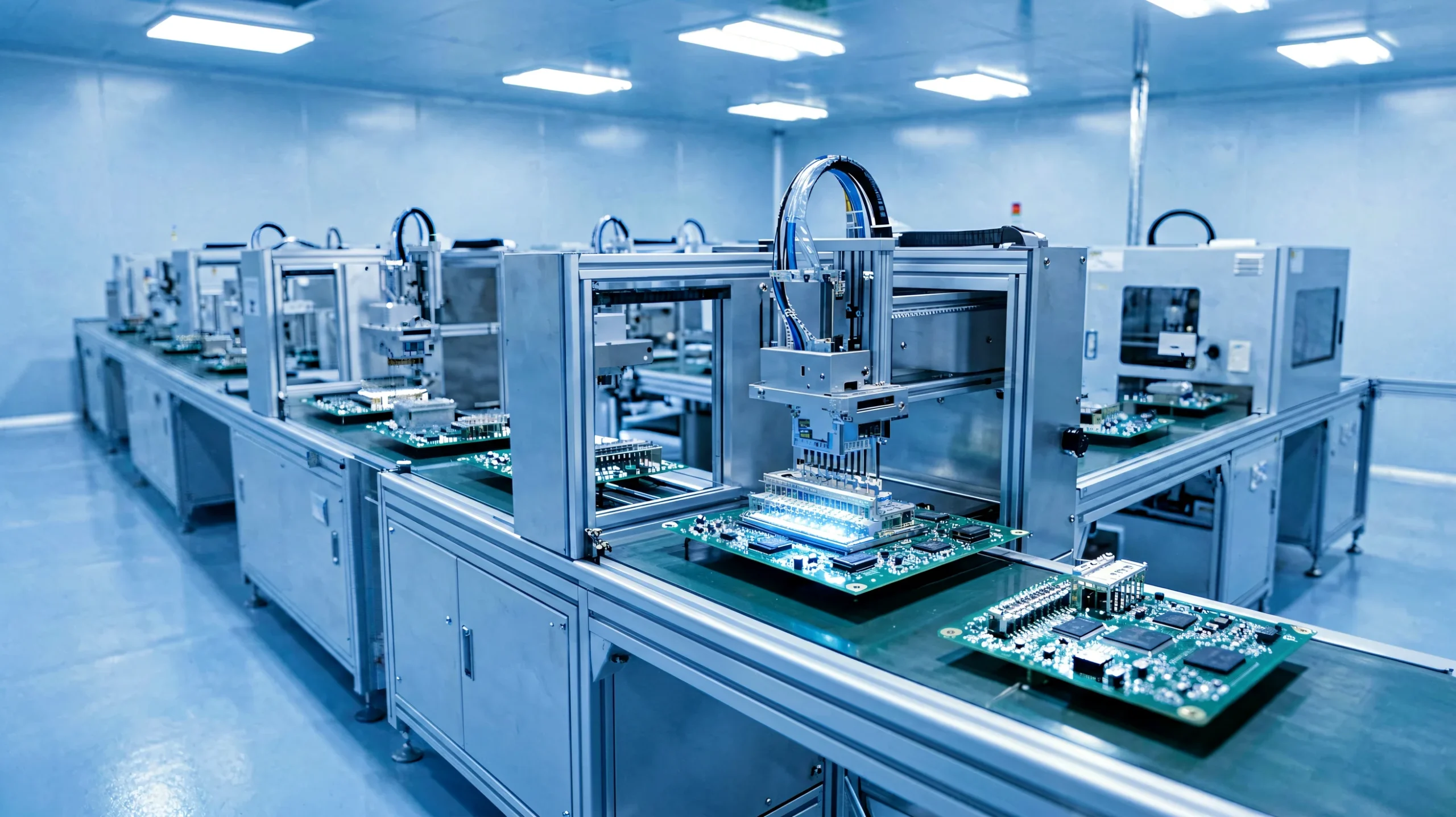
We manufacture LED cabinets and integrate NovaStar receiving cards in-house. No middlemen, no counterfeit risk. Every A8s is sourced directly from authorized NovaStar distribution channels.
100% Pre-Shipment Testing
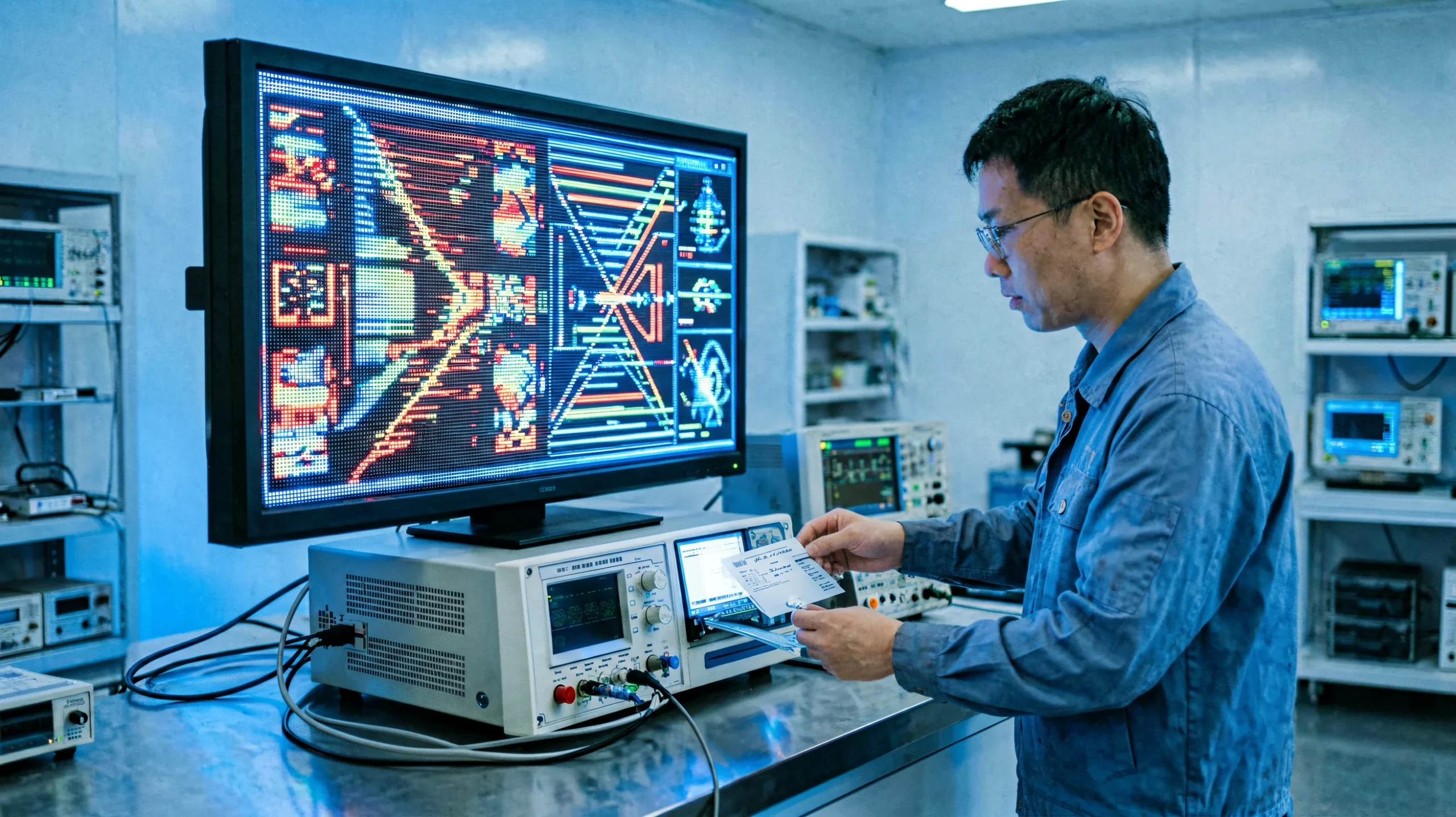
Every A8s card undergoes a 72-hour burn-in test inside a real LED cabinet before shipping. We verify loading capacity, signal integrity, and firmware stability—not just a visual check.
Global Export Experience
We ship to 60+ countries with full customs documentation. Our logistics team handles Incoterms (FOB/CIF/DDP), ensuring your A8s cards arrive on time and compliant with local regulations.
Technical Support in English
Our engineering team provides pre-sales configuration advice and post-sales troubleshooting in fluent English. We help you select the right RCFG file, configure NovaLCT, and optimize your display.
Frequently Asked Questions About the A8s
LED Receiving Card Technical White Paper: From Selection to Optimization
Published: August 2026 | Reading Time: 12 minutes | Author: LEGIDATECH Engineering Team
1. The Invisible Engine: Why Your LED Receiving Card Matters More Than You Think
When procurement managers evaluate an LED display purchase, the conversation typically focuses on pixel pitch, brightness (nits), cabinet material, and price per square meter. The receiving card—the small PCB tucked inside every cabinet—rarely enters the discussion. Yet this component is arguably the single most consequential hardware decision affecting long-term display quality.
Here is why: the receiving card is not a passive relay. It is an active image processor. It receives serialized video data from the sending card (or all-in-one controller), decodes it according to the specific LED module layout, converts it into the pulse-timing signals that driver ICs understand, and—in the case of premium cards like the NovaStar A8s—enhances the image through real-time grayscale correction, color gamut mapping, and pixel-level calibration. A poor receiving card introduces banding, color cast, flicker, and signal dropout. A good one makes a mid-range LED module look premium.
For B2B buyers, this has direct financial implications. Displays with inferior receiving cards require more frequent recalibration, suffer higher failure rates in the field, and generate more service calls—all of which erode margin. The upfront cost difference between a basic receiving card and an A8s is typically less than 0.5% of total project cost, yet the downstream impact on customer satisfaction and maintenance burden is disproportionately large.
2. The Architecture of a Receiving Card: MCU, Memory, and Interface
Understanding what makes one receiving card outperform another requires a quick tour of its internal architecture. Every LED receiving card contains three core subsystems:
1. Microcontroller Unit (MCU): This is the brain. It manages data timing, decodes the incoming Ethernet packets, and orchestrates the signal pipeline to the LED driver ICs. The MCU’s clock speed and instruction set determine how fast the card can process each frame. The A8s uses a high-performance MCU capable of handling 512×384 pixels at 60Hz with headroom for image processing overhead—cheaper MCUs can cause frame drops under heavy load.
2. Memory (SRAM/Flash): The card stores multiple data sets simultaneously: the current frame buffer, calibration coefficients (brightness and chroma correction data for every pixel), configuration parameters, and firmware. The A8s maintains dual copies of firmware, configuration parameters, and calibration coefficients—one set in the application area (user-modifiable) and one in the factory area (read-only backup). This redundancy means a corrupted configuration can be restored with a single command, and a failed firmware update will not brick the card.
3. Interface Chips (PHY + Buffer): The gigabit Ethernet PHY handles communication with the sending card. The output buffer chips drive the actual LED modules through HUB connectors (the A8s uses high-density connectors rated for industrial vibration and dust exposure). The quality of these physical-layer components directly determines the card’s electromagnetic compatibility (EMC) performance—a critical factor when the display operates near sensitive equipment like broadcast cameras, medical devices, or aviation systems. The A8s’s EMC Class B certification is achieved through careful PCB layout, ground plane design, and component selection—not an afterthought filter.
3. Grayscale and Color Depth: Why “16-Bit” Is Not the Whole Story
Marketing materials frequently cite bit depth as the definitive measure of image quality. A “16-bit” receiving card sounds impressive. But bit depth alone is meaningless without understanding how those bits are achieved and maintained across the brightness range.
Standard LED driver ICs can theoretically resolve 65,536 gray levels (16-bit). In practice, manufacturing variances in the LED chips themselves, combined with non-linear current-to-brightness curves in the driver IC, mean that simply sending 16-bit data results in visible non-uniformity at low brightness. This is where the A8s’s Precise Grayscale technology becomes relevant: it measures the actual response curve of each driver IC and applies an individual correction to all 65,536 levels. The result is not “16-bit on paper” but 16-bit perceptually—the viewer sees smooth gradients because the card has compensated for the physical imperfections of the hardware.
The 22bit+ enhancement takes this further. When an LED display is dimmed (common in indoor environments where full brightness would be uncomfortable), the effective grayscale contracts because fewer current steps are available in the dimmed range. 22bit+ algorithmically expands this contracted range back to perceptual 16-bit quality, preserving shadow detail that would otherwise be lost. For rental companies, this means a screen calibrated for a dark conference room still looks excellent when the same hardware is used at 70% brightness for an evening gala.
4. HDR on LED: Not Just a Marketing Checkbox
HDR (High Dynamic Range) on LED displays is frequently misunderstood. Many receiving cards claim “HDR support” when they merely accept an HDR signal and tone-map it down to SDR range—effectively discarding the HDR metadata. The A8s, when paired with an HDR-capable sending card, performs genuine HDR10 and HLG parsing: it reads the PQ (Perceptual Quantizer) or HLG transfer function from the video signal, maps it to the display’s actual brightness capability, and preserves the wider color gamut information throughout the pipeline.
This distinction matters enormously for three applications: broadcast (where HDR production is now standard for sports and live events), virtual production (where LED volumes must accurately reproduce HDR environments for in-camera VFX), and luxury retail (where HDR content showcases products with lifelike highlights and shadow detail). In all three cases, a “fake HDR” card creates visible artifacts—clipped highlights, crushed shadows, and color shifts—that trained eyes detect immediately.

4.5. Smart Module Integration: How the A8s Enables Self-Aware LED Cabinets
One of the most underappreciated capabilities of the NovaStar A8s LED receiving card is its support for smart module management (requires dedicated firmware). This feature transforms a passive LED module into an intelligent, self-monitoring subsystem. The receiving card communicates bidirectionally with smart modules via dedicated data lines, continuously collecting diagnostic information that would otherwise require physical inspection.
Smart module monitoring through the A8s tracks five critical parameters: module temperature (detecting overheating before LED failure), supply voltage (identifying power supply degradation), flat cable communication status (flagging loose or damaged ribbon cables), LED error detection (identifying dead pixels automatically), and module run time (enabling predictive maintenance scheduling based on actual usage hours). For network operators managing hundreds of displays across multiple locations, this transforms maintenance from reactive truck-rolls to proactive remote diagnostics.
Automatic Module Calibration is another smart-module benefit that dramatically reduces maintenance complexity. When a damaged LED module is replaced in the field, the new module’s flash memory contains its own factory calibration coefficients. Upon power-up, the A8s automatically reads these coefficients from the module flash and applies them—no recalibration software, no technician laptop, no NovaLCT session required. The new module instantly matches the color and brightness of its neighbors. This feature alone can reduce field service time by 80% compared to manual recalibration workflows.
For module manufacturers and system integrators, the A8s also supports Module Flash management—reading and writing calibration coefficients, module ID, and parameters directly to the flash memory on the module. Combined with the mapping function (where cabinets display their receiving card number and Ethernet port assignment on-screen), the A8s enables a “plug-and-play” experience that dramatically reduces commissioning time for large installations. A 200-cabinet video wall that might take two technicians three days to commission with basic receiving cards can be mapped and verified in under four hours.
5. Reliability Engineering: Dual Redundancy and Loop Backup Explained
For mission-critical installations—broadcast studios, command-and-control centers, 24/7 digital signage networks, and live event productions—a single point of failure is unacceptable. The A8s addresses this with a layered redundancy architecture:
Dual-Card Backup (Hardware Level): Two A8s cards mount on a single hub board. They operate in active-standby mode, continuously monitoring each other’s health via a dedicated MS_DATA/MS_ID signal line. If the primary card fails—due to component failure, power anomaly, or firmware crash—the backup card takes over within one frame period, too fast for viewers to perceive. NovaLCT V5.2.0+ displays the working status of both cards in real time, alerting operators before a backup failover even occurs.
Loop Backup (Network Level): In a standard topology, receiving cards are daisy-chained from the sending card. If any Ethernet cable in the chain is severed or a card loses connection, all downstream cards go dark. In loop backup configuration, the last card in the chain connects back to the sending card’s secondary port, forming a ring. A break at any single point is automatically bypassed—data flows the long way around the ring—and the display continues uninterrupted.
Data Redundancy (Firmware Level): As noted, all critical data—firmware, configuration parameters, and calibration coefficients—is stored in dual copies. The card can self-recover from a corrupted configuration by restoring factory defaults with a single button press (the self-test button on the cabinet).
6. How to Select a Receiving Card: A 5-Point Decision Framework for B2B Buyers
Drawing on our experience integrating tens of thousands of receiving cards into LED displays shipped worldwide, here is the decision framework we recommend:
1. Resolution Headroom: Calculate total pixels per cabinet. Choose a card with at least 20% more loading capacity than your current requirement. If your cabinet is 384×288 (110,592 px), the A8s at 512×384 (196,608 px) provides 78% headroom—ample for future pixel-pitch upgrades.
2. Driver IC Compatibility: Confirm whether your LED modules use PWM driver ICs (which enable higher resolution per card) or common ICs. The A8s supports both, but maximum loading differs. Also verify the data interface: the A8s outputs 32 groups of parallel RGB or 64 groups of serial data (expandable to 128).
3. Environmental Requirements: Outdoor and semi-outdoor installations demand wide temperature tolerance (−20°C to +70°C for the A8s) and humidity resistance (10%–90% RH non-condensing). Indoor broadcast studios additionally require EMC Class B compliance to prevent interference with audio and video equipment.
4. Redundancy Needs: If the display generates revenue (rental, advertising, ticketed events), dual-card backup and loop backup are non-negotiable. The cost of redundancy is trivial compared to the cost of a dark screen during a paying event.
5. Ecosystem Lock-In: Choosing a receiving card also chooses an ecosystem. NovaStar’s NovaLCT software, RCFG configuration files, and calibration tools form an integrated workflow. Mixing brands (e.g., NovaStar sending card with Colorlight receiving card) creates compatibility friction. If you are already invested in the NovaStar ecosystem, the A8s is the natural choice for mid-to-high-end projects. For more information about complete LED display systems, visit our LED screen manufacturer homepage.
7. Total Cost of Ownership: Why the Cheapest Card Is Usually the Most Expensive
B2B procurement often defaults to unit-price comparison. A basic receiving card might cost $12–$18, while the NovaStar A8s LED receiving card costs more. On a 200-cabinet project, that price difference multiplied by 200 looks significant on a spreadsheet. But this analysis ignores the total cost of ownership (TCO) across a typical 5–7 year display lifespan.
Let us quantify the hidden costs of budget receiving cards. Recalibration labor: A basic card without pixel-level calibration drifts over time due to LED aging differences. Recalibrating a 200-cabinet display requires 2–3 technicians for 8–16 hours, at a loaded labor cost of $75–$150/hour. Annual recalibration over 5 years: $12,000–$36,000. The A8s’s calibration stability and automatic module calibration reduce this to near-zero after initial commissioning.
Downtime cost: A dark LED screen in a retail DOOH network loses advertising revenue at $500–$5,000/day depending on location. A concert venue with a failed display faces refund demands and reputational damage. The A8s’s dual-card backup and loop backup prevent single-point failures from causing visible downtime. Service call cost: Dispatching a technician to diagnose a receiving card issue costs $300–$800 per truck roll. The A8s’s remote monitoring (temperature, voltage, Ethernet quality, bit error detection) allows many issues to be diagnosed and resolved remotely. Replacement cost: Budget cards fail at 2–4× the rate of industrial-grade cards over 5 years. At $30–$50 per replacement card plus labor, a 5% annual failure rate on 200 cards means 50 replacements over 5 years.
When these costs are aggregated, the TCO advantage of the A8s over a budget card is typically $20,000–$80,000 over the display’s service life—dwarfing the initial unit-price difference. For B2B buyers accountable to a CFO or procurement committee, the TCO analysis provides the data needed to justify the specification of premium receiving cards. The A8s is not the cheapest card to buy; it is the cheapest card to own.
8. Pixel-Level Calibration: The Technology That Makes Every LED Match
LED manufacturing inevitably produces variance. Two adjacent LEDs from the same production batch can differ in brightness by 5–15% and in color temperature by 200–500K. Without calibration, these differences manifest as a visible “patchwork” effect—particularly objectionable on large, uniform-color backgrounds like sky gradients, corporate brand colors, or virtual production green screens.
The A8s, working with a compatible calibration system (camera-based), performs pixel-level brightness and chroma calibration. A calibrated camera photographs the display showing a series of test patterns, measures the actual output of every single LED against the target value, and generates correction coefficients. These coefficients are stored on the A8s and applied in real time to every frame. The result: a display where every LED matches every other LED within 2–3% brightness variation and within 50K color temperature—perceptually uniform to the human eye.
What makes the A8s particularly capable in this domain is its dual storage of calibration coefficients—one copy in the user-modifiable application area and one in the factory-protected backup area. If a technician mistakenly overwrites calibration data during maintenance, the factory backup can be restored with a single command. The quick upload feature also means calibration data for an entire cabinet loads in seconds rather than minutes, a significant advantage when commissioning large installations.
For virtual production and XR (extended reality) studios, where LED volumes replace green screens and must match the color response of cinema cameras precisely, pixel-level chroma calibration is not optional—it is the difference between a usable in-camera image and one that requires expensive post-production cleanup. The A8s, when properly calibrated, delivers the color uniformity that these demanding applications require.
9. Conclusion: The A8s as a Strategic Component Choice
The NovaStar A8s LED receiving card represents a strategic choice for B2B buyers who view their LED displays as long-term assets rather than one-time purchases. Its combination of 512×384 loading capacity, genuine HDR processing, 64× grayscale enhancement via 22bit+, pixel-level calibration, and triple-layer redundancy makes it the reference-standard receiving card for professional fixed installation, rental staging, and broadcast applications.
When sourced through LEGIDATECH, each A8s benefits from factory-integrated testing inside real LED cabinets, pre-shipment burn-in verification, and ongoing engineering support—advantages that drop-shipped, untested cards from generalist distributors cannot offer. For B2B buyers managing multi-site deployments, maintenance contracts, or brand-critical visual experiences, the A8s is not an expense. It is insurance.
Ready to specify the A8s for your next project? Contact our engineering team for a free configuration consultation, including pixel-count calculation, RCFG file compatibility check, and competitive bulk pricing.
📚 Related Technical Resources
- ➔ NovaStar VX1000 LED Controller — Flagship all-in-one controller compatible with A8s receiving cards
- ➔ Indoor Rental LED Screen — Professional indoor display solutions with NovaStar control systems
- ➔ LED Screen Manufacturer — LEGIDATECH — Factory overview, certifications, and global projects
- ➔ NovaStar Official Website — Latest firmware, software downloads, and technical documentation