


NovaStar VX600 All-in-One LED Controller — Video Processor + Sending Card in a Single 1U Chassis
A single VX600 unit drives up to 3.9 million pixels across 6 Gigabit Ethernet ports with 2× 10G optical fiber outputs. It integrates video processing, scaling, layer composition, and LED sending into one FPGA-driven device — eliminating the external processor cost entirely. Genlock, SuperView III image engine, 3 working modes. Built for mid-to-high-end rental, stage control, and fine-pitch LED displays.
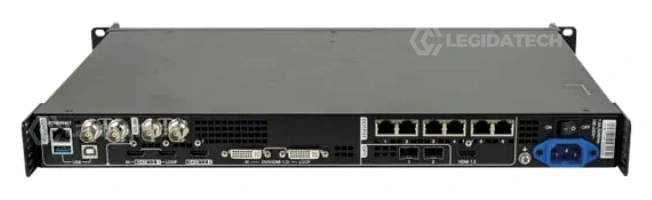
What Is the NovaStar VX600?
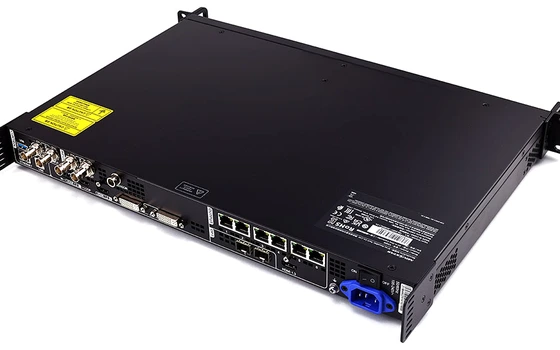
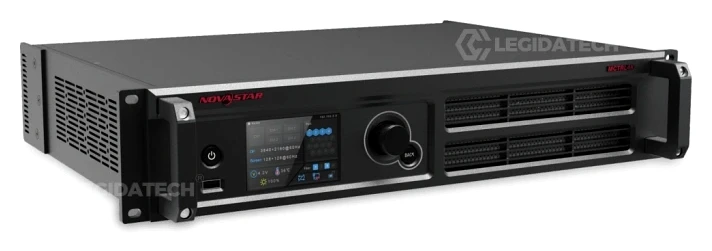
The NovaStar VX600 All-in-One LED Controller is NovaStar’s mid-range integrated video processor and LED sending card — combining both functions in a single 1U chassis. With 6 Gigabit Ethernet outputs, 2× 10G optical fiber ports, and 3.9 million pixel driving capacity, it replaces the traditional two-box architecture of external scaler plus independent sending card. Three selectable working modes — Video Controller, Fiber Converter, and Bypass — adapt the hardware to any deployment topology without external conversion equipment. As a leading LED screen manufacturer, LEGIDATECH supplies the VX600 factory-direct with 3-year warranty and pre-shipment burn-in testing.
🎛️
All-in-One Architecture
Video processor and sending card integrated in one 1U device. Accepts HDMI 1.3, DVI, and 3G-SDI inputs; processes, scales, and distributes across 6 Ethernet ports. Eliminates $800–$2,500 in standalone processor cost.
⚡
3.9 Million Pixels
Drives LED displays up to 10,240 × 8,192 pixels across 6 independent Gigabit Ethernet ports (650,000 pixels per port). Dual 10G optical fiber ports for long-distance transmission.
🔄
Three Working Modes
Video Controller for full processing. Fiber Converter for remote breakout. Bypass for ultra-low latency (~20 lines). Selectable via front-panel LCD or NovaLCT software.
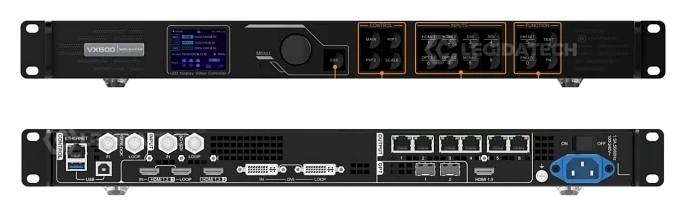
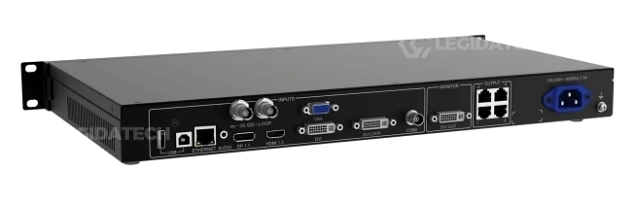
NovaStar VX600 Technical Specifications
| Parameter | Specification |
|---|---|
| Max Loading Capacity | 3.9 million pixels (6 × 650,000 pixels per Ethernet port) |
| Max Output Width / Height | 10,240 × 8,192 pixels |
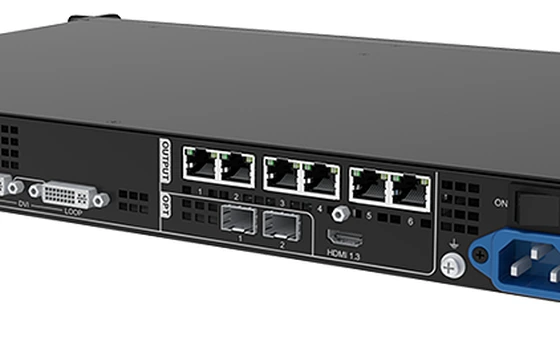
| Ethernet Outputs | 6× Gigabit RJ45 (port redundancy supported, audio output on ports 1 & 2 via multifunction card) |
| Fiber Outputs | 2× 10G Optical (OPT 1 self-adaptive input/output, OPT 2 copy/backup); Single-mode 10 km, Multi-mode 300 m |
| Video Inputs | 2× HDMI 1.3 (HDMI 1.3-1 with LOOP), 1× DVI (IN & LOOP), 1× 3G-SDI (IN & LOOP), 1× OPT 1 (self-adaptive) |
| Max Input Resolution | 1920×1200@60Hz (standard); Custom up to 3840×648@60Hz width or 800×2784@60Hz height |
| Color Depth | 8-bit RGB 4:4:4 / YCbCr 4:4:4 / YCbCr 4:2:2 (10-bit and 12-bit not supported) |
| Layer Support | 3 layers (1 Main + 2 PIP), adjustable size, position, and priority; mosaic input source supported |
| Genlock | GENLOCK IN + LOOP (BNC), bi-level and tri-level sync; internal input source or external sync source |
| Low Latency | ~20 video lines when Bypass mode and low latency function are both enabled |
| Image Engine | SuperView III — stepless output scaling, free input cropping, one-click full screen, pixel-level calibration |
| Presets | 10 user-defined presets with one-button recall via front panel or V-Can software |
| Hot Backup | Device-level backup, Ethernet port-to-port backup, input source auto-switchover |
| Max Cascading | Up to 4 units for image mosaic via USB; output synchronization via Genlock |
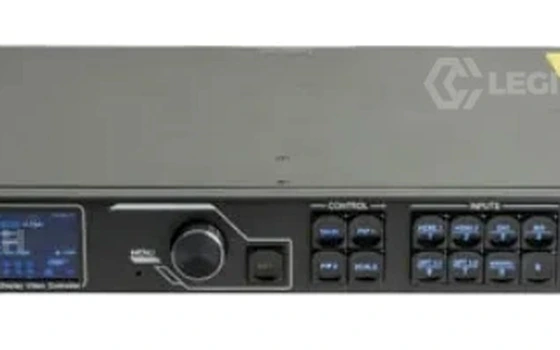
| Control Interfaces | 1× RJ45 Ethernet (PC control), 1× USB-B (PC/cascade input), 1× USB-A (cascade output), front panel LCD + knob + buttons |
| Monitoring Output | 1× HDMI 1.3 (monitor or video output, resolution adjustable) |
| Light Sensor | 1× LIGHT SENSOR connector for automatic screen brightness adjustment |
| Power Supply | 100–240V AC, 50/60Hz, 1.6A, 28W rated power consumption |
| Dimensions / Weight | 483.6 × 351.2 × 50.1 mm (1U rack-mount), 4.0 kg net |
| Operating Environment | −10°C to +45°C, 20%–90% RH (non-condensing), ≤45 dB(A) at 25°C ambient |
| Software Ecosystem | NovaLCT (screen configuration) + V-Can (real-time control); supports VNNOX cloud monitoring |
| Certifications | CE, UL & CUL, IC, FCC, EAC, UKCA, KC, RCM, CB, RoHS |
Three Operating Modes for Every Deployment
1. Video Controller Mode
Full video processing pipeline: 3-layer composition (Main + PIP 1 + PIP 2), stepless output scaling, Genlock frame synchronization, input source switching with auto-backup. Suitable for 95% of professional applications — concert touring, stage rental, broadcast, fine-pitch commercial displays.
2. Fiber Converter Mode
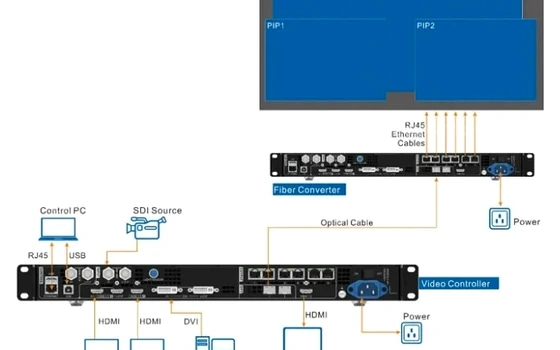
Receives video data via OPT 1 optical input and distributes through all 6 Ethernet ports to LED cabinets. Designed for control-room-to-stage architectures with 100m–10km distance. OPT 2 in Copy mode for dual-fiber redundancy. Eliminates the need for external fiber media converters — saving $200–$400 per link.
3. Bypass Mode
Pixel-to-pixel pass-through with minimal FPGA processing — latency drops to approximately 20 video lines. Only Main layer available; PIP layers are automatically disabled. Essential for live IMAG camera feeds, esports arenas, and real-time broadcast where frame-accurate timing is critical.
Key Features
SuperView III Image Engine
Stepless output scaling, free input cropping, one-click full screen display. Processes input sources up to 3840×648@60Hz custom resolution. 3 independent layers with adjustable Z-priority for professional multi-source presentations. Mosaic input source supported — combines two 2K×1K sources accessed via OPT 1.
Genlock Frame Synchronization
Dedicated GENLOCK IN + LOOP BNC terminals accept bi-level and tri-level sync signals. Internal input source or external Genlock can be used as sync source. Ensures output images of all cascaded units are synchronized — critical for multi-camera broadcast and XR virtual production.
Triple-Layer Redundancy
Device-level hot backup between cascaded VX600 units. Ethernet port-to-port backup with sub-0.1s failover. Input source auto-switchover to designated backup input. Three independent failover mechanisms operating simultaneously — no visible frame loss during any single-point failure.
Pixel-Level Calibration
Per-pixel brightness and chroma correction via SuperView III engine using calibration coefficients from NovaCLB software. Eliminates external calibration processors — critical for fine-pitch displays where LED binning variations are most visible at close viewing distances.
All-Round Color Adjustment
Independent brightness, contrast, saturation, hue, and Gamma control for both input sources and LED screen output. RGB gamma curves adjustable separately to compensate for LED batch variations, panel aging, and low-brightness non-linearity.
Multiple Operation Methods
Control via V-Can (real-time), NovaLCT (configuration), or device front panel (knob + buttons). 10 user-defined presets with one-button recall. FN customizable shortcut button. Front panel lock (knob+ESC for 3s) prevents accidental changes during live events.
How to Set Up the NovaStar VX600
1
Hardware Connection
Connect video sources to HDMI 1.3 / DVI / 3G-SDI input ports. Run shielded Cat6A cables from 6 RJ45 Ethernet ports to receiving cards. For runs >100m, deploy 10G SFP+ fiber ports. Connect to control PC via USB-B or Ethernet.
2
Install NovaLCT & Log In
Install NovaLCT V5.4.2+. Navigate to User → Advanced Synchronous System User Login. Verify VX600 detection in Device Management. Without advanced login, critical menus remain hidden.
3
Import Cabinet Config (RCFGX)
Tools → Controller Cabinet Configuration File Import → Add Config File → Save to HW. Without RCFGX: use Quick Config with cabinet row/column qty and Port 1 Cabinet Qty. Max 650,000 px per Ethernet port.
4
Set Input & Configure Layers
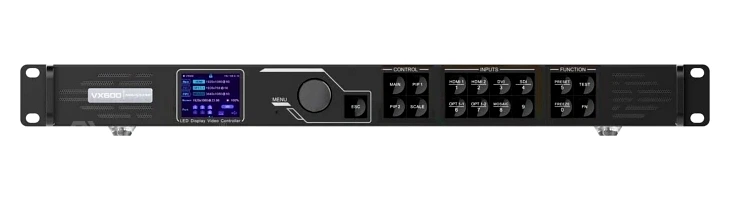
Input Settings → select source → EDID resolution. 3G-SDI auto-detects. Press MAIN/PIP 1/PIP 2 buttons to open layers and assign input sources. SCALE button for one-click full screen. 10 presets for instant recall.
NovaStar VX Series Full Comparison
All VX-series controllers share the same core FPGA-driven architecture. Differences come down to pixel capacity, port count, and input resolution.
| Parameter | VX400 | VX600 | VX1000 | VX1000 Pro |
|---|---|---|---|---|
| Max Pixel Capacity | 2.6M | 3.9M | 6.5M | 6.5M |
| Ethernet Ports | 4× Gigabit | 6× Gigabit | 10× Gigabit | 10× Gigabit |
| Input Resolution | 1920×1080@60 | 1920×1200@60 | 4K×1K@60 | 4K×2K@60 (HDMI 2.0) |
| Layers | 1 Main+1 PIP | 1 Main+2 PIP | 1 Main+2 PIP | Up to 6 |
| Genlock | — | IN+LOOP | IN+LOOP | IN+LOOP |
| Optical Fiber | 2× OPT | 2× OPT (self-adaptive) | 2× 10G SFP+ | 2× 10G SFP+ |
| Presets | 10 | 10 | 10 | 256 |
| Power | 20W | 28W | 35W | 40W |
| Price (USD) | $400–$600 | $800–$1,200 | $1,800–$2,100 | $2,400–$2,700 |
The VX600 occupies the sweet spot for mid-to-high-end rental and stage applications — delivering Genlock, 3 layers, and fiber at roughly half the cost of the VX1000.
Application Scenarios
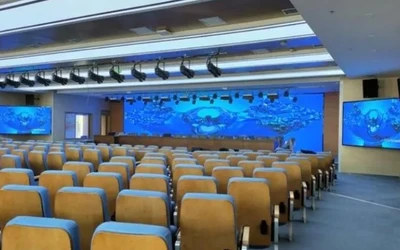
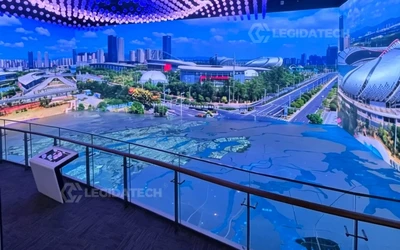

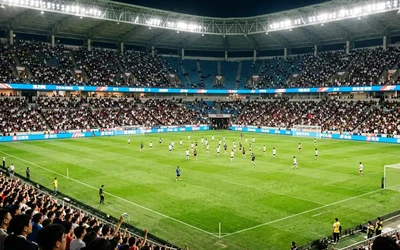
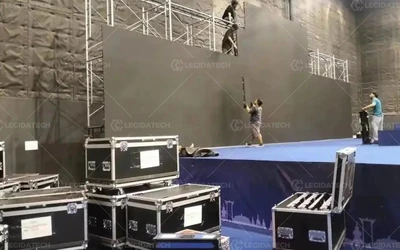
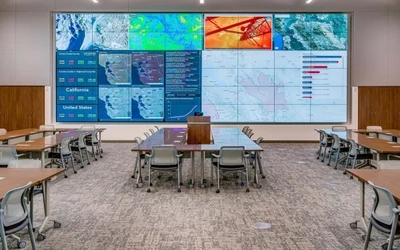
Product Gallery
Why Source Your VX600 from LEGIDATECH?
Frequently Asked Questions
What is the maximum loading capacity of the VX600?
3.9 million pixels total across 6 Gigabit Ethernet ports (650,000 pixels per port at 8-bit). Maximum output width: 10,240 pixels. Maximum output height: 8,192 pixels.
Does the VX600 support 4K input?
Standard input resolution is 1920×1200@60Hz. Custom resolutions support up to 3840×648@60Hz (ultra-wide) or 800×2784@60Hz (ultra-tall) via HDMI 1.3 / DVI / OPT 1. For true 4K×1K@60Hz (3840×1080), upgrade to the VX1000. For native 4K×2K@60Hz (3840×2160), the VX1000 Pro with HDMI 2.0 is required.
What’s the difference between the VX600 and VX1000?
The VX1000 has 10 Ethernet ports (vs 6), 6.5M pixel capacity (vs 3.9M), 4K×1K@60Hz input (vs 1920×1200), and 3D stereoscopic support (EMT200). The VX600 costs approximately half as much ($800–$1,200 vs $1,800–$2,100) and is the optimal choice for projects under 3.9M pixels that don’t require 4K input or 3D.
How many VX600 units can be cascaded?
Up to 4 VX600 units via USB-B for image mosaic. All cascaded units are Genlock-synchronized for frame-accurate output. Internal input source or external Genlock can serve as the sync source. When the main layer uses mosaic source, PIP 1 and PIP 2 are automatically disabled.
Does VX600 support 10-bit or 12-bit color?
No. The VX600 supports 8-bit only (RGB 4:4:4, YCbCr 4:4:4, YCbCr 4:2:2). 10-bit and 12-bit color depth and YCbCr 4:2:0 are not supported on HDMI 1.3, DVI, or OPT 1 inputs. For 10/12-bit workflows, consider the VX1000 or MCTRL660 PRO.
What accessories are included with the VX600?
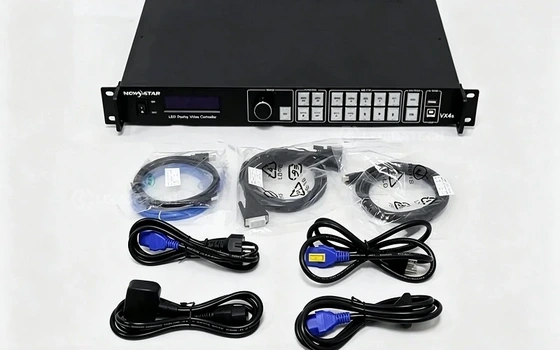
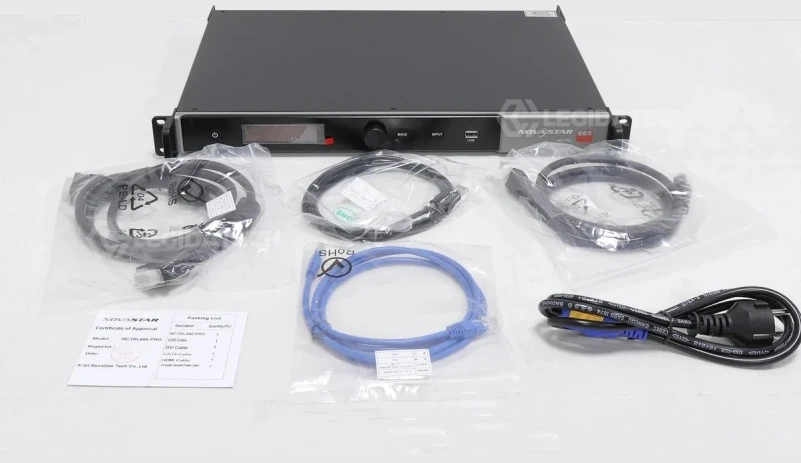
Flight case packaging: 1× power cord, 1× HDMI-to-DVI cable, 1× USB cable, 1× Ethernet cable, 1× HDMI cable, 1× Quick Start Guide, 1× Certificate of Approval, 1× DAC cable. Carton packaging: same minus DAC cable, plus 1× Safety Manual and 1× Customer Letter.
How do I update the VX600 firmware?
Via NovaLCT: User → Advanced Synchronous System User Login → type “admin” → Browse for firmware package → Update. Always export a backup .rcfgx file before updating. Verify source and target firmware versions match to avoid configuration mismatch errors.
What is the factory-direct price of the VX600?
Standalone retail pricing ranges from $800–$1,200 USD. Factory-direct procurement through LED screen manufacturer LEGIDATECH typically delivers 15–25% savings, especially when bundled with LED display cabinets. Volume discounts apply for 4+ units. Each unit includes full accessories and 3-year warranty.
Compare NovaStar LED Display Controllers
Explore the full lineup to find the right controller for your project.
Get the NovaStar VX600 at Factory-Direct Pricing
Pre-configured with your cabinet files. 24-hour burn-in tested. 3-year warranty. Global shipping.
Request Factory Price Quote Now