


LED Video Wall for Control Rooms: 24/7 Operation Buyer Guide
A control room display is judged on the worst day, not the demo day. The map has to stay readable at 3 a.m., the alarm feed has to survive a power-supply failure, and the wall has to run for years without a maintenance window that interrupts operations. An LED video wall for control room use is therefore a reliability purchase as much as a display purchase. This guide covers pixel pitch and sightlines, redundancy by failure domain, COB versus SMD panels, signal integration, power and heat sizing, acceptance tests and 2026 cost ranges.
Short answer: An LED video wall for control room use should be a fine-pitch direct-view wall, typically P1.2–P1.8 for operator sightlines of 2–5 m, running 600–1,000 nits with low-brightness grayscale intact. Specify N+1 power supplies, dual incoming feeds, dual sending paths, backup receiving cards, front service and a spare-parts plan. Size the electrical supply from measured maximum power, not average, and prove failover and readability in a site acceptance test.
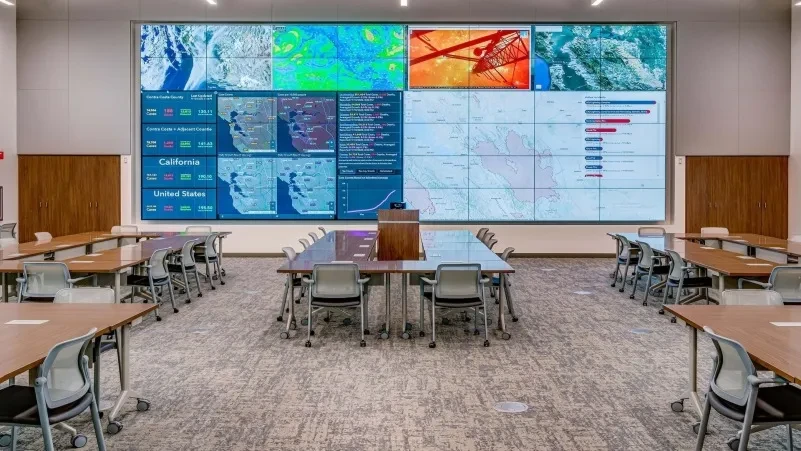
What Is an LED Video Wall for Control Room Use and Why Does 24/7 Change the Spec?
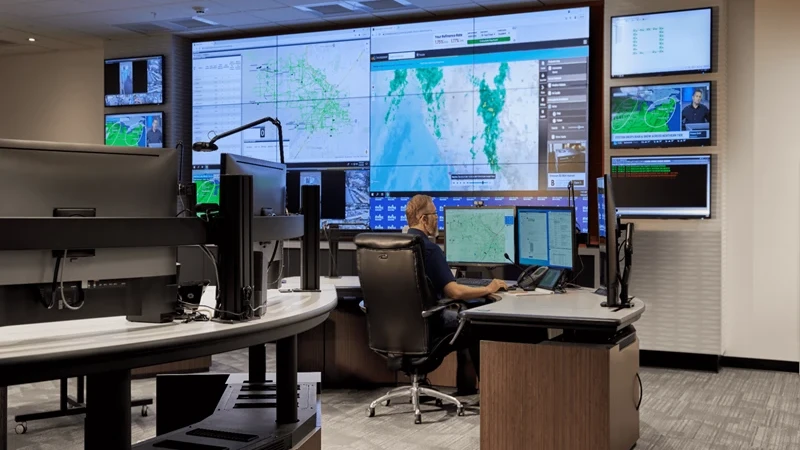
An LED video wall for control room use is a direct-view LED display built to show many live sources at once, continuously, in a room where operators make decisions from it. It differs from an indoor advertising wall in three ways: it runs 8,760 hours a year, it shows dense text and thin map lines at close range, and a failure has operational consequences instead of a missed impression.
Those three facts drive every specification. A 24/7 duty cycle turns power-supply quality, heat design and spare-part logistics into first-order decisions. Close viewing turns pixel pitch, low-gray performance and module uniformity into readability requirements. Operational dependence turns redundancy, recovery time and acceptance testing into procurement items, not afterthoughts.
The existing LED screens in control rooms article covers the general application case. This guide focuses on the 24/7 specification and the buying decisions that follow from it.
What Pixel Pitch and Resolution Does an LED Video Wall for Control Room Need?
Pixel pitch is the center-to-center distance between adjacent LED pixels, measured in millimeters. The right pitch is set by the farthest operator who must read the smallest critical text, not by the closest seat alone. Control room practice commonly starts at P1.2–P1.8 for 2–5 m sightlines, with P0.9–P1.2 at 1–2 m and P1.5–P2.5 for larger rooms (Canbest, 2025).
| Operator distance | Starting pitch | Typical wall |
|---|---|---|
| 1–2 m | P0.9–P1.2 | Close operator desk, single room |
| 2–5 m | P1.2–P1.8 | Main command wall |
| 5 m+ | P1.5–P2.5 | Large hall, overview display |
ISO 11064, the ergonomic design standard for control centres, separates the primary workstation display from the shared overview wall. Primary monitors sit at about 500–750 mm from the eye, while the overview wall should stay within 0° to +15° of the operator’s upward gaze (ISO 11064-3 and -4; Kesino, 2026). Translate that into wall height and pitch before ordering cabinets, then check the sightline from the back row.
Resolution is a second calculation. A 4.8 × 2.7 m wall at P1.25 has a native grid of about 3,840 × 2,160 pixels (PTC LED, 2026). Split into four equal windows, each window receives at most 1920 × 1080 pixels. The input signal, the native wall resolution and the pixels each window actually receives are three different numbers, and a processor that accepts 4K input does not guarantee a native 4K wall.
The P1.25 COB LED display module and P1.56 COB LED display module cover the main command-wall range, while the 4K LED video wall ESL and small pixel pitch LED screen ranges cover close-view and larger-room layouts.
How Should an LED Video Wall for Control Room Handle Redundancy?
Redundancy has to be defined by failure domain. Dual power supplies, dual signal inputs, backup sending cards, backup receiving cards and a UPS protect different parts of the system, and one does not replace another (PTC LED, 2026). Ask the supplier to draw the path from source to pixel and mark what fails over at each stage.
On the power side, the practical baseline is N+1 power supplies per cabinet, dual AC feeds on separate breakers and a UPS that carries the processors and control system for 10–30 minutes (Legidatech, 2026). On the signal side, ask for dual sending cards and a backup input path to the controller, with a defined changeover behavior. A clean changeover should not flash the wall or drop the layout.
Receiving-card redundancy is the display-level layer. A cabinet can carry a backup card that takes over when the primary card fails, which limits the affected area to a module or cabinet instead of a whole signal run. The LED display control system page covers the sending and control hardware; the specification question is which failures the design covers and how long recovery takes.
Test for common-mode failures. Primary and backup power may share a breaker, a processor, a switch, a cable route or the same cooling unit. MTBF figures do not define recovery time, so the procurement document should state the permitted interruption, the degraded-display limit and the failover test procedure. Pull a power supply and disconnect the primary signal during commissioning, and record what the wall does.
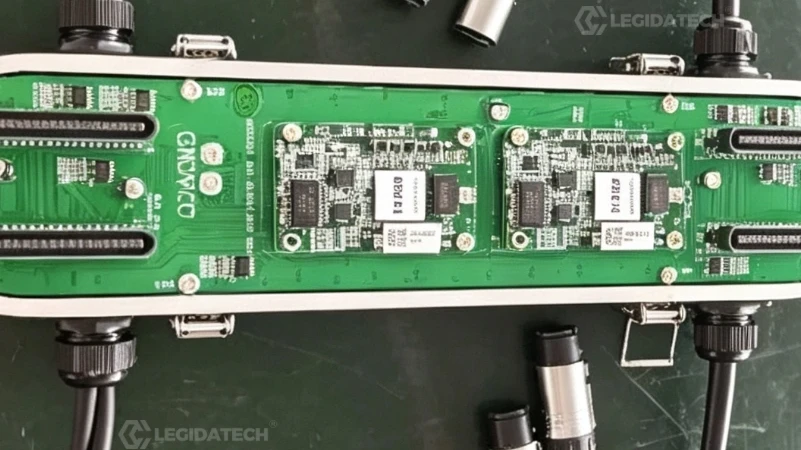
Which Panel Technology Suits an LED Video Wall for Control Room?
SMD is a package in which each red, green and blue chip sits in its own surface-mount device on the module face. COB is a package in which the chips are bonded directly to the board and covered with a flat protective layer. The COB surface is matte, sealed and less prone to glare, and the module is replaced as a unit rather than repaired bead by bead.
For a control room, COB has three practical advantages. The matte surface controls reflections from ceiling lights and glass partitions. The sealed face is easier to clean and less exposed to dust in a room that runs all year. The darker face improves contrast for dark-interface dashboards and low-brightness content. SMD remains workable where the budget is tighter and the room has controlled lighting, provided the quote includes matte treatment and calibration.
Low-gray performance matters more than peak brightness in a control room. Text and thin lines in dark mode depend on drive current, PWM dimming, grayscale bit depth, scan design and calibration, and a high refresh number alone does not guarantee smooth low-gray reproduction (PTC LED, 2026). The MIP vs COB LED display comparison explains the package trade-offs, and the COB LED display modules range lists the cabinet options.
What Brightness and Low-Luminance Performance Does a Control Room LED Display Need?
Brightness for a control room is usually 600–1,000 nits (Canbest, 2025). The room is dimmer than a lobby, and operators sit in front of the wall for eight-hour shifts. Running at high brightness causes fatigue and heat, while running too low can hide shadow detail in video feeds and maps.
The useful specification is not the maximum figure but the measured performance at the operating level. Ask for a grayscale ramp, a dark map, a camera feed and a data table displayed at the day and night presets, then check them from the farthest seat and off-axis. The wall should hold neutral gray, readable text and stable color at the dimmed level, not just at full white.
Color temperature follows the room lighting. A wall at 6,500K in a room with warm 3,000K downlights reads blue unless the white point is adjusted. Set the wall to the room’s ambient white and confirm with the operator team. The HDR LED display guide covers tone mapping and color calibration, and the LED display driver IC guide explains why the driver stage limits low-brightness linearity.
How Does an LED Video Wall for Control Room Integrate with CCTV, SCADA and KVM?
Integration starts at the source list. A control room typically combines CCTV streams, SCADA or DCS dashboards, GIS maps, alarm lists, weather feeds and video conferencing. Count the sources, the maximum number of simultaneous windows and the resolution each window needs before choosing the processor.
The signal path runs from cameras and workstations through decoders, a KVM matrix or a video wall processor to the LED controller. CCTV platforms usually expose ONVIF or RTSP streams; SCADA screens arrive as HDMI or streaming outputs from operator workstations. The processor must accept the formats the room already uses, and the controller must drive the native wall resolution without scaling the whole canvas down.
Latency is part of the requirement. An operator watching a live traffic or process feed needs the wall to stay close to real time, so ask for the measured end-to-end latency through the processor and controller at the planned resolution. A clean integration also gives the operator a preview of the layout and a way to restore it after a source change; the indoor LED screen range covers the display side of that chain.
How Do You Calculate Power, Heat and Noise for a 24/7 LED Video Wall?
Size the electrical supply from the maximum power per square meter, then estimate running cost from the average. A typical fine-pitch indoor cabinet lists both figures. For a worked example, use a 20 m² wall at 400 W/m² maximum and a 40 percent duty factor for mixed control-room content: 400 × 20 × 0.4 = 3,200 W operating load. For breaker and supply design, apply the maximum with margin: 400 × 20 × 1.3 = 10,400 W design target.
At 3,200 W for 8,760 hours, annual energy is about 28,000 kWh; at $0.15/kWh that is about $4,200 a year for the wall. The same load produces roughly 10,900 BTU/h of heat, which the room HVAC has to remove. These are example figures with stated assumptions, not a quote; the LED display power consumption guide gives the full method.
Noise follows the cooling design. Cabinet fans and power supplies are audible at an operator desk in a quiet room. Remote power supplies, passive cooling and a separate equipment room reduce the level at the seated position. Measure sound pressure at the operator position with the wall at working brightness, and include the processors and HVAC in the measurement, because a quiet wall does not make a quiet room.
How Does an LED Video Wall for Control Room Compare with LCD and DLP?
LCD video walls use panels with physical bezels, which break maps and timelines across the seams. DLP rear-projection cubes use a seam between cubes and rely on lamps or laser light engines that need service over the project life. Direct-view LED has no bezel between modules, holds brightness across the canvas and scales in cabinets rather than fixed panel sizes.
| Factor | Direct-view LED | LCD video wall | DLP cubes |
|---|---|---|---|
| Seams | None between modules | Visible bezels | Cube seams |
| Brightness | 600–1,000 nits typical indoor | 300–700 nits | Lower, lamp dependent |
| Service | Module and card replacement | Panel replacement | Lamp or light engine service |
| Scalability | Cabinet by cabinet | Fixed panel sizes | Cube grid |
| Best fit | Large continuous canvas | Budget walls, smaller rooms | Legacy replacements |
- Bezel-free canvas. LED has no seam between modules, so maps and timelines stay continuous across the wall.
- Brightness and contrast. LED holds 600–1,000 nits indoors; LCD and DLP fall lower and lose contrast in a lit room.
- Service model. LED replaces modules and cards; DLP adds lamp or light-engine service over the project life.
- Scalability. LED grows cabinet by cabinet; LCD and DLP are fixed in panel or cube sizes.
- Cost curve. LCD is cheaper for a small wall; LED scales better on large command walls.
The trade-off is cost at small sizes and close viewing. A two-by-two LCD wall can cost less than a fine-pitch LED wall of the same diagonal, and it may be enough for a small NOC. For large command walls that need one continuous canvas, LED usually wins on image and long-run service.
What Maintenance and Spare-Parts Plan Keeps a NOC Video Wall Running?
Define maintenance by component. A front-serviceable module does not prove that the power supply, receiving card, hub board and cables are also reachable from the front, so confirm access component by component on the final mounting structure (PTC LED, 2026). Record the tools, working space, replacement time and affected display area during acceptance.
A wall rated at 100,000 hours represents about 11 years of continuous operation on paper, but brightness decay, power supplies and control hardware set the real service events. Agree a spare ratio for modules, receiving cards and power supplies, store the calibration and configuration files, and train the site team to swap a module and restore its calibration. The LED display lifespan guide covers cleaning, brightness management and aging factors.
What Does an LED Video Wall for Control Room Cost?
Indoor LED at factory-direct level runs about $350–$1,500/m² depending on pitch and package, and fine-pitch control-room walls sit at the top of that range. DOIT VISION (2026) publishes supplier reference figures of $800–$1,500/m² for P2.5, $1,500–$3,000/m² for P1.8, $2,500–$4,500/m² for P1.5 and $3,000–$6,000/m² for P1.2. Use the indoor LED screen price guide and the LED screen price guide as baselines.
A worked example: a 20 m² P1.5 wall at $2,500–$4,500/m² is about $50,000–$90,000 for the panel. Add the video wall processor, redundant sending and receiving hardware, UPS, structure, installation and commissioning. The lowest panel quote is rarely the lowest project cost once redundancy, spares and acceptance testing are added.
What Should an LED Video Wall for Control Room Spec Sheet Include?
| Field | What to request |
|---|---|
| Pitch and native grid | Measured wall size, module count and native resolution |
| Optical | Calibrated brightness, black level, white point, low-gray test result |
| Power | Maximum and measured operating W/m², N+1 supply layout, dual AC feeds |
| Signal | Dual sending cards, backup input, supported source formats and latency |
| Display redundancy | Backup receiving-card scheme and affected area on a card failure |
| Service | Front access per component, spare ratio, calibration file backup |
| Environment | Operating temperature, humidity, dust and ESD requirements |
| Acceptance | FAT and SAT plan, failover tests, records and handover package |
The Indoor HD small-spacing LED screen range covers the cabinet hardware for the walls described here.
Which Sources Support This LED Video Wall for Control Room Guide?
Control-room selection, pixel budget, redundancy by failure domain, low-gray performance, service and acceptance testing: PTC LED, “COB LED Video Walls for Control Rooms: A 24/7 Selection Guide” (2026). Pitch, brightness and maintenance practice: Canbest, control room LED wall selection guide (2025). 24/7 operation and low latency: Lightomated, “Control Room LED Video Wall for 24/7 Operations” (2026). Ergonomics and sightlines: ISO 11064 series (ISO); Kesino, “How to Design an ISO 11064-Compliant Control Room” (2026). Display technology comparison: Planar, “Comparing Control Room Display Technology” (2018). Power and redundancy method: Legidatech, LED display power consumption guide (2026). Price ranges: Legidatech indoor price guide (2026); DOIT VISION fine-pitch supplier reference ranges (2026).
Frequently Asked Questions About LED Video Wall for Control Room
What pixel pitch is best for an LED video wall for control room use?
It depends on the farthest operator who must read the smallest critical text. Common starting ranges are P0.9 to P1.2 at 1 to 2 meters, P1.2 to P1.8 for a main wall at 2 to 5 meters, and P1.5 to P2.5 for larger rooms. Test real maps, alarms and tables from every seat, and check sightlines against ISO 11064 practice.
How bright should a 24/7 control room LED display be?
Most indoor control rooms run 600 to 1,000 nits. The operating level matters more than the peak: test day and night presets, dark maps, camera feeds and data tables from the farthest seat. Overly high brightness causes operator fatigue and heat, while overly low brightness hides shadow detail.
What redundancy does an LED video wall for control room need?
Cover power, signal, control and display separately. A practical baseline is N+1 power supplies per cabinet, dual AC feeds on separate breakers, a UPS for processors and control, dual sending cards, a backup input path and backup receiving cards. Identify shared breakers, switches, processors and cooling so one fault cannot defeat both paths, and test failover on site.
Can an LED video wall run 24 hours a day for years?
Yes, with industrial-grade power supplies and a maintenance plan. A 100,000-hour rating represents about 11 years of continuous operation on paper, but brightness decay and component failures set the real service events. Keep spare modules, cards and power supplies, back up calibration files, and schedule cleaning and preventive checks.
Is LED better than LCD for a control room video wall?
LED gives a continuous canvas without bezels, higher brightness and cabinet-level scaling, which suits large command walls and maps. LCD can cost less for a small wall and is adequate in a compact room, but the bezels break continuity. DLP cubes use seams and need lamp or light engine service. Match the technology to wall size, content and service access.
How much does an LED video wall for control room cost?
Indoor LED at factory-direct level runs about $350 to $1,500 per square meter depending on pitch and package. Supplier reference ranges for fine pitch are about $1,500 to $3,000 per square meter for P1.8, $2,500 to $4,500 for P1.5 and $3,000 to $6,000 for P1.2. Add the processor, redundancy hardware, UPS, structure, installation and commissioning.
Final Word: Is an LED Video Wall for Control Room Worth It?
An LED video wall for control room use earns its cost when the room needs one continuous canvas, dense text at close range and years of uninterrupted service. The specification that matters is not the peak brightness or the smallest pitch on the brochure; it is the measured low-gray performance, the failure coverage, the recovery procedure and the spare-parts plan. As an LED screen manufacturer, Legidatech builds fine-pitch COB and SMD panels and can supply the module, control and calibration data behind those numbers. The LED video wall range shows the cabinet side, and the P1.25 COB LED display module page covers the main command-wall option.