The global LED display industry is experiencing unprecedented growth. By 2026, the market is racing toward a trillion-yuan valuation, with China producing over 80% of the world’s LED displays and commanding approximately 60% of global market share. From outdoor digital billboards to immersive command centers, from transparent retail storefronts to all-in-one conference displays — the sheer variety of LED display types available today can be overwhelming.
Whether you’re a business owner, event organizer, AV integrator, or smart-city planner, choosing the right LED display directly impacts your project’s visual impact, energy consumption, total cost of ownership, and long-term reliability.
This comprehensive guide covers every major LED display type in 2026, with deep dives into Mini-LED, Micro-LED, COB LED, OLED, LCD, Direct-View LED, 2K/4K/8K resolution comparisons, LED poster displays, and the rapidly growing category of all-in-one LED conference displays. Let’s get started.
1. The LED Display Landscape in 2026
Several powerful trends are converging to make 2026 a transformative year for the LED display industry:
- Technology maturation. Mini-LED backlighting is now standard in premium TVs. Micro-LED has moved from R&D labs to commercial production. COB (Chip on Board) and GOB (Glue on Board) packaging technologies dominate the fine-pitch indoor segment below P1.5.
- Resolution arms race. The transition from 2K to 4K is complete; 8K LED displays are now a reality for high-end applications. Content creators and broadcasters are pushing the entire ecosystem toward higher pixel densities.
- Smart-city infrastructure. IoT-connected asynchronous LED displays power everything from intelligent lamp posts to citywide traffic guidance networks. 5G connectivity enables zero-latency multi-screen synchronization.
- The conference room revolution. All-in-one LED conference displays (会议一体机) are replacing traditional projectors and LCD video walls in corporate meeting rooms, driven by hybrid work and the demand for seamless collaboration.
- Sustainability mandates. Energy-efficient displays with intelligent brightness adjustment, scheduled power management, and reduced light pollution are no longer optional — they are increasingly mandated by municipal regulations worldwide.
2. Fundamentals: What Is an LED Display?
An LED (Light Emitting Diode) display is a flat-panel display technology that uses an array of light-emitting diodes as pixels. When an electric current passes through these semiconductor light sources, they emit light. The key components of any LED display system include:
| Component | Function |
|---|---|
| LED Modules | Core display units containing grids of LED lamps |
| Cabinet / Enclosure | Structural frame housing the modules |
| Power Supply | Converts AC to DC, distributes power to modules |
| Receiving Card | Decodes control signals and drives LED modules |
| Sending Card / Video Processor | Receives video source, processes and distributes signals |
| Control Software | Manages content, brightness, calibration, and scheduling |
Key Specifications to Understand
- Pixel Pitch (P value): The distance between the centers of two adjacent pixels, measured in millimeters. A P2.5 display has 2.5mm between pixels. Smaller pitch = higher resolution at close viewing distances.
- Resolution: The total number of pixels (width × height). A 1920×1080 display is 2K; a 3840×2160 display is 4K.
- Brightness: Measured in nits (cd/m²). Indoor displays typically need 600–1,500 nits. Outdoor displays require 5,000–10,000+ nits (See also: How Much Brightness Do You Need for an Outdoor LED Screen?) for sunlight visibility.
- Refresh Rate: How many times per second the image updates. 1,920Hz is the minimum for flicker-free camera capture; 3,840Hz is standard for broadcast.
- Gray Scale: The number of brightness steps per color channel. 14-bit = 16,384 levels; 16-bit = 65,536 levels. Higher bit depth enables smoother gradients and HDR content.
- Ingress Protection (IP): IP31+ for indoor; IP65+ front / IP54+ rear for outdoor.
3. Direct-View LED Displays — The Industry Backbone
What Are Direct-View LED Displays?
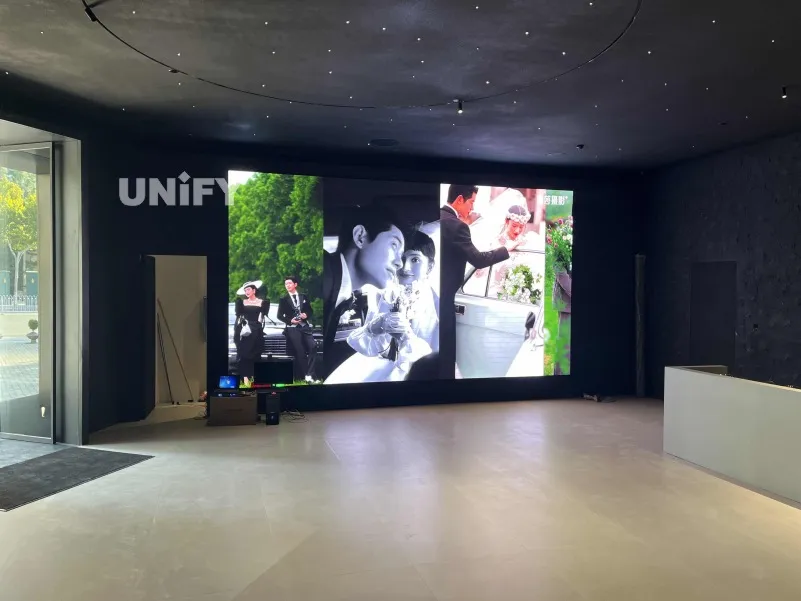
Unlike LCDs that use LEDs merely as a backlight behind a liquid crystal layer, Direct-View LED displays use LEDs as the actual pixels. Each tiny LED emits light directly and independently. This fundamental difference gives Direct-View LED displays their signature advantages: exceptional brightness, vibrant colors, seamless scalability, and visibility under direct sunlight.
How Direct-View LED Works
In a Direct-View LED display, each pixel consists of three individual LEDs — one red, one green, and one blue (RGB). By varying the intensity of each LED, the display can reproduce millions of colors. The LEDs are arranged in a matrix, and each one is individually addressable by the control system.
SMD vs DIP vs COB vs GOB in Direct-View LED
Direct-View LED displays are further classified by how the LED chips are packaged:
| Technology | Pixel Pitch Range | Best For | Relative Cost |
|---|---|---|---|
| DIP (Dual In-line Package) | P10–P25 | Large outdoor billboards, stadiums | $ |
| SMD (Surface-Mount Device) | P1.5–P10 | Indoor advertising, stages, retail | $$ |
| GOB (Glue on Board) | P1.5–P5 | Rental, events, harsh environments | $$ |
| COB (Chip on Board) | P0.7–P2.5 | Command centers, luxury retail, home theater | $$$ |
| IMD (Integrated Matrix, 4-in-1 Mini) | P0.9–P1.5 | Corporate lobbies, broadcast studios | $$$ |
Advantages of Direct-View LED
- Seamless拼接 (bezel-free tiling): Cabinets tile together to create any size without visible bezels
- Superior brightness: 1,500–10,000+ nits, far exceeding any LCD or OLED
- All-weather durability: IP65+ rated models operate from -20°C to 60°C
- Long lifespan: 50,000–100,000 hours typical
- Scalability: From a single poster-sized unit to a 1,000㎡ building facade
Limitations
- Lower pixel density at smaller sizes compared to LCD/OLED for the same price
- Higher upfront cost for fine-pitch configurations
- Requires professional installation and calibration
- Heat generation at very high brightness levels demands active cooling
4. Mini-LED Displays — The Precision Revolution
What Is Mini-LED?
Mini-LED technology uses tens of thousands of microscopic LEDs — each measuring between 50 and 200 micrometers — as the backlight for an LCD panel. Don’t confuse Mini-LED with Direct-View LED: Mini-LED is a backlight technology, not a self-emissive pixel technology. However, the sheer number and density of these tiny LEDs allow for dramatically finer control over local dimming zones.
How Mini-LED Works
A Mini-LED backlight divides the screen into hundreds or even thousands of independently controllable dimming zones. When a zone of the image should be dark, the corresponding Mini-LEDs dim or turn off entirely. When a zone should be bright, those Mini-LEDs fire at full intensity. The result: contrast ratios that approach OLED (See also: How LED Display Contrast Ratio Works) levels while maintaining LCD-level brightness.
Mini-LED in 2026
By 2026, Mini-LED has become the dominant backlight technology for premium LCD televisions, gaming monitors, and professional editing displays. Key developments include:
- Zone counts exceeding 5,000 in flagship TVs, virtually eliminating the “halo” or “blooming” effect
- Peak brightness of 2,000–3,000 nits, ideal for HDR (High Dynamic Range) content
- Cost reductions of approximately 40% compared to 2022, bringing Mini-LED to mid-range products
Advantages of Mini-LED
| Pros | Details |
|---|---|
| High brightness | 2,000–3,000 nits peak, far exceeding OLED |
| Excellent HDR | Fine local dimming enables true HDR performance |
| No burn-in | Unlike OLED, Mini-LED is immune to permanent image retention |
| Long lifespan | LCD + LED backlight = proven reliability |
| Cost-effective at scale | Significantly cheaper than OLED at large sizes (75″+) |
Limitations of Mini-LED
| Cons | Details |
|---|---|
| Still LCD-dependent | Inherits LCD viewing angle and response time limitations |
| Blooming/halo | Bright objects on dark backgrounds can show a subtle glow around edges |
| Thickness | Cannot match the razor-thin profile of OLED |
| Not self-emissive | Each pixel cannot be independently turned off; only zones can |
Mini-LED vs Micro-LED: The Critical Distinction
This is the most common confusion in the display industry. Mini-LED is a backlight technology that sits behind an LCD layer. Micro-LED is a self-emissive display technology where each LED is its own pixel. Mini-LED competes with OLED; Micro-LED aims to replace both OLED and Direct-View LED.
5. Micro-LED Displays — The Holy Grail of Display Technology
What Is Micro-LED?
Micro-LED represents the ultimate convergence of display technologies. Each Micro-LED is an individually addressable, self-emissive pixel measuring less than 50 micrometers — smaller than a human hair. A 4K Micro-LED display contains approximately 25 million individual Micro-LEDs, each capable of producing light independently.
How Micro-LED Works
Micro-LEDs are inorganic gallium nitride (GaN) semiconductors. When current passes through, they emit light directly — no backlight, no liquid crystal layer, no organic compounds. Each pixel is a tiny, independently controlled LED. This simple, elegant architecture delivers:
- Perfect blacks — Pixels turn off completely (like OLED)
- Extreme brightness — 4,000+ nits achievable (like Direct-View LED)
- Infinite contrast — No backlight bleed, no blooming, no compromises
- Wide color gamut — 100% DCI-P3 and beyond
- Ultra-fast response — Nanosecond-level pixel response time
- No burn-in — Inorganic materials do not degrade like OLED organics
- Energy efficiency — Up to 50% more efficient than OLED at the same brightness
- Long lifespan — 100,000+ hours with minimal degradation
The State of Micro-LED in 2026
Micro-LED has been “the next big thing” for years, but 2026 marks its true commercial inflection point:
- Mass transfer breakthroughs. The biggest manufacturing challenge — transferring millions of individual Micro-LEDs from a wafer onto a display substrate with 99.9999% accuracy — has been largely solved. New elastomer stamp transfer, laser transfer, and fluidic self-assembly techniques have dramatically improved yields.
- Consumer products arriving. Samsung, LG, and Apple have all launched Micro-LED products, though still at premium price points. The first “affordable” Micro-LED TVs (75–85″) are expected in 2027.
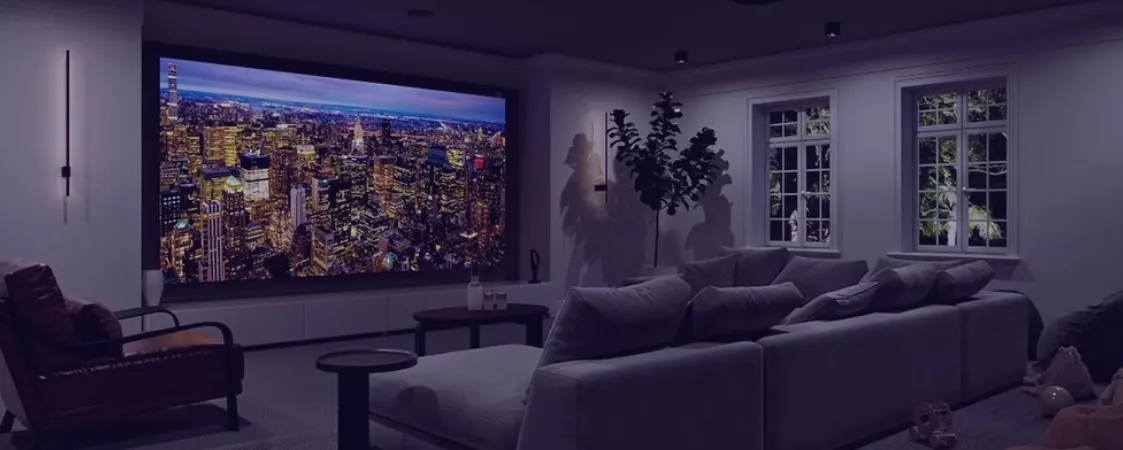
- Commercial applications leading adoption. Luxury retail, corporate flagship lobbies, broadcast studios, and high-end home theaters are the primary adopters. The seamless, bezel-free nature of Micro-LED makes it especially compelling for video walls.
- Pixel pitches reaching P0.4–P0.7. This enables 4K resolution in displays as small as 110 inches, making Micro-LED a viable replacement for premium home theater projectors.
Micro-LED Advantages Summary
| Feature | Micro-LED vs OLED | Micro-LED vs LCD | Micro-LED vs Direct-View LED |
|---|---|---|---|
| Brightness | ✅ Much brighter | ✅ Much brighter | ➖ Comparable |
| Black level | ✅ Equivalent | ✅ Far superior | ✅ Far superior |
| Burn-in risk | ✅ No burn-in | ➖ Both immune | ➖ Both immune |
| Viewing angle | ✅ Comparable | ✅ Far superior | ✅ Comparable |
| Lifespan | ✅ Longer | ✅ Longer | ➖ Comparable |
| Thinness | ✅ Comparable | ✅ Thinner | ✅ Thinner |
| Cost (2026) | ❌ Much more expensive | ❌ Much more expensive | ❌ More expensive |
Remaining Challenges
- Cost. Even with improved manufacturing, Micro-LED is 3–5× more expensive than OLED at equivalent sizes
- Heat management at extremely high pixel densities in compact enclosures
- Yield rates for small-pitch configurations (though improving monthly)
- Repair complexity — replacing a single dead Micro-LED pixel requires specialized equipment
6. COB LED Displays — The Fine-Pitch Champion
What Is COB LED?
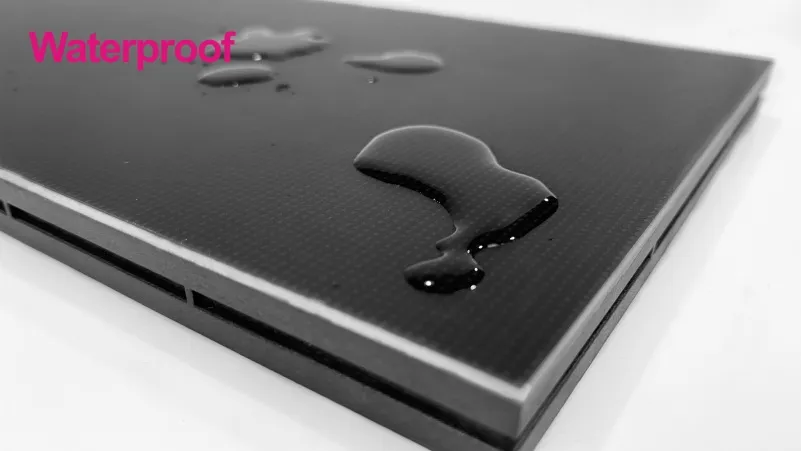
COB (Chip on Board) LED is a packaging technology where multiple bare LED chips are bonded directly onto a printed circuit board (PCB) substrate, then encapsulated as a single integrated module. Unlike SMD, which packages each LED individually before mounting, COB eliminates the traditional LED lamp package entirely.
How COB LED Works
- LED chips are picked from the wafer and placed directly onto the PCB
- The chips are wire-bonded or flip-chip bonded to the circuit traces
- The entire array is encapsulated under a uniform layer of protective material
- The result is a seamless, smooth surface with no visible individual LED packages
COB vs SMD — The Fine-Pitch Battle (See also: DIP, SMD, and COB LED displays: The ultimate guide)
| Feature | COB LED | SMD LED |
|---|---|---|
| Minimum pixel pitch (2026) | P0.7 | P1.2 |
| Surface appearance | Smooth, uniform, “marble-like” | Visible individual LED dots |
| Protection level | Excellent (chips fully encapsulated) | Moderate (individual LEDs exposed) |
| Impact resistance | High | Low–Moderate |
| Heat dissipation | Excellent (direct PCB contact) | Good (through package leads) |
| Color uniformity | Very high (single encapsulation) | Good (binning required) |
| Repair difficulty | High (requires specialized rework station) | Low (replace individual LED lamp) |
| Manufacturing cost | Higher | Lower |
| Pixel failure rate | Lower (integrated encapsulation) | Higher (more solder joints) |
COB LED Applications in 2026
COB has become the dominant technology for applications demanding the finest pixel pitches:
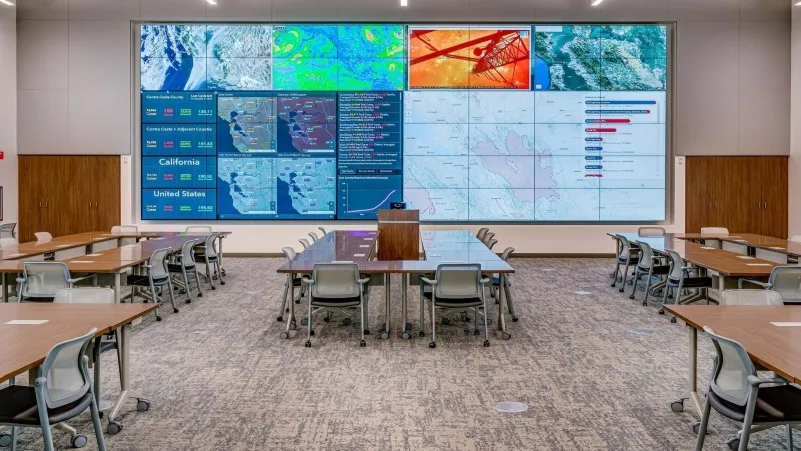
- Command and Control Centers (See also: LED Display Contrast Ratio Guide). Government, military, utilities, and transportation hubs require P0.7–P1.2 displays that operators view from 1–3 meters for 12-hour shifts. COB’s smooth surface eliminates eye strain from the “grainy” appearance of SMD at close distances.
- Luxury Retail. Flagship stores use COB displays to create immersive brand experiences where customers stand within arm’s reach of the screen.
- Broadcast Studios. COB’s 16-bit grayscale, 3,840Hz+ refresh rate, and uniform surface make it the gold standard for on-camera LED walls.
- Corporate Lobbies and Boardrooms. All-in-one COB conference displays in 108″, 136″, and 163″ sizes are replacing projection systems.
- Home Theater. The first consumer-grade COB displays (P0.9, 4K, 120″) are entering the ultra-luxury home market.
The GOB Alternative (See also: GOB vs COB LED Display: Core Differences)
GOB (Glue on Board) is often mentioned alongside COB. GOB takes standard SMD modules and coats them with a transparent protective gel. It provides better durability than bare SMD at a lower cost than COB, making it the preferred choice for rental and event displays subjected to frequent handling, assembly, and disassembly.
7. OLED Displays — Deep Blacks and Infinite Contrast
What Is OLED?
OLED (Organic Light Emitting Diode) is a self-emissive display technology where each pixel is made of organic (carbon-based) compounds that emit light when an electric current passes through them. Unlike LCD, OLED requires no backlight. Unlike Direct-View LED, OLED pixels are created through a deposition process rather than by placing individual LED lamps.
How OLED Works
An OLED pixel consists of multiple organic thin film layers sandwiched between two electrodes. When voltage is applied, electrons and holes recombine in the emissive layer, releasing energy as visible light. Each pixel can be individually turned on, off, or modulated to any brightness level.
OLED in 2026
OLED has matured significantly but remains primarily a consumer and premium commercial technology:
- Sizes: Dominant in smartphones, tablets, laptops, and TVs from 27″ to 97″. Large-format OLED (110″+) exists but remains niche due to cost.
- Brightness improvements: New deuterium-based and micro-lens array (MLA) OLED panels achieve 1,500–2,000 nits peak, narrowing the brightness gap with Mini-LED LCDs.
- Burn-in mitigation: Advanced pixel shifting, logo detection, and pixel compensation algorithms have significantly reduced — but not eliminated — burn-in risk.
OLED Advantages
| Pros | Details |
|---|---|
| Perfect blacks | Individual pixels turn off completely for infinite contrast |
| Wide viewing angles | Image quality remains consistent at nearly any angle |
| Fast response time | ~0.1ms, ideal for gaming and fast-motion content |
| Ultra-thin design | Panels can be 2–3mm thick; flexible and rollable form factors exist |
| Excellent color | 100% DCI-P3 coverage, excellent HDR |
OLED Limitations
| Cons | Details |
|---|---|
| Burn-in risk | Static elements (logos, news tickers, HUDs) can cause permanent retention |
| Limited brightness | Peak full-screen brightness is lower than Mini-LED or Direct-View LED |
| Size limitations | Economically viable only up to ~97″; no seamless拼接 (bezel-free tiling) for larger sizes |
| Lifespan | Organic materials degrade over time; blue sub-pixels degrade fastest |
| Outdoor unsuitable | Cannot achieve the sustained high brightness needed for outdoor use |
| Cost | Premium pricing, especially at large sizes |
OLED vs LED Displays: When to Choose Each
- Choose OLED for: Premium home TVs, gaming monitors, creative professional displays, luxury digital signage where image quality is paramount and content is dynamic.
- Choose LED (Direct-View / COB / Mini-LED) for: Commercial signage, outdoor advertising, large-scale video walls, conference rooms, control centers, and any application requiring 24/7 operation or high sustained brightness.
8. LCD with LED Backlight — The Budget Workhorse
What Is LCD with LED Backlight?
LCD (Liquid Crystal Display) is not a self-emissive technology. Liquid crystals themselves do not produce light — they act as shutters that either block or allow light to pass through. The light comes from a backlight, which in modern displays is composed of LEDs. This is why the term “LED TV” is technically misleading: most “LED TVs” are actually LCDs with LED backlights.
How LCD with LED Backlight Works
- An LED backlight array produces white light behind the LCD panel
- The light passes through polarizers and a liquid crystal layer
- Each liquid crystal pixel can twist to either block light (producing dark) or allow light through (producing bright)
- Color filters (red, green, blue subpixels) create the full-color image
Backlight Configurations
| Type | Description | Dimming Quality |
|---|---|---|
| Edge-lit LED | LEDs along the edges, light guide plate distributes light | Poor local dimming |
| Direct-lit LED | LEDs distributed behind the panel, fewer zones | Moderate |
| Full-Array Local Dimming (FALD) | Hundreds of LEDs in a grid, multiple dimming zones | Good |
| Mini-LED Backlight | Thousands of tiny LEDs, up to 5,000+ zones | Excellent |
LCD Advantages in 2026
- Most affordable display technology per square inch at large sizes
- No burn-in — ideal for static content (menus, schedules, dashboard displays)
- High sustained brightness — 500–2,000 nits depending on backlight type
- Mature, reliable technology with decades of manufacturing optimization
- Wide size range — from 7″ to 98″ readily available
LCD Limitations
- Cannot achieve true black — always some backlight bleed through the liquid crystal layer
- Narrower viewing angles — color and contrast degrade off-axis (though IPS panels mitigate this)
- Slower response time — motion blur in fast-moving content
- Bezel constraints — LCDs cannot be seamlessly tiled; multi-panel video walls show visible seams
- Thickness — even the slimmest LCD is thicker than OLED
With the technical details covered, the practical question remains: when should you choose LCD over Direct-View LED for a commercial installation?
LCD vs Direct-View LED: The Key Trade-off
For commercial applications, the decision often comes down to:
Choose LCD when: Budget is the primary constraint, the viewing distance is moderate (2–5m), the display is 98″ or smaller, and visible bezels are acceptable or the display is a single panel.
Choose Direct-View LED when: You need a seamless, bezel-free video wall larger than 100″, high brightness (1,500+ nits), outdoor durability, 24/7 operation, or the display will be viewed from close distances where LCD bezels would be distracting.
9. 2K vs 4K vs 8K LED Displays — Resolution Showdown
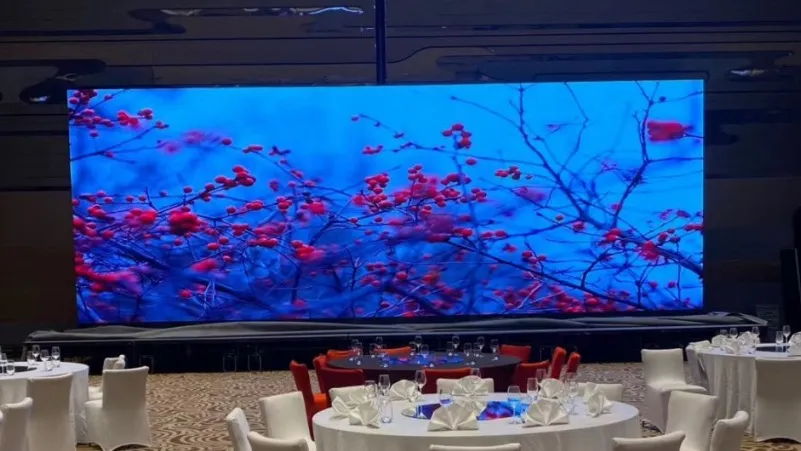
Resolution is the single most impactful specification when selecting an LED display. It determines image clarity, minimum viewing distance, and total system cost. Here’s how 2K LED displays, 4K LED displays, and 8K LED displays compare in 2026.
Resolution Definitions
| Resolution | Pixels (W×H) | Total Pixels | Common Name |
|---|---|---|---|
| 2K (Full HD) | 1,920 × 1,080 | 2.07 million | FHD / 1080p |
| 4K (Ultra HD) | 3,840 × 2,160 | 8.29 million | UHD / 2160p |
| 8K (Ultra HD) | 7,680 × 4,320 | 33.18 million | 8K UHD / 4320p |
How Pixel Pitch (See also: P3.91 LED Display View Distance: Complete Technical Guide) Determines Resolution
For LED displays, resolution isn’t a fixed number — it depends on both the pixel pitch and the physical size of the screen.
Formula: Resolution (width) = Screen Width (mm) ÷ Pixel Pitch (mm)
| Screen Size (16:9) | P0.9 | P1.5 | P2.5 | P3.91 | P5 |
|---|---|---|---|---|---|
| 110″ (2.44m × 1.37m) | ~2,711 × 1,522 (4K+) | ~1,627 × 913 (<2K) | ~976 × 548 | ~624 × 351 | ~488 × 274 |
| 165″ (3.66m × 2.06m) | ~4,067 × 2,289 (>4K) | ~2,440 × 1,373 (2K+) | ~1,464 × 824 | ~937 × 527 | ~732 × 412 |
| 220″ (4.88m × 2.74m) | ~5,422 × 3,044 (>4K) | ~3,253 × 1,829 (4K) | ~1,952 × 1,096 (2K) | ~1,249 × 702 | ~976 × 548 |
| 330″ (7.31m × 4.11m) | ~8,122 × 4,567 (8K) | ~4,873 × 2,740 (>4K) | ~2,924 × 1,644 (4K) | ~1,872 × 1,053 (2K) | ~1,462 × 822 |
Key insight: To achieve 4K resolution on a 220″ screen (typical conference room), you need P1.5 or finer. To achieve 8K on a 330″ screen, you need P0.9 or finer. This relationship between size, pitch, and resolution is the single most important technical concept in LED display specification — understanding it will save you from costly misconfigurations and ensure your display meets both visual quality requirements and budget constraints.
2K LED Displays (1,920 × 1,080) in 2026
2K LED displays remain the entry-level standard for many commercial applications. They’re the most affordable option and perfectly adequate when:
- Viewing distance exceeds 3 meters. At 3m+, the human eye cannot resolve individual pixels on a 2K display of typical commercial sizes.
- Content is predominantly 1080p. Most digital signage content, presentations, and live feeds are still produced at 1080p.
- Budget is the primary concern. 2K LED systems cost 40–60% less than equivalent 4K systems.
Use cases: Small retail signage, restaurant menu boards, small conference rooms, entry-level rental displays, outdoor billboards viewed from 10m+.
With these fundamentals in mind, let’s examine each resolution tier in detail — starting with the entry-level standard and working up to the cutting edge.
4K LED Displays (3,840 × 2,160) in 2026
4K LED displays have become the mainstream choice for professional and commercial applications:
- The sweet spot. 4K provides four times the pixel count of 2K without the extreme bandwidth, processing, and content challenges of 8K.
- Viewing distance of 1.5–4m. This covers most indoor commercial scenarios — meeting rooms, retail stores, exhibition booths, and broadcast studios.
- Content availability. Streaming platforms, game consoles, laptops, and cameras all output native 4K in 2026.
Use cases: Mid-to-large conference rooms (all-in-one LED displays), broadcast studios, corporate lobbies, luxury retail, rental stages, home theaters.
While 4K has become the mainstream sweet spot, 8K represents a significant leap in both visual fidelity and infrastructure requirements. Here’s what you need to know before investing in 8K.
8K LED Displays (7,680 × 4,320) in 2026
8K LED displays represent the bleeding edge. With 33 million pixels — sixteen times the resolution of 2K — they deliver images of astonishing detail:
- Imperceptible pixel structure. Viewers can stand within 0.5m of a 110″ 8K display and see a continuous, seamless image with zero visible pixel grid.
- Scientific and medical visualization. 8K enables radiologists, geologists, and data scientists to see fine details without zooming.
- Future-proofing. An 8K display installed today can accept 2K and 4K content (upscaled) while being ready for the 8K content ecosystem as it matures.
Challenges of 8K in 2026:
| Challenge | Detail |
|---|---|
| Bandwidth | Uncompressed 8K/60Hz requires ~48 Gbps; HDMI 2.1 supports it, but infrastructure is expensive |
| Content scarcity | Native 8K content remains rare outside of specialized production |
| Processing power | Video processors capable of 8K scaling cost 5–10× more than 4K equivalents |
| Pixel pitch constraint | 8K at a practical size requires P0.9 or finer — currently only COB or Micro-LED can deliver this at scale |
| Cost | An 8K LED display typically costs 3–5× more than the same-sized 4K display |
Use cases: Premium broadcast control rooms, specialized visualization labs, luxury flagship stores, ultra-high-end home theaters, museums.
2K vs 4K vs 8K: How to Choose
| Factor | Choose 2K | Choose 4K | Choose 8K |
|---|---|---|---|
| Budget | Under $15,000 | $15,000–$80,000 | $80,000+ |
| Viewing distance | 3m+ | 1.5–4m | 0.5–2m |
| Content source | 1080p typical | 4K available | 8K production capability |
| Screen size | Under 165″ | 110″–330″ | 220″+ |
| Application | Basic signage, small meeting rooms | Conference rooms, broadcast, retail | Premium visualization, luxury |
10. All-in-One LED Conference Displays (会议一体机)
What Is an All-in-One LED Conference Display?
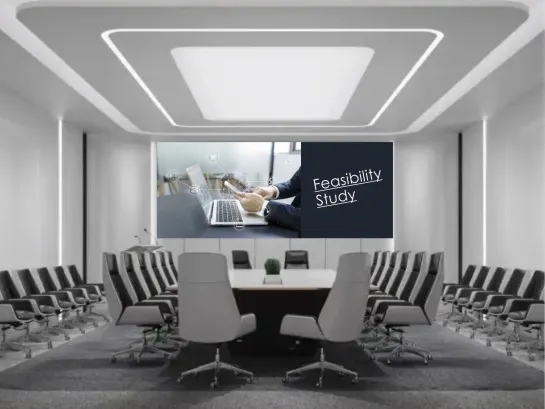
The all-in-one LED conference display (LED会议一体机) is one of the fastest-growing LED display categories in 2026. It integrates the LED screen, video processor, Android or Windows computing module, speakers, camera, microphones, and interactive touch capabilities into a single, ready-to-use device — no complex installation, no external video processor, no separate audio system required.
Why 会议一体机 Is Booming in 2026
The post-pandemic hybrid workplace has fundamentally changed corporate expectations for meeting room technology:
- Instant-on simplicity. Traditional LED video walls require hours of installation, cabling, calibration, and configuration by trained AV integrators. An all-in-one conference display arrives pre-calibrated and can be set up in under an hour by the end user.
- 16:9 native aspect ratio. All-in-one displays typically come in standard 16:9 form factors — 108″, 135″, 163″, and 216″ — matching laptop and content output ratios perfectly, with no need for custom resolution mapping.
- Touch interactivity. Integrated IR or capacitive touch frames enable whiteboarding, annotation, and direct manipulation of content — essential for collaborative meetings.
- Wireless screen sharing. Built-in support for AirPlay, Miracast, Google Cast, and proprietary protocols allows any device to present wirelessly.
- Unified video conferencing. Integrated cameras with wide-angle lenses, beamforming microphone arrays, and speakers tuned for voice clarity make these displays ideal Zoom/Teams/Meet endpoints.
Key Specifications of a 2026 会议一体机
The all-in-one LED conference display market has segmented into three clear tiers in 2026, from entry-level 108″ 2K displays suitable for small huddle rooms to premium 216″ 8K installations designed for Fortune 500 boardrooms. The table below breaks down the key specifications across these tiers to help you match the right product to your meeting room requirements and budget.
| Specification | Entry Level | Mid-Range | Premium |
|---|---|---|---|
| Size | 108″ | 135″–163″ | 163″–216″ |
| Resolution | 2K (1080p) | 4K | 4K–8K |
| Pixel Pitch | P1.5–P1.8 | P0.9–P1.5 | P0.7–P0.9 |
| Technology | SMD | COB / IMD Mini-LED | COB / Micro-LED |
| Brightness | 300–500 nits | 600–1,000 nits | 800–1,500 nits |
| Touch | Optional IR frame | IR touch (20-point) | Capacitive touch (40-point) |
| OS | Android | Android + OPS (Windows) | Dual OS with BYOD support |
| Audio | 2×10W speakers | 2×20W + subwoofer | Integrated soundbar |
| Video Conferencing | BYO camera | Built-in 1080p camera + mics | 4K AI auto-framing camera + 8-mic array |
| Wireless Sharing | Miracast / AirPlay | All protocols + dongle-free | All protocols + 4K wireless casting |
To understand why organizations are rapidly switching to all-in-one LED conference displays, it helps to compare them directly against the incumbent technologies they’re replacing.
Advantages Over Traditional Projectors and LCD Video Walls
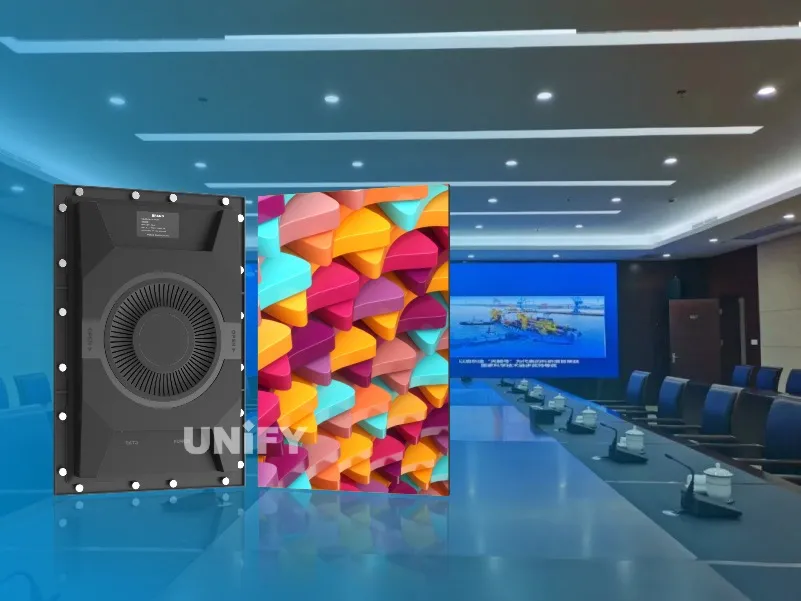
| Feature | LED会议一体机 | Projector | LCD Video Wall |
|---|---|---|---|
| Brightness | 600–1,500 nits | 200–600 lux (ambient-dependent) | 350–700 nits |
| Room lighting | Works in full light | Requires dimming | Works in moderate light |
| Seamless | Yes, bezel-free | Single image (no seams) | Visible bezels (3.5mm gaps) |
| Lifespan | 50,000–100,000 hours | Lamp: 2,000–5,000 hours | 30,000–50,000 hours |
| Setup complexity | Low (<1 hour, plug and play) | Medium (mount + align + calibrate) | High (multi-panel mounting + alignment) |
| Maintenance | Minimal (no consumables) | Lamp replacement, filter cleaning | Individual panel replacement |
| Interactive touch | Built-in option | Requires interactive whiteboard add-on | Usually none or expensive overlay |
Leading Brands and Choice Criteria
In 2026, leading manufacturers of all-in-one LED conference displays include NovaStar-powered systems (See also: NovaStar Control Systems) (西安诺瓦星云), Leyard, Unilumin, Absen, and Samsung. When selecting a 会议一体机, consider:
- Room size and viewing distance. 108″ for small rooms (3–5 people, 2–3m viewing); 135″–163″ for medium rooms (6–12 people, 3–5m); 216″ for large boardrooms (15+ people, 5m+).
- Ambient light. If the room has floor-to-ceiling windows, prioritize high brightness (800+ nits) and anti-glare surface treatment.
- Primary use case. Pure presentations → prioritize brightness and wireless sharing. Collaborative whiteboarding → prioritize touch responsiveness. Video conferencing → prioritize integrated camera and microphone quality.
- IT integration. Ensure compatibility with your existing UC platform (Teams, Zoom, Google Meet) and network infrastructure.
- Total cost of ownership. Consider not just the purchase price but also installation, energy consumption, and maintenance over the expected 7–10 year lifespan.
11. LED Poster Displays — Portable Digital Signage
What Is an LED Poster Display? (See also: LED Poster Display Price: Cost Breakdown & Buying Guide)
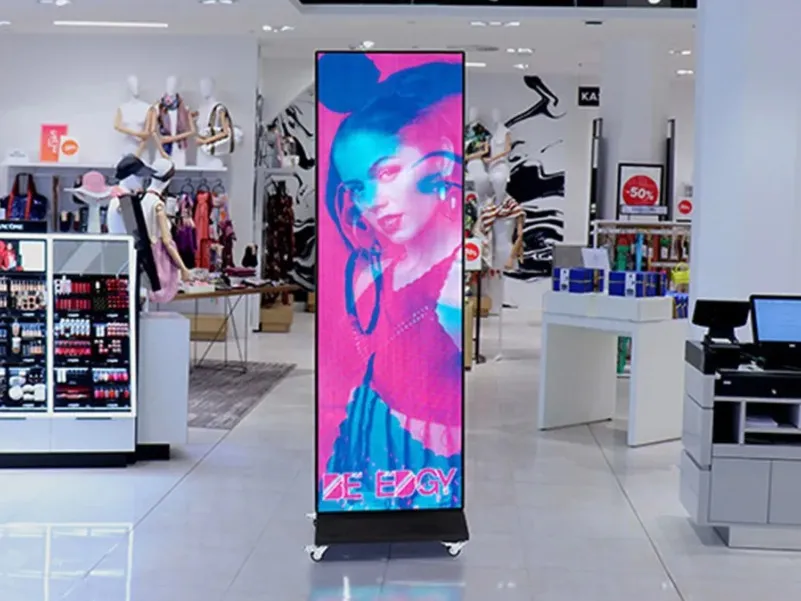
An LED poster display is a slim, freestanding, portable LED screen designed for dynamic digital signage in retail, hospitality, corporate, and event environments. Think of it as a digital poster — self-contained, easy to move, and capable of displaying vibrant video content instead of static printed graphics.
Typically ranging from 55″ to 86″ in diagonal size, LED poster displays stand vertically on a floor base. They’re designed for eye-level viewing at distances of 1–4 meters and are commonly deployed in pairs or clusters at entrances, aisles, checkout areas, and lobby spaces. Unlike traditional static signage, LED posters command attention with full-motion video and can be updated remotely across an entire retail chain in seconds — a capability that has made them one of the fastest-growing segments in the digital signage industry.
Key Features of LED Poster Displays in 2026
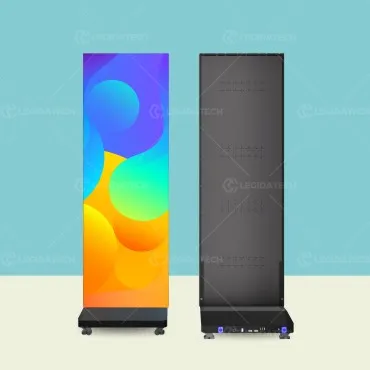
| Feature | Specification |
|---|---|
| Sizes | 55″, 65″, 75″, 86″ (common); custom sizes available |
| Pixel Pitch | P1.5–P2.5 typical |
| Resolution | 2K (1080×1920 portrait) or 4K (2160×3840 portrait) |
| Brightness | 500–2,000 nits (indoor and semi-outdoor models) |
| Weight | 25–55 kg (movable by one or two people) |
| Control | Built-in Android media player with 4G/5G or Wi-Fi |
| Content Management | Cloud-based CMS; update from anywhere via web or mobile app |
| Power | Standard AC outlet; some models support PoE+ |
The built-in Android media player with 4G/5G connectivity is what truly sets LED poster displays apart — there’s no need for an external PC, media player box, or complex cabling. Simply power on the display, connect to the cloud CMS, and push content from anywhere in the world. For multi-location retail chains, this means a single marketing manager can update promotional content across hundreds of stores simultaneously.
LED Poster Display vs Traditional Lightbox vs LCD Digital Signage
| Feature | LED Poster Display | Traditional Lightbox | LCD Digital Signage |
|---|---|---|---|
| Content | Dynamic video + audio | Static printed graphic | Dynamic video + audio |
| Content update | Cloud-based, instant | Physical printing + replacement | Cloud-based, instant |
| Brightness | 500–2,000 nits | Depends on backlight | 350–700 nits |
| Seamless size | Single panel, bezel-free | Single panel | Has bezels |
| Power consumption | Moderate | Low (static lighting) | Moderate |
| Initial cost | $$–$$$ | $ | $$ |
| Ongoing cost | Electricity only | Printing + labor per update | Electricity only |
| Interactivity | Optional touch overlay | None | Optional touch |
Applications Across Industries
- Retail: Store entrances, promotional aisles, window displays, checkout queue areas. LED posters grab attention with motion and can be updated instantly for flash sales or seasonal promotions.
- Hospitality: Hotel lobbies, elevator waiting areas, banquet hall entrances, conference center wayfinding.
- Corporate: Reception areas, hallway digital signage, cafeteria menu boards, event registration desks.
- Quick-Service Restaurants: Menu boards behind counters, promotional displays at entrances.
- Real Estate: Property showrooms and sales centers displaying project information, floor plans, and virtual tours.
Why LED Poster Displays Are Thriving in 2026
The convergence of three trends is driving this category:
- Retail transformation. Brick-and-mortar stores are competing with e-commerce by creating immersive in-store experiences. LED poster displays offer premium visual quality at a manageable price point for multi-location deployments.
- Cloud management maturity. Multi-site retailers can now manage hundreds of LED poster displays across dozens of locations from a single cloud dashboard, scheduling content by time of day, location, and audience.
- Silent, fanless operation. Unlike many larger LED displays, poster displays are designed for quiet, customer-facing environments — no cooling fans, no audible hum.
12. Other LED Display Classifications
Beyond the major display technologies covered in the previous sections, LED displays can also be categorized by several other dimensions — including packaging method, color capability, operating environment, physical structure, and form factor. Understanding these classification systems helps buyers and integrators specify exactly the right product for their unique installation requirements.
By Packaging Technology

Beyond COB, as covered in Section 6, LED displays fall into these packaging categories:
| Type | How It Works | Best For |
|---|---|---|
| DIP LED Display | Two-pin through-hole LEDs; each color separate | Outdoor billboards, stadiums (P10+) |
| SMD LED Display | Surface-mount LEDs with RGB in one package | Indoor/outdoor advertising, stages (P1.5–P10) |
| GOB LED Display | SMD modules coated with transparent protective gel | Rental events, exhibitions, harsh environments |
| COB LED Display | Bare LED chips bonded directly to PCB | Fine-pitch indoor (P0.7–P2.5) |
| IMD Mini-LED Display | Four RGB units in one matrix package | Mid-fine pitch (P0.9–P1.5) |
The choice of packaging technology has a direct impact on durability, cost, and minimum pixel pitch. For most commercial indoor applications in 2026, SMD remains the workhorse, while COB dominates the fine-pitch segment below P1.5, and GOB serves the rental market with its enhanced physical protection.
By Color Capability
- Monochrome LED Displays: Single color — red, green, blue, white, or yellow. Used for basic text signage, traffic indicators, and scoreboards. Lowest cost, easiest to maintain.
- Dual-Color LED Displays: Typically red + green. Used in bank signage, retail price displays, and public transit information boards.
- Full-Color LED Displays: RGB LEDs capable of 16.7M+ colors. The vast majority of modern commercial LED displays are full-color.
While monochrome and dual-color displays still serve niche applications like traffic signs and basic information boards, full-color RGB LED displays account for over 95% of the commercial market by revenue in 2026. The color capability you choose should match your content complexity — text-only signage can work with fewer colors, but any application involving images, video, or branding demands full-color.
By Usage Environment
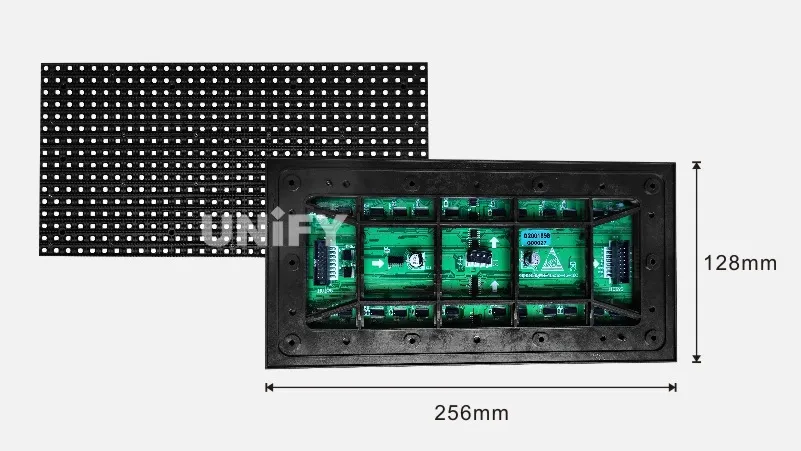
- Indoor LED Displays: Pixel pitches P0.7–P3. Brightness 600–1,500 nits. No weatherproofing needed. Prioritize resolution and color accuracy.
- Outdoor LED Displays: Pixel pitches P4–P25. Brightness 5,000–10,000+ nits. IP65+ front / IP54+ rear rating. Must withstand rain, dust, UV, and temperature extremes from -20°C to 60°C.
📖 Related Reading: Outdoor LED Display Price Guide 2025 | How Much Brightness Do You Need for an Outdoor LED Screen?
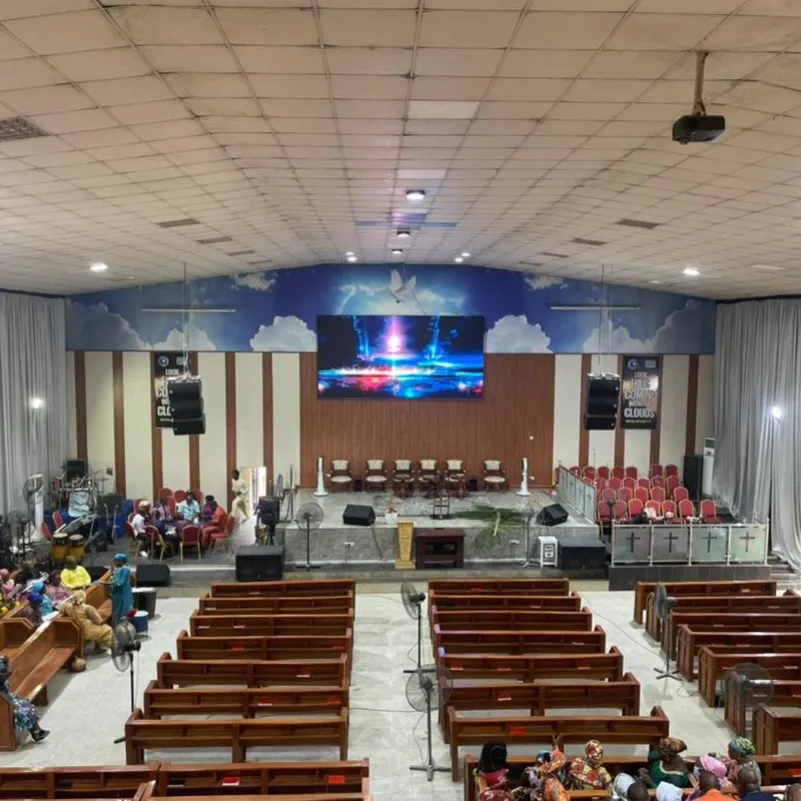
The distinction between fixed and rental LED displays goes beyond just portability — it affects every aspect of the product design. Rental cabinets use die-cast aluminum for weight reduction, feature tool-less quick-lock connectors, and are engineered to withstand hundreds of assembly/disassembly cycles. Fixed installation cabinets prioritize weather resistance and thermal management for uninterrupted 24/7 operation over multi-year deployments.
By Structure and Mobility
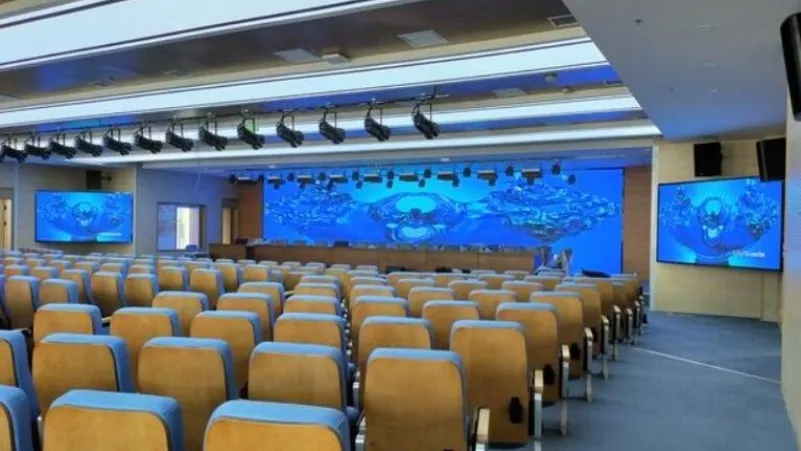
- Fixed Installation LED Displays: Permanent mounting using robust, weatherproof enclosures. Wall-mounted, pillar-mounted, suspended, or embedded. Designed for 5–10 years of continuous operation.
- Rental LED Displays: (See also: Indoor vs Outdoor Rental LED Displays: Complete 2026 Guide) Lightweight die-cast aluminum cabinets (common sizes: 500×500mm, 500×1000mm, 640×480mm) with fast-lock mechanisms and integrated rigging points. Designed for rapid assembly/disassembly and frequent transport. Popular pixel pitches: P1.95, P2.604, P2.976, P3.91, P4.81.
In addition to standard rectangular flat panels, the LED display industry has developed a wide range of specialized form factors for creative and architectural applications. These unconventional shapes open up entirely new possibilities for immersive experiences, brand storytelling, and landmark installations that go far beyond what a traditional flat screen can achieve.
By Shape and Form Factor
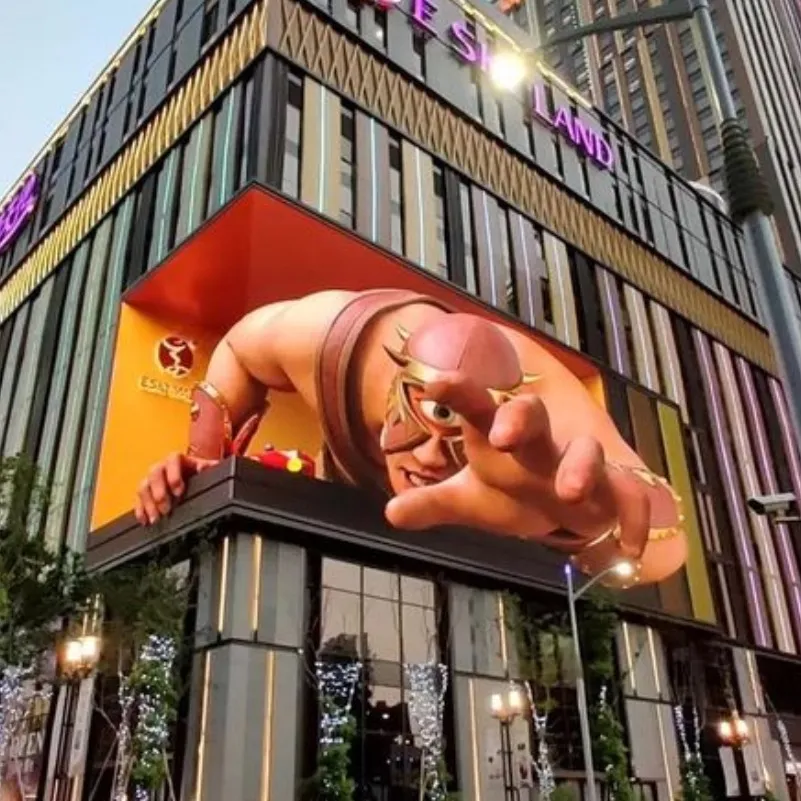
| Type | Description | Applications |
|---|---|---|
| Transparent LED Display | 60–90% transparent; mounted on glass without blocking light | Retail storefronts, corporate atriums, exhibition halls |
| Flexible LED Display | Bendable modules for curved or irregular surfaces | Stage design, immersive experiences, architectural integration |
| Curved LED Display | Fixed-radius curved cabinets for wrap-around installations | Broadcast studios, corporate lobbies, experience centers |
| LED Sphere Display | 360° spherical display for landmark installations | Public plazas, museums, iconic architecture |
| LED Cube Display | Six-sided cube or suspended 3D structure | Retail, exhibitions, artistic installations |
| LED Floor Display | Load-bearing interactive floor tiles | Museums, dance performances, interactive exhibitions |
13. How to Choose: A 2026 Decision Framework
With all these LED display types and technologies to consider, here’s a practical decision framework organized by use case.
Decision Flow
What is your primary use case?
│
├─ Outdoor advertising (billboard, building facade)
│   └─ Viewing distance?
│       ├─ 30m+ → DIP LED, P10–P25, 7,000+ nits
│       └─ 10–30m → SMD Outdoor, P4–P8, 5,000+ nits, IP65
│
├─ Indoor commercial (retail, lobby, signage)
│   └─ Viewing distance?
│       ├─ 1–3m → COB or IMD Mini-LED, P0.9–P1.5, 600–1,000 nits
│       ├─ 3–5m → SMD, P1.5–P2.5, 600–1,200 nits
│       └─ 5m+ → SMD, P2.5+, 800–1,500 nits
│
├─ Conference room / meeting space
│   └─ How many people? Room lighting?
│       ├─ Small (3–6 people) → All-in-One 108" 2K/4K, P1.2–P1.5, touch optional
│       ├─ Medium (6–15 people) → All-in-One 135"–163" 4K, P1.2–P1.5, touch + wireless
│       └─ Large (15+ people) → All-in-One 163"–216" 4K, P0.9–P1.5, full conferencing suite
│
├─ Command & control center
│   └─ COB LED, P0.7–P1.5, 4K wall, 16-bit, 3,840Hz, 24/7 rated
│
├─ Stage / event / rental
│   └─ Viewing distance? Transport frequency?
│       ├─ Close audience (1–5m) → GOB or SMD, P1.95–P2.976, rental cabinets
│       ├─ Medium audience (5–20m) → SMD, P3.91–P4.81, rental cabinets
│       └─ Frequent transport → GOB preferred (added protection)
│
├─ Retail storefront (glass window)
│   └─ Transparent LED, P3.9–P10, 60–80% transparency, 2,000–5,000 nits
│
├─ Quick-service restaurant / retail aisle
│   └─ LED Poster Display, P2–P2.5, 55"–86", built-in CMS, 4G/Wi-Fi
│
├─ Home theater (high-end)
│   └─ COB or Micro-LED, P0.7–P0.9, 4K/8K, 110"–165", 16-bit
│
└─ Museum / immersive experience
    └─ Flexible or curved LED, custom shapes, fine pitch, creative installation
Seven Critical Questions to Ask Before Buying
- What is the minimum and typical viewing distance? This directly determines the pixel pitch you need. Remember: minimum viewing distance (mm) ≈ pixel pitch (mm) × 1,000; optimal viewing distance ≈ pixel pitch × 3,000.
- What is the ambient light environment? Indoor with controlled lighting → 600–1,000 nits. Indoor with large windows → 1,000–1,500 nits. Outdoor shaded → 4,000–5,000 nits. Outdoor direct sun → 7,000–10,000 nits.
- What content resolution will you primarily display? Match the display’s native resolution to your content source. There’s no benefit to a 4K display if all your content is 1080p. Conversely, an 8K display showing 4K content will look good but won’t leverage its full capability.
- Is the installation permanent or temporary? Permanent → fixed installation with robust enclosure. Temporary/events → rental cabinets with fast-lock (See also: Rental LED vs Fixed LED Display: Which Is Right for You?) mechanisms.
- What is the total cost of ownership over 5–10 years? Factor in: purchase price + installation + calibration + energy consumption + maintenance + potential module replacement. An energy-efficient COB display may cost 30% more upfront but save 40% in electricity and maintenance over its lifespan.
- Do you need interactivity? Touch capability, sensor integration, or audience interaction via mobile devices? These features must be specified at the design stage — they cannot easily be retrofitted.
- How will you manage content? Synchronous system (real-time video processor + sending/receiving cards) for live feeds and video walls. Asynchronous system (embedded media player + 4G/5G + cloud CMS) for remote-managed, scheduled content across distributed locations.
14. The Future Beyond 2026
Micro-LED at Scale
As mass-transfer manufacturing yields continue to improve and production capacity scales, Micro-LED costs are projected to fall by 30–40% annually through 2030. By 2028, we expect Micro-LED to reach price parity with premium OLED for 75″–85″ sizes, fundamentally reshaping the consumer TV market.
AI-Driven Display Optimization
The next frontier is intelligent displays that optimize themselves in real time:
- Content-aware brightness and color adjustment — based on what’s being displayed and who’s watching
- Predictive maintenance — AI analyzing thousands of operational parameters to detect potential failures before they happen
- Automatic calibration — eliminating the need for manual color and brightness calibration across modules
- Audience analytics — anonymous foot traffic counting, dwell time measurement, and demographic estimation for retail signage optimization
Carbon-Neutral Digital Signage
Sustainability is becoming a hard requirement. The LED display industry is responding with:
- Ultra-low-power driver ICs — reducing consumption by 25–40%
- Solar-integrated displays — for off-grid outdoor installations
- Recyclable aluminum cabinets — replacing single-use materials
- Smart brightness scheduling — automatically dimming displays during low-traffic hours
The 16K Horizon
While 8K is still establishing itself, the standards bodies and chipset manufacturers are already working on 16K (15,360 × 8,640). For LED displays, 16K at practical sizes would require pixel pitches of P0.4 or finer — achievable only with Micro-LED. This resolution tier will first appear in scientific visualization, planetariums, and ultra-premium simulation environments, likely around 2028–2030.
15. Conclusion
The LED display industry in 2026 is defined by unprecedented choice and specialization. From the rugged simplicity of DIP outdoor billboards to the breathtaking precision of Micro-LED, from the conference-room convenience of all-in-one 会议一体机 to the cloud-connected flexibility of LED poster displays — there is a perfect LED display type for every application, environment, and budget.
The key to making the right choice is understanding the fundamentals: pixel pitch determines resolution and viewing distance, packaging technology determines durability and cost, and the control system architecture determines how you’ll manage content day to day.
As China continues to dominate global LED display production — producing over 80% of the world’s supply — the entire industry benefits from manufacturing scale, supply chain maturity, and relentless innovation that makes quality LED displays more accessible with each passing year.
Whether you’re outfitting a corporate boardroom with a 4K COB all-in-one display, deploying LED posters across a retail chain, building an 8K command center wall, or wrapping a concert stage in flexible LED panels — 2026 is the year your vision becomes reality.