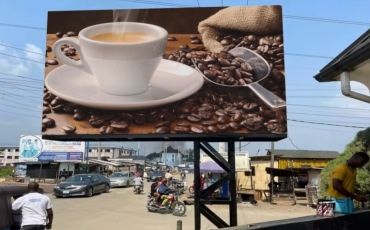
LED screen resolution is the total number of pixels an LED display shows, written as width × height — for example 1920 × 1080. You calculate it by dividing the screen’s physical width and height by the pixel pitch: a 4 m × 3 m P4 screen resolves 1000 × 750 = 750,000 pixels. Worked examples, charts and a step-by-step calculator method for every pitch from P1.25 to P10 are below.
Buyers ask for a “4K LED screen” or “8K video wall” every day, but resolution is not something you order directly — it is the result of two choices you make: screen dimensions and pixel pitch. This guide gives you the exact formulas, a resolution chart for every common pitch (P1.25 to P10), worked examples for real project sizes, and plain answers to the 2K / 4K / 8K questions, so you can verify any supplier’s spec sheet in one minute.
Quick answer: Resolution = (screen width in mm ÷ pixel pitch in mm) × (screen height in mm ÷ pixel pitch in mm). The result is written width × height in pixels — e.g. a 9.6 m × 5.4 m P2.5 wall resolves 3840 × 2160, which is exactly 4K UHD. Pixel pitch decides pixel density (pixels per m²); screen size decides the pixel count.
What Is the Resolution of an LED Display?
An LED display is built from pixels — the individual dots (LED lamps or encapsulated diodes) that make up the image. The resolution of an LED display is the number of distinct pixels it can show in each dimension, always quoted as width × height: 1920 × 1080 means 1,920 pixels across and 1,080 pixels down, 2,073,600 pixels in total.
Two properties are often confused, so let’s separate them once and for all:
- Pixel density — how tightly the pixels are packed, decided by the pixel pitch (P1.25 packs ~640,000 pixels into each m²; P10 packs 10,000). Pitch is a property of the module.
- Resolution — the total pixel count of the finished wall, decided by density and physical size. Two P2.5 screens can have completely different resolutions: a 3 m × 2 m screen resolves 1200 × 800, while a 9.6 m × 5.4 m screen resolves 3840 × 2160.
This is also why “how big is the screen?” and “what resolution is the screen?” are two different questions. Physical dimensions, cabinet counts and unit conversions are covered step by step in our LED screen size chart & measurement guide; this page handles the pixel side.
One buying habit worth adopting: always ask for the resolution as width × height in the quotation. “High resolution” and even “4K-ready” are marketing phrases; 1536 × 640 is a fact. Any supplier who states the exact pixel dimensions — and how they were derived from cabinet count and pitch — has already done the engineering homework this guide walks through.

How Do You Calculate LED Screen Resolution? (Formula + Steps)
The core formula
Because pitch is quoted in millimetres, first convert the screen size to millimetres, then divide:
- Width resolution (px) = screen width (m) × 1000 ÷ pixel pitch (mm)
- Height resolution (px) = screen height (m) × 1000 ÷ pixel pitch (mm)
- Total pixels = width px × height px
- Pixel density = (1000 ÷ pitch)² = pixels per square metre
Method 1 — from screen dimensions
Example: a client needs an indoor P1.25 screen 9600 mm × 3200 mm.
- Width: 9600 ÷ 1.25 = 7680 px
- Height: 3200 ÷ 1.25 = 2560 px
- Total: 7680 × 2560 = 19,660,800 pixels — this wall matches 8K in width (7680 px); raising the height to 4.32 m would make it true 8K.
Method 2 — from cabinet count (fastest for modular walls)
LED screens are assembled from standard cabinets, so resolution is also cabinet pixels × cabinet count. Example with the common 480 × 320 mm indoor cabinet:
| Cabinet (480 × 320 mm) | Width px = 480 ÷ pitch | Height px = 320 ÷ pitch | Resolution per cabinet |
|---|---|---|---|
| P1.25 | 384 | 256 | 98,304 px |
| P2 | 240 | 160 | 38,400 px |
| P2.5 | 192 | 128 | 24,576 px |
| P4 | 120 | 80 | 9,600 px |
| P5 | 96 | 64 | 6,144 px |
| P10 | 48 | 32 | 1,536 px |
A 5 × 4 array of P2.5 cabinets therefore resolves 5 × 192 = 960 px wide and 4 × 128 = 512 px high — 960 × 512, before any scaling is applied. This is the same maths our engineers run when we quote a screen from a client’s wall drawing: cabinets fit the wall, pitch sets the pixels, and the controller must then support the total pixel load.
Method 3 — from the module spec sheet
Indoor fine-pitch products are usually built on 250 × 250 mm modules, whose pixel counts are fixed by the pitch. If you know the module, you know the pixels — no measuring required:
| Module (250 × 250 mm) | Pixel pitch | Resolution per module | Modules per m² |
|---|---|---|---|
| P1.56 | 1.56 mm | 160 × 160 = 25,600 px | 16 |
| P2.5 | 2.5 mm | 100 × 100 = 10,000 px | 16 |
| P2.97 | 2.97 mm | 84 × 84 = 7,056 px | 16 |
| P3.91 | 3.91 mm | 64 × 64 = 4,096 px | 16 |
| P4.81 | 4.81 mm | 52 × 52 = 2,704 px | 16 |
A rental wall built from 24 × 10 P3.91 modules, for example, resolves 24 × 64 = 1536 px wide and 10 × 64 = 640 px high. Cross-checking the module count against the formula in Method 1 is also a quick way to catch spec-sheet errors before they reach production.
LED Screen Resolution Chart by Pixel Pitch (P1.25–P10)
The chart below is the fastest way to move between pitch and pixel density. Pixel density is fixed by the pitch — every square metre of a P2.5 wall carries the same 160,000 pixels no matter how large the wall grows.
| Pixel pitch | Pixels per m² | Min. viewing distance* | Typical application |
|---|---|---|---|
| P1.25 | 640,000 | ≈ 1.5 m | Boardrooms, broadcast, control rooms |
| P1.53 | 427,000 | ≈ 2 m | Fine-pitch corporate, virtual production |
| P1.56 | 411,000 | ≈ 2 m | Meeting rooms, luxury retail |
| P1.875 | 284,000 | ≈ 2.5 m | Churches, conference rooms |
| P2 | 250,000 | ≈ 2.5 m | Lobbies, showrooms, education |
| P2.5 | 160,000 | ≈ 3 m | Indoor advertising, stages, churches |
| P3 | 111,000 | ≈ 3.5 m | Retail windows, indoor events |
| P4 | 62,500 | ≈ 4 m | Indoor rental, outdoor close-view billboards |
| P5 | 40,000 | ≈ 5 m | Outdoor advertising, transport hubs |
| P6.67 | 22,500 | ≈ 6.5 m | Roadside billboards, building facades |
| P8 | 15,625 | ≈ 8 m | Large billboards, stadium fences |
| P10 | 10,000 | ≈ 10 m | Highway billboards, skylines |
*Rule of thumb: the minimum comfortable viewing distance in metres roughly equals the pitch number (P4 → about 4 m or more). For the full model behind this rule see our LED pixel pitch & viewing distance guide.

LED Screen Resolution Calculator: Worked Examples for Common Sizes
Here is the formula applied to real project sizes we quote every week. Find a row close to your wall, and you have the answer without any maths:
| Screen size (W × H) | Pitch | Resolution (W × H) | Total pixels | Typical project |
|---|---|---|---|---|
| 0.96 × 0.96 m (single cabinet) | P3 | 320 × 320 | 102,400 | Poster screen / totem |
| 3 × 2 m | P2.5 | 1200 × 800 | 960,000 | Church stage, lobby |
| 4 × 3 m | P4 | 1000 × 750 | 750,000 | Meeting room, retail wall |
| 5 × 3 m | P5 | 1000 × 600 | 600,000 | Shopfront advertising |
| 9.6 × 5.4 m | P2.5 | 3840 × 2160 (4K) | 8,294,400 | Church / auditorium 4K wall |
| 9.6 × 3.2 m | P1.25 | 7680 × 2560 | 19,660,800 | Broadcast / XR studio |
| 12 × 6 m | P8 | 1500 × 750 | 1,125,000 | Roadside billboard |
| 20 × 10 m | P10 | 2000 × 1000 | 2,000,000 | Large skyline billboard |
Notice the pattern in the last two rows: a 200 m² P10 billboard carries fewer pixels than a 27 m² P2.5 church wall. That is not a contradiction — the billboard is read from 50 m away, the church screen from 5 m. Resolution is only “enough” relative to viewing distance, which is why we always ask for site photos and the minimum viewing distance before quoting.
Calculate Your Wall’s Resolution in 60 Seconds (Step-by-Step)
Run any project through these five steps — this is the exact sequence our sales engineers use when a client sends a wall drawing:
- Fix the physical dimensions. Take the wall width and height in millimetres — either from the site measurement, or from the cabinet layout (cabinet width × count). If you only have the area and an aspect ratio, the size guide’s calculator tables turn that into dimensions.
- Fix the pixel pitch from viewing distance. Nearest viewer at 2–3 m → P1.5–P2.5; at 4–5 m → P3–P4; at 8 m+ → P6.67–P10. Distance decides pitch — never the other way round.
- Divide both dimensions by the pitch. Width px = width ÷ pitch, height px = height ÷ pitch (all in mm). Round only to what the cabinet grid actually produces — the cabinet layout is the truth, the formula is the check.
- Compare with your content format. Full HD needs 2.07M pixels, 4K needs 8.29M. Your total (width px × height px) tells you whether content plays native, gets upscaled, or gets downscaled.
- Size the controller to the same number. Total pixel count (plus ~15% headroom) is the figure your sending card or all-in-one controller must be rated for.
Worked example — a church wants a 16:9 stage wall 6.4 × 3.6 m, closest seated viewer 4.5 m away:
- Step 2 gives P4 (4–5 m band);
- Step 3: 6400 ÷ 4 = 1600 px, 3600 ÷ 4 = 900 px → 1600 × 900, 1,440,000 pixels, a clean 16:9 ratio;
- Step 4: FHD sermon slides and video upscale mildly (1600×900 → from 1920×1080) — acceptable at 4.5 m; stepping down to P3 would reach 2133 × 1200 but adds ~60% pixel cost for no visible gain at that distance;
- Step 5: 1.44M pixels lands in the entry all-in-one controller class with headroom to spare.
2K vs Full HD vs 4K vs 8K: What Resolution Standard Do You Need?
Consumer display standards are just named points on the same width × height scale. When a buyer says “I want a 4K LED screen”, the measurable requirement is a wall whose pixel count reaches or exceeds the standard below:
| Standard | Resolution (W × H) | Total pixels | LED wall reality check |
|---|---|---|---|
| SD (480p) | 720 × 480 | 0.35 M | Legacy — any modern pitch on a small wall exceeds this |
| HD (720p) | 1280 × 720 | 0.92 M | 3 × 2 m P2.5 wall is close to HD class |
| Full HD (1080p) | 1920 × 1080 | 2.07 M | Most indoor walls between 12–20 m² at P2–P2.5 |
| 2K (DCI) | 2048 × 1080 | 2.21 M | Cinema-ratio standard; rare target for LED walls |
| 4K UHD | 3840 × 2160 | 8.29 M | Needs fine pitch or a large wall — see table below |
| 8K UHD | 7680 × 4320 | 33.2 M | Custom fine-pitch installations only (studios, flagship lobbies) |
What is a 1920 × 1080 display? It is a Full HD (1080p) display — 2.07 million pixels, the most common video format in the world. If your wall resolves 1920 × 1080, every FHD video plays pixel-for-pixel with zero scaling.
What is 1024 × 768 resolution called? It is XGA — a legacy 4:3 computer-graphics standard from the projector and LCD-monitor era. You will meet it in old control-room documentation, but no modern LED wall is built to XGA; if a source device outputs 1024 × 768, the video processor simply scales it up to the wall’s native resolution.
What is a 4K LED screen? One that resolves at least 3840 × 2160 = 8,294,400 pixels. Because pixel density is fixed by pitch, there is a minimum physical size for 4K at every pitch:
| Pitch | Minimum 4K screen size (W × H) | Area |
|---|---|---|
| P1.25 | 4.8 × 2.7 m | 13 m² |
| P1.56 | 6.0 × 3.375 m | 20 m² |
| P2 | 7.68 × 4.32 m | 33 m² |
| P2.5 | 9.6 × 5.4 m | 52 m² |
| P3 | 11.52 × 6.48 m | 75 m² |
Two practical conclusions follow. First, “4K” on a 20 m² wall is only possible at fine pitch (P1.25–P1.56) — and that combination is priced accordingly. Second, chasing a resolution standard your viewing distance cannot show is wasted budget: beyond a certain pixel density, the eye cannot resolve the difference at the actual viewing distance. Buy the density the distance needs, and let the standard follow.
Which Resolution Class Does Each Application Actually Need?
| Application | Typical closest viewing | Realistic target | Why |
|---|---|---|---|
| Control room / broadcast studio | 1.5–3 m | FHD–4K, fine pitch | Operators read small text and data all day; density pays off |
| Church / auditorium stage wall | 3–10 m | HD–FHD | Lyrics and video from mid distance; 4K rarely visible to the seat |
| Corporate lobby / boardroom | 2–5 m | HD–FHD | Presentations and dashboards; ratio matters more than 4K |
| Retail window / storefront | 1–4 m | HD class, fine pitch | Pedestrians stand close; pixel visibility kills the premium feel |
| Rental stage / events | 5–20 m | HD class | Audience distance plus camera tolerance; P2.9–P3.9 standard |
| Outdoor billboard | 15–50 m | Pixel count is secondary | Distance does the work; P8–P10 at 10,000+ px/m² is the industry norm |
Use this table as a sanity check, not a cage — a flagship brand lobby may legitimately want 4K on a 15 m² fine-pitch wall for the close-up wow effect. But if a quotation pitches “4K” as the selling point for a billboard viewed from 40 m, the calculation above tells you everything you need to push back.
How Do You Choose the Right Pixel Pitch for the Resolution You Need?
Working backwards from content to pitch takes three inputs: the closest viewing distance, the content format, and the wall size. The logic we use when quoting:
- Closest viewing distance decides the pitch. A wall viewed from 2 m needs P1.2–P2.5; from 5 m, P3–P4 is ideal; from 20 m+, P8–P10 is indistinguishable from anything finer — and one-quarter the price.
- Content format decides the resolution target. If the wall will show FHD or 4K video as its main content, size the wall (or choose the pitch) so the native resolution matches or exceeds the format — otherwise every frame is scaled and some sharpness is lost.
- Wall size is the free variable. Once pitch and content format are fixed, the wall dimensions determine whether you actually hit the target resolution — use the formula in the section above.
The controller side matters here too: the sending card or all-in-one controller must drive your total pixel count with headroom, and a processor is required when sources need switching or scaling. Our controller buying guide covers sizing that device from the same pixel-load number you just calculated.
Does Content Resolution Affect LED Screen Resolution?
Yes — in practice they must match. The LED wall has one native resolution (the physical pixel count you calculated). Content comes in its own resolution (FHD, 4K, and so on):
- Native match (ideal). 4K content on a 3840 × 2160 wall plays 1:1 — every source pixel maps to one LED pixel, maximum sharpness.
- Content larger than the wall. 4K video on a 1500 × 750 wall must be downscaled; fine from normal viewing distance, but you paid for pixels the wall cannot show.
- Content smaller than the wall. FHD video on a 7680 × 2560 wall is upscaled across many more pixels; acceptable at distance, soft up close. This is exactly why 8K-class fine-pitch walls are only built for close-viewing broadcast and studio work.
- Wrong aspect ratio. 16:9 content stretched onto a 4:3 wall distorts. Design the wall ratio around the content library first — the standard aspect ratio table in our size guide helps with that step.
One hardware note: scaling quality depends on the video processor. Modern processors scale well and allow sharpening adjustments, so mild up- or downscaling is usually invisible at normal viewing distance — but a wall that will spend its whole life showing one mismatched format deserves a pitch or size adjustment at design time, not a processor filter at commissioning time.
Why Getting the Resolution Right Matters Before You Order
Resolution is the one spec that cannot be fixed after installation — cabinets with the wrong pitch can only be replaced, not reprogrammed. Locking the calculation before ordering protects the project in four ways:
- Budget goes to the right place. Overspecifying pitch is the most common waste we see: a lobby wall watched from 6 m gains nothing from P1.5 over P2.5, but pays roughly double per square metre. The calculation shows exactly where the money is visible and where it is not.
- The controller is sized correctly the first time. Pixel load decides the controller class (entry, mid, flagship, fiber). Recalculating after the fact usually means buying a second controller — or running the wall below its capability.
- Content is designed at native size. When designers know the wall resolves, say, 1536 × 640, they build motion graphics to that canvas. Content that fits the native grid looks intentionally sharp; stretched content looks like a screen that was sold too small.
- Quotes become comparable. When two suppliers quote the same wall, comparing their stated resolutions (and cabinet layouts) exposes pitch rounding and padding immediately — the formula is your audit tool.
Screen Size vs. Resolution: Which One Are You Actually Solving For?
These two questions trip up most first-time buyers, so here is the split we use internally:
| Question | Belongs to | Key inputs | Guide |
|---|---|---|---|
| How wide/tall is the wall in metres or feet? How many cabinets fit? | Physical size | Site dimensions, module & cabinet sizes, units conversion | LED screen size chart & calculator |
| How many pixels does the wall show? Is it “4K”? | Resolution (this page) | Pixel pitch, screen dimensions, content format, viewing distance | This guide |
In a real quotation the two loops run together: the site fixes the wall size, the viewing distance fixes the pitch, and the pitch × size product gives the resolution your processor and content plan must support. If you are still at the measuring stage, start with the size guide; if your dimensions are known, the tables above give you the resolution directly.
LED Screen Resolution FAQ
What is the resolution of a P3 LED screen per square metre?
A P3 screen carries 111,111 pixels per m² (1000 ÷ 3 ≈ 333.3 pixels in each direction). A 3 × 2 m P3 wall therefore resolves roughly 1000 × 666 pixels.
What is 1024 × 768 resolution called?
It is called XGA, a legacy 4:3 standard from the projector era. Modern LED walls are never built to XGA; the video processor scales such sources to the wall’s native resolution.
What is a 1920 × 1080 display?
A Full HD (1080p) display with 2,073,600 pixels. An LED wall that resolves 1920 × 1080 plays FHD video 1:1 without scaling.
What is a 4K LED screen?
An LED wall resolving at least 3840 × 2160 (8.29 million pixels). At P2.5 that requires a 9.6 × 5.4 m wall; at P1.25, only 4.8 × 2.7 m.
How do I calculate resolution from cabinet count?
Multiply the pixels of one cabinet by the number of cabinets in each direction. A cabinet of 480 × 320 mm at P2.5 has 192 × 128 pixels, so a 6 × 3 array resolves 1152 × 384.
How many pixels do I need for an outdoor billboard?
Enough that the pitch matches the viewing distance, not a named standard. Roadside billboards read from 20–50 m work perfectly at P8–P10 (10,000–15,625 px/m²); a 12 × 6 m P8 billboard resolves 1500 × 750 and looks sharp to passing traffic.
Does higher resolution always mean a clearer screen?
Only up to the limit of the viewing distance. Beyond what the eye can resolve at that distance, extra pixels add cost with no visible benefit — that is why pitch selection starts from viewing distance, not from resolution numbers.
Want us to run the numbers for your wall? Send the screen dimensions, pixel pitch (or viewing distance) and content plan — as the LED screen factory behind hundreds of installed walls we calculate the exact resolution, recommend the pitch and match a controller in one working day.
Get a Free Resolution Calculation for Your Project
Recommended Reading
- LED Pixel Pitch Viewing Distance: Key Parameters — how distance decides pitch
- LED Video Wall Controller Buying Guide 2026 — driving the pixel load you just calculated