


HDR for LED Displays: Standards, Brightness & Calibration Explained
An LED wall can accept an HDR signal and still show an SDR-looking picture. The reason is that HDR is not a port or a logo on a datasheet; it is a chain of capabilities that runs from the source file to the light leaving each lamp bead. This guide explains which standards matter, how many nits an HDR LED display really needs, and how calibration turns a bright panel into a predictable one. It is written for integrators, AV consultants and buyers who have to compare quotes that all claim HDR support.
Short answer: An HDR LED display is a direct-view LED wall that reads HDR metadata and renders it with 10-bit processing, a wide color gamut and enough brightness headroom. HDR10 content is normally mastered at 1,000–4,000 nits, while indoor LED walls commonly run 600–1,500 nits, so tone mapping and calibration matter more than the peak figure. The wall is only HDR when the source, cable, processor, receiving cards, driver ICs, panel and calibration all carry the signal end to end.
What Is an HDR LED Display and What Does It Change On Screen?
An HDR LED display is a direct-view LED screen that accepts an HDR signal, interprets its metadata, and reproduces a wider luminance and color range than SDR. The display does not invent range that the content never contained. It reproduces the range that the file carries, within the limits of the panel.
The visible difference is at the ends of the image. In SDR, a sunset often clips to a flat white patch and shadow detail collapses into black. In HDR, highlight texture stays visible and dark areas keep structure. The midtones do not become brighter; the range above and below them expands.
| Attribute | SDR LED wall | HDR LED display |
|---|---|---|
| Bit depth | 8-bit, 16.7 million colors | 10-bit, about 1.07 billion colors (CTA HDR10) |
| Color space | Rec.709 / sRGB | DCI-P3 common, BT.2020 container |
| Mastered peak | 100 nits reference | 1,000–4,000 nits common (CTA, 2015) |
| Gradients | Banding in skies and shadows | Smoother steps across the range |
| Source | Legacy signage, SDR video | Streaming, UHD Blu-ray, HLG broadcast |
HDR degrades quietly. One weak link returns the system to SDR without an error message. CLT (2026) describes the chain as five links: source, cable and bandwidth, controller, receiving cards and processing, then panel and calibration. A demo reel proves that the demo reel works; it does not prove that your content and your signal path will work.
Which HDR Standards Matter for an HDR LED Display?
Four formats cover most professional work, and they differ in metadata, bit depth and the way they map to a panel.
HDR10 is an open HDR standard announced by the Consumer Technology Association in 2015. It uses 10-bit encoding, static metadata (MaxCLL and MaxFALL), the PQ transfer function from SMPTE ST 2084, and a BT.2020 container. It is the baseline format for most streaming and UHD Blu-ray content.
HDR10+ adds scene-by-scene metadata so the display can adjust its tone mapping shot by shot. It is backward compatible with HDR10 displays.
Dolby Vision is a proprietary format with scene-by-scene metadata and a specification that allows up to 12-bit. It requires licensed processing and content, and it is common in cinema and premium post-production.
HLG (Hybrid Log-Gamma) was developed by the BBC and NHK for broadcast. It is a relative format, not an absolute one, and it is designed to remain viewable on SDR screens. Broadcast studios and live production favor it because one feed can serve both SDR and HDR audiences.
| Format | Metadata | Bit depth | Typical use |
|---|---|---|---|
| HDR10 | Static | 10-bit | Streaming, UHD Blu-ray, corporate media |
| HDR10+ | Scene-by-scene | 10-bit or more | Streaming, premium home and venue content |
| Dolby Vision | Scene-by-scene | 10-bit, up to 12-bit | Cinema, post-production, premium installs |
| HLG | None (relative) | 10-bit | Broadcast, live production, hybrid events |
BT.2020 is a container, not a guarantee. Most HDR content is graded in P3-D65 even when it is delivered in a BT.2020 signal (ITU-R BT.2100; industry practice). Ask for measured DCI-P3 and BT.2020 coverage separately, and ask which color space the wall was calibrated to. A claim of “BT.2020 support” on the input side says nothing about the panel’s native gamut.
How Bright Must an HDR LED Display Be?
Brightness headroom is necessary but not sufficient. HDR10 content is commonly mastered at 1,000–4,000 nits, while indoor LED walls typically operate at 600–1,500 nits (CLT, 2026). That gap is bridged by tone mapping, not by turning the wall up to its maximum.
LED walls have an advantage here. Each pixel emits its own light, so a wall can hold a high full-field brightness without the backlight limiter that constrains an LCD. The practical limits are power, heat and the driver electronics, not the light source alone. A wall that can sustain 1,000 nits across a full white field has more usable headroom for specular highlights than one that reaches 1,500 nits only in a small test patch.
Black level matters as much as peak. An LED pixel can switch off, but the module surface, the cabinet seams and ambient light reflection set the black floor. DOIT VISION (2026) publishes reference figures for calibrated HDR walls: a black floor of 0.02–0.05 nits and perceived contrast of 20,000:1 to 40,000:1, against 0.5–2 nits and 1,000:1 to 3,000:1 for an uncontrolled SDR wall. Those are supplier reference ranges, but the direction is right: a 1,000-nit wall with a 0.05-nit floor can look deeper than a 3,000-nit wall with a 2-nit floor.
Nominal diffuse white in PQ HDR is about 203 nits under ITU-R BT.2408. Highlights sit above that reference; they are not the new white point for the whole image. That is why a wall calibrated for 1,000 nits can reproduce HDR10 content without running at 1,000 nits for every scene.
How Does an HDR LED Display Handle Color Gamut and Calibration?
An HDR LED display depends on calibration because LED primaries vary by bin, module and batch. The panel may cover a wide gamut natively, but without calibration the white point, gamma and module-to-module uniformity will drift across the wall.
The calibration stack has four layers. Factory calibration sets module-level luminance and chromaticity. On-site calibration handles cabinet matching, power variation and ambient conditions. Grayscale linearization keeps the 0–100% ramp neutral. Color-space mapping matches the panel primaries to DCI-P3 or BT.2020, and the HDR tone curve maps PQ or HLG to the measured panel output.
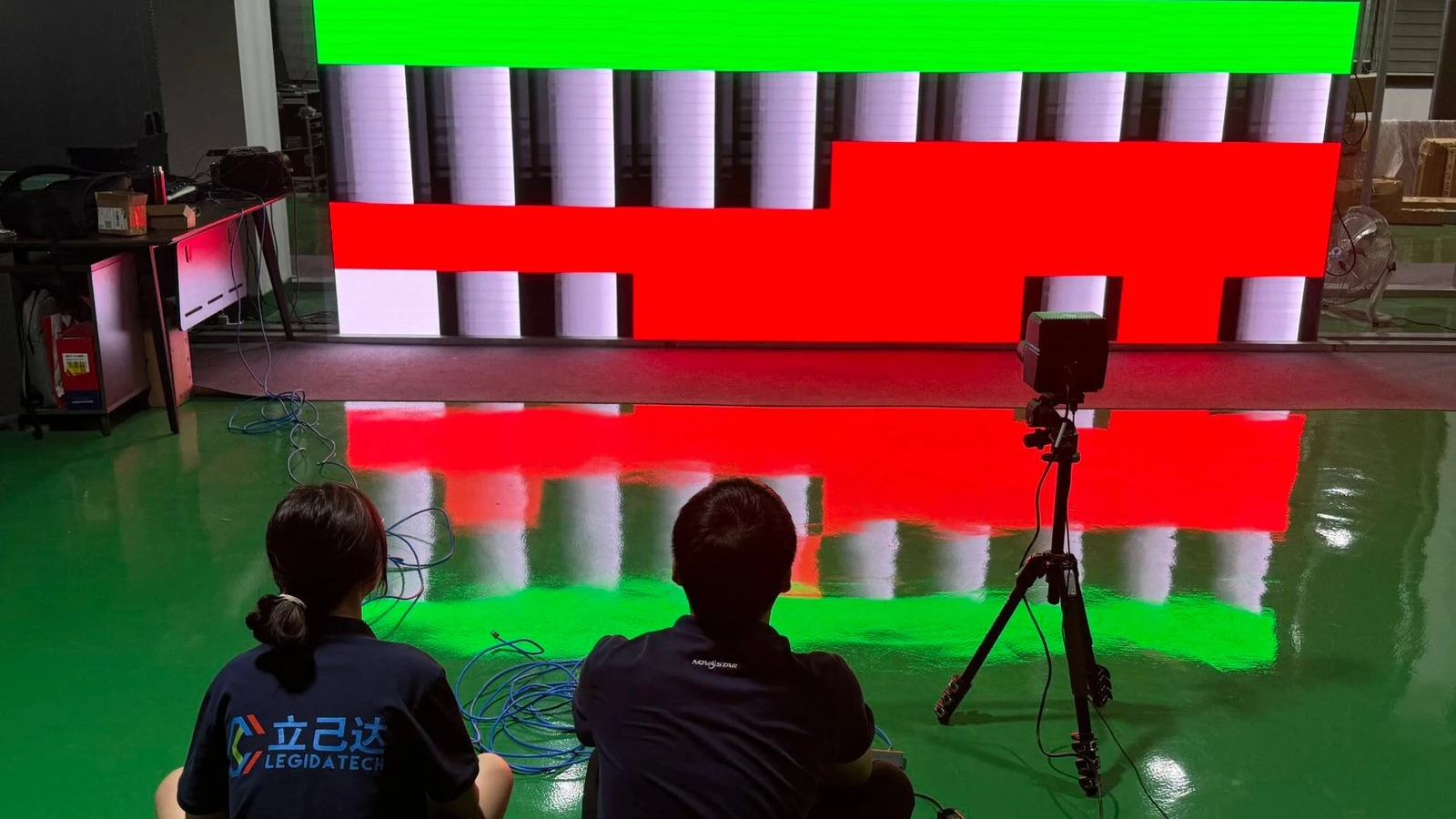
Legidatech’s P1.5 COB calibration case shows the process at module level. A 1.6 × 4.8 m wall was aged for more than 48 hours, then measured with a colorimeter that reported the brightness of each lamp bead back to the control computer. Technicians adjusted the receiving cards to raise dim beads and lower bright ones, cabinet by cabinet, until a full white field was uniform. The case cites a $60,000 calibration system and a NovaStar control platform (Legidatech, 2024). That is the level of work that separates a calibrated HDR wall from a bright wall with an HDR input.
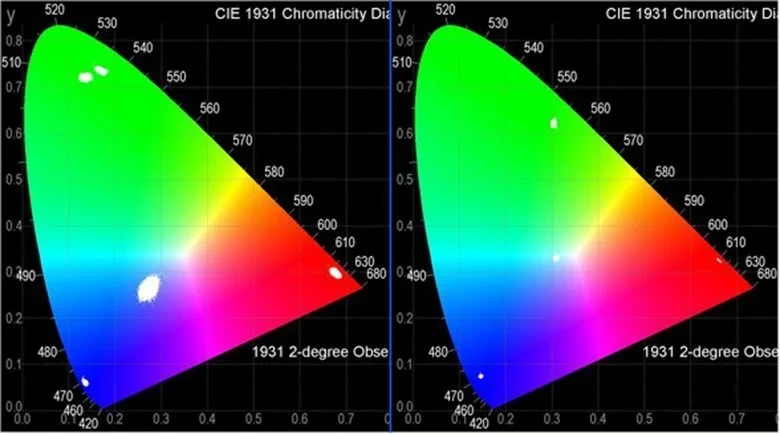
Calibration is not a one-time event. Sunrise (2026) recommends a full re-check every 12 months for indoor screens and every 6 months for outdoor high-load screens, with pixel-level correction where needed. Red, green and blue beads age at different rates, so white balance drifts even when the wall is healthy.
How Do You Calibrate an HDR LED Display Step by Step?
A repeatable HDR calibration follows six steps. The order matters because each step depends on the one before it.
- Age and inspect the panel. Run a 48–72 hour aging test, check for dead pixels and match modules before calibration begins.
- Set white balance and grayscale. Measure the 0–100% ramp, set D65 and the target gamma, and confirm that the driver ICs are operating in 10-bit or higher.
- Map the color space. Measure the native primaries, build a 3D LUT, and map the panel to DCI-P3 or BT.2020 as specified.
- Correct uniformity. Use an imaging colorimeter or a spot meter to correct module-to-module and pixel-to-pixel brightness and chromaticity differences.
- Tune the HDR curve. Map PQ or HLG to the measured peak brightness and black floor, and test 1,000-nit and 4,000-nit clips to confirm that highlight detail survives.
- Verify and document. Run shadow, highlight, skin-tone and gradient patterns, record Delta E values, and save the calibration report with the project file.
Common failures are not hardware failures. They are calibration failures: over-brightened midtones from a merged gamma curve, banding from 8-bit processing inside the pipeline, a patchwork of module brightness, and crushed shadow detail below 5% stimulus (DOIT VISION, 2026). A menu preset cannot fix them; a measured calibration can.
What Content Pipeline Does an HDR LED Display Need?
HDR needs HDR content. An SDR file upscaled or re-tagged as HDR does not gain range, and it often looks worse than a native SDR presentation because the tone mapping has to guess. The source should be graded on a reference monitor in PQ at 1,000 or 4,000 nits, in DCI-P3 or BT.2020.
The signal path then has to preserve that grade. The player must output HDR with HDR enabled in its settings. The cable and port must carry 4K HDR at the required bandwidth; an older HDMI cable can negotiate down without an error message. The controller must decode HDR10 or HLG metadata and tone-map to the wall’s measured peak. The sending and receiving cards must pass 10-bit data rather than truncating to 8-bit internally. The driver ICs must hold low-brightness linearity so that dark scenes do not band.
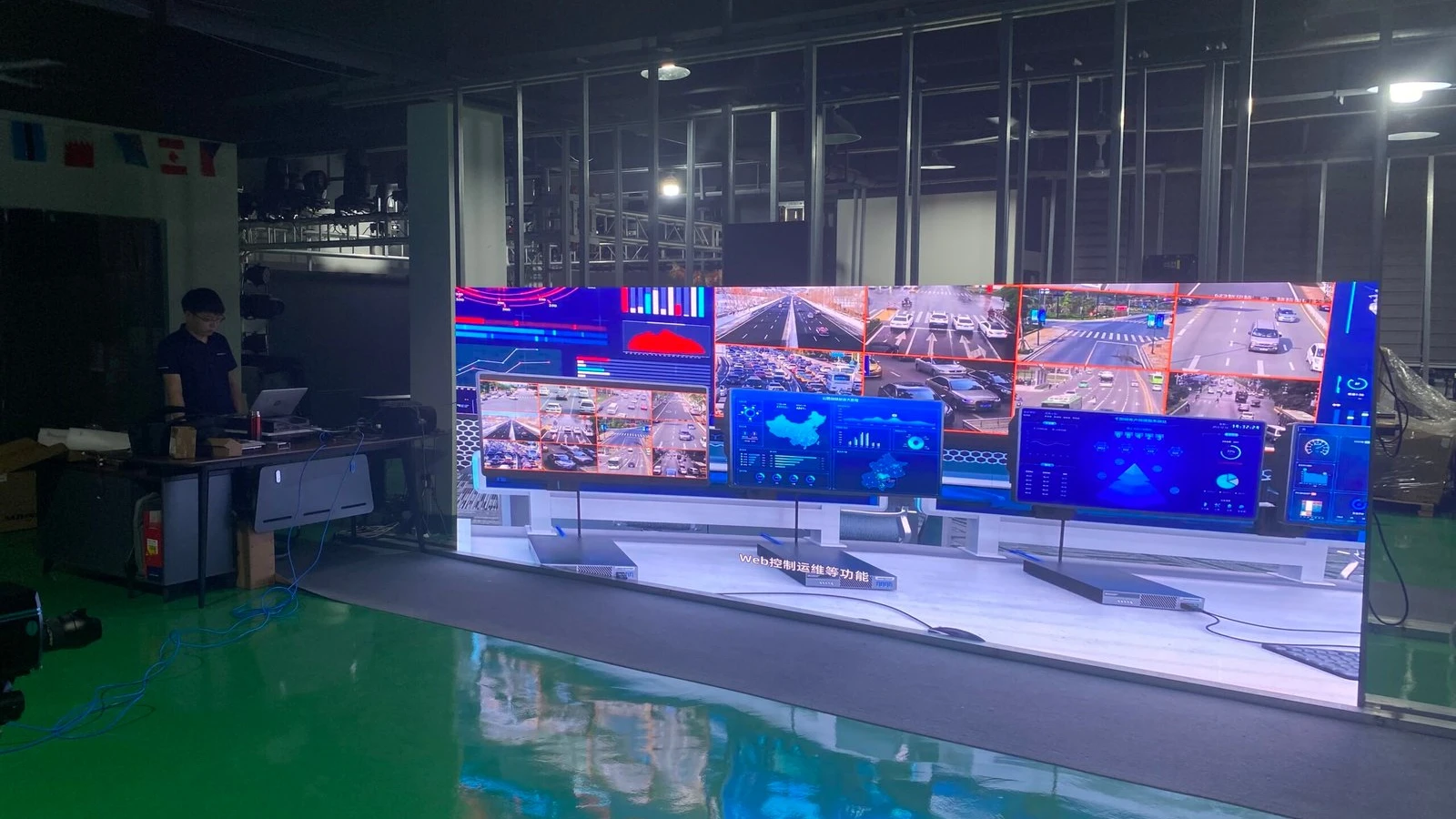
For fixed installations, the LED display control system is the part that most often decides whether HDR survives. Processors from NovaStar, Brompton and Colorlight publish HDR10 and HLG support, with different internal bit depths and latency figures (DOIT VISION, 2026). Verify the processor’s HDR support with your own clips, not with the vendor’s reel.
HDR LED Display vs SDR LED Display: What Changes On Site?
An SDR wall and an HDR wall can share the same cabinet, pitch and LED package. The differences sit in the electronics and the calibration.
- Processing depth. HDR needs 10-bit end to end; an SDR wall can run 8-bit. Ask for the internal processing depth, not just the input port.
- Brightness headroom. HDR needs a measured peak above diffuse white, with sustained full-field output. A peak-only datasheet number is not enough.
- Black floor. HDR depends on a low black level in real ambient light. COB encapsulation and cabinet design matter more than the LED brand alone.
- Color calibration. HDR needs a measured gamut and a 3D LUT; SDR can ship with factory white balance and look acceptable.
- Cost and content. HDR adds processor cost, calibration time and content-production cost. For text-heavy wayfinding or daylight billboards, that money is usually better spent on brightness or service access.
HDR-capable fine-pitch systems carry a premium. DOIT VISION (2026) publishes reference ranges of $800–$1,500/m² for P2.5, $1,500–$3,000/m² for P1.8, $2,500–$4,500/m² for P1.5, $3,000–$6,000/m² for P1.2 and $6,000–$12,000/m² for P0.9. Those are supplier reference figures, not a quote; use the indoor LED screen price guide for a baseline and the LED screen cost breakdown for component-level detail.
What Should an HDR LED Display Spec Sheet Include?
A useful spec sheet answers questions that a marketing page avoids. The table below lists the fields to request.
| Spec field | What to ask for |
|---|---|
| HDR formats | HDR10, HLG, HDR10+, Dolby Vision — which are decoded by the controller? |
| Processing depth | Internal bit depth of the processor and receiving cards; 10-bit end to end? |
| Driver IC | PWM bit depth, grayscale depth, refresh rate, low-brightness linearity |
| Measured brightness | Peak nits after calibration, plus sustained full-field nits — not the datasheet maximum |
| Black level | Nits at zero signal, measured in the intended ambient light |
| Color coverage | Measured DCI-P3 and BT.2020 coverage, plus the calibration target |
| Calibration report | Delta E values, gamma or PQ curve, white point, uniformity map |
| Content and support | Who tunes the tone mapping on site, and is that included? |
The LED display driver IC guide explains why the driver stage can silently limit HDR even when the processor is capable. For fine-pitch hardware, the P1.25 COB LED display module and the COB LED display modules show the panel side of the same chain.
Which Applications Benefit Most from an HDR LED Display?
HDR earns its cost where color and contrast decisions are made or sold. Control rooms and broadcast studios need the same range the footage was graded in. Virtual production stages need camera-accurate luminance and a known PQ curve. Boardrooms and executive briefing centers show streaming content that is already HDR. Showrooms and flagship retail use highlight and shadow detail to sell product film.
It matters less for text-heavy wayfinding, departure boards and daylight outdoor advertising, where ambient light compresses perceived contrast. CLT (2026) makes the same point: for those applications, spend on brightness and service access instead.
Pixel pitch follows viewing distance. DOIT VISION (2026) recommends P0.9–P1.5 for close-view HDR in control rooms and XR, and P1.8–P2.5 for installations where the nearest viewer is at least 3–4 m away. Above P2.5 indoors, the eye starts to integrate pixels and the micro-contrast that defines HDR is lost. Our indoor HD small-spacing LED screen covers the P1.2–P5 range, and the 4K LED video wall ESL is aimed at boardroom and control-room work.
What Are the Limits of an HDR LED Display?
No current display reproduces the full BT.2020 gamut or the full 10,000-nit range that HDR formats can carry. Content is usually limited to 1,000 or 4,000 nits and P3-D65 even when the container allows more. The practical limit is not the format; it is the panel, the ambient light and the calibration.
Ambient light raises the black floor, cabinet seams break large gradients, and off-axis color shift changes the image at the edges of a wide wall. Calibration drifts as the beads age, and a module replaced with a different bin can become a visible patch. HDR also adds cost to the processor, the calibration visit and the content workflow. A project that budgets for the panel but not for those three items will not see the benefit.
Which Sources Support This HDR LED Display Guide?
Standards and format definitions: CTA HDR10 Media Profile (2015); SMPTE ST 2084 (PQ); ITU-R BT.2100, BT.2020 and BT.2408; Dolby Vision specification (2014); BBC and NHK HLG (2015). Format comparison and common mastering levels: Wikipedia, HDR television formats (2026). Signal-chain and specification guidance: CLT, “HDR LED Display: What It Means and How to Check Specs” (2026). Brightness, black-level and processor reference ranges: DOIT VISION, “HDR on LED Displays” (2026). Calibration practice and cadence: Sunrise, “Color Consistency Control for LED Displays” (2026). First-party calibration case: Legidatech, “COB LED Screen Calibration Site — Ehonor P1.5” (2024). Product data: Legidatech EDI and P1.25 COB module specifications (2026).
Frequently Asked Questions About HDR LED Display
Is an HDR LED display just a brighter LED screen?
No. Brightness is only one part of HDR. An HDR LED display also needs 10-bit processing, a wide color gamut, a low black floor, metadata decoding and calibration. A very bright wall with a gray black level can look flatter than a dimmer wall with a controlled black floor.
What brightness does an HDR LED display need indoors?
Indoor LED walls commonly run 600 to 1,500 nits. For HDR, the measured peak after calibration matters more than the datasheet maximum, and sustained full-field brightness matters more than a small test patch. A dark room may need only 600 to 800 nits; a bright boardroom or showroom may need 1,000 to 1,500 nits.
Does a 3,840 Hz refresh rate make an LED wall HDR?
No. Refresh rate controls flicker when the wall is filmed or photographed. HDR is a separate capability that depends on bit depth, brightness headroom, black level, color gamut and tone mapping. A wall can have a high refresh rate without HDR, or HDR without a high refresh rate.
Which HDR format should I specify for an LED video wall?
HDR10 is the baseline for most streaming and corporate content because it is open and widely supported. HLG is the better fit for broadcast and live production. Dolby Vision adds scene-by-scene metadata and 12-bit capability but requires licensed processing and content. Specify the formats your actual content will use.
Can an existing LED wall be upgraded to HDR?
Partly. A controller upgrade can add metadata decoding and tone mapping, but panel brightness, black level and bit depth are fixed at purchase. If the receiving cards or driver ICs truncate to 8-bit, the upgrade will not deliver HDR. Measure the wall before promising an upgrade.
How often should an HDR LED display be calibrated?
Calibrate after installation, after a module replacement, and on a regular schedule. Sunrise recommends a full re-check every 12 months for indoor screens and every 6 months for outdoor high-load screens. Red, green and blue beads age at different rates, so white balance drifts over time.
Final Word: Is an HDR LED Display Worth It?
An HDR LED display is worth the premium when the content, the viewing conditions and the workflow can use the extra range. It is not worth it when the wall will show text, price boards or daylight advertising, or when the processor and calibration budget are missing. The specification to hold onto is not the peak nits number but the measured, calibrated result: bit depth through the chain, a known black floor, a measured gamut and a tone curve that matches the content. As an LED screen manufacturer, Legidatech builds fine-pitch panels and can supply the module, control and calibration data behind those numbers. For a project-specific comparison, the LED video wall range and the LED screen for XR pages show the hardware side; the MIP vs COB vs SMD comparison explains the package choice, and the P1.5 COB calibration case shows the process in detail.