


Novastar MCTRL300 LED Screen Controller — Reliable, Compact, Factory-Price Performance
📐 1920×1200@60Hz
🔗 Cascade 20 Units
💰 Factory Direct Price
📦 Ships Globally
The MCTRL300 is NovaStar’s entry-level synchronous LED display controller — built for small-to-medium rental stages, fixed indoor installations, security centers, and sports venues. At Legida Tech, we supply the genuine MCTRL300 with full accessories, 3-year warranty, and factory-direct pricing that beats distributor markups.
What Is the Novastar MCTRL300?
Designed by NovaStar as part of the M3 series, the MCTRL300 is a standalone synchronous LED display controller that bridges your video source and LED screen — no PC installation required.
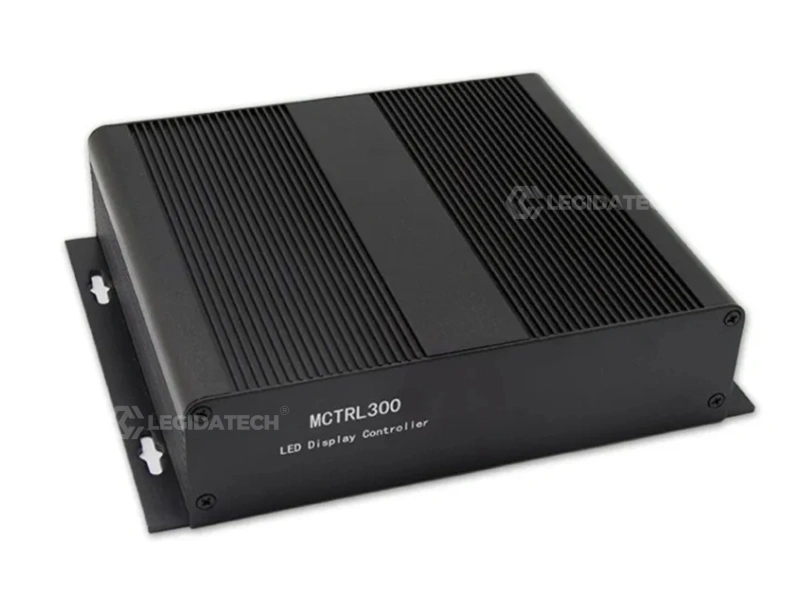
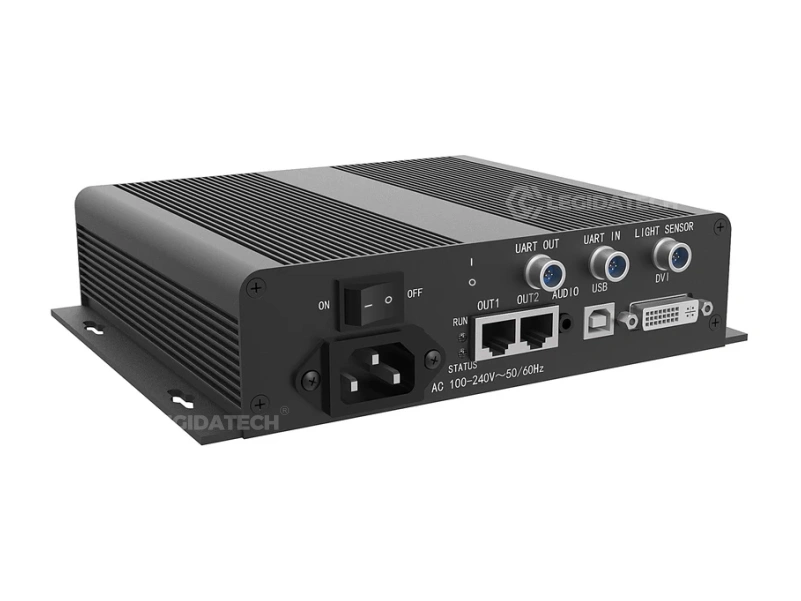
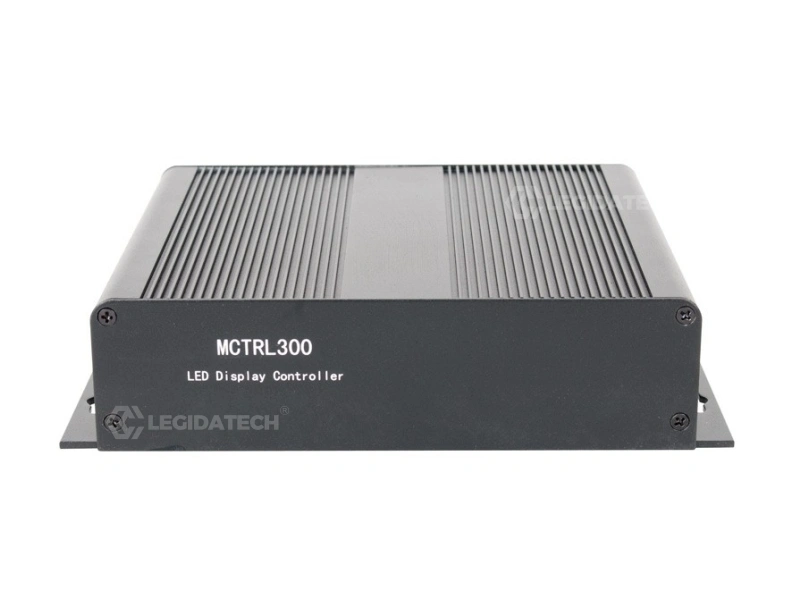
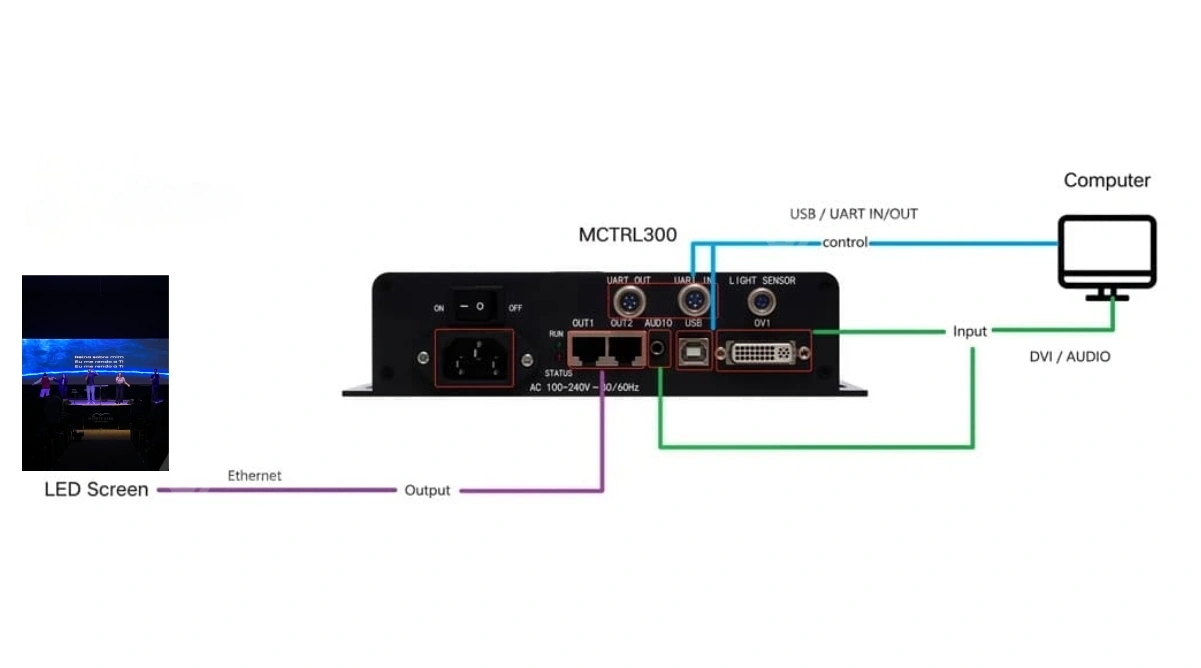
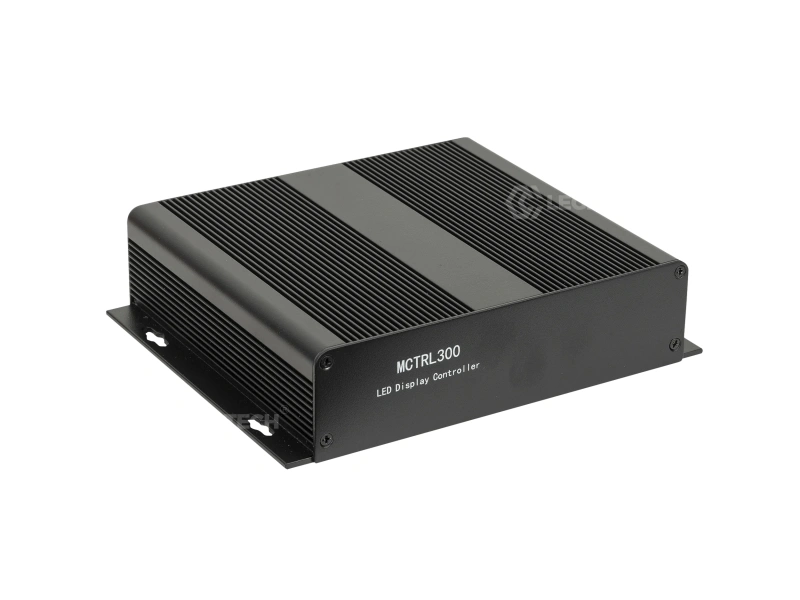
The Novastar MCTRL300 LED screen controller is fundamentally an integrated MSD300 sending card inside a rugged aluminum enclosure. It connects to your PC via DVI for video and USB for configuration, then outputs through two Gigabit Ethernet ports to the receiving cards in your LED cabinets.
Unlike PCIe sending cards that require opening a computer case, the MCTRL300 is plug-and-play. You unbox it, connect three cables, and you’re running. That simplicity — combined with NovaStar’s proven reliability — makes it the go-to controller for rental companies, system integrators, and fixed installation contractors worldwide.
6 Core Features That Make the MCTRL300 Stand Out
Every feature is engineered for one goal: stable, color-accurate LED display performance in real-world conditions.
Dual Gigabit Ethernet Output
Two RJ45 ports each drive 650,000 pixels. Built-in port redundancy — if one link drops mid-show, the other takes over instantly. Zero downtime for live events.
Pixel-Level Calibration
Works with NovaLCT and NovaCLB to calibrate brightness and chroma at the individual pixel level. Eliminates panel mismatch — critical for seamless video walls and broadcast applications.
Auto Brightness Adjustment
Connect an external light sensor (dedicated port on rear panel), and the MCTRL300 auto-adjusts screen brightness based on ambient light. Saves power, extends LED life, improves viewer comfort.
Cascade Up to 20 Units
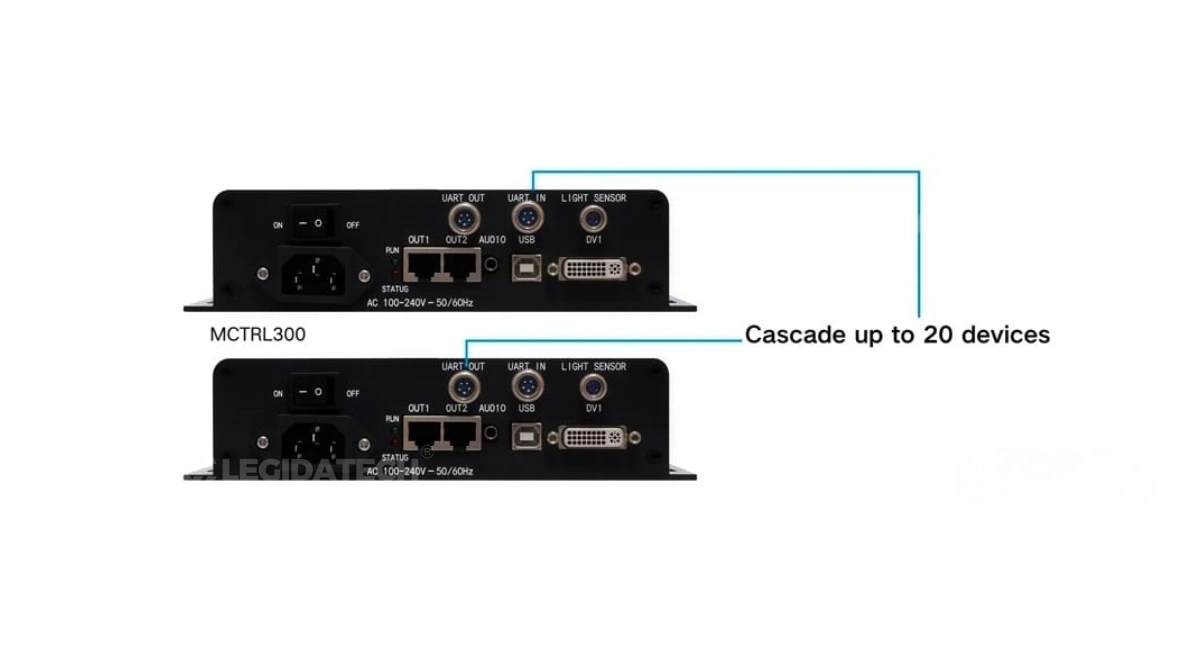
Scale your system without replacing hardware. Up to 20 MCTRL300 controllers can be daisy-chained via UART ports, supporting synchronized control of massive LED displays.
Audio & Video Synchronization
Dedicated 3.5mm audio input — the MCTRL300 transmits synchronized audio alongside video to your LED display. One less device in your signal chain.
Compact & Portable
Weighs just 1.04 kg and measures 204×160×48mm. Fits in a laptop bag. For rental crews and mobile event teams, this portability translates directly to faster setup and teardown.
MCTRL300 Technical Specifications
Verified against NovaStar official datasheet V2.4.3. All figures tested under standard operating conditions.
| Parameter | Specification |
|---|---|
| Video Input | 1× SL-DVI (Single-Link), up to 1920×1200@60Hz |
| Audio Input | 1× 3.5mm Audio (synchronized with video) |
| Ethernet Output | 2× RJ45 Gigabit Ethernet, 650,000 pixels per port |
| Total Pixel Capacity | 1.3 million pixels (max width: 3840px, max height: 3840px) |
| Supported Resolutions | 1280×1024, 1024×1200, 1600×848, 1920×712, 2048×668 (@60Hz) |
| Control Interface | 1× USB Type-B (PC connection), UART IN/OUT (cascading) |
| Light Sensor | 1× dedicated connector for automatic brightness control |
| Redundancy | Dual-Ethernet cable hot backup + multiple controller hot backup |
| Power Supply | AC 100V–240V, 50/60Hz (built-in independent PSU) |
| Power Consumption | Rated 3.0W — extremely energy-efficient |
| Dimensions | 204.0mm × 160.0mm × 48.0mm (W × D × H) |
| Net Weight | 1.04 kg |
| Operating Temperature | -20°C to +60°C (-4°F to 140°F) |
| Operating Humidity | 10%–90% RH, non-condensing |
| Certifications | CE, FCC, RoHS, EAC, IC, CB, PFOS |
| Software | NovaLCT-MARS (configuration), NovaCLB (calibration) |
📥 Download the official MCTRL300 datasheet (PDF) from NovaStar or contact us for the latest firmware package.
📹 See the MCTRL300 in Action: Unboxing & Hardware Setup
Watch how the MCTRL300 is unboxed, connected to a computer and LED screen, and powered on — all in under 10 minutes.
Need the full connection diagram? Jump to §9 Setup Guide below for step-by-step written instructions.
MCTRL300 vs. Alternatives: Which Controller Is Right for You?
An honest, data-driven comparison. We don’t oversell — we help you pick the right tool for your project size and budget.
| Feature | 🌟 MCTRL300 | MCTRL660 | Colorlight X6 | Linsn TS802D |
|---|---|---|---|---|
| Pixel Capacity | 1.3 million | 2.3 million | 2.6 million | 1.3 million |
| Video Input | 1× DVI | 1× DVI + 1× HDMI | 1× DVI + 1× HDMI + SDI | 1× DVI |
| Ethernet Ports | 2× RJ45 | 4× RJ45 | 6× RJ45 | 2× RJ45 |
| Redundancy | ✅ Dual-Port + Multi-Unit | ✅ Dual-Port | ✅ Dual-Port | ❌ Single |
| Cascading | Up to 20 units | Up to 10 units | Up to 8 units | Not supported |
| Audio Sync | ✅ 3.5mm | ✅ 3.5mm | ❌ | ❌ |
| Auto Brightness | ✅ Light Sensor | ✅ Light Sensor | ✅ Light Sensor | ❌ |
| Pixel Calibration | ✅ NovaLCT + NovaCLB | ✅ NovaLCT + NovaCLB | ✅ SmartLCT | ✅ LEDStudio |
| Power | 3.0W | 10W | 15W | 5W |
| Weight | 1.04 kg | 2.5 kg | 3.2 kg | 1.5 kg |
| Market Price | $120–$300 | $300–$500 | $250–$450 | $80–$150 |
| Best For | Small-Medium Displays, Rental, Events | Medium-Large Fixed Installs | Broadcast, Complex Setups | Budget DIY Projects |
Where the MCTRL300 Shines
From concert stages to 24/7 control rooms — the MCTRL300 adapts to these four key B2B application scenarios.
5-Step MCTRL300 Setup Guide
From unboxing to your first pixel-perfect display — follow this proven workflow used by Legida Tech engineers on hundreds of installations worldwide.
Unbox & Inspect
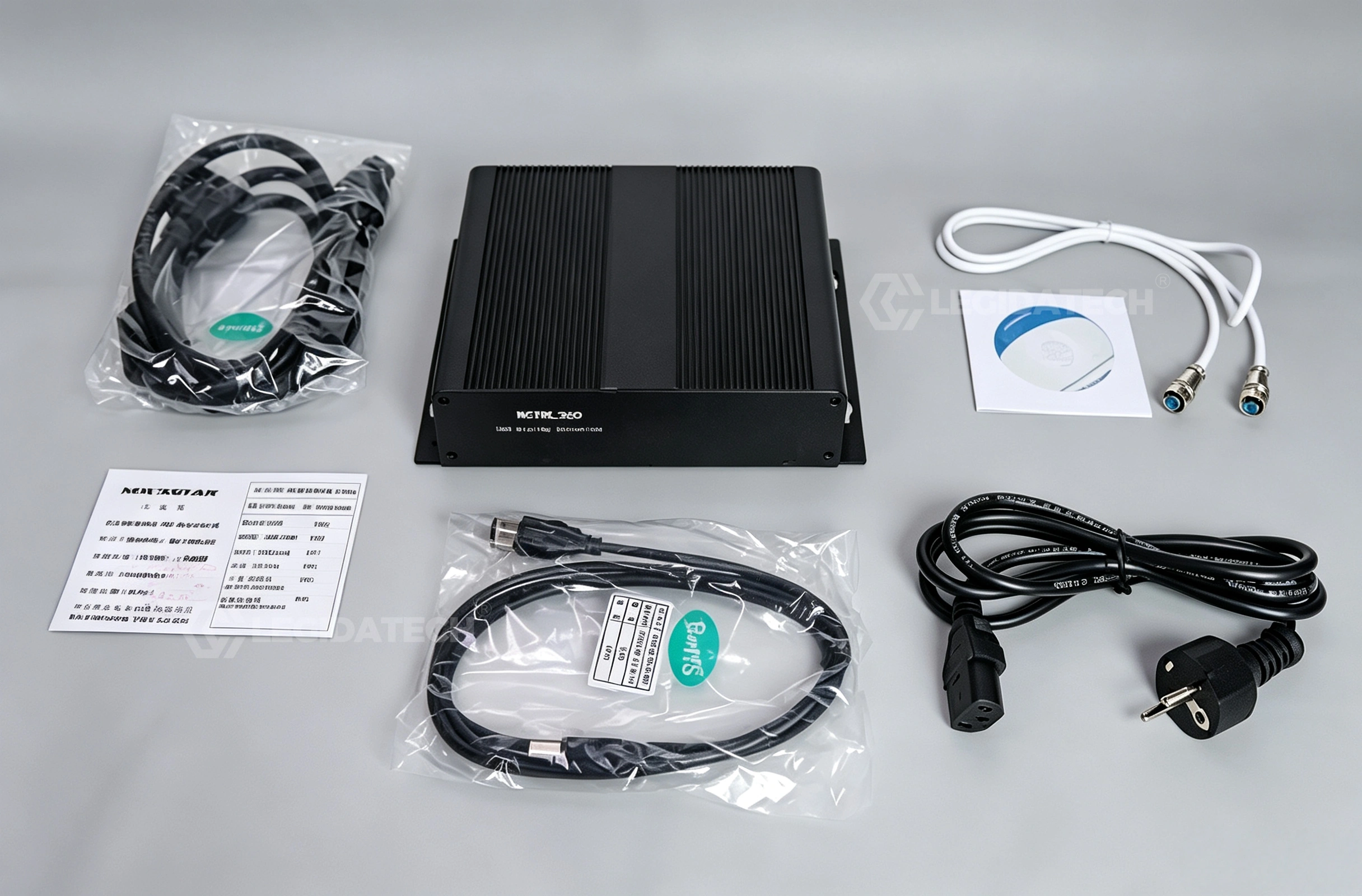
Verify all accessories: power cord, USB cable, DVI cable, cascading cable (1m). Check the controller for any shipping damage. Confirm the STA indicator lights up red when power is connected.
Connect Hardware
① Plug AC power (100-240V) → controller ② Connect DVI cable from computer → MCTRL300 SL-DVI port ③ Connect Ethernet cables from MCTRL300 RJ45 ports → LED cabinet receiving cards ④ (Optional) Connect audio source → AUDIO port, light sensor → LIGHT SENSOR port.
Install NovaLCT Software
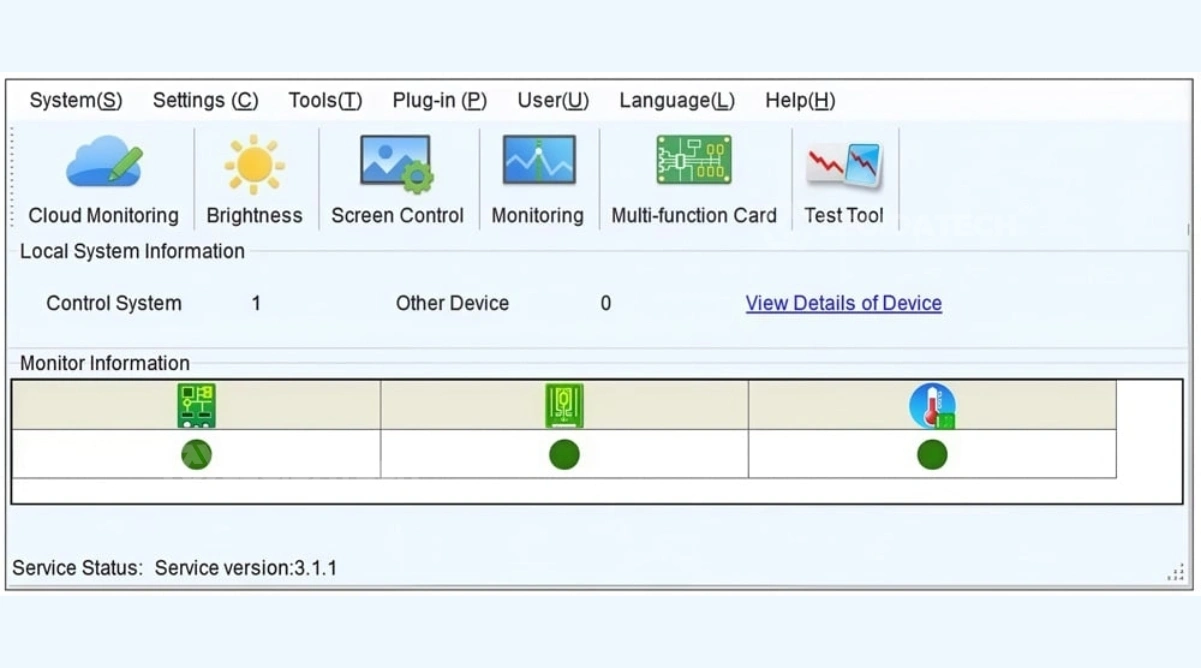
Download NovaLCT-MARS from NovaStar’s official website. Install on your PC, then connect the MCTRL300 via USB Type-B. The software will auto-detect the controller. Install drivers if prompted.
Configure Display Parameters
In NovaLCT: set input resolution (e.g., 1920×1200@60Hz), configure receiving card layout, adjust brightness and color temperature. Use NovaCLB for pixel-level calibration if color uniformity is critical.
Test & Monitor
Play a test video. Observe the RUN indicator: normal flashing (4/sec) = video active. For multi-unit setups, configure cascade mode in NovaLCT and verify synchronization. Save configuration to hardware.
📹 NovaLCT Software Configuration — Step-by-Step Walkthrough
Watch this detailed tutorial covering NovaLCT setup, screen mapping, brightness calibration, and redundancy configuration.
🎓 This tutorial applies to all M3-series controllers, including MCTRL300, MCTRL600, and MCTRL660.
Why Buy MCTRL300 from Legida Tech?
Every MCTRL300 unit we ship passes through a rigorous 4-stage quality control pipeline at our Shenzhen factory — far beyond what distributors offer.
① Incoming IQC — Component-Level Inspection
Every MCTRL300 unit is unboxed and inspected against NovaStar’s official acceptance criteria. We verify PCB soldering quality, port alignment, power supply stability, and firmware version before it enters our inventory.
② 48-Hour Burn-In Aging Test
Each controller runs continuously for 48 hours connected to a live LED display. We monitor for signal dropout, Ethernet port stability, thermal performance, and voltage fluctuation. Units that fail even one metric are returned — never shipped.
③ Full-System Integration Test
Before packing, we test the MCTRL300 with real LED cabinets from our inventory — complete with receiving cards, power supplies, and live video playback. This catches any compatibility issues that bench testing alone would miss.
MCTRL300 Pricing & B2B Inquiry
Factory-direct pricing with no middleman markup. Bulk orders qualify for additional discounts.
Why Our Pricing Wins
The Novastar MCTRL300 market price ranges from $120 to $300 depending on region and distributor markup. As a direct NovaStar partner, Legida Tech offers:
- ✅ Complete Set: Controller + Power Cord + USB Cable + DVI Cable + Cascading Cable — no hidden add-ons
- ✅ Bulk Discount: Tiered pricing for orders of 5+, 10+, 20+ units — perfect for rental companies and integrators
- ✅ Combo Savings: Bundle with LED cabinets, receiving cards, and accessories for deeper discounts
- ✅ Shipping: DHL/UPS/FedEx express (3-7 days) or sea freight for volume orders
We also stock NovaStar MCTRL660, MCTRL4K, VX4S, and NovaPro HD series — ask for a multi-model quote to optimize your project budget.
📩 Request Your Quote
Fill in your requirements below — we respond within 2 hours during business hours (GMT+8).
Global Certifications
Every MCTRL300 we ship meets international safety and compliance standards.
Need certificates for customs clearance? Mention it in your inquiry — we’ll include PDF copies with your quotation.
Frequently Asked Questions
Ready to Power Your LED Display with the MCTRL300?
Factory-direct pricing · 3-year warranty · Free technical support · Global shipping
📩 Get Your Factory Quote — Response Within 2 Hours
How to Choose the Right LED Controller: A B2B Buyer’s Complete Decision Framework for 2026
Selecting the right LED display controller is one of the most consequential decisions in any LED screen project — yet it’s often treated as an afterthought. The Novastar MCTRL300 LED screen controller sits at the sweet spot of price, performance, and reliability for small-to-medium installations. But to understand why it’s the right choice for most B2B applications, we need to zoom out and examine the entire LED controller landscape.
In this guide, we’ll cover everything a professional buyer needs to evaluate: synchronous vs. asynchronous architectures, the technical parameters that actually matter, a total cost of ownership comparison, pixel capacity calculation, installation best practices, and how your controller choice ultimately impacts the return on investment of your entire LED display system.
1. Understanding LED Controller Types: Synchronous vs. Asynchronous
LED display controllers fall into two broad categories, and choosing the wrong type is a costly mistake. Synchronous controllers — like the MCTRL300, MCTRL660, and MCTRL4K — require a live video source (typically a computer) and transmit the signal to the LED screen in real time. They’re used in applications where content changes dynamically: live events, broadcast studios, security monitoring centers, and sports venues. The controller doesn’t store content; it processes and forwards whatever the source is outputting.
Asynchronous controllers — like NovaStar’s PBOX series or Colorlight’s A-series — have built-in storage and can play pre-loaded content without a connected computer. They’re ideal for digital signage, billboards, and information displays where content updates are periodic rather than real-time. The trade-off is that asynchronous controllers typically support lower resolutions and lack the advanced calibration and redundancy features of synchronous systems.
For B2B applications where image quality, real-time performance, and system reliability are non-negotiable — rental stages, corporate event displays, broadcast LED walls, 24/7 control rooms — a synchronous controller like the MCTRL300 is the correct architectural choice. The question then becomes: which synchronous controller?
2. Key Technical Parameters Every Buyer Must Evaluate
When comparing LED controllers, most buyers fixate on pixel capacity. That’s important — but it’s only the starting point. Here are the seven parameters that experienced system integrators evaluate:
① Total Pixel Capacity: The MCTRL300 supports 1.3 million pixels across two Ethernet ports (650,000 per port). This is sufficient for a 1920×1080 display scaled down, or a 1280×1024 display at full resolution. If your project exceeds 1.3 million pixels, you can cascade additional MCTRL300 units or step up to the MCTRL660 (2.3 million pixels). The key insight: don’t over-buy capacity — a higher-spec controller provides zero benefit if your display doesn’t use its capacity, but it does increase cost, weight, and power consumption.
② Input Compatibility: The MCTRL300 accepts DVI input. In 2026, many laptops have moved to HDMI or USB-C — but passive HDMI-to-DVI adapters cost under $5 and introduce zero latency. This single-input design keeps the MCTRL300 simple and reliable. If your workflow requires switching between multiple input sources (computer, camera, media player), consider adding a video switcher upstream rather than paying for multi-input controller features you’ll use only occasionally.
③ Network Redundancy: The MCTRL300 has two Ethernet output ports that can be configured for hot backup — if one cable fails or is disconnected during a live event, the second port takes over without any visible interruption. For rental and live production companies, this alone justifies the controller choice. Downtime during a paying client’s event is far more expensive than any hardware savings.
④ Calibration Capability: Over time, LED modules develop brightness and color inconsistencies. The MCTRL300 works with NovaStar’s NovaCLB software to perform pixel-level brightness and chroma calibration, restoring uniformity across the entire display. This is especially critical for fixed installations that run 12+ hours per day — without recalibration, panel mismatch becomes visually obvious within 6–12 months.
⑤ Cascading Support: The ability to chain up to 20 MCTRL300 units via UART ports means you can start small and scale. A rental company might begin with a single unit for 10㎡ stage displays, then cascade additional controllers as they win larger projects — without replacing existing hardware. This modular scalability is underappreciated in procurement decisions but has significant long-term cost implications.
⑥ Environmental Tolerance: Operating temperature range of -20°C to +60°C and 10%–90% non-condensing humidity means the MCTRL300 handles outdoor events in winter and un-air-conditioned control rooms in summer. This isn’t a spec to gloss over — controllers that fail at temperature extremes cause visible artifacts or complete signal loss.
⑦ Software Ecosystem: NovaStar’s NovaLCT platform is the industry standard. It’s well-documented, has a large user community, and integrates with virtually all LED receiving cards. This matters for maintenance: any competent LED technician can configure a NovaStar system, reducing your dependence on specialized contractors.
3. MCTRL300 vs. Competitors: A Total Cost of Ownership Analysis
Purchase price is a misleading metric for LED controllers. A Total Cost of Ownership (TCO) analysis accounts for the full lifecycle: purchase, shipping, installation labor, energy consumption, maintenance, and expected lifespan. Let’s compare the MCTRL300 against its two closest competitors over a 5-year ownership period for a typical mid-size rental company running 10 LED screen setups:
Novastar MCTRL300 TCO (5 years, 10 units): Hardware ~$2,500 (at volume pricing). Energy cost ~$130 (3W × 10 units × 8h/day × 365 days × 5 years @ $0.12/kWh). Maintenance: essentially zero — no fans, no moving parts. Expected lifespan: 5–8 years. Total: ~$2,630.
Colorlight X6 TCO (5 years, 10 units): Hardware ~$3,500. Energy cost ~$650 (15W × 10 units × same usage). Maintenance: moderate — built-in fans require occasional cleaning. Expected lifespan: 4–7 years. Total: ~$4,150.
Linsn TS802D TCO (5 years, 10 units): Hardware ~$1,200. Energy cost ~$220 (5W). Maintenance: moderate — no redundancy means troubleshooting costs when cables fail. Expected lifespan: 3–5 years. Also note: Linsn’s software ecosystem is less mature, potentially increasing technician labor costs. Total: ~$1,420 + labor risk.
The MCTRL300’s combination of low power consumption, zero-maintenance design, and multi-unit redundancy gives it the best TCO for professional applications. The Linsn is cheaper upfront but the lack of redundancy alone can cost thousands in a single event failure. The Colorlight is more capable but its higher power draw and fan-based cooling add ongoing costs.
4. How to Calculate Pixel Capacity for Your LED Display Project
One of the most common pre-sales questions we receive at Legida Tech is: “How do I know if the MCTRL300 can drive my screen?” The calculation is straightforward:
Step 1: Determine your LED cabinet resolution. For example, a P3.91 500×500mm rental cabinet typically has 128×128 pixels = 16,384 pixels per cabinet.
Step 2: Count your total cabinets. A 4m wide × 3m high screen = 8 cabinets wide × 6 cabinets high = 48 cabinets. Total pixels = 48 × 16,384 = 786,432 pixels.
Step 3: Compare against MCTRL300 capacity (1,300,000 pixels). 786,432 < 1,300,000 — ✓ Single unit is sufficient with room to spare.
Step 4: Account for refresh rate. At 60Hz, the MCTRL300 handles its full rated capacity. If you’re running at higher refresh rates (e.g., 120Hz for broadcast cameras), the effective pixel capacity decreases — consult the datasheet or contact our technical team for specific configurations.
If your display exceeds 1.3 million pixels, you have two options: cascade additional MCTRL300 units (most cost-effective for large displays where you already own MCTRL300 hardware) or upgrade to a higher-capacity controller like the MCTRL660 or MCTRL4K for new purchases.
5. Installation Best Practices: Avoiding the Top 5 Setup Mistakes
After supporting hundreds of LED display installations globally, our engineering team has identified the five most common mistakes that delay commissioning and degrade performance:
Mistake #1 — Using Low-Quality Ethernet Cables: The MCTRL300 outputs Gigabit Ethernet. Cat5e is the minimum acceptable standard; Cat6 or Cat6a is recommended for runs over 30 meters. Cheap or damaged cables cause packet loss that manifests as flickering lines or frozen sections on the display. Always test cables before installation.
Mistake #2 — Daisy-Chaining Too Many Cabinets Per Port: Each MCTRL300 Ethernet port supports 650,000 pixels. But that doesn’t mean you should push all 650,000 through a single long chain. The signal degrades with each receiving card hop. Best practice: keep chains under 20 cabinets per port, and use the second port to split the load.
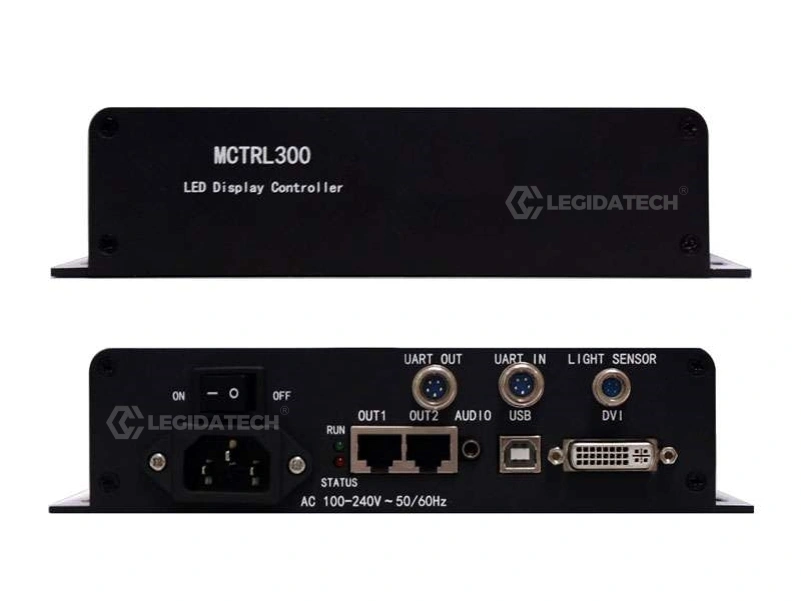
Mistake #3 — Ignoring the RUN Indicator Light: The MCTRL300’s front-panel RUN LED communicates four distinct states: slow flash = no video input, normal flash = video active, fast flash = startup image displayed, breathing = redundancy activated. Learn these patterns — they’ll save you hours of troubleshooting.
Mistake #4 — Failing to Save Configuration to Hardware: NovaLCT lets you save settings to the PC (software-side) or to the controller hardware (flash memory). Always save to hardware after configuration. If you only save to the PC and then connect a different computer at the venue, your display settings are gone.
Mistake #5 — Skipping Calibration on New Installations: Even brand-new LED modules have slight brightness and color variations. Running a full calibration pass with NovaCLB before handing over to the client ensures professional-grade uniformity from day one. Skipping this step is the #1 reason for client complaints about “the colors don’t match.”
For more detailed installation guidance, refer to our indoor LED screen and rental LED display solution pages, or download the complete MCTRL300 user manual from our NovaStar download center.
6. Why Controller Choice Impacts LED Display ROI
When procurement teams evaluate LED display projects, the controller represents roughly 3%–8% of the total hardware budget. Yet it disproportionately impacts the system’s long-term return on investment in three ways:
Uptime = Revenue: For rental companies, every day the screen is down is a day of lost revenue. The MCTRL300’s dual-port redundancy and multi-unit hot backup mean a single cable failure or even a unit failure doesn’t stop the show. Over a 5-year ownership period, the cost of one avoided event cancellation more than pays for the controller.
Visual Quality = Client Retention: In fixed installations — corporate lobbies, retail stores, houses of worship — the LED display is a long-term investment. Pixel-level calibration that maintains uniformity over years keeps the display looking “new” and preserves the client’s brand perception. Inferior controllers without proper calibration support lead to visible degradation that erodes the display’s value.
Scalability = Future-Proofing: The ability to cascade MCTRL300 units means your initial investment isn’t stranded when the client wants a bigger display. You add controllers instead of replacing them. This modular philosophy extends the useful life of your hardware and smooths capital expenditure over time rather than forcing lump-sum replacements.
At Legida Tech, we’ve supplied Novastar controllers to integrators in over 60 countries. The consistent feedback: the controller is not the place to cut costs. A $50 savings on a budget controller can cost thousands in troubleshooting, client dissatisfaction, and premature replacement. The MCTRL300’s combination of affordability (check our latest LED screen pricing) and professional-grade reliability makes it the rational choice for B2B buyers who prioritize long-term value over short-term savings.
If you’re planning an LED display project — rental stage, fixed installation, sports venue, or control room — contact our team for a tailored recommendation including the right controller, receiving cards, and accessories for your specific requirements.