A P4 Outdoor LED Screen Size Calculator is the most reliable way to determine the correct screen dimensions before purchasing or installing an LED display for a shopping mall. Instead of estimating the display size, you should calculate the required width, height, cabinet layout, pixel resolution, viewing distance, and total weight based on the installation environment.
Accurate calculations help ensure the LED screen fits the building structure, delivers clear advertising content, and avoids costly design changes during installation.
Before placing a large B2B order, these calculations should also be used to verify whether a supplier’s technical proposal is realistic. A qualified manufacturer should provide specifications that match the calculated screen size, including cabinet dimensions, module configuration, pixel resolution, controller loading capacity, structural weight, wind resistance, power consumption, and heat dissipation performance.
In this guide, you’ll learn how to use a P4 Outdoor LED Screen Size Calculator, understand the engineering formulas behind the calculations, and evaluate supplier quotations with confidence to ensure your shopping mall LED display project is both technically feasible and cost-effective.
Mastering the P4 Outdoor LED Screen Size Calculator:
Pixel Pitch and Module Geometry
To use a P4 outdoor screen size calculator correctly, you first need to know the basic module dimensions. A standard P4 outdoor module measures 250 millimeters by 250 millimeters. Its native resolution is 64 pixels by 64 pixels.
That gives you a pixel pitch of exactly 4 millimeters, which is the gap from the center of one LED to the center of the next one. If a supplier’s data sheet shows different numbers, that is a warning sign you should not ignore.
Now, to figure out the overall screen size, you have to decide how many modules you need both across and down. Let us say you are designing a display for a shopping mall facade and you want a 16:9 aspect ratio. With the module size we just mentioned, using 24 modules across and 13.5 modules down—which you would round up to 14—gives you a width of 6.0 meters and a height of 3.5 meters.
From there, you can work out the total pixel count. Just multiply the module resolution by the number of modules in each direction. That calculation looks like this: 64 times 24 gives you 1,536 pixels across, and 64 times 14 gives you 896 pixels vertically. Multiply those two numbers together, and you get 1,376,256 pixels in total. That pixel count is the key number you need for the next step, which is figuring out controller loading.
Resolution and Aspect Ratio Verification
Suppliers often make a common mistake when they present their proposals. They get the resolution wrong in the P4 outdoor screen size calculations. You really need to double‑check that the total pixel count matches the content you plan to show. Take a Full HD source, for example.
It runs at 1920 by 1080 pixels, which adds up to 2,073,600 pixels in total. To display that properly with P4 modules, you would need a screen that is about 30 modules wide and 17 modules high. That gives you 1920 by 1088 pixels, and the physical size comes out to 7.5 meters wide by 4.25 meters tall.
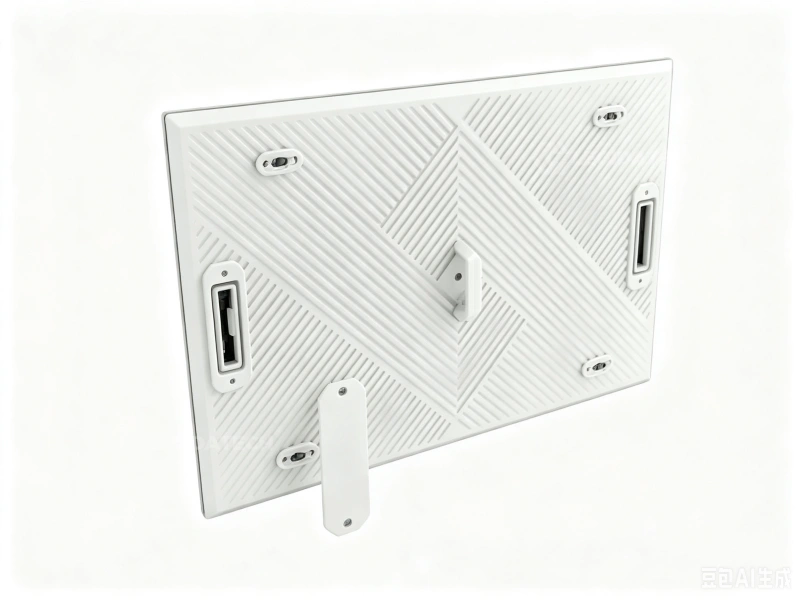
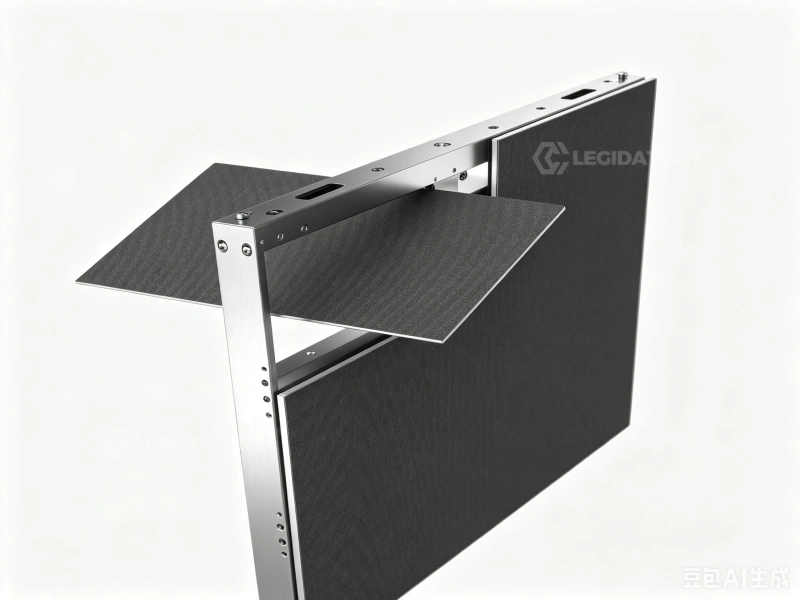
Now, when you use a P4 panel size calculator, you also have to look at the cabinet dimensions. Most suppliers use die‑cast aluminum cabinets that hold a set number of modules, usually in a 2-by-2 or 2-by-3 arrangement. For a 2-by-2 cabinet with P4 modules, the size would be 500 millimeters by 500 millimeters, and it would contain 128 by 128 pixels.
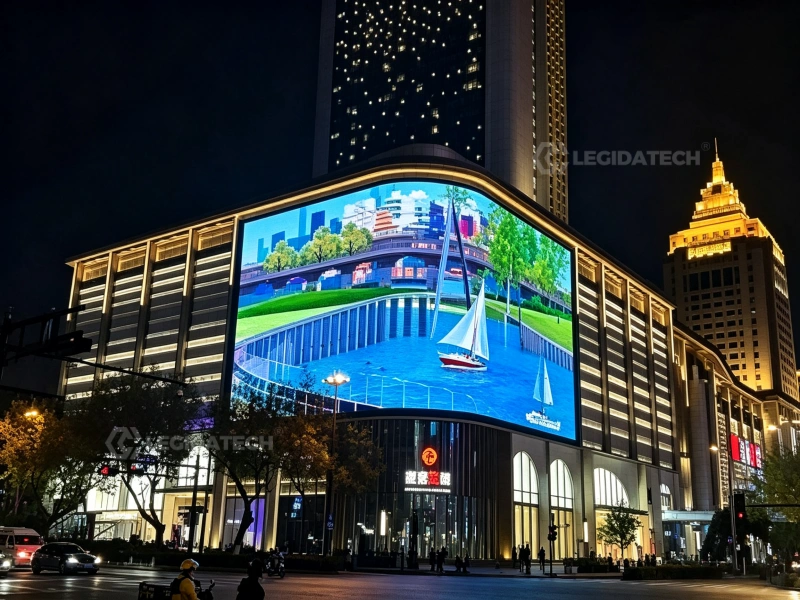
The total number of cabinets affects a few important things: how much weight the structure has to support, how much space the shipment takes up, and how complex the installation will be. For a shopping mall project, the screen dimension calculator must take the available mounting area into account. That way, the final cabinet layout fits together neatly with no gaps between the panels.
Practical Calculation Example for Shopping Malls
Let us look at a real example. A shopping mall wants to put a display above its main entrance. The available space measures 8.0 meters across and 4.5 meters high.
To figure out the screen size, you start by dividing the width by the module width. So 8.0 meters divided by 0.25 meters gives you 32 modules across. For the height, you do the same calculation: 4.5 meters divided by 0.25 meters equals 18 modules. That means the final screen will be 8.0 meters by 4.5 meters, with a resolution of 2,048 by 1,152 pixels.
Now, if you multiply those two numbers together, you get a total of 2,359,296 pixels. That is a lot of data. You have to check this number against what the controller can actually handle. Each Gigabit Ethernet port has a limit on how many pixels it can push through.
For a large installation like this, the pixel count often exceeds that limit. So you may need to use multiple ports or switch to faster fiber optic connections. A good screen size calculator should give you more than just the width and height. It should also tell you how many controller outputs you will need, so you do not end up with a data bottleneck that slows everything down.
Controller Port Loading: Novastar and Other LED Controllers for P4 Outdoor
Once you have the screen’s physical size, the next step is making sure the controller can handle all that data. This is a key part of any P4 outdoor screen size calculator. Unfortunately, suppliers often get this number wrong in their proposals.
For Novastar controllers, there is a hard limit. Each Gigabit Ethernet port can handle a maximum of 1.3 million pixels. That limit applies when you are running at a 60 Hz refresh rate and 8‑bit color depth. Where does that number come from?
You can calculate it like this: take 1 billion bits per second, then divide by the refresh rate times the color depth times 3. Now, a single P4 module has 64 by 64 pixels, which equals 4,096 pixels per module. So the maximum number of modules you can run on one port is 1.3 million divided by 4,096, which gives you 317 modules.
Let us put that into a real shopping mall example. Remember the 8.0-meter by 4.5-meter screen we looked at earlier? That screen uses 32 modules across and 18 modules high, for a total of 576 modules. To drive that many modules, you need at least two Gigabit Ethernet ports.
Why? Because 576 divided by 317 gives you about 1.82 ports, you round up to two.
But a proper audit does not stop there. You also have to think about backup paths and how the cabinets are linked together. Some controllers let you daisy‑chain cabinets on one port. That works, but the total pixel count for that chain still cannot go over the 1.3‑million limit.
So a good screen size calculator should tell you not just the number of ports, but also which controller model you need—like a Novastar MCTRL4K or an H-series unit. That way, you avoid dropped frames or a forced reduction in refresh rate.
When you use a P4 outdoor panel size calculator, you also need to check how the data cables run from cabinet to cabinet. Each cabinet holds a certain number of pixels. For a typical 2-by-2 module layout, the cabinet measures 500 mm by 500 mm and contains 128 by 128 pixels, which equals 16,384 pixels total.
Now, imagine a screen that is 16 cabinets wide and 9 cabinets high. That gives you the same 8.0-meter by 4.5-meter size we talked about earlier. To figure out the data load, you have to calculate the total pixel count for each daisy chain. A common mistake is to assume you can just keep adding cabinets to a single chain without any issues.
But you really should do the math. For example, a chain of 16 cabinets would have 16 times 16,384 pixels, which comes to 262,144 pixels. That number is still well below the 1.3-million limit, so you can run several chains on one port.
But here is the catch. The calculation does not stop there. You have to plan out how the ports are mapped to each chain. That way, you make sure no single port gets overloaded. This becomes even more important when you run at higher refresh rates, like 3840 Hz.
At those speeds, the pixel capacity per port drops, so you need to adjust your numbers accordingly. A good screen size calculator should include this port-mapping step to keep the whole system running smoothly.

For mall displays, long cable runs can be an issue. If the distance between the controller and the screen goes over 100 meters, you will need fiber optic converters. A good P4 screen size calculator should tell you two things: how many fiber transceivers you need and the total bandwidth required to run the display at full refresh rate.
That way, you make sure the system works properly—not just in terms of size, but also in terms of data flow. This helps you avoid problems like flicker, lag, or data loss during busy shopping hours.
Wind Load and Structural Engineering for Outdoor P4 Screens
For any large outdoor display, structural safety comes first. This is especially true for mall facades, where public safety and long-term asset value really matter. A P4 screen size calculator that ignores wind load is simply incomplete.
The key formula for wind load is F = 0.5 × ρ × v² × A × Cd. Here is what those symbols mean: ρ is air density, which is 1.225 kg/m³ at sea level. v is the wind speed in meters per second. A is the frontal area of the screen in square meters. Cd is the drag coefficient, and for flat panels, it is usually 1.2.
Let us run a real example. Take a screen that is 8.0 meters wide and 4.5 meters high. That gives you a frontal area of 36 square meters. Now apply a design wind speed of 40 meters per second, which is about 144 kilometers per hour. That is a common requirement for coastal areas in Southeast Asia. Plug those numbers into the formula: F = 0.5 × 1.225 × 1600 × 36 × 1.2. The result is 42,336 newtons. That is a sideways force of more than 4.3 metric tons.
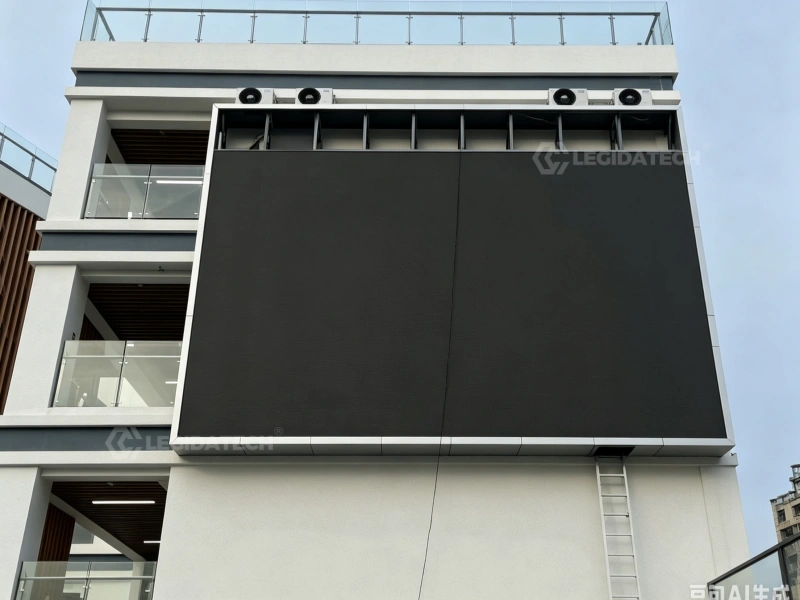
A P4 screen size calculator also needs to consider the weight of each cabinet and the extra force from wind gusts. Die-cast aluminum cabinets are fairly light. A 500 millimeter by 500 millimeter unit usually weighs between 28 and 32 kilograms. But when you add them all up, the total mass is significant. For the 8.0-meter by 4.5-meter screen we have been using, the cabinets alone weigh about 1,800 kilograms.
That dead load, plus the wind load, has to go through a certified mounting system into the building’s main structure. So you should choose hot‑dip galvanized steel brackets with a yield strength of at least 250 MPa. Also, every weld needs to be inspected according to AWS D1.1 standards. After all, the resolution does not matter if the screen falls off the wall. Structural engineering is your first line of defense.
For mall projects, many local building codes require a wind tunnel test or a CFD analysis when the screen goes over 20 square meters. For stadiums or other large venues in typhoon-prone areas, you might face even higher wind speeds up to 50 meters per second.
That is why the screen size calculation should include a step to check the local wind zone map and apply the correct gust factor. A good audit will also look at vortex shedding and resonance frequencies.
You want to make sure the screen’s natural vibration frequency does not match the building’s own vibration modes. That kind of attention to detail is what separates a safe, reliable install from a potential disaster.
Thermal Management and Durability For Outdoor P4 Screens
Thermal Dissipation and LED Junction Temperature
A credible P4 screen size calculator must include a solid thermal analysis. The key limit is the LED junction temperature, or Tⱼ for short. It needs to stay below 85°C to keep the LEDs working at their rated life and avoid early brightness loss.
You can work out the heat output for each module with this formula: Heat (W) = Vf × If × N × (1 – efficiency). Let us plug in the numbers for a standard P4 outdoor module.
It has 1,024 LEDs. The forward voltage, Vf, is 2.8V. The drive current, If, is 20 mA, and the optical efficiency is 20%. So the calculation looks like this: 2.8 × 0.02 × 1024 × 0.8, which gives you 45.9 watts per module.
Now take that 8.0‑meter by 4.5‑meter screen we have been using. That is 36 square meters and contains 576 modules. Multiply that by the heat per module: 576 × 45.9 watts equals 26,438 watts, or about 26.4 kilowatts in total. You need to get rid of that heat using both heat sinks and forced air from fans.
The system’s thermal resistance, or Rth, is another important number. You calculate it like this: Rth = (Tj – Ta) / Power. Ta is the ambient temperature. For a hot summer day, say 45°C, the allowable temperature rise is 40°C.
That means your system Rth needs to be 40 divided by 26,438, which is about 0.0015°C per watt. To achieve that, you need high‑efficiency aluminum fin heatsinks with at least 0.5 square meters of surface area per module, plus axial fans that move 200 CFM or more.
IP65 Ingress Protection and Environmental Sealing
For outdoor mall displays, you need an IP65 rating on both the front and back of the cabinet. This rating comes from a specific test. A 12.5‑millimeter nozzle sprays water at 12.5 liters per minute. The pressure is 100 kPa, and the spray lasts for 3 minutes from a distance of 3 meters.
The cabinet also has to pass a dust test, which is the IP6X part. That means it sits in a sealed chamber with talcum powder for 8 hours without letting any dust inside.
When you calculate the screen size, you also need to check the gasket material. Most manufacturers use silicone or EPDM. These seals must hold up to UV rays and temperature changes from ‑20°C to 60°C. One weak spot that often fails is the cable entry gland. To avoid problems, you should only use IP68‑rated glands with a locking nut. They provide the extra protection needed for long-term reliability.
Active vs. Passive Cooling Strategies
For mall installations, noise levels matter. Passive cooling is quieter, but it needs much larger heat sinks. For a 36-square-meter P4 screen, you would need about 0.8 cubic meters of heat sink volume. That is too bulky for a facade mount. So most setups use active cooling with low-noise axial fans. These fans usually run below 35 decibels.
Each fan draws about 5 to 10 watts. A screen of this size may need 20 to 30 fans. That adds 200 to 300 watts to the total power draw. To avoid downtime, you should also plan for redundancy. An N+1 fan configuration keeps the system cool even if one fan fails. So the screen size calculator should include the fan count and total cooling power in its final output.
[CTA: Submit your project dimensions to receive a free LED display layout design and quotation.]
Conclusion: Optimizing Your Shopping Mall Display with the P4 Outdoor LED Screen Size Calculator
So, for the outdoor LED screen, we have covered thermal management, LM 80 testing, and IP65 sealing. These are the core engineering requirements for a long-lasting installation. The final step in any procurement spec is to bring all these factors together into one clear calculation.
A well-designed P4 screen size calculator does exactly that. It takes the physical dimensions and turns them into practical requirements for structure, power, and cooling.
Take a mall facade display that measures 10.0 meters wide and 5.5 meters high. That gives you a resolution of 2,500 by 1,375 pixels. The total pixel count comes to 3,437,500. Now apply the Novastar limit of 1.3 million pixels per Gigabit Ethernet port at 60Hz.
You will need at least three ports, since 3,437,500 divided by 1,300,000 equals 2.64, which rounds up to 3. For large mall or stadium setups, you often want a redundant controller as well. That doubles the port count to ensure the system keeps running if one unit fails.
Next, the calculator has to handle wind load. For that same 55 square meter screen in a 40 m/s wind zone, the force is 64,680 newtons. Check that number against the bracket strength and the building’s load capacity. A good calculator will flag any design where the wind load goes over 70% of the anchor’s rated limit, following standard safety margins.
Finally, you need to match the thermal output with the site’s ambient temperature. The calculator should confirm that the cooling system can handle the heat load—26.4 kW for a 36‑square-meter screen without letting the junction temperature exceed 85°C.
Only when you combine all four areas—pixel mapping, port loading, wind force, and thermal resistance—does the calculator become a reliable tool for a high‑level B2B procurement review. If any one of these pillars is missing, the specification is incomplete and carries real operational risk.
If you’re planning an LED billboard project, contact LEGIDATECH for expert advice and a customized quotation. Our team can help you choose the right screen size, configuration, and specifications to meet your project requirements.
A well-planned LED billboard is more than just an investment—it is a long-term advertising asset that delivers reliable performance and lasting value when properly designed and installed.
Related LED Screen Size & P4 LED Post:
How to Measure LED Screen Size
How to Calculate the Perfect LED Screen Size for Your Venue
P3 vs P4 Outdoor LED Display ROI: Which Pixel Pitch Maximizes Profit for Street Retail?
Outdoor LED Display Price Guide 2026
FAQ: Real B2B LED Industry Queries Answered
Q: How to calculate LED screen size in inches?
A: To calculate LED screen size in inches, measure the diagonal distance from one corner to the opposite corner of the display area. For a P4 outdoor LED screen, the physical size depends on the cabinet dimensions and pixel pitch. For example, a P4 screen with 128×64 pixels per cabinet yields a cabinet size of 512mm x 256mm (20.16″ x 10.08″). Use a P4 outdoor LED screen size calculator to input cabinet count and resolution for precise diagonal measurement.
Q: What is the pixel size of the P4 LED screen?
A: The pixel size of a P4 LED screen refers to the pixel pitch of 4mm, meaning the distance between adjacent pixel centers is 4mm. Each pixel typically comprises RGB LEDs (e.g., SMD1921 or SMD2121). The actual LED chip size varies by manufacturer, but the pixel density is 62,500 pixels per square meter. For accurate viewing distance and resolution planning, use a P4 outdoor LED screen size calculator to determine total pixels based on screen dimensions.
Q: How to calculate projector screen size?
A: Projector screen size is calculated by measuring the diagonal of the projection area, typically in inches. For a 16:9 aspect ratio, screen width = diagonal × 0.871, height = diagonal × 0.490. Unlike LED screens, projector screens have no fixed pixel pitch. For outdoor events, consider ambient light and lumen output. For comparison, a P4 outdoor LED screen size calculator can help determine equivalent LED screen dimensions for similar brightness and resolution requirements.