For bulk orders of close-viewing billboards, buyers typically focus on brightness and cabinet build—but viewing distance rarely gets the attention it deserves. That oversight can be expensive.
When the audience stands just a few meters away, the P3.91 vs P4.81 viewing distance is what separates a crisp, immersive image from a patchwork of visible pixels.
This guide gives procurement teams the engineering formulas and visual acuity benchmarks they need to verify factory specs—not in theory, but in the actual conditions where screens meet eyes.
The Practical Significance of Pixel Pitch for Displays: P3.91 vs P4.81 Viewing Distance
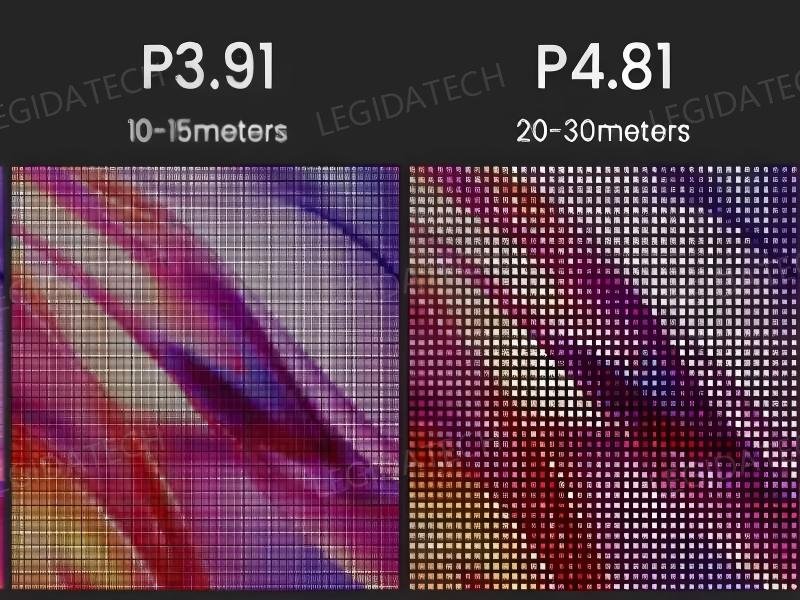
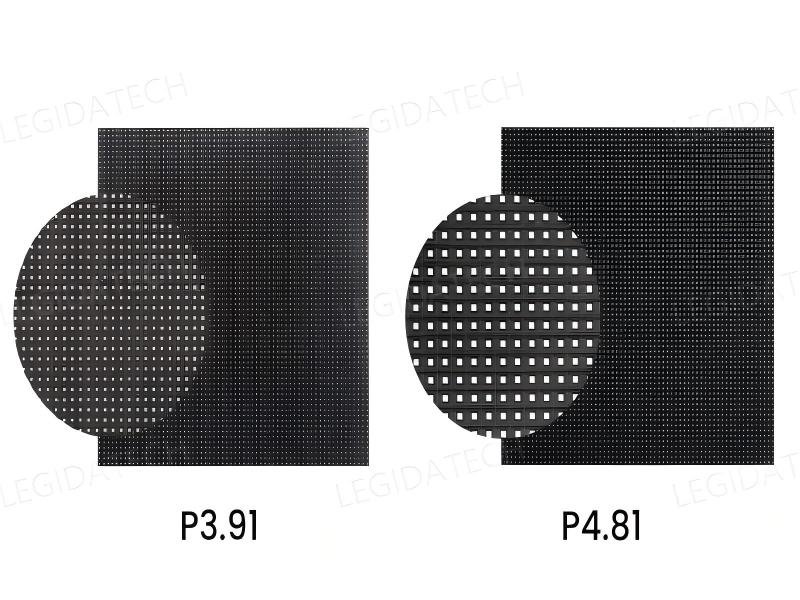
Pixel pitch sounds technical, but it’s really just the gap between the centers of the LEDs. P3.91 means 3.91 millimeters. P4.81 means 4.81. That tiny difference changes how many pixels fit in every square meter — about 65,500 for P3.91, versus 43,000 for P4.81.
More pixels usually mean finer detail. But “finer” only matters if the viewer can actually see it. And that depends entirely on where they stand and what they’re looking at.
Let’s break down what each pitch brings to the table—without saying one is “better” than the other.
P3.91: When Detail and Clarity Take Priority
P3.91 gives you noticeably higher pixel density. That means smoother curves, crisper text, and more defined edges—especially when your content includes small fonts, detailed graphics, or high-resolution video.
Think about a corporate presentation with lots of data slides. Numbers, charts, fine print — P3.91 keeps everything readable even when the front row is just a few meters away.
Or consider a fashion show where slow-motion close-ups play on screen. The extra pixels preserve the texture of fabrics and the subtlety of lighting effects.
The benefit here is psychological as much as visual. When the audience sees a flawlessly sharp image, they perceive the whole production as more polished and professional. That matters for high-stakes events where every detail counts.
P3.91 also handles mixed content scenarios well. If you switch between live camera feeds and pre-rendered animations, the higher density smooths out the transitions and reduces the “pixelated” look that can break immersion.
The trade-off? More pixels mean more LEDs per cabinet, which pushes up the manufacturing cost and slightly increases power consumption. But for applications where viewing distances are relatively close — say, 4 to 10 meters — that extra density delivers a tangible upgrade that viewers genuinely appreciate.
P4.81: When Scale and Efficiency Make the Difference
P4.81 has a larger pixel gap, which gives it a different set of strengths. With about two-thirds the pixel count of P3.91, it’s inherently more economical to produce and operate. That doesn’t make it “lower quality”—it makes it practical for different jobs.
Where P4.81 really excels is in large-format setups. When you need a screen that spans 50, 80, or 100 square meters, the cost per square meter becomes a major factor. P4.81 lets you build that massive wall without blowing your budget, and the visual result is still excellent — as long as your viewers aren’t standing right on top of it.
Here’s a concrete example. Imagine a keynote where the speaker stands 8 meters from the screen, and the rest of the audience stretches back to 25 meters.
At that distance, the human eye blends the pixels naturally. The image looks sharp, vibrant, and cohesive — and the extra pixels from a denser pitch would simply go unnoticed.
P4.81 also tends to have a slight edge in brightness and thermal management. Fewer LEDs per area means less heat generation, which can be a practical advantage for long-run events or setups with limited ventilation.
And because the cabinets are built with larger components, they often handle rigging and stacking more robustly — though that varies by manufacturer.
The sweet spot for P4.81 is any event where the audience is consistently 5 meters or farther from the screen. It gives you a clean, professional image at a price point that makes large-scale deployments feasible.
[CTA: Submit your project dimensions to receive a free LED display layout design and quotation.]
P4.81 vs P3.91 LED Display: Which Pixel Pitch Fits Your Projects? Optimal Viewing Distance for P3.91 and P4.81 LED Panels
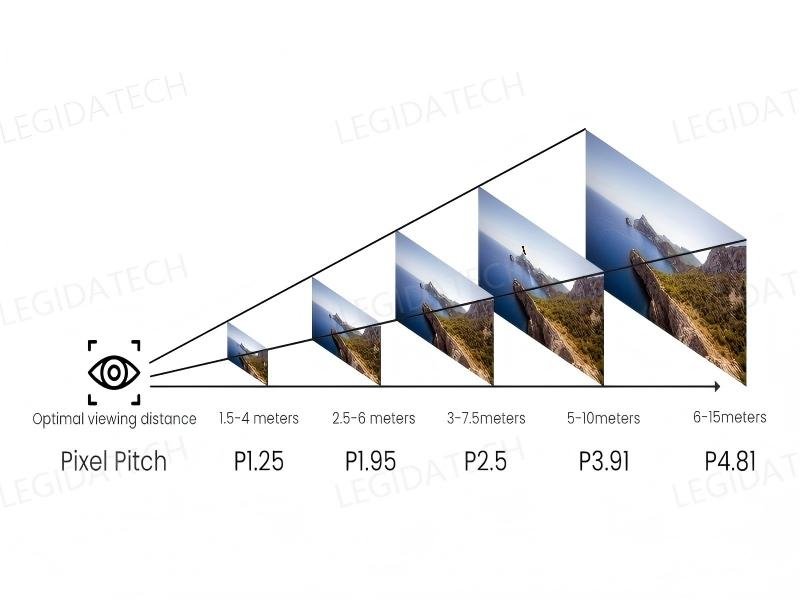
Buyers ask this question more than almost any other: how far should the audience be for P3.91 or P4.81 to look its best? There’s no single answer that fits every wall, but a few practical benchmarks hold up across most commercial settings.
For P3.91, the sweet spot starts at about 4 meters. At that range, the tighter pixel grid pays off—text stays sharp, graphics feel smooth, and fine details don’t dissolve into a blur.
Walk into a shopping mall or a retail pop-up, and you’ll see exactly what that means. Product logos, price tags, promotional messages—they all come across clearly, even when shoppers linger just a few steps away.
P4.81, on the other hand, hits its stride when viewers are 5 meters or more from the screen. Beyond that mark, the extra pixels on a denser panel become practically invisible to the human eye.
For roadside billboards, building exteriors, or transit shelters, that’s a game-changer. The image still looks vivid and professional, but without the cost premium of resolution, nobody will ever notice.
The real question isn’t just about numbers on a datasheet. It’s about how people will actually behave around the screen.
A display mounted high above a busy street gets a completely different type of attention than one placed at eye level inside a cramped store aisle. Distance changes everything—and that’s where the smart decision starts.
The Right Pixel Pitch Depends on Viewing Distance and Application Needs
So what does that mean in practice? Choosing between P3.91 and P4.81 isn’t a battle of specs—it’s a matter of matching the tool to the job.
If the screen will live in a close-range environment—say, inside a boutique, a trade show booth, or a hotel lobby where people stop and read—P3.91 is the clear choice. It handles dense content like text-heavy menus or high-res imagery with room to spare, and it keeps everything readable from the front row.
But if the installation sits in a wide-open space, like a highway-side sign or a stadium entrance, P4.81 delivers a nearly identical visual punch at a noticeably lower cost. The audience sees bold, vibrant colors and crisp shapes, while the budget stays intact for other priorities.
Start with the viewing distance. Then layer in the surroundings and the kind of content you’ll run most often. When those three pieces align, the right pixel pitch becomes obvious—and you won’t end up paying for resolution that your viewers will never even perceive. That’s not just good engineering. That’s good business.
Comparing Image Quality and Performance
How Pixel Pitch Affects Image Quality
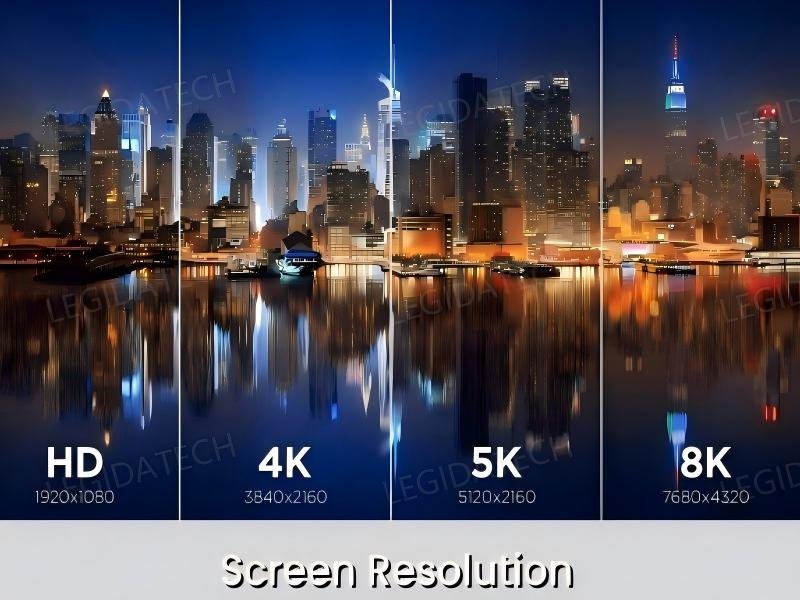
Pixel pitch determines how much detail a screen can actually show. P3.91 packs significantly more pixels into every square meter than P4.81 does—and that difference matters most when viewers are standing close.
Images look smoother. Text stays cleaner. Graphics feel more refined, without the jagged edges that give away a lower-resolution display.
This becomes especially obvious with content that demands precision. Think product ads with fine print, promotional posters with intricate backgrounds, or company logos that need to look flawless. On a P3.91 screen, small fonts remain readable from just a few meters away, and the edges of design elements feel natural rather than blocky.
But here’s the catch. As viewers move farther back, that advantage slowly fades. At ten meters or beyond, most people simply can’t tell the difference between the two pitches. What starts to matter more are brightness, content quality, and the sheer size of the display itself.
That’s why the highest resolution isn’t always the smartest choice. LED display manufacturers often point out that the real goal isn’t maxing out specs—it’s matching the pitch to where people will actually stand. When that alignment happens, the image looks great, and the budget stays intact.
Brightness and Display Performance
Brightness deserves its own attention—especially for screens that live outdoors.
A typical P4.81 panel pushes brightness levels between 5,000 and 6,000 nits. That kind of output cuts through direct sunlight without breaking a sweat. Whether mounted on a commercial building, a roadside billboard, or an outdoor shopping center, higher brightness keeps the message visible from morning until dusk.
P3.91, by comparison, usually delivers between 3,500 and 4,500 nits. That’s slightly more modest, but perfectly adequate for most indoor environments where lighting is controlled. In fact, going too bright indoors can backfire—a screen that’s overly intense inside a mall or exhibition hall can cause visual discomfort and wash out the content rather than improve it.
The takeaway? Brighter isn’t automatically better. The ideal brightness level matches the installation environment, not the highest number on a spec sheet. LED screen manufacturers consistently emphasize this point: a well-calibrated screen at the right brightness will always outperform a maxed-out panel in the wrong setting.
Common Mistakes When Choosing Pixel Pitch
First-time buyers often fall into the same trap: assuming that the smallest pixel pitch available will automatically deliver the best billboard. It’s an understandable instinct, but it’s also one of the most common missteps in the industry.
Another frequent error? Choosing a larger pitch just to save money upfront, without thinking about how close the audience will actually get. Yes, a lower-density screen costs less—but if viewers end up standing within a few meters, the loss of clarity can make ads look unpolished and reduce their impact.
Some buyers also dive deep into refresh rates, cabinet materials, and power consumption before ever establishing the viewing distance. Those specs matter, no question. But they shouldn’t be the starting point. Starting there is like picking a car by its paint color before checking if it fits in the garage.
Most experienced LED screen manufacturers recommend reversing that sequence. Evaluate the installation site first. Then the typical audience distance. Then, the kind of content that will run most often.
Finally, line up the budget. That order typically leads to a smarter balance between visual performance and overall project cost—and it helps avoid paying for resolution that nobody will ever see.
How to Choose the Right Pixel Pitch for Your LED Billboard
Indoor vs. Outdoor LED Billboard Applications
The installation environment often dictates which pixel pitch makes the most sense.
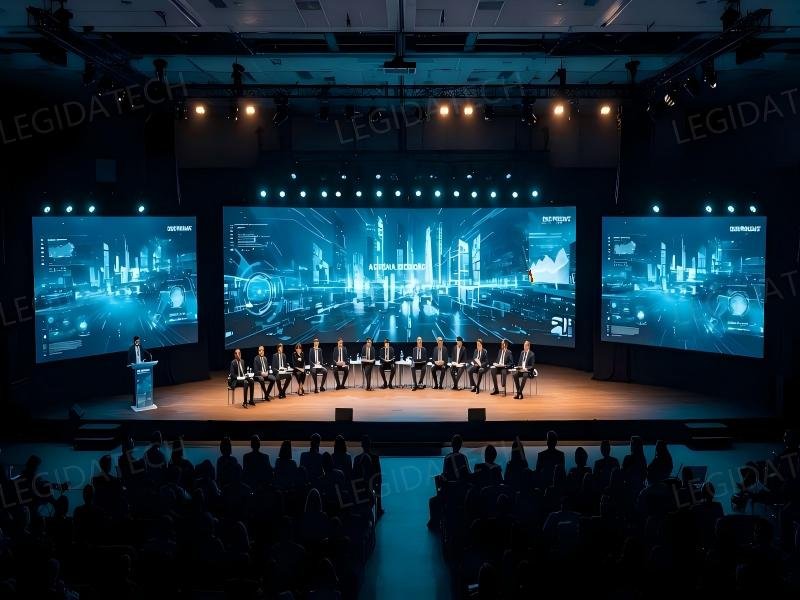
Indoor billboards—found in shopping malls, retail stores, airports, hotels, and exhibition halls—tend to be viewed from fairly short distances. These spaces usually feature detailed promotional content, and that’s where P3.91 shines. Its finer pixel structure delivers sharp images and crisp text that hold up even when shoppers walk right up to the screen.
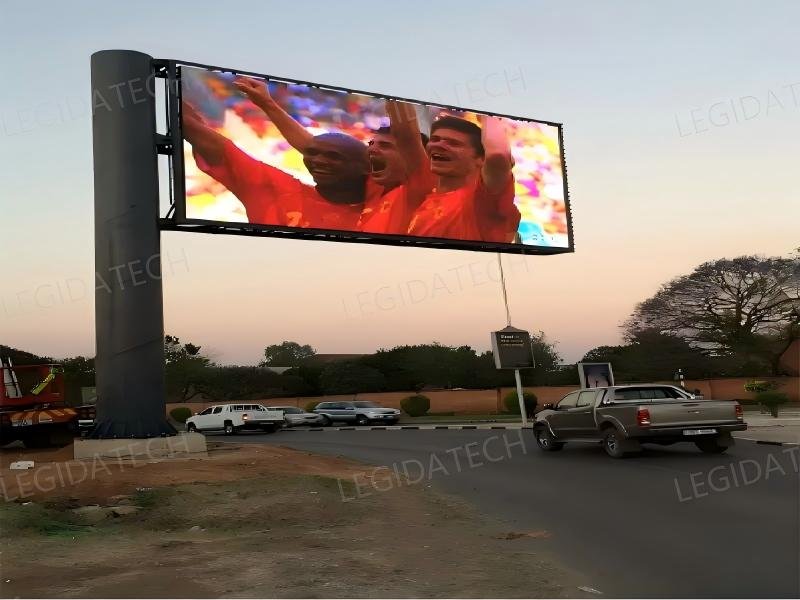
Outdoor LED billboards, by contrast, sit on commercial buildings, roadside structures, transit hubs, or public plazas. Viewers are typically much farther away, so the extra density of P3.91 becomes less noticeable. P4.81 steps in as a natural fit—it provides excellent visibility at a distance while keeping project costs more manageable.
Knowing where the display will live is just as critical as knowing its refresh rate or brightness. One informs the other.
What LED Screen Manufacturers Usually Recommend
Professional LED screen manufacturers rarely base their recommendations on resolution alone. They start with the bigger picture.
Typically, they consider the viewing distance, screen size, mounting height, content type, ambient lighting, and the overall budget. They also consider the LED control system, as this is crucial for image processing, screen management, and long-term system stability. By balancing these factors together, rather than focusing on a single spec, they are able to recommend a solution that balances image quality, performance, and long-term value.
For many commercial LED billboards, reliable control platforms such as NovaStar or Colorlight are commonly used because they support smooth playback, flexible screen configuration, and stable operation. The choice of control system depends on the project requirements, just as the choice of pixel pitch does.
Take a shopping mall display as an example. The finer detail of P3.91 often makes a real difference, especially when customers view advertisements from only a few meters away. For a large roadside billboard, however, P4.81 can deliver nearly identical visual performance at a noticeably lower cost while working seamlessly with the same professional control systems.
That’s why this application-first approach has become the industry standard. It helps buyers avoid overpaying for resolution they won’t use while ensuring the display, control system, and overall configuration work together to achieve the best possible performance.
Content Type Matters: How Text, Video, and Graphics Affect Pixel Pitch Selection
Choosing between P3.91 and P4.81 isn’t just about how far the audience stands. The content itself often sets the real rules. A static menu board with dense text and a fast-paced video wall have completely different needs—even at the same viewing distance.
Any serious procurement audit has to verify that the proposed pitch actually suits the client’s primary content; otherwise, critical information can become unreadable the moment the screen powers on.
The Legibility Threshold for Text and Fine Graphics
When small fonts, corporate logos, or detailed data charts are involved, pixel pitch must be tight enough to render character strokes clearly. Take a 10mm-tall Chinese character—it needs at least 5 to 7 vertical pixels to stay readable.
On a P4.81 panel, that same character gets only about 2 vertical pixels, which turns it into a blurry mess. On P3.91, it climbs to roughly 2.5 pixels—a slight improvement, but still short of professional standards for serious text work.
Industry practice offers a quick rule of thumb: maximum readable distance for text equals pixel pitch (in mm) multiplied by 1,500. For P3.91, that works out to about 5.86 meters.
For P4.81, it stretches to 7.21 meters. Beyond those distances, fine text becomes illegible, no matter how good the overall image looks. That’s why any P3.91 vs P4.81 viewing distance comparison for a lobby displaying stock tickers or wayfinding signs has to lean toward the smaller pitch—plain and simple.
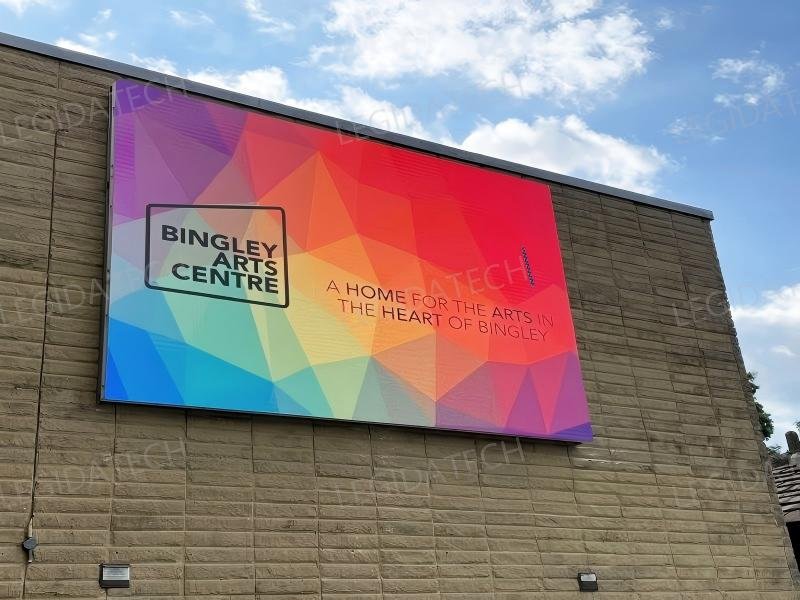
Motion Clarity and Refresh Rate Interaction
With video, the game changes. The key metric shifts from static sharpness to motion clarity. A wider pixel pitch, like P4.81, can show visible judder or tearing on fast-moving objects if the refresh rate isn’t high enough.
Both panels can be ordered with a 3840Hz refresh, but the larger pixel spacing on P4.81 means any motion blur covers more physical ground on the screen—making it far more obvious to the viewer.
For stage backdrops or broadcast studios where camera pans are routine, the optimal viewing distance for P3.91 and P4.81 panels pushes toward the denser option to keep moving images crisp. P4.81 works fine for static billboard ads, but in dynamic environments, it introduces a much higher risk of motion artifacts.
Content-Specific Recommendation Matrix
Based on standard B2B installation audits, here’s how the guidance breaks down:
High-Density Text & Data (e.g., control rooms, financial displays): P3.91 is non-negotiable. P4.81 simply won’t pass legibility tests at any distance under 10 meters.
Mixed Content (e.g., retail windows, lobby displays): P3.91 is recommended if viewers stand within 8 meters. P4.81 only becomes acceptable when text is large (headline-only), and video is the primary focus.
Full-Motion Video (e.g., concerts, events): P3.91 delivers a superior front-row experience (under 10 meters). P4.81 becomes viable for audiences beyond 12 meters, where motion artifacts are far less perceptible.
If an LED screen supplier claims a P4.81 is suitable for a 6-meter close viewing retail display showing product pricing, that claim deserves a hard challenge. Running the P3.91 vs. P4.81 pixel pitch viewing distance analysis alongside content type shows that P4.81 would render the pricing illegible—directly undermining the client’s return on investment.
[CTA: Submit your project dimensions to receive a free LED display layout design and quotation.]
Cost-Per-Pixel: The Real Total Cost of Ownership for P3.91 vs P4.81
Any serious B2B procurement decision needs more than a glance at the module price tag. The real question is the total cost of ownership—what the screen will actually cost over its entire working life.
Start with cost-per-pixel, and the numbers tell a clear story. P3.91 packs about 65,536 pixels into every square meter, while P4.81 holds roughly 43,264.
That’s a 51% difference in pixel count, which directly drives up the bill of materials for the LED array and the PCB grid underneath.
Upfront Investment and Installation
The raw module cost for P3.91 typically runs 30–50% higher per square meter than P4.81 from the same supplier. But that’s only part of the picture. Installation adds another layer.
A denser panel like P3.91 demands more precise cabinet alignment and pixel-by-pixel calibration to achieve uniform results, which means more labor hours on site.
P4.81, with its wider pitch, is far more forgiving of minor mechanical gaps, so setup moves faster. For a 50m² billboard, that labor difference can eat up 10–15% of the total project budget before the screen even turns on.
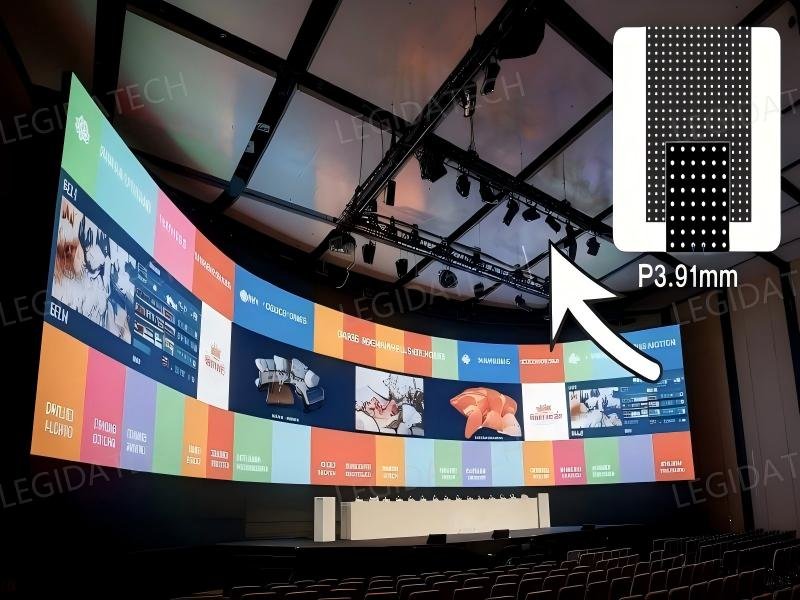
Energy Consumption and Power Supply
Energy costs sneak up on buyers who only look at the purchase price. This is especially true for screens that run around the clock. P3.91 draws more power per square meter to hit the same perceived brightness—it’s just physics.
With standard energy-saving ICs, a P3.91 panel at 1,200 nits might pull 250–300 W/m², while P4.81 sits comfortably at 180–220 W/m².
Over five years, that gap can push the cumulative energy bill for P3.91 up by 20–30%. For outdoor installations pushing 6,000 nits, the difference grows even starker. P4.81 runs its LEDs at a lower current density, which reduces heat and takes pressure off the power supply units—helping them last longer, too.
Maintenance and Spare Parts Logistics
The P3.91 vs P4.81 viewing distance comparison doesn’t end at installation; maintenance matters just as much. A single failed pixel on a P3.91 panel is far more noticeable at close range, which often means swapping modules more frequently to keep the display looking pristine.
Those replacement modules cost more, and keeping them in inventory ties up capital. P4.81, by contrast, is more forgiving—a dead pixel simply isn’t as visible at its typical viewing distance.
Over a five-year horizon, the logistics of stocking and swapping spare modules can add up in ways that aren’t obvious from the initial quote.
ROI and Application-Specific Justification
So, when does the higher upfront cost of P3.91 actually make sense? Only when the viewing distance demands it—specifically, when viewers are within 4.8 meters or closer.
For a close-viewing billboard in a mall or lobby, that extra pixel density isn’t optional; it’s what keeps text legible and images sharp. But for a screen where the audience sits 10 meters or more away, the human eye simply can’t resolve the difference between the two pitches.
In that case, P4.81 wins on ROI—hands down. The lower energy draw and reduced maintenance costs become the dominant financial factors, and the screen still looks every bit as good.
Any LED screen supplier audit should always request a detailed TCO projection based on the actual operating hours and ambient light conditions of the specific installation.
That’s the only way to know whether the extra resolution is a wise investment—or just a line item that drains the budget for no visible return.
[CTA: Submit your project dimensions to receive a free LED display layout design and quotation.]
Conclusion
Choosing between P3.91 and P4.81 for a close-viewing billboard isn’t just a spec-matching exercise—it’s a trade-off between how the eye perceives detail and how the budget holds up over time.
The P3.91 vs. P4.81 viewing distance analysis consistently points to one clear threshold: when the nearest viewer stands within 4 meters, P3.91 is the only safe bet; its tighter pitch merges pixels into a clean, continuous image.
Push the viewing distance beyond 10 meters, and P4.81 steps in as the smarter financial play—delivering virtually the same visual punch at a fraction of the long-term cost.
The application dictates the choice. For indoor retail lobbies, control rooms, or any space where text must stay crisp under 8 meters, P3.91 is non negotiable.
For outdoor billboards, stadiums, or large-format signage where the crowd sits consistently farther back, P4.81 handles the job with ease.
Its optimal range (roughly 9.6–14.4 meters) fits open environments; P3.91’s tighter window (7.8–11.7 meters) suits spaces with a fixed viewing zone. If the decision still feels unclear, feel free to reach out for a quote or a no-obligation site assessment.
Related Posts About P3.91 & P4.81
P3 vs P4 Outdoor LED Display ROI: Which Pixel Pitch Maximizes Profit for Street Retail?
P3.91 Outdoor LED Screen Factory Price: Complete Cost Guide 2026
P3.9 Outdoor LED Display Installation: UK Case Study
Outdoor P3.9 LED Display:What You Need to Know
A Comprehensive Introduction to P3.91 LED Screen-magic
About Stage Rental P3.9 LED Display
Outdoor P4.8 LED Screen in Nigeria:2 Units of 3x2m Magic Series
A Comprehensive Introduction to P4.81 LED Display
P4 Outdoor LED Screen Size Calculator for Shopping Mall Installations
FAQ: Real B2B LED Industry Queries Answered
Q: Which LED wall is better, P3 or P4?
A: The choice between P3 and P4 LED walls depends on viewing distance and application. P3 (3mm pixel pitch) offers higher resolution and is ideal for close viewing (≥3m), while P4 (4mm pitch) is more cost-effective for larger venues with viewing distances ≥5m. For premium indoor displays, P3.91 vs P4.81 viewing distance is a common comparison: P3.91 suits 4-10m, P4.81 suits 6-15m. LEGIDATECH recommends P3 for high-end retail and P4 for rental stages where budget and distance balance is key.
Q: What is the viewing distance for P3 LED?
A: The optimal viewing distance for P3 LED (3mm pixel pitch) is typically 3 to 8 meters, based on the rule of thumb: minimum distance = pixel pitch (mm) × 1000. For a 3mm pitch, this gives 3m. For critical applications like broadcast studios, we recommend 4-6m. When comparing P3.91 vs P4.81 viewing distance, P3.91 (3.91mm pitch) has a minimum of ~4m, making it suitable for medium-range indoor use. LEGIDATECH’s P3 panels deliver superior image quality at these distances.
Q: What is the meaning of a P3.91 LED screen?
A: P3.91 refers to a pixel pitch of 3.91 mm, meaning the distance between adjacent LED pixels is 3.91 mm. This pitch offers a balance between resolution and cost, commonly used in indoor rental and fixed installations. The minimum viewing distance is approximately 4m (pitch × 1000). In the context of P3.91 vs P4.81 viewing distance, P3.91 provides sharper images at closer range (4-10 m), while P4.81 is better for longer distances (6-15 m). LEGIDATECH’s P3.91 screens are engineered for high-end events requiring fine detail.