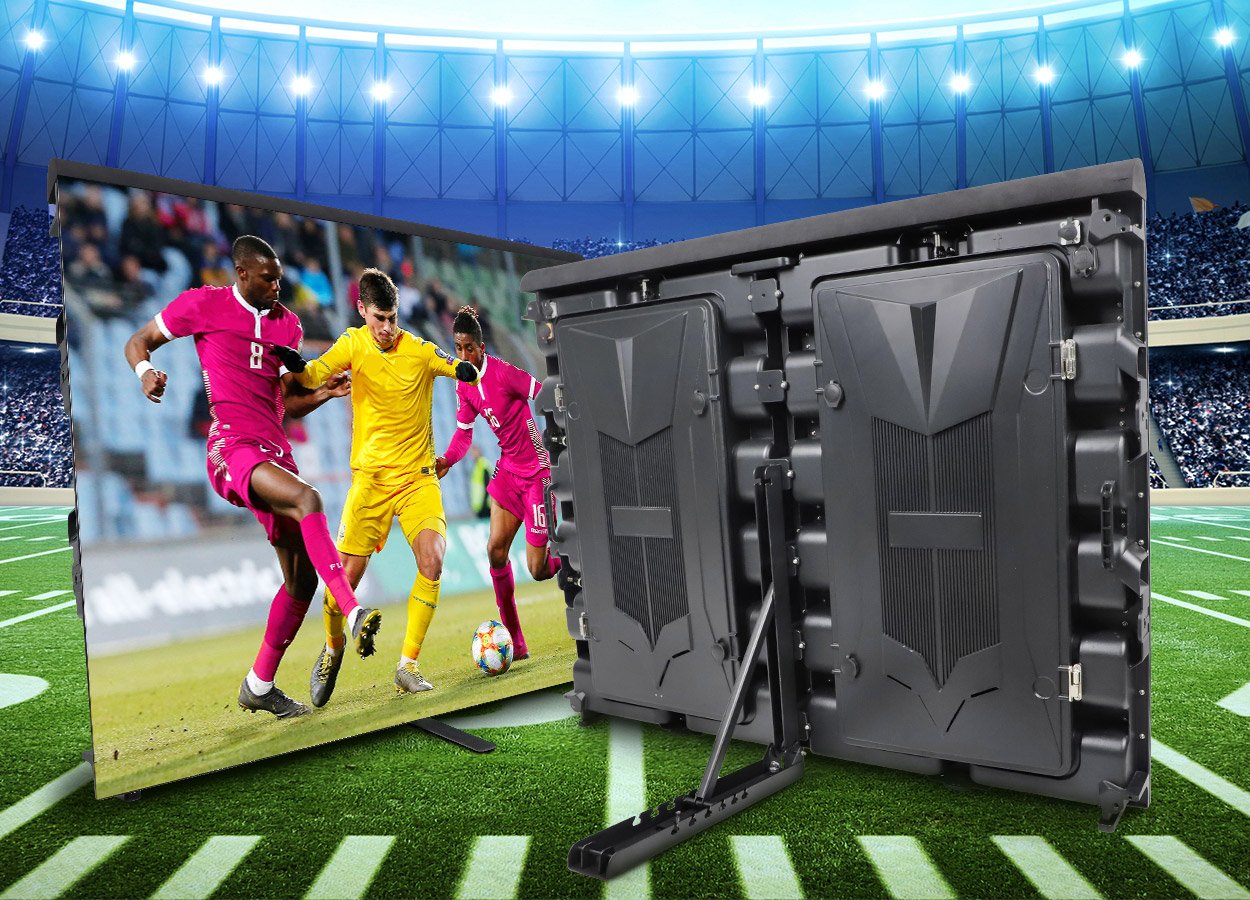
Stage design keeps pushing LED displays to do more: brighter, faster to rig, and shaped around the show. The stage rental LED display market has largely settled on one pitch as its workhorse — P3.91. P4.81 still earns its keep on large outdoor builds and tight budgets, but for most stages, P3.91 is now the default choice.
This quick guide condenses what a manufacturer knows into one page: what P3.91 actually means, the module and cabinet sizes, indoor vs outdoor versions, SMD vs GOB, the raw materials that decide quality, 2026 price ranges, and a 7-point checklist to use before you pay any supplier. If you are comparing products right now, bookmark the P3.91 LED display quick guide series and read this one first.
P3.91 rental LED display — factory footage
P3.91 at a glance:
| Pixel pitch | 3.91 mm — comfortable viewing from roughly 4 m (13 ft) onward |
| Module | 250 × 250 mm, 64 × 64 pixels |
| Cabinets | 500 × 500 mm (4 modules) or 500 × 1000 mm (8 modules) |
| Brightness | Indoor 800–1,200 nits · Outdoor 4,500+ nits, IP65 |
| Refresh rate | 1,920 / 3,840 / 7,680 Hz options |
| Typical use | Stage rental, concerts, churches, exhibitions, TV studios |
What Is a P3.91 LED Display?
P3.91 means the distance between the centers of two adjacent pixels on the LED display is 3.91 mm. That single number drives everything else: how sharp the picture looks, how close the audience can stand, and how much the wall costs per square meter.
The pitch also gives you a practical viewing-distance rule of thumb: the minimum comfortable viewing distance in meters roughly equals the pitch number — so a P3.91 screen starts looking clean at about 3.9 m (about 13 ft). Closer than that and you can pick out individual pixels; farther away, the image reads as continuous. For a stage show where the front row sits 5–10 m back, that is precisely the sweet spot.
P3.91 LED Module: Size and Resolution
The P3.91 LED module is the most important component of the video wall. The standard module measures 250 mm × 250 mm and carries a resolution of 64 × 64 pixels (4,096 pixels per module).
That 250 mm module is why rental walls size so conveniently: cabinets of 500 × 500 mm hold a 2 × 2 grid of modules, so any wall built from these cabinets grows in multiples of 0.5 m. A 4 × 3 m stage backdrop, a 6 × 4 m festival wall, a 10 × 5 m tour screen — all assemble from the same cabinet, just in different counts. If you want the underlying math, our guide on how to calculate LED screen resolution walks through it step by step.
The module of the LED display screen is as shown in the figure:

Inside the LEGIDATECH P3.91 Module: Factory Specs
Not all P3.91 modules are equal. Ours are built for rental duty:
- Nationstar 2121 lamp beads (black-face SMD) — true-to-life color and a wide viewing angle, the brand rental houses ask for by name.
- High-refresh driver IC — selectable 1,920 / 3,840 / 7,680 Hz, so the wall is camera-safe for broadcast and livestream work.
- 1.6 mm PCB, uniform across indoor and outdoor versions — flat walls, better heat dissipation, fewer dead-light failures over a tour season.


Indoor vs Outdoor P3.91 LED Screens
P3.91 walls come in two builds, and mixing them up is the most expensive mistake a first-time buyer makes:
| Factor | Indoor P3.91 | Outdoor P3.91 |
|---|---|---|
| Brightness | 800–1,200 nits | 4,500+ nits — readable in direct sun |
| Waterproofing | Not waterproof; indoor use only | IP65 front face; rain-safe |
| Typical build | Die-cast aluminum rental cabinet | Sealed cabinet, protected connectors |
| Best for | Churches, ballrooms, exhibitions, TV studios | Concerts, festivals, rallies, outdoor branding |
| Cost | More cost-effective — the budget-friendly option | Roughly 30–50% more per m² than indoor |
Indoor P3.91 is the cost-effective workhorse: in a controlled-lighting venue, 800–1,200 nits is plenty, and the price per square meter is markedly lower. Outdoor P3.91 exists because sunlight demands it — 4,500+ nits cuts through direct sun, and the IP65 front face means rain is a non-event. After an outdoor show in the rain, let the cabinet dry before it goes back into the flight case (more on that in the checklist below).
Outdoor P3.91 LED display undergoing waterproof testing
If your project is permanently installed outdoors rather than rented out, also compare our 1000 × 1000 mm outdoor LED display — fixed-install cabinets trade rental flexibility for lower cost per square meter.
SMD vs GOB P3.91: Which Process Should You Buy?
Production technology splits P3.91 into two families:
SMD P3.91 LED display
SMD (surface-mount device) is the standard process: an SMT line solders 2121-format LED lamp beads onto the 250 × 250 mm PCB. Yields are high, production is fast, and costs stay low — that is why most rental stock on the market is SMD. The trade-off is protection: the lamp legs are exposed, so rough handling, moisture, and impacts can knock beads loose. The video below shows what happens when an SMD module takes the kind of squeeze a busy rental season delivers.
SMD lamp beads can pop off the PCB under point pressure
GOB P3.91 LED display
GOB (glue-on-board) takes the finished SMD module and fills a transparent protective glue over the entire lamp surface. Once cured, the layer is hard enough to shield every bead from moisture, dust, and impact:

The glue layer is what lets a GOB wall survive rain, hums of stage humidity, and the occasional knocked-over truss case. You pay for it — GOB P3.91 runs meaningfully higher than SMD — but for rental fleets and touring shows, most operators consider it insurance that pays for itself in avoided module repairs.
| Factor | SMD P3.91 | GOB P3.91 |
|---|---|---|
| Lamp protection | Exposed beads | Encapsulated under hardened glue |
| Moisture / dust resistance | Basic | Strong — survives wet and dusty venues |
| Impact tolerance | Beads can pop off under pressure | Handles knocks and handling abuse |
| Price | Lower | Meaningfully higher |
| Best for | Fixed indoor installs, tight budgets | Rental fleets, touring, humid or rough venues |
Raw Materials That Decide P3.91 Quality
Three components determine how a P3.91 wall looks on day one and how it holds up in year three:
1. LED lamp beads. The beads set the viewing angle, color fidelity, and service life. Insist on recognized brands — Nationstar and Kinglight are the industry references — and for outdoor walls, specify high luminous intensity with a wide viewing angle so the picture stays honest from the extreme sides of the audience.
2. Driver IC. The driver IC switches every LED on and off, and it sets the refresh rate. Market-standard ICs drive P3.91 at 1,920 / 3,840 / 7,680 Hz. Higher refresh means no scanning bands on camera — non-negotiable if the wall will be filmed. Our LED display driver IC guide compares the common IC models in detail.
3. PCB. LEGIDATECH P3.91 walls — indoor and outdoor alike — use a uniform 1.6 mm PCB. Thickness sounds trivial until you chase dead pixels: a properly thick, flat board dissipates heat evenly and keeps the surface true when cabinets lock together.
Control Systems, Power and Video Processors
The wall is only half the system. LEGIDATECH ships P3.91 with whichever control system your team knows: Novastar, LINSN, or Colorlight — matching your operators’ habits avoids retraining on show day. New to controllers? Start with our video wall controller buying guide, or the deeper dive on everything you need to know about LED video wall controllers.
Power supplies are specified for your country’s voltage — a wide-voltage 110–240 V range with MEAN WELL, Juneng Weiye, and Chuanglian units in the supply chain. For signal switching between live cameras, playback servers, and presentation laptops, a video processor is configured with the rental: RGB, Novastar, or Weiao processors depending on the input mix your show runs.
Where P3.91 LED Screens Are Used
- Churches: an indoor P3.91 wall behind the pulpit adds a modern, immersive feel and doubles for lyrics and video — see our indoor LED wall options for fixed installs.
- Performance and production companies: outdoor P3.91 on truss or ground support, matching stage lighting and set design show after show.
- Schools, hotels, airports, and stations: indoor P3.91 for auditoriums, ballrooms, and information walls — indoor brightness is enough, and cost per square meter stays low.
- Rental businesses and event AV: P3.91 is the fleet standard — one cabinet size covers backdrops, side panels, and floor packages (our LED dance floors share the same 500 mm grid). If you are building a rental stock, read how to start an LED screen rental business first.
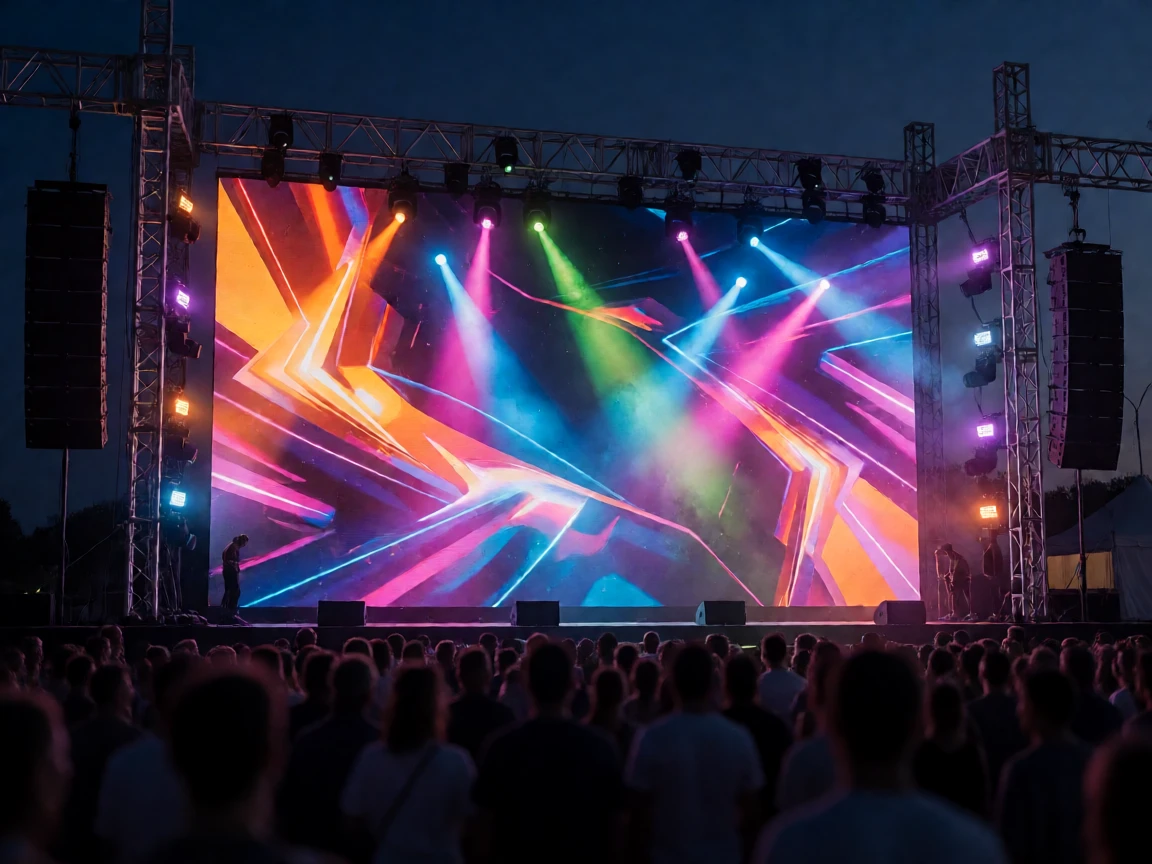
P3.91 LED Display Price: What to Expect in 2026
Direct from a China factory, P3.91 pricing typically lands in these ranges:
| Configuration | Typical factory-direct range (USD per m²) |
|---|---|
| Indoor SMD P3.91 rental cabinet | ≈ $600–1,000 |
| Indoor GOB P3.91 rental cabinet | ≈ $800–1,300 |
| Outdoor P3.91 rental cabinet (IP65) | ≈ $900–1,500 |
Five factors move the number: SMD vs GOB, indoor vs outdoor build, refresh rate (3,840 / 7,680 Hz add cost over 1,920 Hz), lamp brand, and order size — a 100 m² fleet order prices very differently from a 12 m² single wall, and bulk fixed-install projects land lower per m² than small rental lots. Controllers, flight cases, and spare-part kits are quoted on top. Treat any per-m² figure you see online as a starting point, not a quote — send your wall size, indoor/outdoor, and filming needs for an exact number:
Want exact P3.91 pricing? Send your wall size, indoor or outdoor, and whether the wall will be filmed — we reply with a factory-direct quote in one business day.
P3.91 Installation and Maintenance
LEGIDATECH builds P3.91 in two product forms: rental display walls and floor tile LED displays. Both share the same modular logic, which is what keeps installation fast.
Magnetic P3.91 module removal from the front of the cabinet
Front service vs rear service. P3.91 stage walls come in front-maintained and rear-maintained versions. Front-maintained cabinets use magnetic modules: a failed module pulls out from the front in about 3 seconds — no reaching behind the wall, no de-rigging — which is why rental fleets prefer it. The cost is a slightly higher cabinet price. Rear service saves money up front but needs access space behind the wall.
Two mounting modes: hanging from a rigging beam (standard for stage backdrops) or stacking on ground-support / fixed frames. Our AF500 500 × 500 mm rental LED display page shows the modern die-cast cabinet that handles both modes with an 8 kg per-cabinet lift — one person, two hands, no crane.
LEGIDATECH P3.91 Design Features
The details that matter on show day:
- Fast install, easy splicing — quick-lock cabinets align without shims.
- Magnetic front-service modules — high precision placement, 3-second swap.
- 90° right-angle builds — cabinets splice at true right angles for corner screens.
- Arc lock standard — the cabinet’s arc lock lets the same stock build curved walls, round columns, and creative stage shapes.
P3.91 right-angle LED display
P3.91 curved LED wall built from the same cabinet stock
Before any P3.91 order leaves our factory, every cabinet runs a 72-hour aging test — the screen burns in at full load so early-life failures surface here, not at your show:

P3.91 Production Details
A look inside the build and packing process:

P3.91 LED wall cabinet

P3.91 LED screen independent power box
How to install a P3.91 LED screen

Power supply for the P3.91 LED wall

P3.91 LED screens packed in a flight case
Buying Checklist: 7 Things to Confirm Before You Pay
Use this list with any supplier — us included:
- Lamp brand: Nationstar or Kinglight SMD 2121; no-name beads fade early and drift in color.
- Refresh rate: 1,920 Hz is fine for eyes-only walls; 3,840 Hz or higher if cameras will ever point at it.
- GOB or SMD: rental or humid venue → GOB; fixed indoor on a budget → SMD.
- Cabinet build: die-cast aluminum with arc lock (curve-ready), weight per cabinet, front or rear service.
- Spares kit: order spare modules, driver ICs, masks, and power supplies with the wall — a 2–3% spare ratio is standard practice.
- Control system match: Novastar, LINSN, or Colorlight — whichever your operators already run.
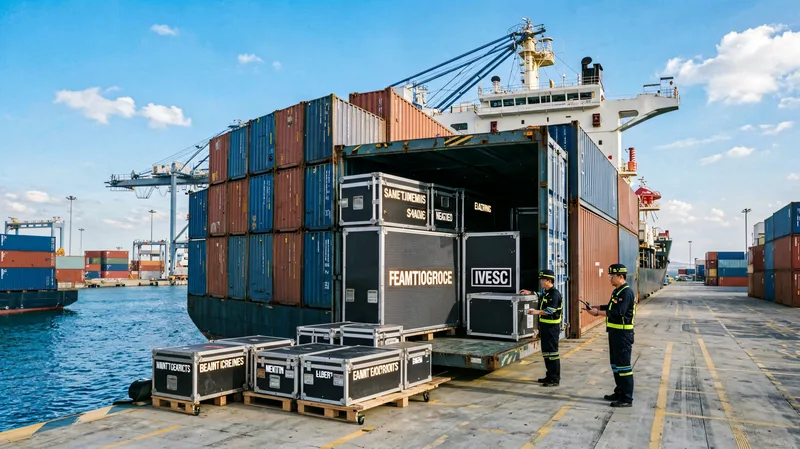
- Storage and transport: keep the warehouse dry and ventilated (desiccant + ventilation), and after any rainy outdoor show let cabinets dry fully before they go into the flight case — sealed cases trap moisture and kill boards.
Sending an RFQ? Attach this checklist to your inquiry — we quote against every line item, so nothing hides in the small print.
Frequently Asked Questions
What does P3.91 mean on an LED screen?
It is the pixel pitch: the distance between the centers of two adjacent pixels is 3.91 mm. Smaller pitch means a sharper image viewed from closer; larger pitch costs less per square meter and suits distant audiences.
What is the viewing distance for a P3.91 LED screen?
About 3.9 m (roughly 13 ft) is the minimum comfortable distance, following the rule that minimum distance in meters roughly equals the pitch in millimeters. From 4-5 m onward the image reads as continuous and clean.
How much does a P3.91 LED display cost?
Factory-direct, indoor SMD P3.91 rental cabinets typically run about $600-1,000 per square meter, GOB versions about $800-1,300, and outdoor IP65 builds about $900-1,500. Refresh rate, lamp brand, and order size move the final number, so request a quote with your exact wall size.
Is P3.91 good for outdoor use?
Yes – but only the outdoor build. Outdoor P3.91 runs at 4,500+ nits to beat sunlight and carries an IP65 front face for rain. The indoor version (800-1,200 nits, not waterproof) must never go outside.
Should I choose SMD or GOB P3.91?
For rental fleets, touring, and humid or rough venues, choose GOB – the glue layer protects the lamp beads and pays for itself in avoided repairs. For fixed indoor installations on a budget, SMD delivers the same picture for less.
What cabinet sizes does P3.91 use?
Standard rental cabinets are 500 x 500 mm (four 250 x 250 mm modules) and 500 x 1000 mm (eight modules). Walls therefore size in multiples of 0.5 m, and the same stock builds straight, curved, and right-angle configurations.
What refresh rate do I need for filming a P3.91 wall?
Use 3,840 Hz or higher for camera work – it eliminates the scan bands ordinary cameras pick up. 7,680 Hz is the broadcast-safe tier for close-up or slow-motion filming. Walls viewed only by eyes are fine at 1,920 Hz.
P2.97 vs P3.91 vs P4.81 – which pitch should I pick?
Pick by closest viewing distance: P2.97 for audiences nearer than about 3 m, P3.91 for 4-10 m (the stage-rental sweet spot), P4.81 for large outdoor builds viewed from 15 m or more where budget per square meter matters most.
Conclusion: Read the Specs, Then Ask the Checklist
P3.91 earned its place as the stage-rental standard for simple reasons: a 250 mm module that sizes walls in half-meter steps, brightness tiers for indoor and outdoor duty, and a cabinet ecosystem that builds straight, curved, and right-angle shows from the same stock. Choose indoor or outdoor first, then SMD or GOB, then the refresh rate your cameras demand — and the rest of the decision is supplier trust.
Whether it is an indoor or outdoor P3.91 LED wall, LEGIDATECH builds and ages-tests every cabinet in-house and ships worldwide. Hope this P3.91 LED display quick guide helps you buy exactly the screen your show needs.
One wall or a whole fleet? Tell us the size, pitch, and show type — factory-direct pricing and honest advice in one reply.