


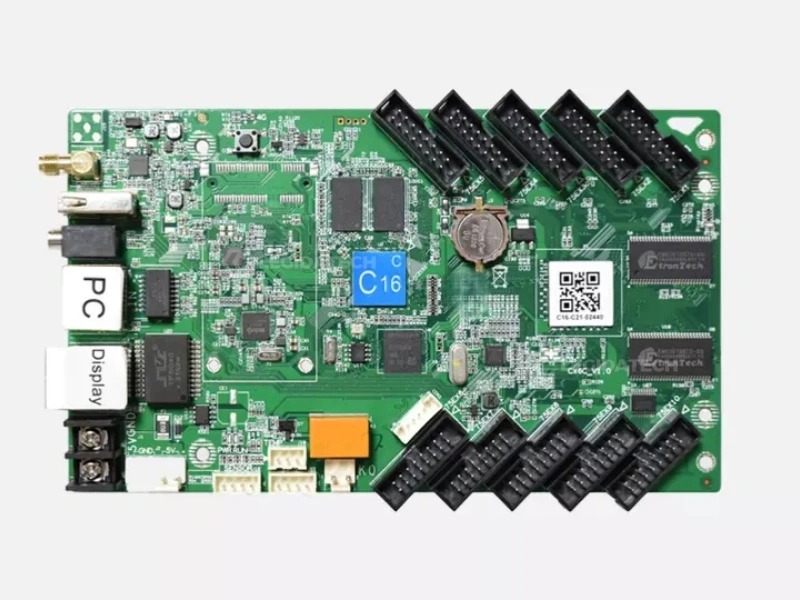
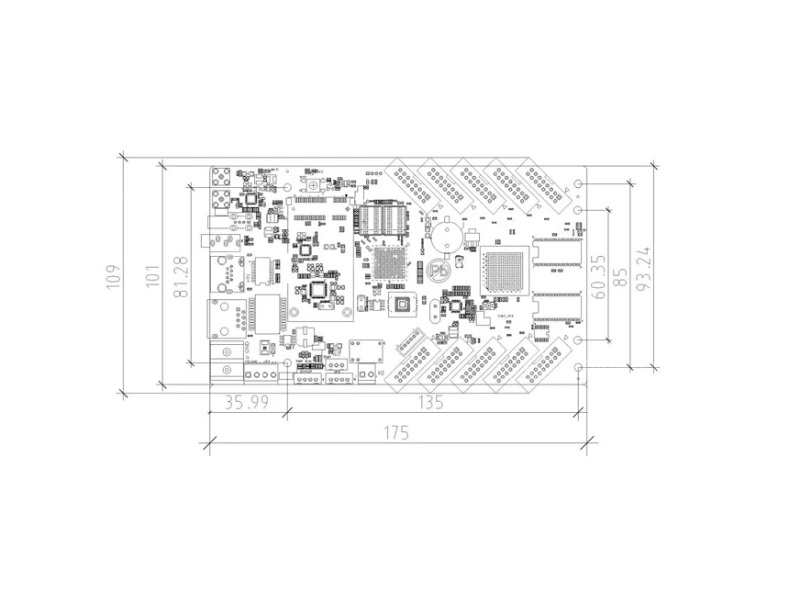
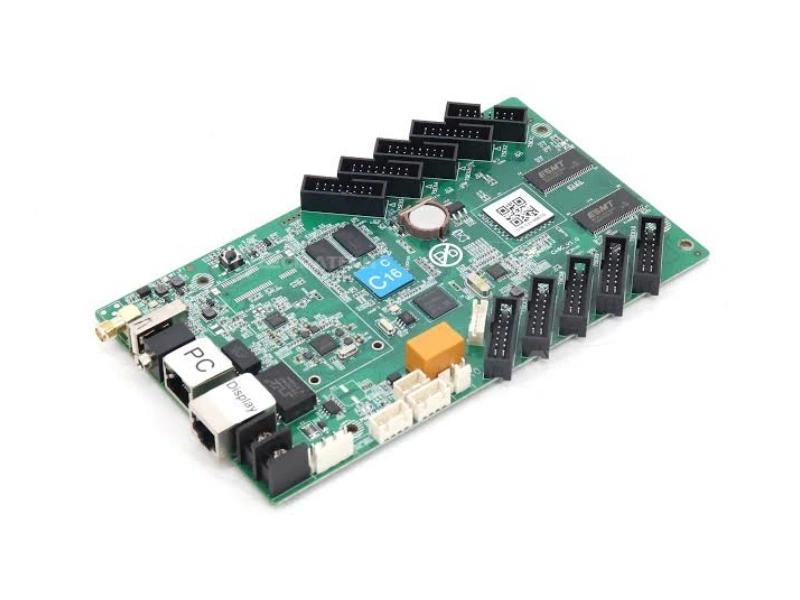
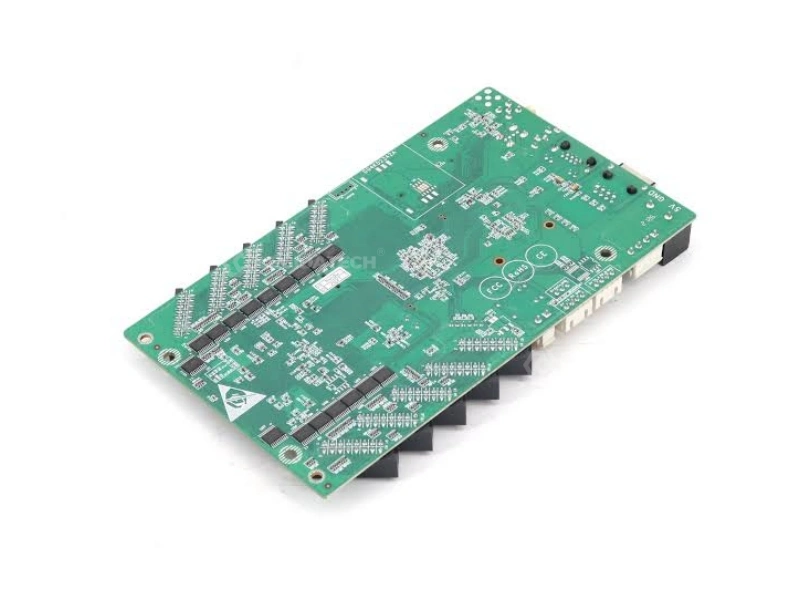
A Control Card, Not a Control Box — What Makes the HD-C16C Different
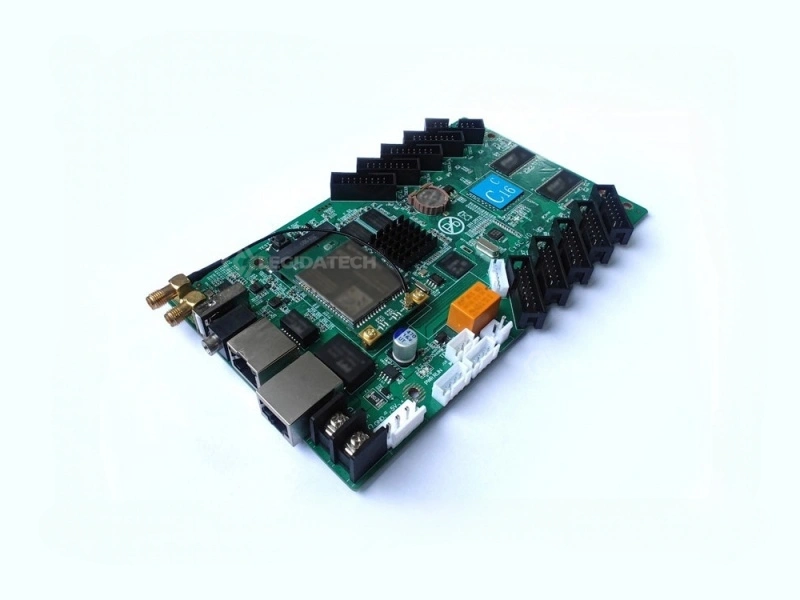
Most LED controllers come in a metal box. You mount them in an enclosure. You connect them to a receiving card. The receiving card connects to the LED modules. That is three devices — controller, receiving card, power supply — before a single pixel lights up.
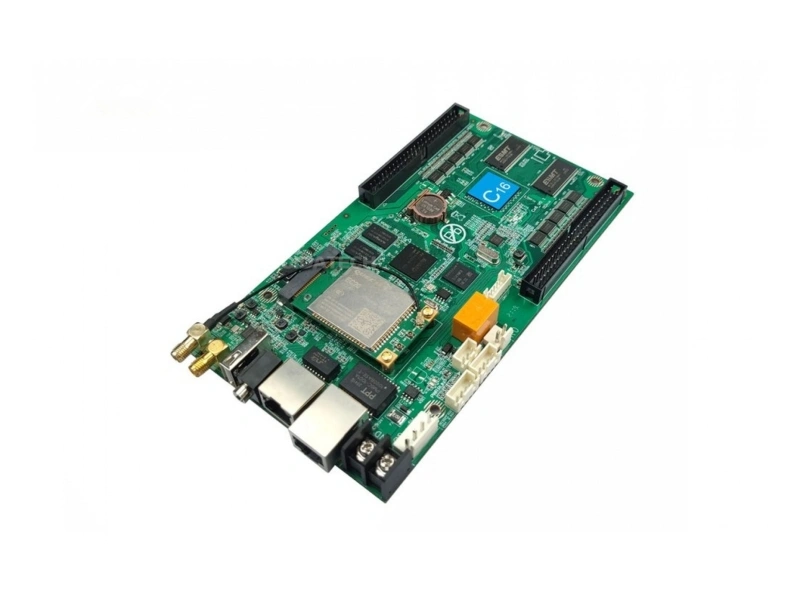
The Huidu HD-C16C Wi-Fi LED control card collapses that chain. It integrates the functions of a sending card, a receiving card, and a Wi-Fi communication module onto a single 0.12 kg circuit board with 10 built-in HUB75E output ports. For small-to-medium displays under 120,000 pixels, you connect the HD-C16C directly to the LED modules with standard HUB75E ribbon cables — no receiving card required. For larger screens, add Huidu R Series receiving cards and scale up. Either way, you eliminate at least one device from every installation.
As Huidu’s fourth-generation asynchronous Wi-Fi control card — the upgraded successor to the popular C15C — the HD-C16C combines 4GB onboard storage, 60Hz HD hardware video decoding, Wi-Fi + mobile APP control (“屏掌控”), cloud platform management, and a built-in relay for remote power control. At 8 watts peak consumption and 5V DC input, it can be powered by a standard USB power bank for portable deployments. Supplied by LED screen manufacturer LEGIDATECH with full warranty and 3-year technical support.
- Integrated sending + receiving card — one device instead of two
- 10× HUB75E ports — direct plug to LED modules, no receiving card needed
- 120,000 pixels (384×320), max width 8,192px
- 4GB storage + U-disk expansion
- Wi-Fi + APP + Cloud + LAN + USB — five control methods
- Built-in relay: remote power on/off for the entire display
- 8W power consumption, 5V DC input, 0.12 kg
One Card Replaces Two Devices — Here’s How
In a traditional LED setup, the control card sends data, the receiving card drives the modules. The HD-C16C does both — simplifying installation, reducing hardware cost, and shrinking the physical footprint by 60% or more.
3 devices + cables + power
Sending + Receiving
2 devices — 33% fewer components
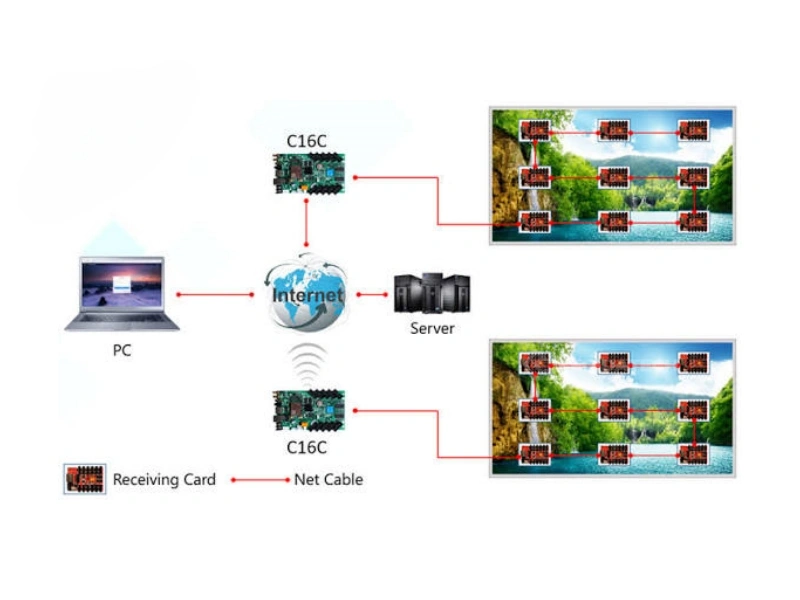
When to add a receiving card: If your display exceeds 120,000 pixels or requires more than 10 HUB75E connections, simply connect an R Series receiving card to the HD-C16C’s Gigabit output port. The card auto-detects the R Series hardware and functions as a pure sending card — same HD-C16C, now driving up to 655,360 pixels. This scalability is what makes the C16C unique in its price band: it can be the entire control system for a small screen, or the sending component for a larger one.
HD-C16C Technical Specifications
Fourth-generation asynchronous Wi-Fi control card. Upgraded from C15C with faster processor, more memory, and expanded HUB75E port count.
| Core Performance | |
|---|---|
| Maximum Pixels | 120,000 (384 × 320 typical) |
| Max Width / Height | 8,192 px / 512 px |
| Grayscale | 256 – 65,536 (adjustable) |
| Frame Rate | 60 Hz hardware video decoding |
| Scan Mode | Static to 1/64 scan — any scan mode |
| Module Compatibility | Indoor/outdoor full-color and mono/dual-color; virtual modules; standard + PWM driver ICs |
| Storage & Media | |
| Onboard Storage | 4 GB flash + USB expansion via U-disk |
| Video Formats | MP4, AVI, WMV, MKV, MOV, FLV, F4V, RMVB, 3GP, ASF, MPG, DAT, VOB, TRP, TS, WEBM |
| Other Media | Images (BMP/GIF/JPG/PNG), Office (DOC/DOCX/XLSX/PPT/PPTX), Text/HTML/RTF, Clocks |
| Unique Hardware Features | |
| HUB75E Ports | 10 × 2×8 PIN HUB75E — direct LED module connection, no receiving card needed |
| Integrated Functions | Sending card + receiving card + Wi-Fi module in one PCB |
| Relay Controller | 1 × relay — remote power on/off for the LED display |
| External Receiving Card | Optional R Series via Gigabit output — supports up to 655,360 pixels |
| Connectivity | |
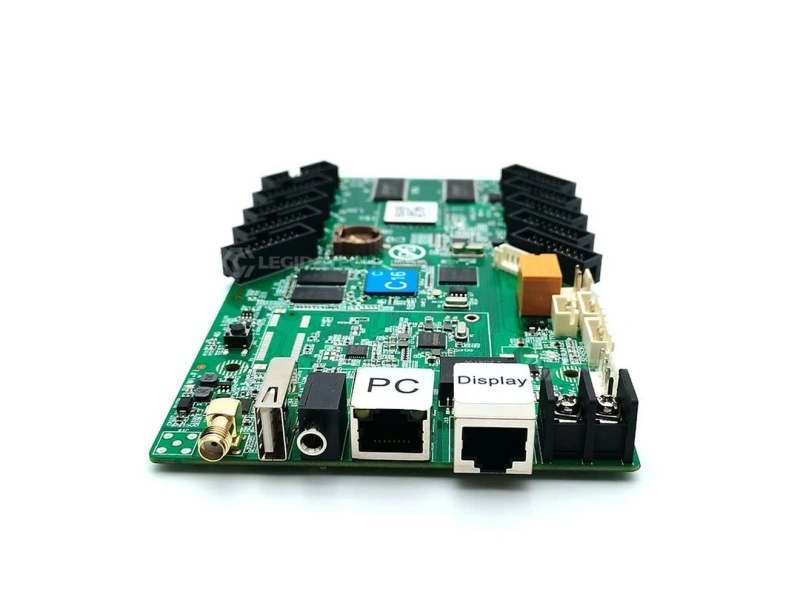
| Input | 1 × 100Mbps RJ45 (PC/network) + USB 2.0 |
| Output | 1 × 1Gbps RJ45 (to receiving card — optional) |
| Wi-Fi | Built-in 2.4GHz — APP “Screen Control” direct connection |
| 4G | Optional — SIM module slot + antenna port |
| Other Ports | GPS, temperature sensor, environmental sensor, audio 3.5mm stereo |
| Physical | |
| Weight | 0.12 kg |
| Power Input | 5V DC (dual input: screw terminal + anti-reverse connector) |
| Power Consumption | 8W maximum |
| Temperature / Humidity | -40°C to 80°C / 0-95% RH |
| Certifications | CE, FCC, RoHS |
C16C vs. C36C vs. A3: Which Huidu Controller for Your Project?
The C-series (C16C, C36C) are compact control CARDS with built-in HUB75E. The A-series (A3, A5) are standalone control BOXES requiring external receiving cards. This distinction determines which product fits your deployment.
| Feature | HD-C16C | HD-C36C | HD-A3 |
|---|---|---|---|
| Form Factor | Card (PCB) | Card (PCB) | Box (Enclosure) |
| Max Pixels | 120,000 | 262,144 | 655,360 |
| Built-in HUB75E | 10 ports — direct module connect | 10 ports | None |
| Receiving Card Needed | No (for displays <120K px) | No (for displays <262K px) | Yes — always |
| Storage | 4 GB + USB | 4 GB + USB | 8 GB + USB |
| Weight | 0.12 kg | 0.15 kg | 0.53 kg |
| Power | 5V DC / 8W | 5V DC / 10W | 12V DC / 18W |
| Relay Power Control | Built-in | No | No |
| Certifications | CE, FCC, RoHS | CE, FCC, RoHS | CCC, CE, FCC, RoHS, BIS |
| Best For | Small displays, direct-connect, lowest cost | Medium displays, direct-connect | Professional async, external cards |
Quick decision guide: If your display is under 120K pixels and you want the simplest possible installation → C16C. Under 262K pixels → C36C. Over 262K or need industrial enclosure → A3 or A5.
Five Design Decisions That Make the C16C the Smart Choice for Small Displays
Five Ways to Control — Pick What Works
Wi-Fi mobile APP (“Screen Control”) for on-site updates from your phone. Cloud platform for multi-screen management from anywhere. USB U-disk for offline content transfer. LAN cable for local network. 4G (optional) for cellular remote access. No other controller in this price band offers all five control channels simultaneously.
Built-in Relay — Remote Power On/Off
The C16C includes a relay control interface that can switch the entire LED display’s power supply on or off remotely — via APP, cloud, or schedule. Set the display to auto-power-off at midnight and auto-power-on at 6 AM. No external timer. No smart plug. No electrician visit. This feature alone can pay back the controller cost in energy savings within 12-18 months for a typical small outdoor display.
10 HUB75E Ports = 10 Direct Module Connections
Each HUB75E port drives one LED module directly via standard 2×8 PIN ribbon cable. For small displays (up to 10 modules), this means zero additional hardware beyond the C16C itself. For medium displays exceeding 10 modules, add an R Series receiving card to the Gigabit output and keep going. The flexibility to go direct-connect OR expand with receiving cards means you never pay for hardware you don’t need.
8 Watts. 5 Volts. 0.12 Kilograms.
The C16C runs on standard 5V DC — the same voltage as many LED modules. This means you can often power both the controller and the modules from a single 5V power supply, simplifying the electrical design. At 8W peak, it can be powered by a USB power bank for hours of portable operation — useful for trade show displays, pop-up events, and temporary installations where AC power is inconvenient or unavailable.
Grow Beyond 120K Pixels — Same Card, Just Add a Receiver
Start with a small direct-connect display today. When the client upgrades to a larger screen next year, the same C16C continues working — simply connect an R Series receiving card to the Gigabit output port. The controller auto-detects the external receiver and reconfigures itself as a sending card. No firmware change. No replacement. This upgrade path protects your initial hardware investment and makes the C16C the safest choice for phased deployments.
APP “Screen Control” — No Laptop Required On-Site
The Huidu “Screen Control” mobile APP (iOS/Android) connects to the C16C via built-in Wi-Fi. Edit text, switch programs, adjust brightness, check playback status — all from your phone. For routine content updates on small displays at restaurants, retail shops, and community centers, the staff member who opens the store in the morning can update the LED display from their phone in under 60 seconds. No PC. No IT skills. No service call.
Six Places Where a Compact Control Card Beats a Full-Size Control Box
The HD-C16C is purpose-built for small-to-medium LED displays where installation simplicity, low power consumption, and direct module connection matter more than raw pixel capacity.
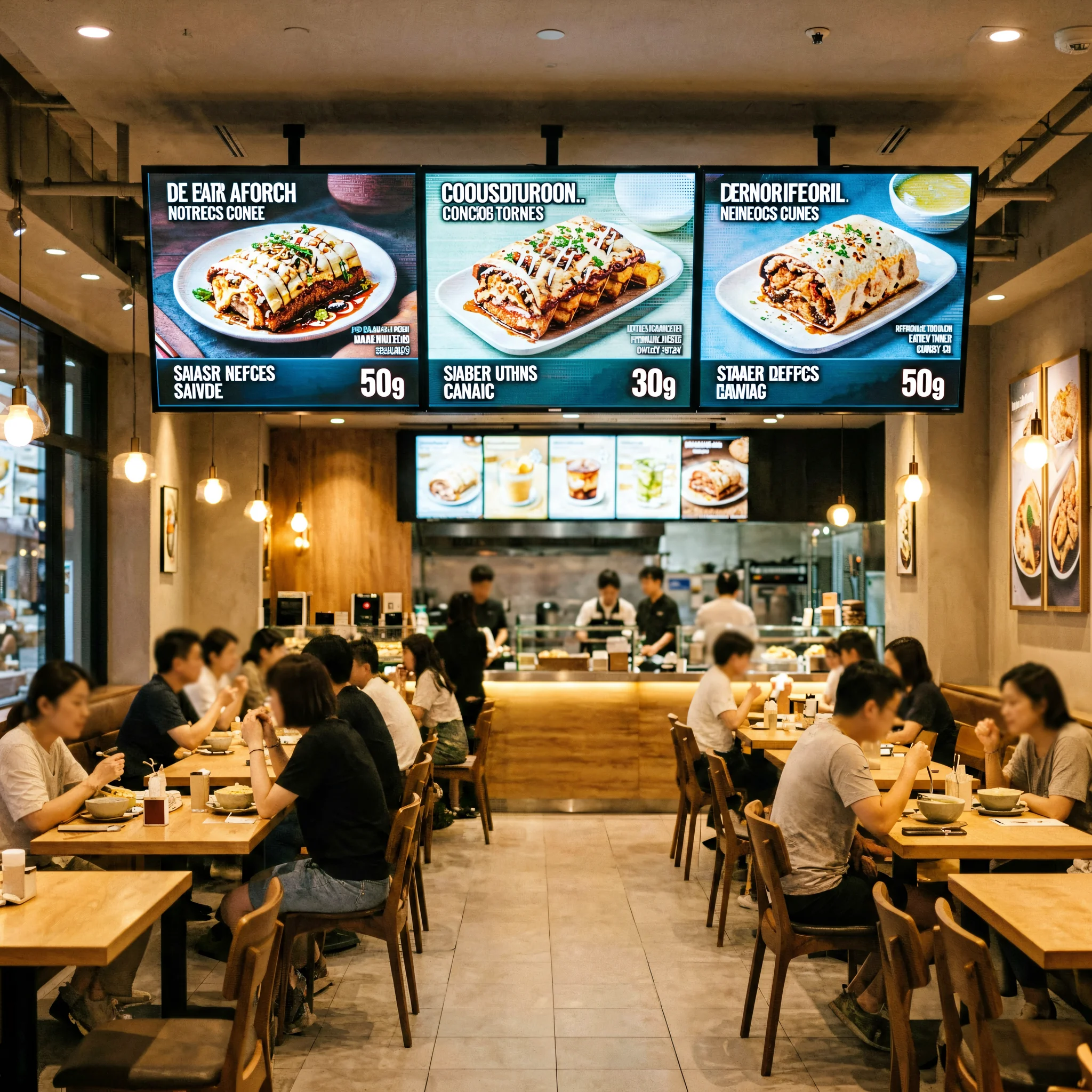
Retail Shop Window & Shopping Center Displays
Small storefront LED signs looping daily promotions. The C16C mounts directly behind the display with no separate enclosure or receiving card. Staff update content weekly via mobile APP. 8W power enables 24/7 operation at minimal cost. Ideal for boutique windows, shopping center directories, and pop-up retail.
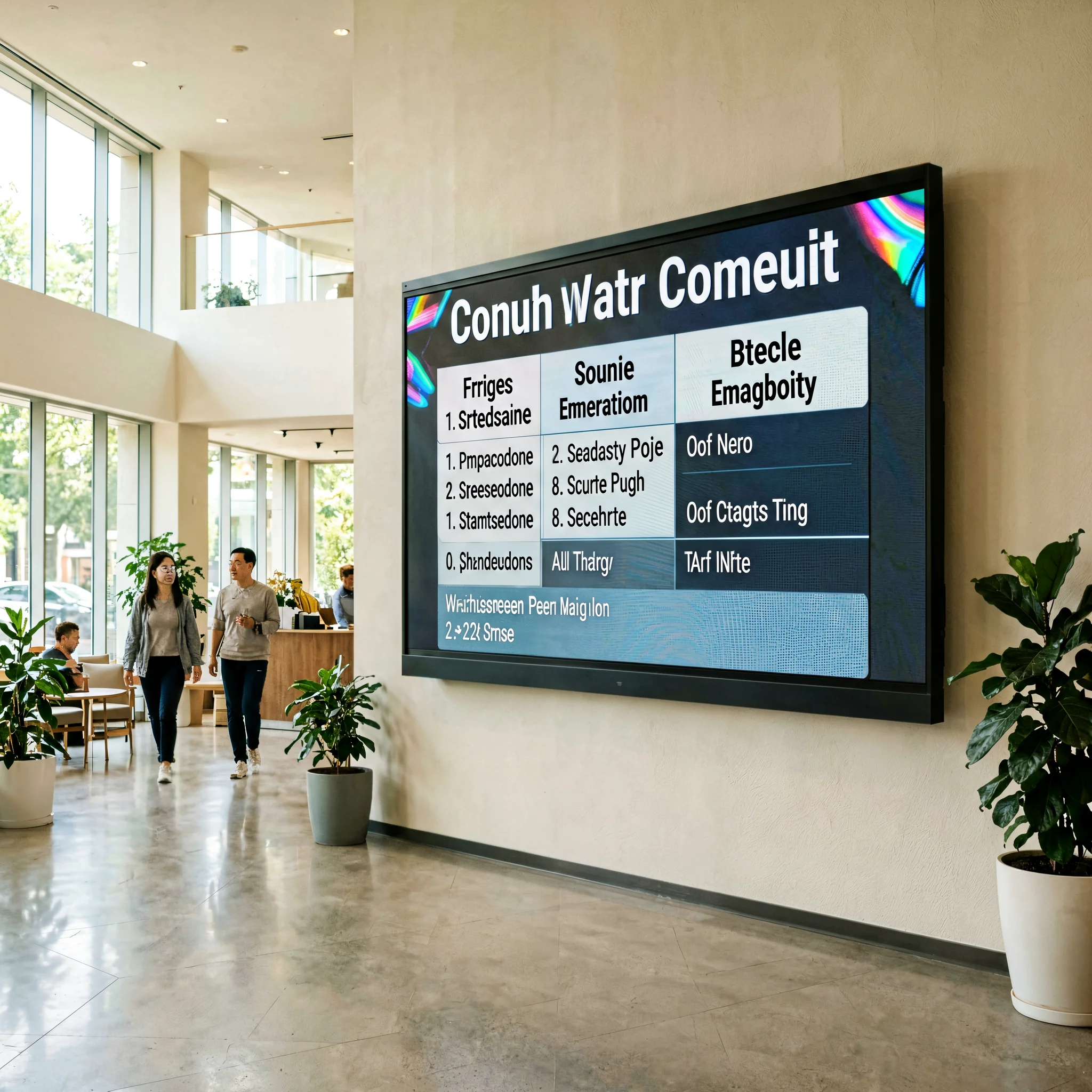
Restaurant Menu Boards & Indoor Digital Signage
Counter menu displays switching between breakfast, lunch, and dinner. Gym class schedule boards. Community notice screens. Updates via phone APP in seconds. Built-in relay auto-powers-off after hours. Fanless and silent for customer-facing indoor environments.
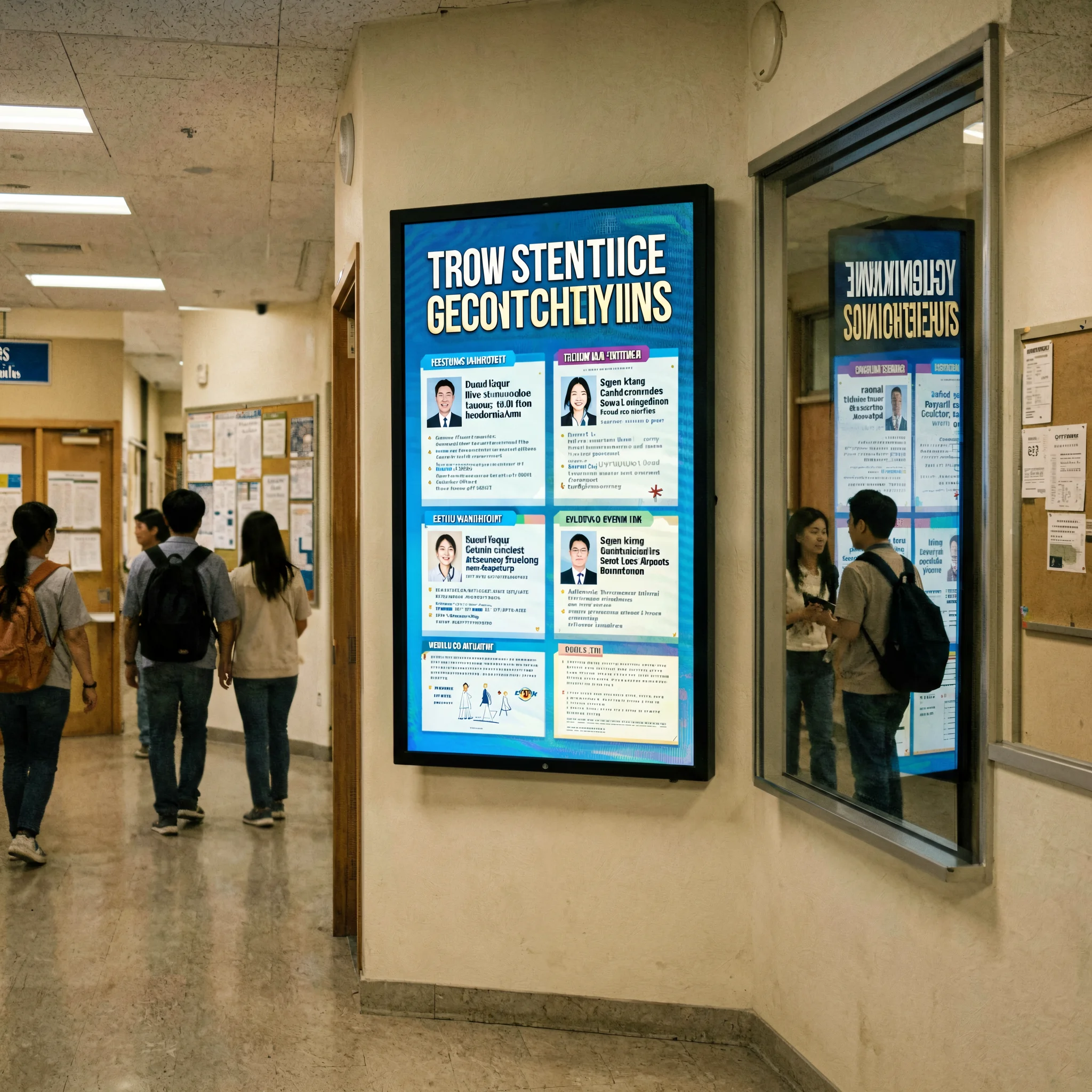
Outdoor Digital Signs & Parking Entrance Displays
Outdoor displays at parking entrances, drive-through lanes, and building access points. C16C relay controls display power on a schedule. 5V DC supports solar+battery configurations. -40°C to 80°C industrial rating for year-round outdoor reliability.
Setting Up the HD-C16C: No Receiving Card, No Problem
Direct-connect configuration and Wi-Fi setup in three steps. If you are adding external receiving cards, skip to step 3. For the complete HDPlayer tutorial, see our software download center.
Connect the Modules — Direct to HUB75E
Plug your LED modules directly into the C16C’s 10 HUB75E ports using standard 2×8 PIN ribbon cables. No receiving card needed. Connect the Wi-Fi antenna. If using 4G, insert the SIM card into the module slot. Connect 5V DC power to either the screw terminal or the anti-reverse connector. The PWR LED illuminates solid green, RUN LED flashes green — the card is live.
Configure via HDPlayer or Mobile APP
Option A — PC: Install HDPlayer, connect via LAN cable. Enter your module parameters — pixel pitch, scan mode, module resolution. The C16C auto-identifies by hardware ID. Option B — Phone: Open “Screen Control” APP, connect to the C16C’s Wi-Fi hotspot, enter module parameters directly on the phone. Both methods achieve the same result.
Upload Content & Manage Remotely
Create programs in HDPlayer (video, images, text, clocks, Office docs) or select from your phone gallery. Upload via Wi-Fi, cloud, LAN, or USB U-disk. Set a playback schedule. Configure the relay timer for auto power on/off. Once uploaded, the C16C runs independently — the PC or phone can disconnect. Update content from anywhere via cloud or 4G at any time.
Why Source Your C16C Cards from LEGIDATECH?
Authorized Distributor — Every Card Serial-Verified
LEGIDATECH is an authorized Huidu Technology volume distributor. Every HD-C16C ships with original Huidu serial number verification and compliance documentation. Factory-direct B2B pricing for single evaluation units through bulk orders. No gray market. No clones. No warranty uncertainty.
Pre-Tested: Firmware, Wi-Fi, HUB75E, Relay — Verified Per Unit
Before shipping, each C16C is powered up, firmware-updated, Wi-Fi tested with the mobile APP, HUB75E ports verified with a reference LED module, relay function checked, and run through a 24-hour burn-in. You receive a deployment-ready card — not a box that requires hours of bench debugging to confirm basic functionality.
Worldwide Express Delivery + 3-Year Engineering Support
DHL/FedEx/UPS to 60+ countries — typical delivery 3-7 business days. 3-year English-language technical support from engineers who work with Huidu C-series cards daily. Need help configuring a non-standard scan mode or setting up the relay schedule? We assist via WhatsApp, email, or TeamViewer remote session.
HD-C16C Wi-Fi Control Card — Frequently Asked Questions
Q1: What makes the HD-C16C different from the HD-A3?
The fundamental difference is form factor and architecture. The C16C is a compact PCB control card (0.12 kg, 5V DC) with 10 built-in HUB75E ports that connect directly to LED modules — no receiving card required for displays under 120,000 pixels. The A3 is a metal-enclosed control box (0.53 kg, 12V DC) that always requires an external receiving card. Think of the C16C as a combined sending + receiving card on a single board. The A3 controls more pixels (655K vs 120K) but needs additional hardware to do so. For small-to-medium displays, the C16C is simpler, cheaper, and faster to install.
Q2: Do I really not need a receiving card with the C16C?
Correct — if your display uses 10 or fewer LED modules and stays within 120,000 total pixels. The C16C’s 10 HUB75E ports connect directly to standard LED modules via 2×8 PIN ribbon cables. Each port drives one module. If your display exceeds 10 modules or 120,000 pixels, connect an R Series receiving card to the C16C’s Gigabit output port and the card functions as a sending controller — now driving up to 655,360 pixels through the receiver. This dual-mode capability (direct-connect OR external receiver) is unique to the C-series at this price point.
Q3: How do I control the C16C from my phone?
Download the Huidu “Screen Control” (“屏掌控”) APP from the iOS App Store or Google Play. The C16C’s built-in Wi-Fi creates a local hotspot. Connect your phone to it, open the APP, and you can edit text, switch programs, adjust brightness, check status, and perform basic configuration — all without a PC. For advanced program editing (multi-layer, Office documents, complex scheduling), use HDPlayer on a Windows PC connected via LAN or the same Wi-Fi network.
Q4: What does the built-in relay do?
The relay is a remotely-controllable switch that can turn the LED display’s main power supply on or off. You program it in HDPlayer or the APP: for example, auto-power-on at 7 AM and auto-power-off at 11 PM daily. This saves electricity during hours when the display serves no audience, reduces component wear, and eliminates the need for a separate timer switch or smart plug. The relay can also be triggered manually via APP — useful for remotely rebooting a frozen display without sending a technician on-site.
Q5: Can I power the C16C with a USB power bank?
Yes — with the right adapter cable. The C16C accepts 5V DC input, which is the same voltage as USB. At 8W peak consumption, a standard 20,000 mAh USB power bank can theoretically run the controller (and a small LED display) for several hours. This makes the C16C uniquely suitable for portable and temporary deployments — trade show booths, pop-up retail displays, outdoor event signage — where AC power is unavailable or inconvenient. For permanent installations, use a quality 5V DC power supply.
Q6: How does the C16C compare to the C36C?
Both are C-series Wi-Fi control cards with 10 HUB75E ports. The C36C supports 262,144 pixels (2.2× the C16C’s 120,000) and consumes 10W (vs 8W). The C16C includes a relay controller; the C36C does not. For displays under 120K pixels — the vast majority of small retail, restaurant, community, and parking signage — the C16C is the value-maximizing choice. If your pixel count is between 120K and 262K, step up to the C36C.
Q7: Is the C16C suitable for outdoor use?
Yes, with proper enclosure. The C16C carries the same -40°C to 80°C temperature rating as the A-series controllers. For outdoor installations, house the card in a weatherproof IP65+ electrical enclosure. The card’s conformally-coated PCB provides environmental resistance, but the bare board design means it must be protected from direct rain, dust, and condensation — unlike the A-series which has a metal enclosure providing a first layer of defense. CE, FCC, and RoHS certifications confirm compliance for global outdoor deployment.
Q8: Can I manage multiple C16C cards across different locations?
Yes. Huidu’s cloud platform supports centralized management of unlimited C16C units across any number of locations. From one web dashboard, push content updates, monitor online/offline status, check playback, and schedule programs for individual cards or groups. Basic cloud management is free. The C16C connects to the cloud via Wi-Fi, LAN, or optional 4G module — choose the connectivity that fits each location.
Q9: What kind of LED modules are compatible?
The C16C is compatible with indoor and outdoor full-color LED modules, as well as mono-color and dual-color modules. It supports standard driver ICs and mainstream PWM driver ICs, virtual modules, and any scan mode from static to 1/64 scan. The HUB75E ports use the industry-standard 2×8 PIN interface — compatible with the vast majority of LED modules on the market. If your modules use a different interface, connect via an R Series receiving card instead of the direct HUB75E ports.
Q10: Where can I buy genuine HD-C16C cards with warranty?
LEGIDATECH is an authorized Huidu distributor supplying genuine HD-C16C cards with full manufacturer warranty, serial number verification, and compliance documentation. Every card is firmware-updated, Wi-Fi-tested, HUB75E-verified, and relay-checked before shipping. 3-year English-language technical support. Worldwide DHL/FedEx/UPS delivery. To request a quotation or order evaluation units, contact our LED screen manufacturer sales team.
Ready to Simplify Your Small LED Display Deployments?
Every HD-C16C ships firmware-updated, Wi-Fi-tested, and HUB75E-verified. Backed by 3-year support. Worldwide delivery.
Authorized Huidu distributor
Wi-Fi + HUB75E verified
WhatsApp + Email + Remote
Control Card vs. Control Box: Why Small LED Displays Are Better Served by Integrated Wi-Fi Cards
In This Guide
- The Over-Engineering Problem: Why Most Small Displays Have More Controller Than They Need
- Integrated vs. Separated: The Hardware Count Difference
- The C16C Architecture: What “Sending + Receiving on One Board” Actually Means
- Installation Time Comparison: Card vs. Box in the Field
- The Relay Advantage: Remote Power Control Without Additional Hardware
- When to Step Up: C16C → C36C → A3 Decision Framework
- The Bottom Line: Who Should Standardize on the C16C
1. The Over-Engineering Problem: Why Most Small Displays Have More Controller Than They Need
Walk down any commercial street and count the small LED displays: a 640×192 price board outside a gas station. A 384×256 menu display above a fast-food counter. A 512×128 welcome sign at a parking entrance. These displays share two characteristics: they are small (well under 100,000 pixels), and — if you opened their electrical enclosures — you would likely find a metal-box controller connected to a separate receiving card connected to a power supply, with a tangle of cables in between.
This is over-engineering. A traditional control box + receiving card setup is designed to drive displays of 500,000 pixels or more. Using it for a 50,000-pixel display is like using a server-grade power supply to charge a smartphone — it works, but you are paying for capacity you will never use, in a form factor that complicates installation, consumes unnecessary power, and occupies space that small-display enclosures simply do not have.
The Huidu HD-C16C Wi-Fi LED control card was designed specifically for this overlooked majority of the market. By integrating the sending card, receiving card, and Wi-Fi module onto a single 0.12 kg PCB with direct HUB75E output, it eliminates the unnecessary hardware that traditional controller architectures impose on small displays. The result: simpler installation, lower BOM cost, smaller enclosure, and lower power consumption — without sacrificing any essential playback capability.
2. Integrated vs. Separated: The Hardware Count Difference
Let us count the devices in a typical small LED display installation using both approaches, driving a 384×256 full-color display (98,304 pixels — well within the C16C’s 120K limit):
Traditional approach (control box): 1× control box (e.g., A3), 1× receiving card, 1× 12V power supply for the controller, 1× 5V power supply for the modules, RJ45 cables, HUB75E ribbon cables, Wi-Fi antenna, mounting brackets. Total devices in the signal chain: 4 (controller, receiver, 2 power supplies) plus cables.
C16C approach (integrated card): 1× C16C card, 1× 5V power supply (shared — powers both the card and the modules), HUB75E ribbon cables, Wi-Fi antenna. Total devices in the signal chain: 2 (card, 1 power supply) plus cables. That is a 50% reduction in active components. Each eliminated device removes a potential point of failure, reduces installation labor (fewer connections to make and test), and shrinks the required enclosure volume — particularly valuable for small displays where every cubic centimeter matters.
3. The C16C Architecture: What “Sending + Receiving on One Board” Actually Means
The C16C achieves its integration through a unified FPGA architecture that handles both the content management functions of a sending card (program storage, decoding, scheduling, network communication) and the display driving functions of a receiving card (scan control, grayscale processing, module communication via HUB75E). On a traditional two-device setup, these functions are handled by separate processors on separate boards communicating over a Gigabit Ethernet link. The C16C collapses them onto a single processor with a shared memory bus.
The 10 HUB75E ports are not an afterthought — they are the primary output interface. Each port uses the industry-standard 2×8 PIN layout and communicates directly with the LED module’s driver ICs. For displays requiring more than 10 modules or exceeding 120,000 pixels, the Gigabit output port activates and the C16C reconfigures its FPGA to function as a pure sending card — offloading display driving to external R Series receiving cards. This architecture gives integrators a straightforward decision: under 120K pixels and 10 modules = direct connect. Over either limit = add a receiving card. Same controller either way.
4. Installation Time Comparison: Card vs. Box in the Field
Based on feedback from system integrators who have deployed both architectures, here is the real-world installation time difference for a typical small display (6 modules, 384×192 pixels):
Control box approach: Mount the control box in the enclosure (4 screws). Mount the receiving card (2-4 screws or standoffs). Connect 12V power to the control box. Connect 5V power to the receiving card. Connect RJ45 from control box to receiving card. Connect HUB75E ribbon cables from receiving card to each of the 6 modules. Configure HDPlayer — set control box IP, receiving card parameters, module scan mode. Typical time: 45-75 minutes for an experienced installer.
C16C card approach: Mount the C16C card on standoffs (2-4 screws). Connect 5V power — shared with the modules. Connect HUB75E ribbon cables directly from the C16C to each of the 6 modules. Configure HDPlayer — the C16C auto-identifies; enter module parameters. Typical time: 20-30 minutes.
The difference is not just hardware count — it is the elimination of the network configuration step between controller and receiver, the reduction in power cabling (one voltage rail instead of two), and the simpler physical mounting (one card vs. box + card). Over a deployment of 20 small displays, the C16C approach saves approximately 15-20 hours of installation labor.
5. The Relay Advantage: Remote Power Control Without Additional Hardware
One of the C16C’s most practical features is the built-in relay controller — a feature absent from most controllers in this price band, including the more expensive A3. The relay switches the LED display’s main AC power supply on or off based on a schedule you program in HDPlayer or the mobile APP. Why does this matter?
A typical small outdoor LED display consuming 200W that runs 24/7 costs approximately $210 per year in electricity (at $0.12/kWh). If the display only needs to operate from 7 AM to 10 PM (15 hours), the nightly 9-hour shutdown saves $79 per year — a 38% reduction. The C16C’s relay achieves this automatically, with no external timer, no smart plug, no electrician-installed contactor. Over a 5-year deployment, the electricity savings alone can exceed the cost of the controller. This is the kind of practical, ROI-focused engineering that distinguishes purpose-built control cards from repurposed general-purpose controllers.
6. When to Step Up: C16C → C36C → A3 Decision Framework
The Huidu product line is designed as a ladder. Each step adds capacity and features for progressively larger or more demanding deployments. Here is the decision framework in one paragraph:
If your display is under 120,000 pixels and you want the simplest possible installation → C16C. Direct HUB75E connect, built-in relay, 5V power. If your display is between 120K and 262K pixels and you still want direct-connect simplicity → C36C. Same form factor, 2.2× the pixels, 10 HUB75E ports, but no relay. If your display is over 262K pixels or you need an industrial metal enclosure with more certifications and storage → A3 (655K pixels, 8GB, 5 certifications). If you need dual-mode async + HDMI sync with auto-scaling → A5. The key insight: don’t over-buy. A C16C driving a 50,000-pixel restaurant menu board will perform identically to an A3 driving the same display — at a fraction of the hardware cost, power consumption, and installation complexity.
7. The Bottom Line: Who Should Standardize on the C16C
After examining the integrated architecture, field installation data, and total cost picture, the recommendation is clear: System integrators and signage installers who regularly deploy small-to-medium LED displays (under 120,000 pixels) should make the C16C their default controller. The combination of integrated sending + receiving functionality, direct HUB75E module connection, built-in Wi-Fi, relay power control, 5V operation, and 0.12 kg weight delivers a simpler, faster, and more cost-effective installation than any control box + receiver combination in the same price band.
For displays exceeding 120K pixels, the C36C and A3 provide logical upgrade paths. But for the thousands of small displays powering retail windows, restaurant counters, community notice boards, parking signs, gym schedules, and school announcements — the C16C is the right controller. Not because it is the most powerful, but because it is the most appropriate. Sometimes the best engineering decision is knowing when less hardware does the job better.
To discuss volume pricing, request evaluation units, or get technical guidance on C16C integration with your specific LED modules, contact LEGIDATECH — your factory-direct LED screen manufacturer partner for Huidu C-series control cards.
Explore the Huidu LED Control System Hub → Complete guide to the Huidu LED control system — product categories, HD-VP series ladder, comparison table, selection logic and applications.