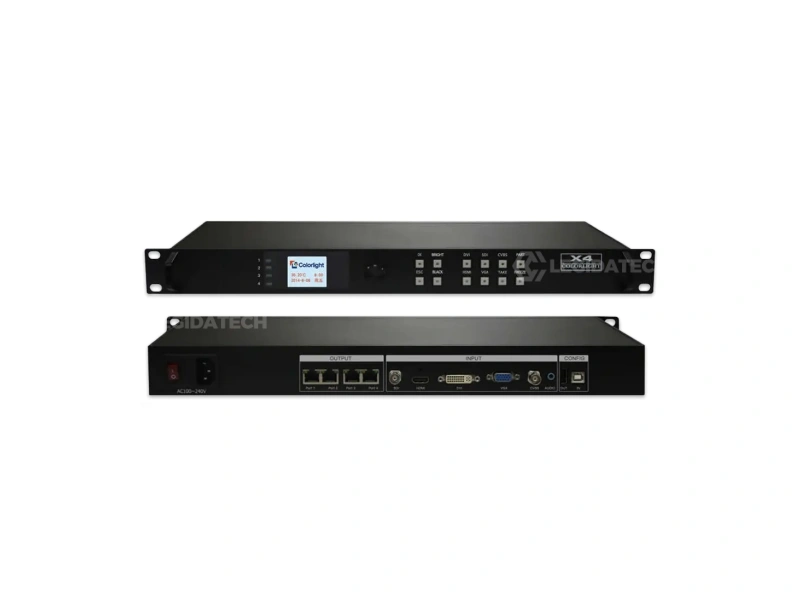
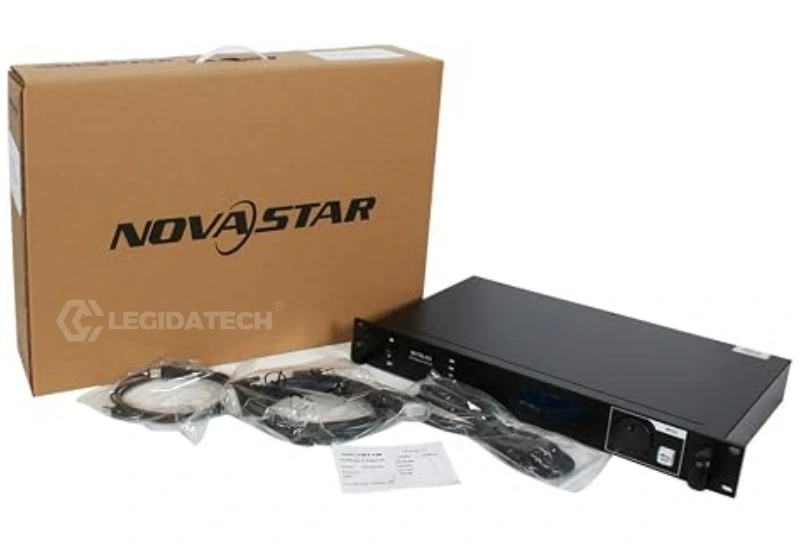
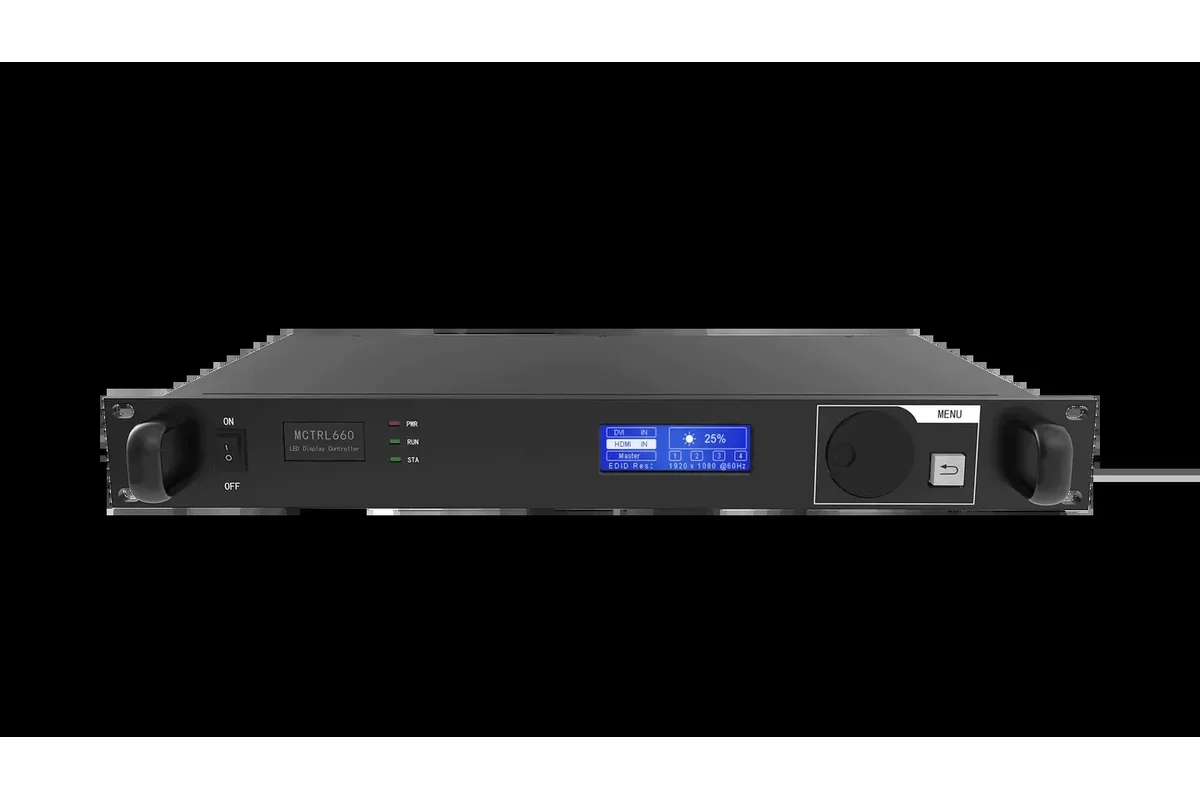
Introduction: Why NovaStar Defines the LED Control Standard
If you’ve worked with LED displays — whether a rental stage setup, a stadium scoreboard, or an outdoor billboard — you’ve almost certainly encountered NovaStar. Founded in 2008 and headquartered in Xi’an, China, NovaStar Tech Co., Ltd. has grown from a small calibration startup into the global leader in LED display control systems, serving clients in over 100 countries with 37+ international branches.
NovaStar’s technology powered the Beijing 2008 Olympics opening ceremony, countless world tours, and the display behind nearly every major esports event. In 2026, their product ecosystem spans synchronous controllers, asynchronous cloud players, video processors, calibration systems, and an entire software suite — making them the de facto choice for integrators worldwide.
This guide provides a complete overview of what a NovaStar control system is, how its components work together, and how to choose the right hardware for your LED display project. For deeper dives into specific products, we’ve linked to our detailed 2026 comparison articles throughout.
What Is a NovaStar Control System?
A NovaStar LED control system is the hardware-and-software backbone that converts video signals from your media source (PC, camera, media server) into the precise digital data that thousands of LED driver ICs can interpret — pixel by pixel, frame by frame. Think of it as the brain and nervous system of any LED display.
The system operates in two fundamental modes:
- Synchronous Mode: The display mirrors a computer or video source in real time. This is the standard for stage performances, broadcast studios, esports arenas, and any application requiring zero-latency playback. NovaStar’s synchronous line includes sending cards, receiving cards, and integrated video processors.
- Asynchronous Mode (NovaCloud): Content is pre-loaded or managed via cloud over 4G/Wi-Fi/LAN — no PC required. Ideal for roadside billboards, smart-city pole displays, and digital signage networks that need remote scheduling.
For a detailed comparison of these two approaches, read our guide: What’s the Difference Between Synchronous and Asynchronous LED Displays?
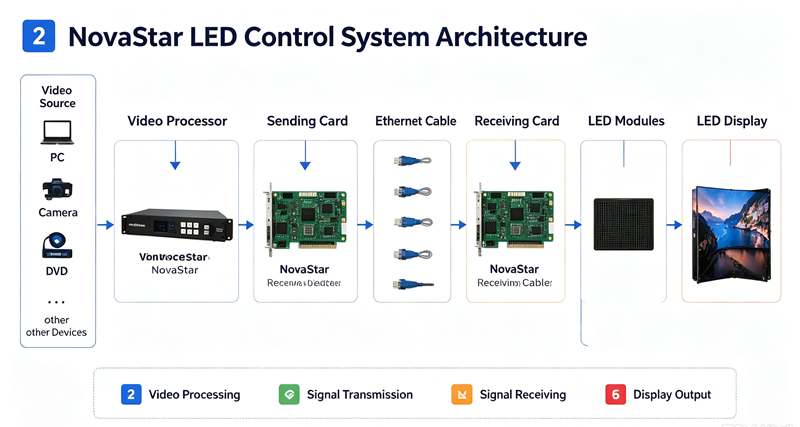
NovaStar Product Ecosystem Overview
NovaStar’s 2026 product lineup is organized into four interconnected layers. Understanding this architecture makes hardware selection far simpler:
| Layer | Function | Key Product Families |
|---|---|---|
| 1. Signal Input & Processing | Receives video from sources, scales, and processes | Video Processors (H Series, VX Series, VS Series), COEX controllers |
| 2. Signal Transmission | Converts processed video to Ethernet data streams | Sending Cards (MCTRL Series, MSD300/600) |
| 3. Signal Reception & Display | Decodes data at the cabinet level and drives LEDs | Receiving Cards (MRV Series for fixed, A Series for rental) |
| 4. Software & Cloud | Configuration, content management, monitoring | NovaLCT, VNNOX, Screen Genie, NovaStudio |
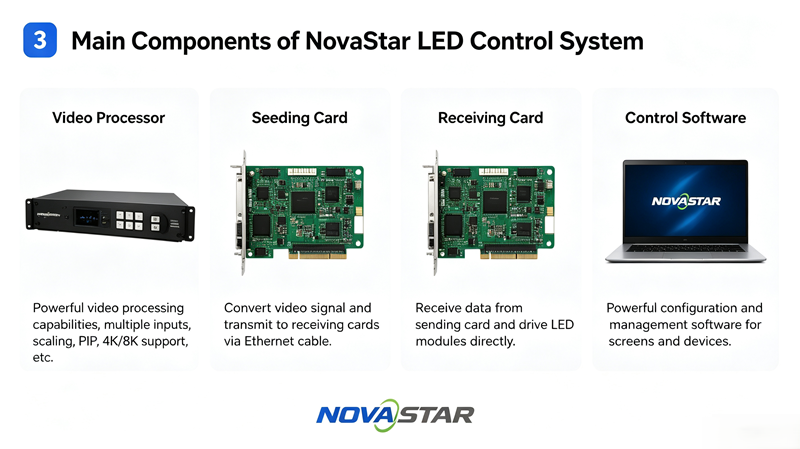
Synchronous Control System: The Core of Real-Time LED Performance
The synchronous system is what most integrators interact with daily. It consists of three hardware elements working in a chain:
Sending Cards (Transmitters)
The sending card takes processed video from your source (or video processor) and distributes it across Gigabit Ethernet ports to the receiving cards in each cabinet. Choosing the right sending card depends primarily on your display’s total pixel count.
- MCTRL300 / MSD300: Entry-level, supports up to 1.3 million pixels. Ideal for small indoor screens and single-cabinet setups.
- MCTRL660 PRO: Mid-range workhorse with front-panel knob control, supports up to 2.3 million pixels. Popular for medium-sized fixed installations.
- MCTRL4K: Flagship 4K controller handling up to 8.8 million pixels across 16 Ethernet ports. Required for large-scale 4K video walls.
- COEX Series (MX40 Pro, MX30, CX80 Pro): High-end controllers with built-in splicing and multi-layer processing for complex LED architectures.
📖 Dive deeper: NovaStar MCTRL Series Full Lineup: Which Controller Is Right for Your LED Display? (2026) | MCTRL4K vs MCTRL660 Pro: Which NovaStar LED Controller Should Drive Your 4K Wall? | MCTRL300 vs MCTRL660 Comparison
Receiving Cards (Receivers)
Mounted inside each LED cabinet, receiving cards decode the Ethernet data stream and drive individual LED modules. NovaStar offers two distinct lines:
- MRV Series (MRV208-1, MRV328, MRV412, MRV416): Designed for fixed installations — outdoor billboards, indoor advertising walls, and permanent architectural displays. Prioritize stability and cost-efficiency.
- A Series (A4S, A5S, A10S): Compact receiving cards for rental and touring applications. Their small form factor enables lighter, thinner cabinet designs. The built-in Mapping function lets engineers quickly locate each card’s position via software, dramatically reducing on-site setup time for large rental arrays.
Video Processors: The All-in-One Evolution
The biggest shift in NovaStar’s 2026 ecosystem is the convergence of sending cards and video processors into all-in-one controllers. These devices integrate signal input switching, scaling, and LED transmission in a single unit — reducing cabling complexity and eliminating compatibility headaches.
- VX Series (VX1000, VX600, VX400): All-in-one controllers combining video processing + sending card. The VX1000 supports 4K input with multi-layer output and is rapidly replacing separate processor + sender setups in mid-to-large projects.
- H Series (HDR Master 4K, H2, H5): Pure video processors with advanced HDR and color management capabilities, often paired with separate MCTRL sending cards in broadcast-critical environments.
- VS Series (VS2, VS3, VS7): Compact video processors with integrated sending for small-to-medium installations.
📖 Dive deeper: NovaStar VX Series vs MCTRL Series: All-in-One or Pure Sending Controller? (2026 Guide) | NovaStar VX1000 Review: When the All-in-One Controller Beats a Pure Sending Card
Asynchronous Control System: NovaCloud for Remote Management
For distributed display networks that don’t need real-time video mirroring, NovaStar’s NovaCloud asynchronous platform provides cloud-based content scheduling, remote health monitoring, and over-the-air firmware updates.
Key asynchronous products:
- TAURUS Series (TB2-4G, TB4, TB6): 4G/Wi-Fi multimedia players with onboard storage. Widely used in outdoor advertising networks, smart-city pole displays, and transportation signage — anywhere a PC connection is impractical.
- MBOX Series: Compact asynchronous controllers for single-display applications like door-header signs and retail displays.
All NovaCloud devices connect to the VNNOX cloud platform, which lets operators push content, adjust brightness schedules, and receive fault alerts — for hundreds of screens across multiple cities — from a single dashboard.
NovaStar Software Ecosystem
Hardware is only half the picture. NovaStar’s software suite is what engineers and operators interact with daily:
| Software | Purpose | Best For |
|---|---|---|
| NovaLCT | LED display debugging & configuration — loading RCFGX files, brightness adjustment, screen connection mapping, firmware upgrades | Installation engineers, technicians |
| VNNOX | Cloud-based content management & remote monitoring platform | Network operators, ad agencies managing multiple screens |
| Screen Genie | Asynchronous content editing & scheduling for NovaCloud players | Content managers for distributed displays |
| NovaStudio | Professional media server software for complex playback & multi-screen synchronization | Broadcast studios, large-scale events, XR stages |
Key Technologies That Set NovaStar Apart
What makes NovaStar the industry standard isn’t just breadth — it’s the underlying technologies that competitors struggle to match:
- Pixel-Level Calibration: NovaStar pioneered point-by-point brightness and chromaticity correction, compensating for manufacturing variance across millions of LEDs. This is the technology that made seamless large-format LED walls possible.
- Signal Redundancy (Dual-Loop Backup): In mission-critical environments (live broadcasts, stadiums), NovaStar controllers support a dual-cable architecture where a backup signal path takes over in <0.5 ms if the primary fails — preventing on-air blackouts.
- Genlock Synchronization: For broadcast applications, NovaStar controllers can lock to external sync signals, ensuring perfect frame alignment with television cameras and eliminating scan-line artifacts.
- HDR10 / HLG Support: NovaStar’s H-series video processors handle high dynamic range content, delivering deeper blacks and brighter highlights — critical for fine-pitch indoor displays and virtual production.
- 4K/8K Native Processing: The COEX platform and MCTRL4K handle ultra-high-resolution content at full bandwidth, driving displays with up to 8.8 million pixels from a single controller.
- Dynamic Booster: NovaStar’s proprietary algorithm enhances grayscale performance at low brightness — essential for indoor LED displays running below 50% brightness to avoid eye strain.
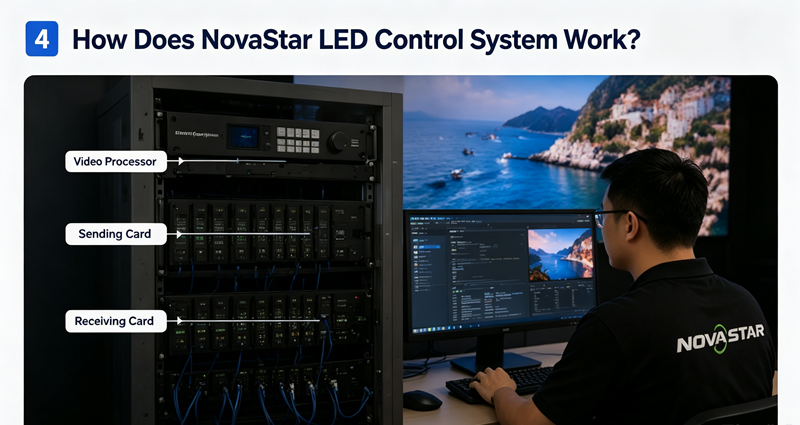
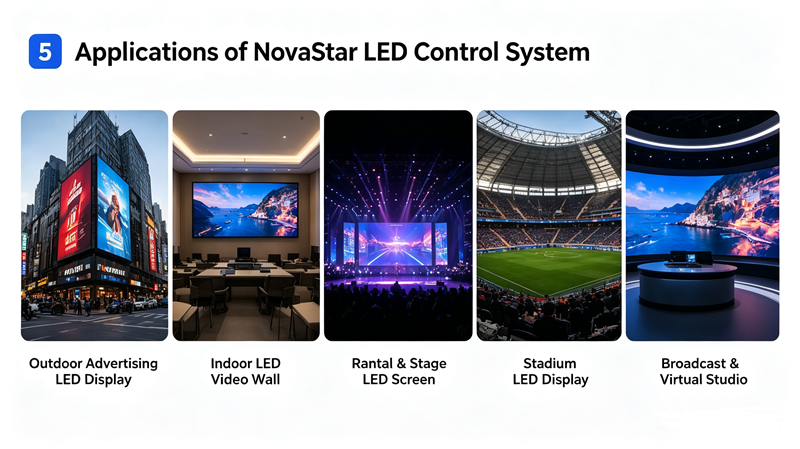
Application Scenarios: Where NovaStar Systems Excel
NovaStar’s diverse product range means there’s a solution for virtually every LED display application:
| Application | Recommended NovaStar Setup | Key Requirement |
|---|---|---|
| Stage Rental & Live Events | COEX controller + A10S receiving cards + HDR Master 4K | Fast setup/teardown, Mapping function, Genlock |
| XR Virtual Production | MX40 Pro + A10S + NovaStudio | Genlock, high refresh rate (7680Hz+), color accuracy |
| Outdoor Advertising Billboards | TAURUS TB6 (async) or MCTRL660 PRO (sync) + MRV416 | Remote management, auto-brightness, weather resilience |
| Conference Room LED Walls | VX600 all-in-one + A5S receiving cards | Simple operation, wireless screen sharing, 4K input |
| Stadium & Sports Venues | COEX CX80 Pro + MRV416 + H5 processor | Redundancy, ultra-high brightness, broadcast Genlock |
| Fine-Pitch Indoor (P0.9–P1.5) | MCTRL4K + A10S + HDR Master 4K | 4K/8K bandwidth, HDR, pixel calibration |
How to Choose the Right NovaStar Controller
With so many models available, here’s a simplified decision framework:
- Calculate your pixel count: Width × Height = Total Pixels. This is your primary constraint — each controller has a maximum loading capacity. For example, a 1920×1080 display has ~2.07 million pixels, requiring at least an MCTRL660 PRO or VX600.
- Determine sync vs. async: Real-time video playback → synchronous. Scheduled content with remote management → asynchronous (NovaCloud).
- Consider your input sources: Need multiple HDMI, SDI, or DP inputs? Choose an all-in-one (VX Series) rather than a pure sender + external switcher.
- Redundancy factor: Mission-critical applications (broadcast, stadiums) require dual-loop backup support — confirm the controller supports this.
- Match the receiving cards to your cabinet: Fixed installations → MRV Series. Rental/touring → A Series.
📖 Complete buying guide: How to Choose the Right NovaStar LED Controller: The Ultimate Buyers Guide (2026) | NovaStar MCTRL4K Price Guide: Real Costs, TCO & ROI in 2026
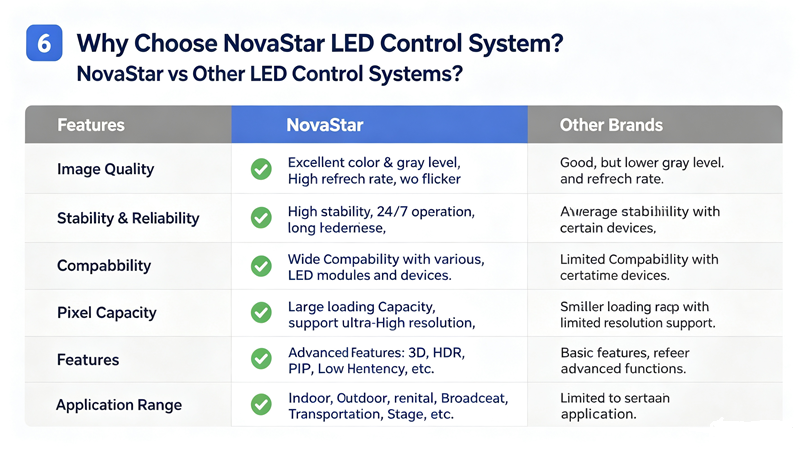
NovaStar vs Other Control System Brands: Quick Comparison
NovaStar isn’t the only player. Here’s how it stacks up against the other major brands in the LED control system market:
| Feature | NovaStar | Colorlight | Linsn | Huidu |
|---|---|---|---|---|
| Market Position | Global leader, premium | Strong innovator, competitive pricing | Reliable budget option | Async specialist |
| Cloud Platform | VNNOX (mature) | Colorlight Cloud | Basic | XiaoHui Cloud |
| 4K/8K Support | ✅ Full (COEX, MCTRL4K) | ✅ Full (X Series) | ⚠️ Limited | ⚠️ Limited |
| Calibration Technology | ✅ Industry-leading | ✅ Advanced | ⚠️ Basic | ⚠️ Basic |
| Redundancy | ✅ Dual-loop | ✅ Supported | ⚠️ Standard | ❌ Limited |
| Best For | Professional, broadcast, rental | Creative displays, 3D, mid-market | Budget indoor projects | Async/single-color networks |
📖 Full comparison: NovaStar vs Colorlight LED Control System: The Ultimate 2026 Brand Comparison for Integrators
Also see our individual brand deep-dives: Linsn Control System Overview | Huidu Control System Overview | Colorlight Control System Overview
Accessories: Completing the NovaStar Ecosystem
Beyond the core controllers, NovaStar provides essential accessories for complete system integration:
- CTV10PRO Fiber Optic Converter: Extends signal transmission up to 20 km for large-venue and outdoor applications where CAT6’s 100 m limit is insufficient.
- MFN300 Multi-Function Card: Adds auto-brightness adjustment, temperature/humidity monitoring, and remote power control to any compatible NovaStar system.
- NS060 Light Sensor: Detects ambient light levels and feeds data to the controller for automatic brightness adjustment — extending LED lifespan and improving viewer comfort.
- MTH310 Temperature Sensor: Monitors internal cabinet temperature and triggers alerts or fan activation for thermal protection.
Frequently Asked Questions
What is the difference between NovaStar MCTRL and VX series?
The MCTRL series are pure sending cards — they transmit pre-processed video to receiving cards and require a separate video processor for input switching and scaling. The VX series are all-in-one controllers that integrate video processing (multiple inputs, scaling, PIP) and LED transmission in one unit. For most mid-size projects in 2026, a VX all-in-one is simpler and more cost-effective. Read our full VX vs MCTRL comparison →
Can I mix NovaStar with Linsn or Colorlight receiving cards?
No. Each brand’s control system uses proprietary communication protocols. A NovaStar sending card will only work with NovaStar receiving cards (and vice versa). The entire signal chain — sender, receivers, and software — must be from the same brand.
How many pixels can a NovaStar MCTRL4K drive?
The MCTRL4K supports up to 8.8 million pixels (approximately 4K×2K or any equivalent configuration) across 16 Gigabit Ethernet ports. For detailed pricing and TCO analysis, see our MCTRL4K Price & ROI Guide.
What software do I need to configure a NovaStar LED display?
For initial setup and debugging, you’ll use NovaLCT (free download from NovaStar’s website). The default admin login is “admin” with password “666888” or “123456”. For ongoing cloud management of multiple screens, VNNOX is the platform. For asynchronous players, use Screen Genie.
Is NovaStar worth the price premium over Linsn?
For professional applications — especially rental, broadcast, stadiums, and fine-pitch displays — yes. NovaStar’s calibration quality, signal redundancy, cloud platform maturity, and global support network justify the premium. For simple budget indoor installations, Linsn remains a cost-effective alternative. See our full brand comparison →
What is the range of a NovaStar sending card over CAT6?
Standard CAT6 Ethernet is stable up to 100 meters between the sending card and receiving card. For longer distances, use NovaStar’s CTV10PRO fiber optic converter, which extends the signal up to 20 km with zero degradation.
Conclusion: NovaStar Is the Safe Bet — and the Best Bet
Whether you’re building a rental fleet, installing a permanent outdoor billboard, or equipping a broadcast studio, NovaStar’s control ecosystem offers the widest compatibility, deepest technical support, and most mature software platform in the LED display industry.
The 2026 product lineup has made the decision easier than ever: all-in-one VX controllers eliminate the complexity of matching separate processors and senders, while the COEX platform and MCTRL4K push the ceiling for ultra-high-resolution projects. Meanwhile, NovaCloud keeps distributed display networks manageable from anywhere in the world.
Need help choosing the right NovaStar controller for your project? Contact our engineering team for a free consultation — we’ll spec the complete control system based on your display size, application, and budget.
Continue Reading: NovaStar Deep Dives
- NovaStar MCTRL Series Full Lineup Comparison (2026)
- VX Series vs MCTRL Series: All-in-One or Pure Sender?
- How to Choose the Right NovaStar Controller: Ultimate Buyer’s Guide
- MCTRL4K vs MCTRL660 Pro Comparison
- MCTRL300 vs MCTRL660 Comparison
- MCTRL4K Price Guide: Real Costs, TCO & ROI
- VX1000 Review: When All-in-One Beats a Pure Sending Card
- NovaStar vs Colorlight: Ultimate 2026 Brand Comparison