


Introduction: Why Brightness Matters
When you install an LED screen outside, you are buying a tool to talk to your audience. Whether it is for a large billboard, a stadium, or a store sign, the screen must be visible. However, the outdoors is a tough place for technology. Your biggest challenge isn’t rain or wind—it is the sun.
Direct sunlight is incredibly strong. If your screen is not bright enough, the sun will “wash out” the colors. Your expensive display will look like a dark, blurry mirror. This is a bad user experience. If a customer cannot read your digital menu or see your advertisement in the afternoon, the screen is not doing its job.
Also, picking the wrong brightness can lead to hidden costs. A screen that runs at 100% power all day just to stay visible will wear out very fast. This leads to broken pixels and dull colors. Finding the right balance is the most important part of Outdoor LED screen quality and long-term visibility. In this guide, we will use real industry data to help you make a smart choice.
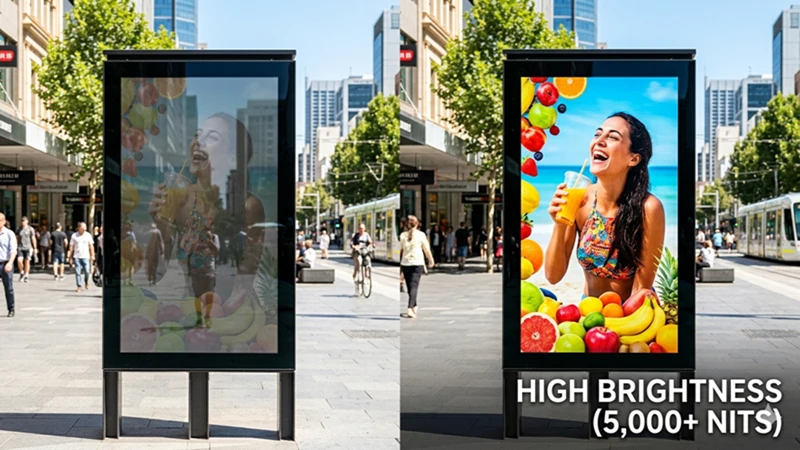
High brightness outdoor LED screen vs low brightness display under direct sunlight.
Understanding the Metric: What is a “Nit”?
In the LED industry, we do not use “lumens” to measure brightness. Instead, we use Nits.
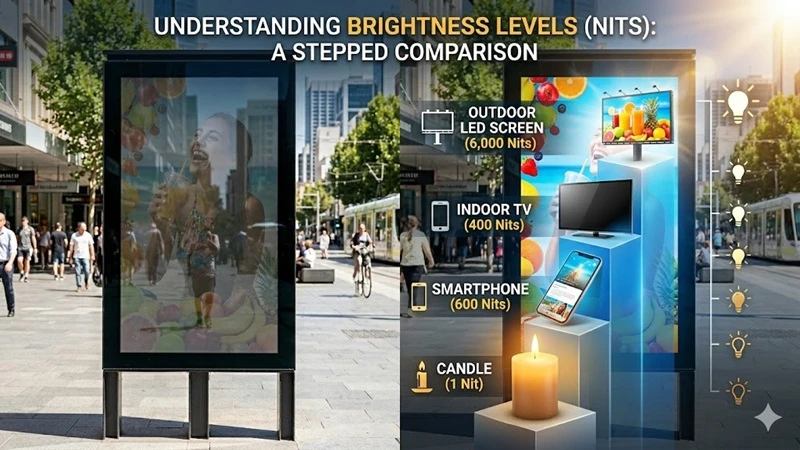
Technically, 1 Nit equals 1 candela per square meter ($1cd/m^2$). To imagine this, think of a square box that is one meter wide and one meter tall. If you put one lit candle inside, that light is about 1 Nit. Outdoor screens are powerful because they pack thousands of these “candles” into every square meter.
To understand the scale, let’s look at common devices:
-
Indoor TV or Laptop: 200 to 400 Nits. This looks great in a living room but is invisible in the park.
-
High-end Smartphones: These can reach 1,000-1,500 Nits for a short time.
-
Outdoor LED Screens: These typically start at 5,000 Nits and can reach 10,000 Nits or more.
According to technical research from the Society for Information Display (SID), a screen must be significantly brighter than the light reflecting off it to stay clear. Since direct sunlight can hit a surface at over 100,000 Lux (ambient light), your screen needs high “Nit power” to compete.
The Gold Standard: How Many Nits Do You Need?
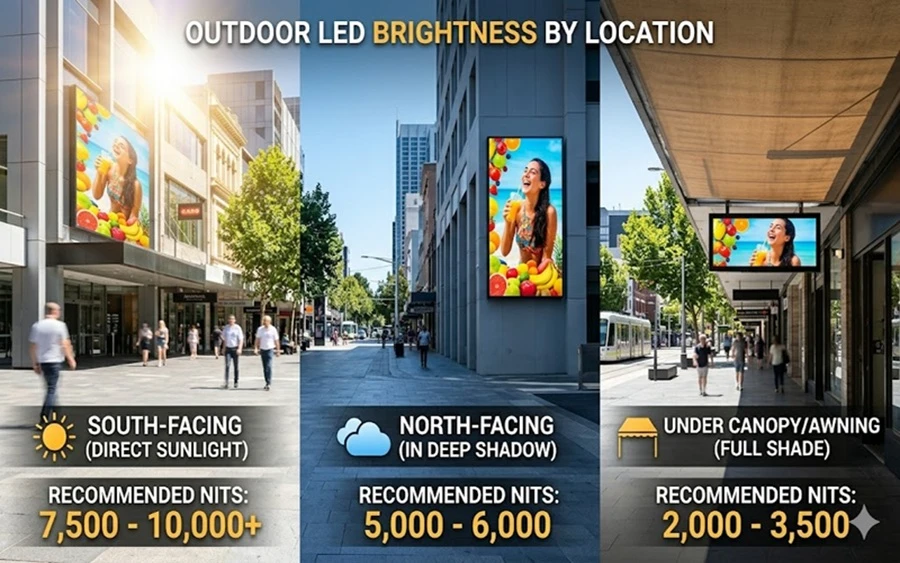
The “right” brightness depends on where you put the screen. You do not always need the most expensive, brightest model. If your screen is in the shade, buying a 10,000-Nit model is a waste of money.
Recommended Brightness Table
| Installation Spot | Light Condition | Recommended Nits | Why? |
| Under a Canopy/Porch | Full Shade | 2,000 – 3,500 | No direct sun hits the screen; lower power is enough. |
| North-Facing Wall | Indirect Sun | 5,000 – 6,000 | The sun is behind the screen, but the sky is still bright. |
| East/West-Facing | Direct Sunlight | 7,500 – 10,000 | The screen faces the sun directly during morning or evening. |
| South-Facing | Maximum Exposure | 8,500 – 12,000 | This spot gets the most punishing sunlight all day long. |
Pro Tip: If your screen is near a highway, you need higher brightness. Drivers only have 3 to 5 seconds to see your message through a windshield, which often has its own glare. This is a key detail we cover in our [LED screen installation guide].
Technical Details: Contrast and Shaders
Brightness is not just about the “raw power” of the LED. It is also about Contrast. Two screens can both have 6,000 Nits, but one might look much clearer. This is often because of the “Shader” (Louver) design.
Shaders are the small black plastic “caps” above each row of LEDs. They act like a baseball cap for the screen. By shading the LED from the sun, they keep the background of the screen black. This makes the colors “pop” more. High-quality shaders are a major part of [Outdoor LED display price factors].
Another factor is Color Temperature. Most outdoor screens are set to a “cool” white (6500K to 9000K). This helps the screen look vivid even under a bright blue sky. If the color is too “warm” or yellow, it will look dim even if the Nits are high.
The Role of Automatic Brightness Sensors
Running a screen at 100% brightness 24 hours a day is a big mistake. It wastes electricity and can cause “light pollution.” In many cities, there are laws about how bright a screen can be at night to protect neighbors and drivers.
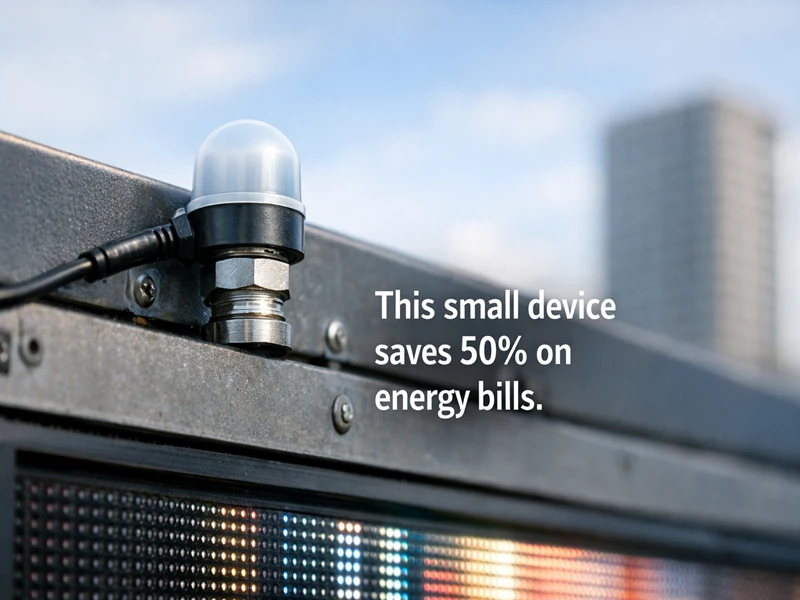
The International Dark-Sky Association (IDA) suggests that outdoor signs should dim significantly after sunset. This is where a Light Sensor comes in. It is a small probe installed on the cabinet that works like the “Auto-Brightness” on your phone:
-
At Noon: The sensor detects the sun and tells the screen to hit 7,000 Nits.
-
On a Cloudy Day: The sensor detects less light and drops the screen to 3,000 Nits.
-
At Midnight: The sensor lowers the screen to 500 Nits or less.
Using a sensor is a vital part of [LED screen maintenance]. It saves money on power bills and gives the LEDs a “rest,” which helps the screen last many more years.
Heat Dissipation: The Silent Killer
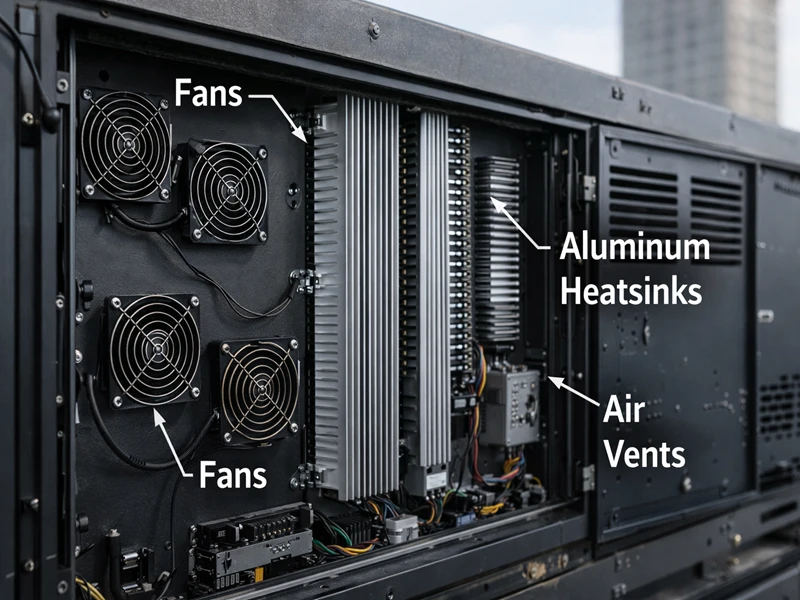
High brightness creates a lot of heat. Inside the screen, thousands of tiny driver chips (ICs) are working hard. If the heat gets too high, the screen will start to fail.
Industry data shows that about 85% of the energy used by an LED screen turns into heat, not light. If this heat is not managed:
-
The colors might change (reds might look orange).
-
The screen might “flicker” or show black lines.
-
The life of the screen will be cut in half.
This is why you must check the [Outdoor LED cabinet design]. High-brightness screens need strong cooling fans or aluminum parts to pull the heat away. Some modern screens use “common cathode” technology, which reduces heat by about 30% while keeping the brightness high. This is a great feature for screens in hot climates.
Real-World Factors and Standards
When choosing your brightness, consider these three real-world facts:
-
Sustained Brightness: Some manufacturers claim “10,000 Nits,” but the screen can only hold that for a few minutes before it gets too hot and dims itself. This is called “thermal throttling.” Always ask for the sustained brightness rating.
-
The Windshield Factor: If your screen is for drivers, remember that car windshields reflect light. You may need 15% more brightness than a screen meant for pedestrians.
-
Viewing Angle: According to AVIXA standards, brightness drops when you look at a screen from the side. If your audience is not standing directly in front of the screen, you need a model with a wide viewing angle to maintain visibility.
Energy Costs: A Hidden Expense
A 10,000-Nit screen uses a lot of power. If you run it at full power all the time, your electricity bill will be very high.
To save money, look for screens that meet Energy Star specifications for digital signage. These models use high-efficiency power supplies. Combined with a light sensor, a high-quality screen can cost 50% less to run than a cheap, low-quality model. In the long run, the more expensive screen is often the cheaper choice because of the energy savings.
Conclusion: Making the Right Investment
Buying an outdoor LED screen is a big step for any business. You don’t want to overpay for brightness you don’t need, but you also don’t want a screen that disappears when the sun comes out.
To make the best choice, follow this checklist:
-
Check the Sun: If your screen faces South or West, aim for 7,500+ Nits.
-
Think about Contrast: Good shaders are just as important as high Nits.
-
Use a Light Sensor: It is the best way to save money and stay legal.
-
Check the Cooling: Make sure the cabinet is built to handle the heat.
By matching your brightness to your specific location, you ensure your message stays clear, your power bill stays low, and your investment lasts for a long time.
For more information on finding the right balance between price and performance, explore our guide on [Outdoor LED display price factors] or check out the latest in [Pixel Pitch] technology.
Related to Outdoor LED Screen
Outdoor LED Screen Visibility: Practical Tips for Sunlight Optimization
Master the key technical standards of outdoor LED displays
Large Outdoor LED Video Wall Structure Safety Guide
Common Cathode Technology in Outdoor LED Displays
What are the advantages of outdoor LED advertising screen?
Best Guide: How to Protect Your Outdoor LED Display from Humidity
Why outdoor LED display quotes proposals vary greatly?—difference between P5 and P10 LED Display