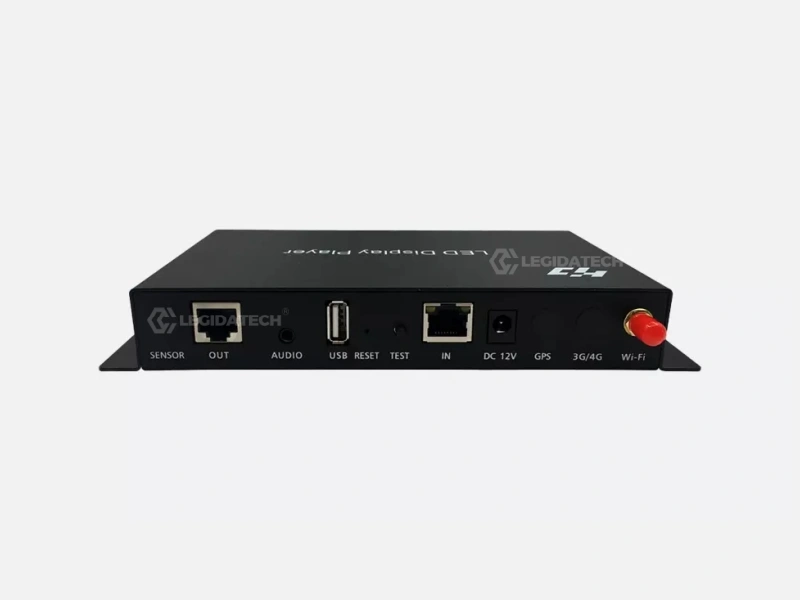
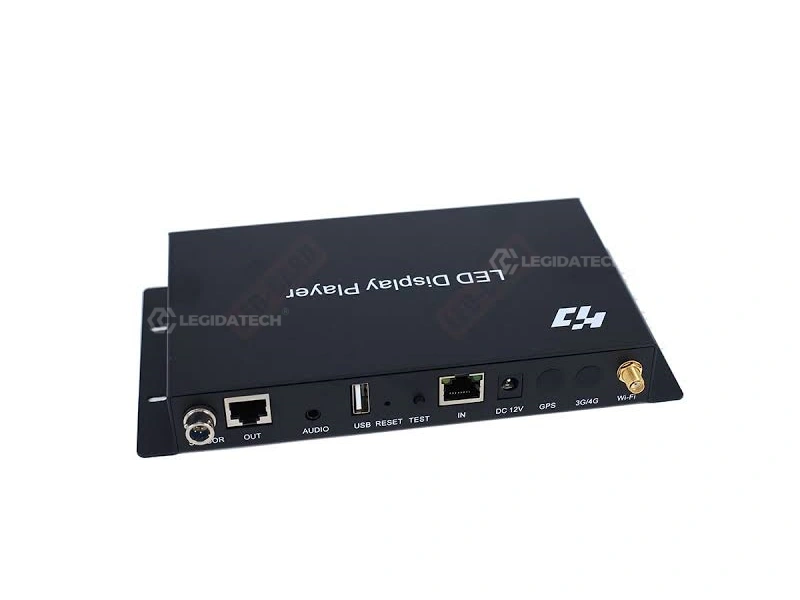
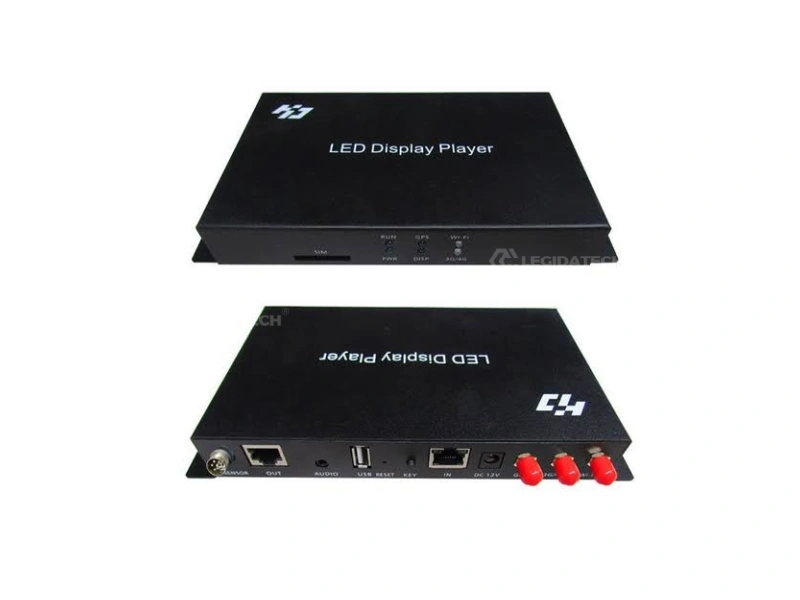
What Is the Huidu HD-A3 Asynchronous LED Controller?
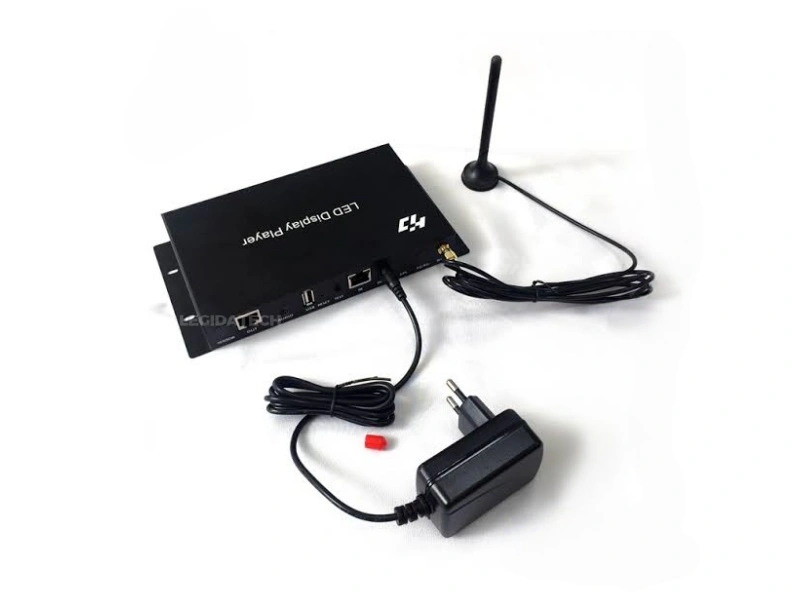
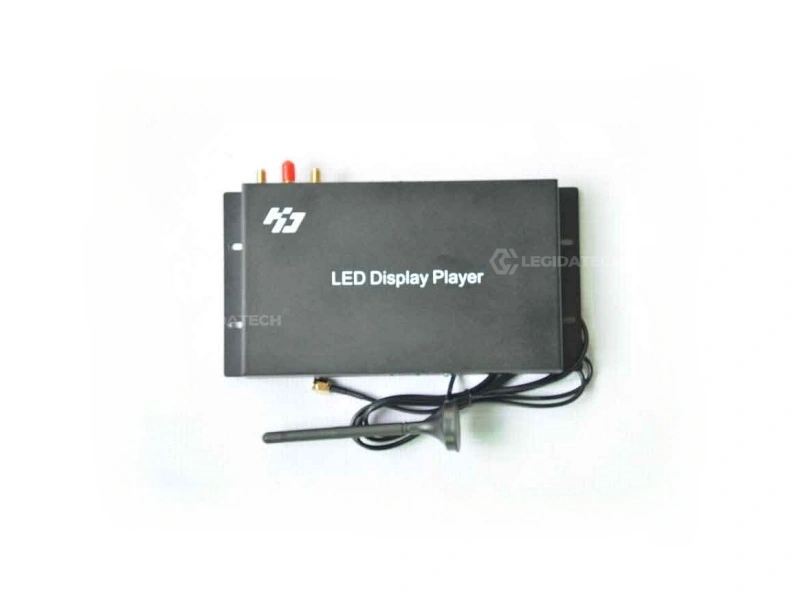
The Huidu HD-A3 asynchronous LED controller is a professional-grade LED display control system engineered for remote-managed and offline digital signage applications. As the core component of any asynchronous LED screen setup, the HD-A3 stores pre-edited content in its 8GB onboard flash memory and drives up to 655,360 pixels (equivalent to a 1280×512 resolution) at a smooth 60Hz frame rate — without requiring a constant connection to a control computer.
Designed by Shenzhen Huidu Technology, one of China’s leading LED screen manufacturer partners, the HD-A3 represents the mid-range workhorse of Huidu’s asynchronous controller lineup. It bridges the gap between entry-level mono-color controllers and flagship synchronous 4K systems — delivering full-color grayscale processing (256-65,536 levels adjustable), HD video hardware decoding for 15+ video formats, and multi-channel connectivity including Wi-Fi, 4G (optional), Gigabit Ethernet, and USB 2.0.
Whether you are deploying outdoor advertising billboards, retail digital menu boards, public transport information displays, or remote industrial monitoring screens, the HD-A3 gives you the flexibility to update content from anywhere in the world while the screen operates independently 24/7.
- Control up to 655,360 pixels — widest 4,096px, highest 2,048px
- 8GB flash storage with USB drive expansion support
- 60Hz HD hardware decoding — 15+ video formats supported
- Wi-Fi, 4G (optional), 1000Mbps LAN, USB 2.0 connectivity
- -40°C to 80°C industrial operating temperature range
- CCC, CE, FCC, RoHS, BIS certified for global deployment
HD-A3 vs. Competitors: Which Asynchronous Controller Delivers the Best Value?
B2B buyers often compare the HD-A3 against other asynchronous controllers in the same price band. The table below provides a data-driven comparison to help you choose the right asynchronous LED control card for your specific project requirements.
| Feature | Huidu HD-A3 | Huidu HD-D16 | NovaStar TCC160 | Onbon BX-6E3P |
|---|---|---|---|---|
| Max Pixels | 655,360 | 1,310,720 | 655,360 | 262,144 |
| Onboard Memory | 8 GB | 16 GB | 2 GB | 512 MB |
| USB Expansion | Yes | Yes | Yes | No |
| Wi-Fi Built-in | Yes | Yes | No (external) | No |
| 4G Optional | Yes | Yes | No | No |
| Audio Output | Yes (3.5mm) | Yes (3.5mm) | No | No |
| 60Hz Output | Yes | Yes | Yes | 30Hz only |
| Sensor Port | Yes | Yes | No | No |
| Working Temp | -40~80°C | -20~60°C | -20~60°C | -10~50°C |
| Certifications | 5 (CCC/CE/FCC/RoHS/BIS) | 3 (CE/FCC/RoHS) | 3 (CE/FCC/RoHS) | 2 (CE/RoHS) |
| Price Band (Approx.) | Mid-Range | Higher | Higher | Entry |
| Best For | Versatile, all-weather async | Large-pixel-count projects | NovaStar ecosystem users | Budget mono/simple color |
Verdict: The HD-A3 hits the sweet spot for most commercial asynchronous LED projects. It offers 4× the memory of the NovaStar TCC160, built-in Wi-Fi (no external module needed), industrial-temperature rating, and 5 international certifications — at a competitive price point. The HD-D16 is only necessary if your pixel count exceeds 655,360. For everything else, the HD-A3 is the optimal choice.
Four Flexible Ways to Control Your HD-A3 LED Display
Internet Cloud Management
Connect the HD-A3 to the internet via 4G (optional module), Gigabit Ethernet, or Wi-Fi Bridge. Use Huidu’s cloud platform to remotely manage hundreds of screens from a single dashboard — push content updates, monitor playback status, and schedule programs across multiple locations simultaneously.
USB Flash Drive Offline Update
Copy your compiled program to any USB flash drive and plug it directly into the HD-A3. The controller automatically detects new content and loads it into memory — no network required. Ideal for sites without internet access or for one-time installation configurations.
LAN Cluster Control
Connect multiple HD-A3 units to the same local area network for synchronized content management. Useful for multi-screen installations such as airport terminal displays, shopping mall directories, or factory monitoring walls where screens need coordinated content updates.
Mobile APP Wi-Fi Direct
Use the Huidu mobile APP (iOS/Android) to connect directly to the HD-A3 via its built-in Wi-Fi module. Edit text, switch programs, adjust brightness, and check playback status — all from your smartphone, standing right next to the screen. No PC required for routine updates.
Where the HD-A3 Asynchronous Controller Excels
The HD-A3 is purpose-built for applications where real-time computer sync is unnecessary and independent, scheduled playback is preferred. Here are nine deployment scenarios where this asynchronous LED control card delivers maximum value.
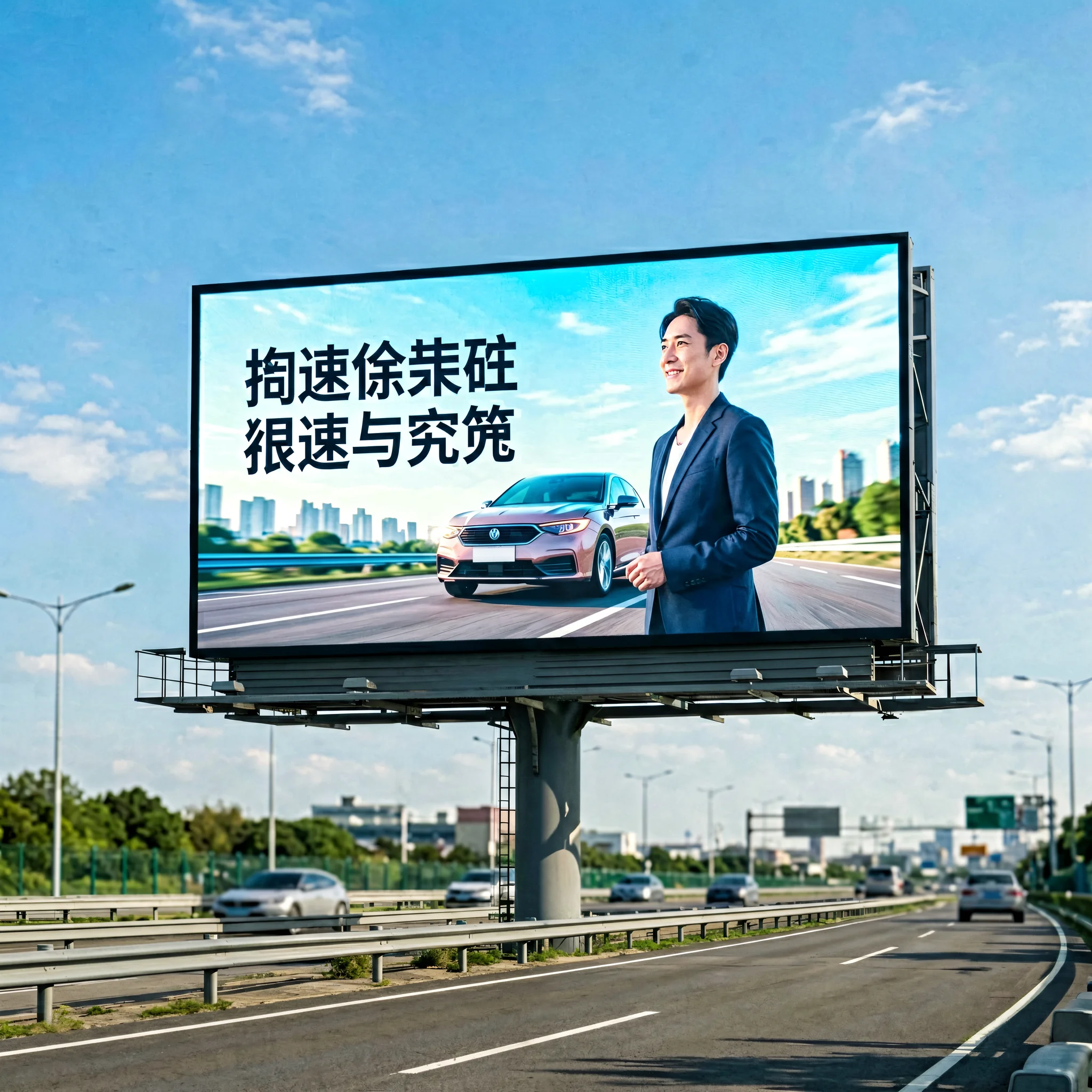
Outdoor Billboard Advertising
Schedule rotating ad playlists that run 24/7 without a connected PC. Update remotely via 4G cloud. The -40°C to 80°C rating ensures year-round reliability in any climate.
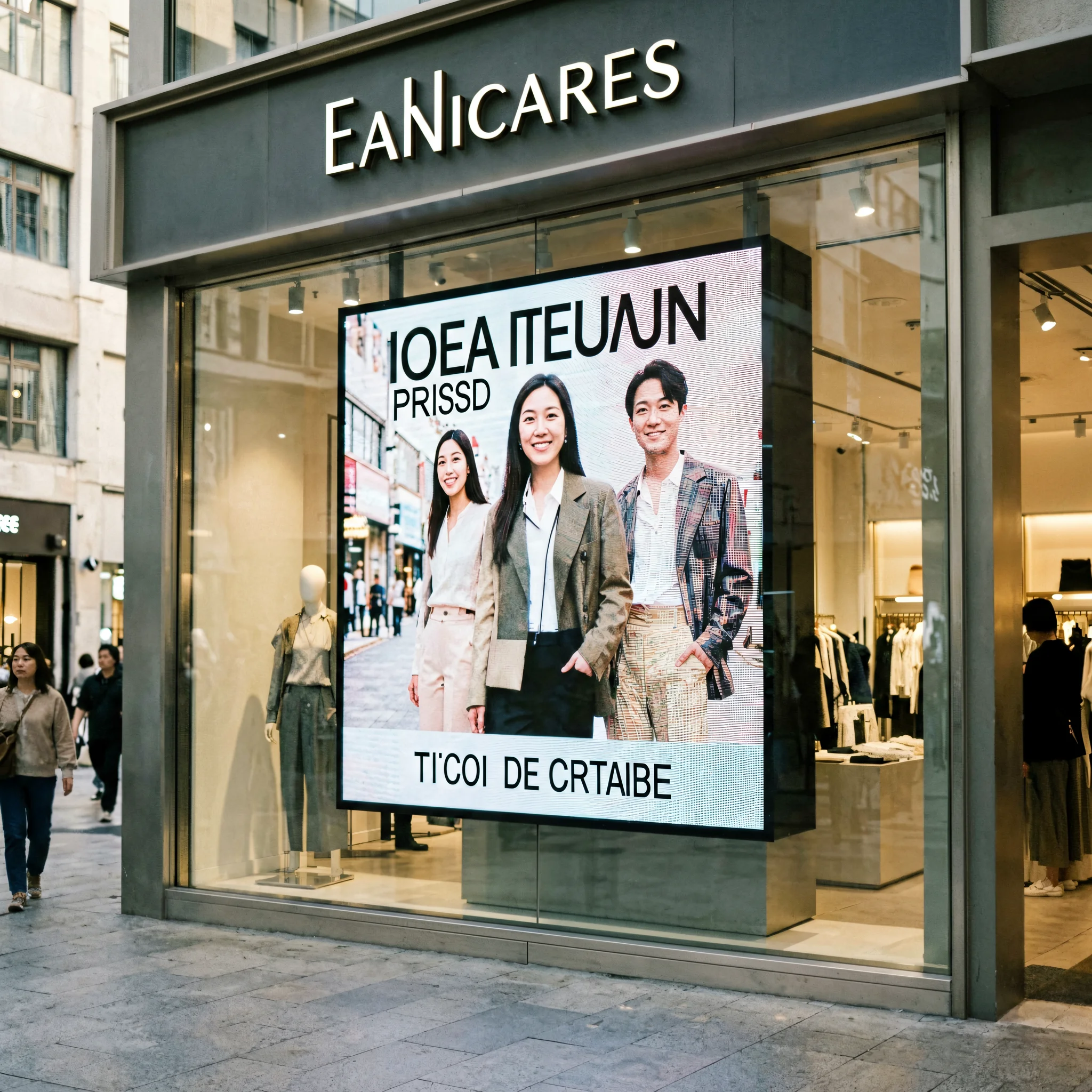
Retail Digital Signage
Loop promotional videos, product showcases, and store hour information. Staff can update content via the mobile APP without any technical training.
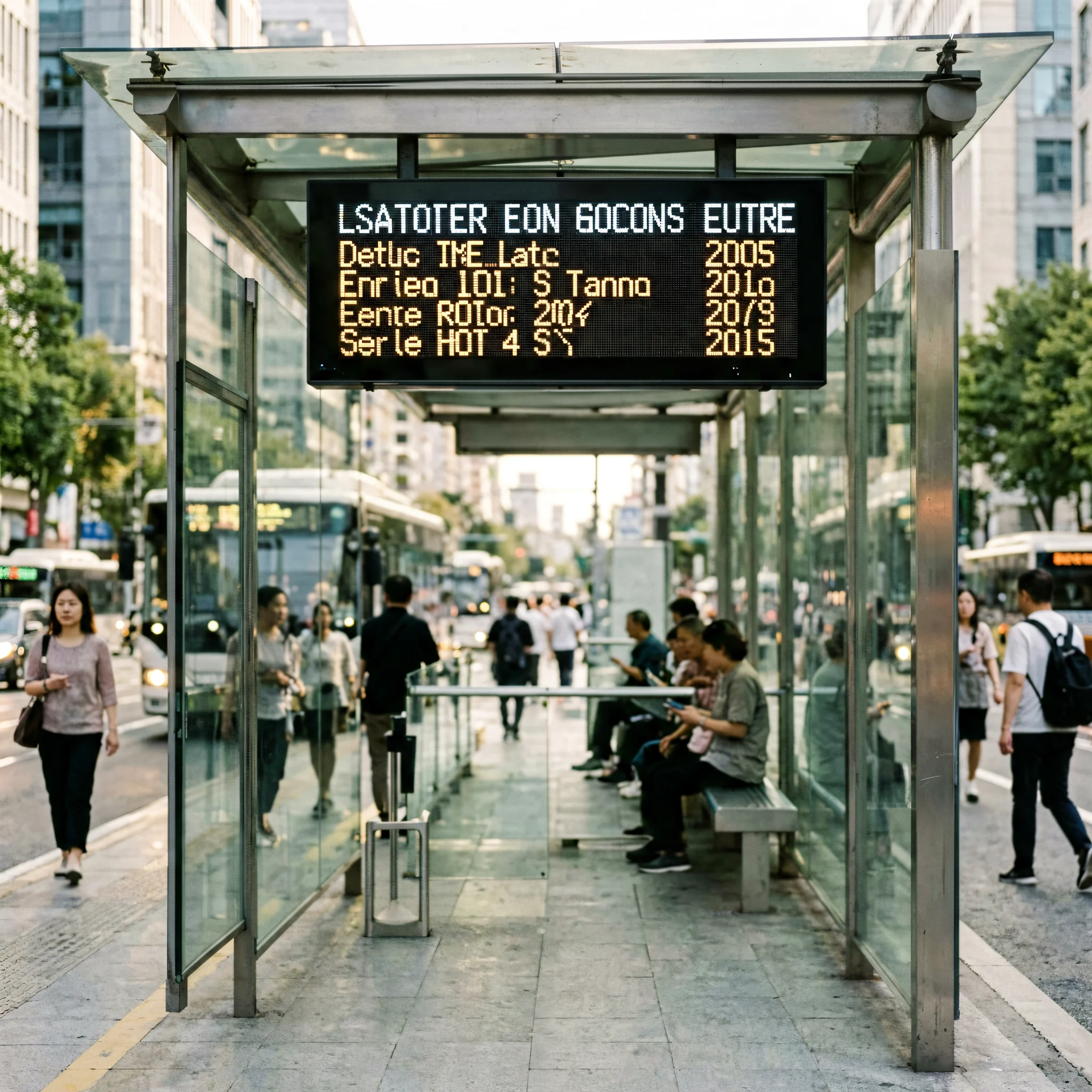
Public Transport Displays
Deploy schedule boards at bus stops, train stations, and airport terminals. Sensor port connects to environmental monitors for real-time temperature overlays.
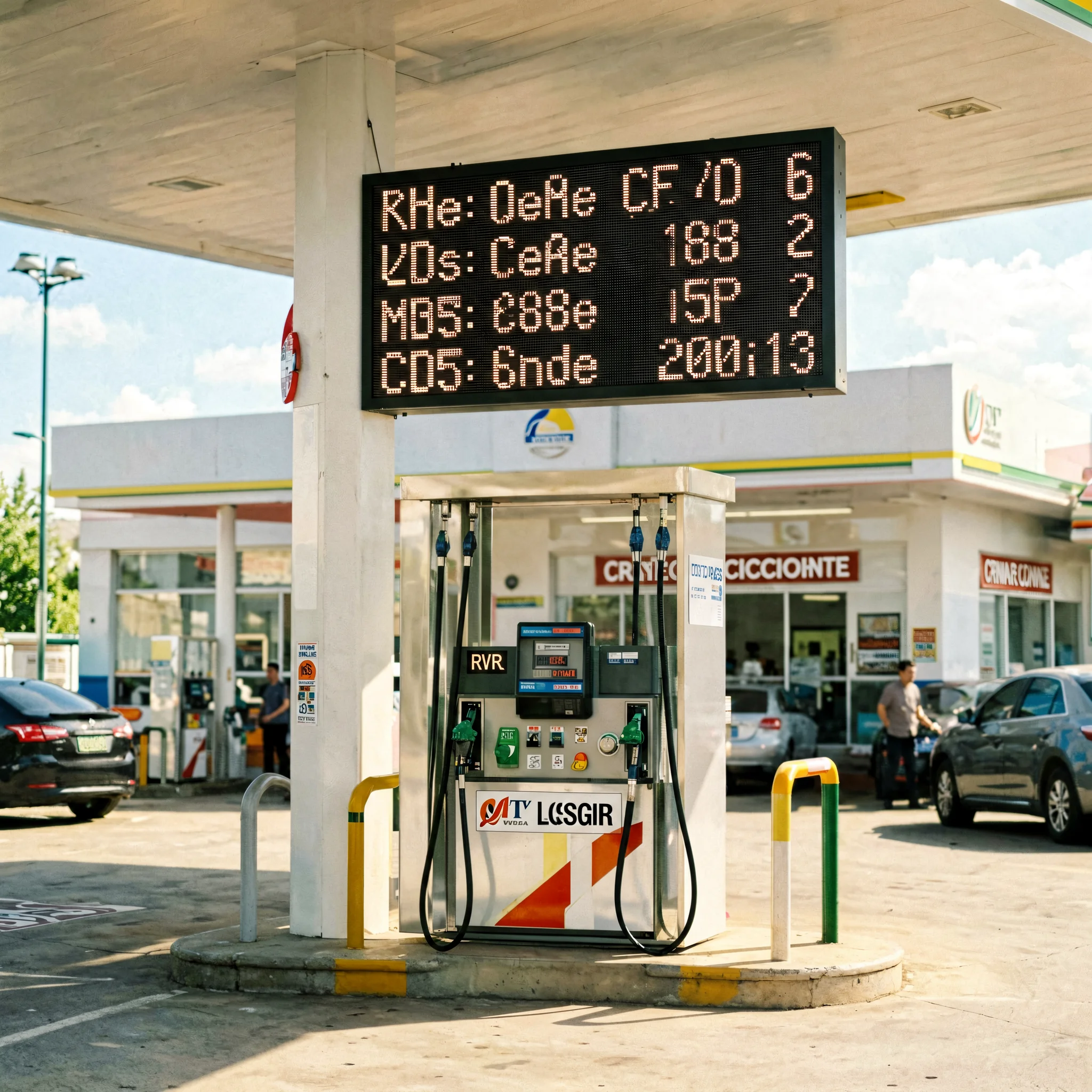
Gas Station Price Boards
Update fuel prices remotely across multiple station locations from a central office. Scheduled content changes without on-site visits. USB backup for network-independent updates.
Church & Worship Displays
Display service schedules, hymn lyrics, announcements, and community events. Our church LED screen solutions integrate seamlessly with the HD-A3 for worship environments.
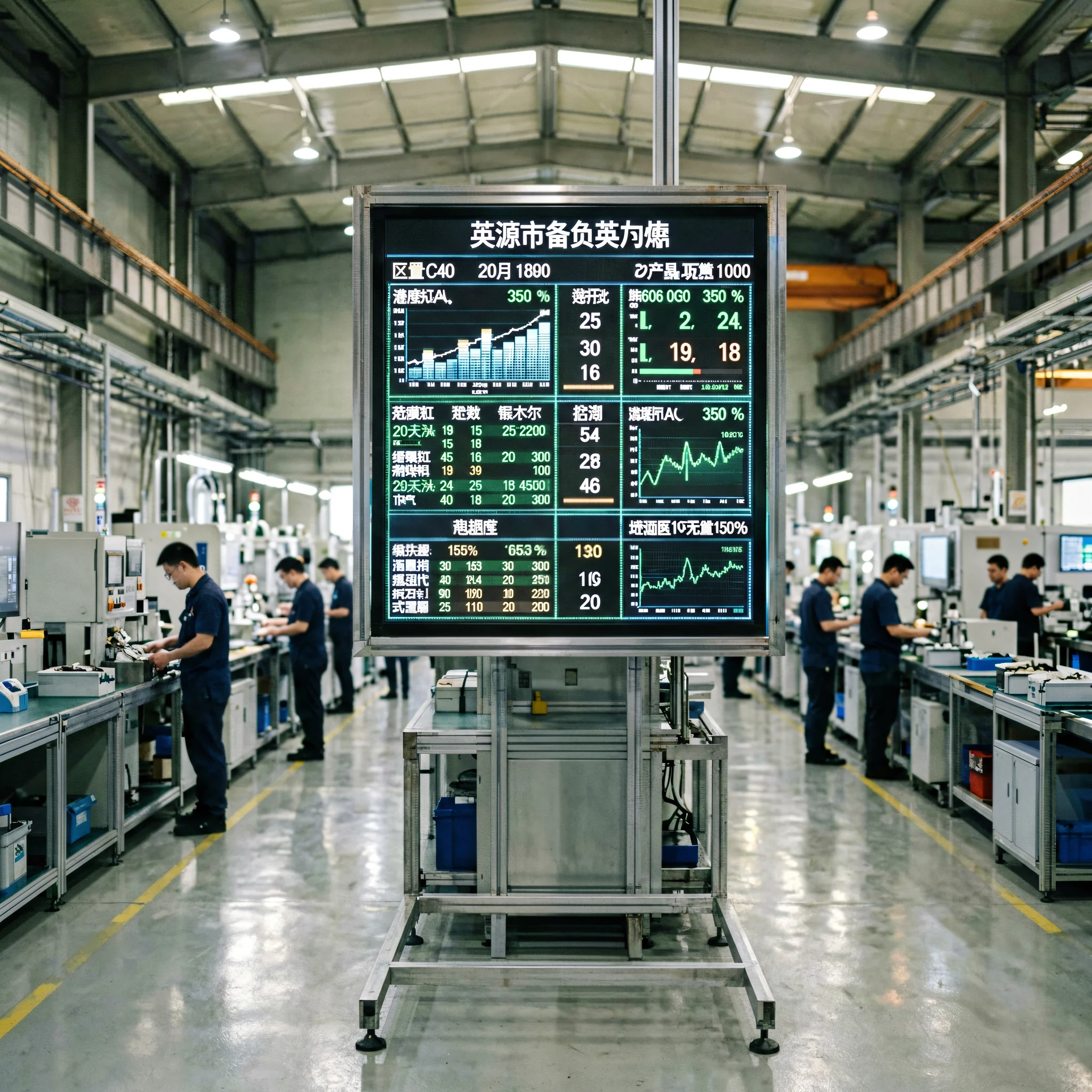
Factory Production Monitoring
Show real-time production targets, output counts, and safety announcements. Connect environmental sensors to display shop-floor temperature, humidity, and air quality data alongside production metrics.
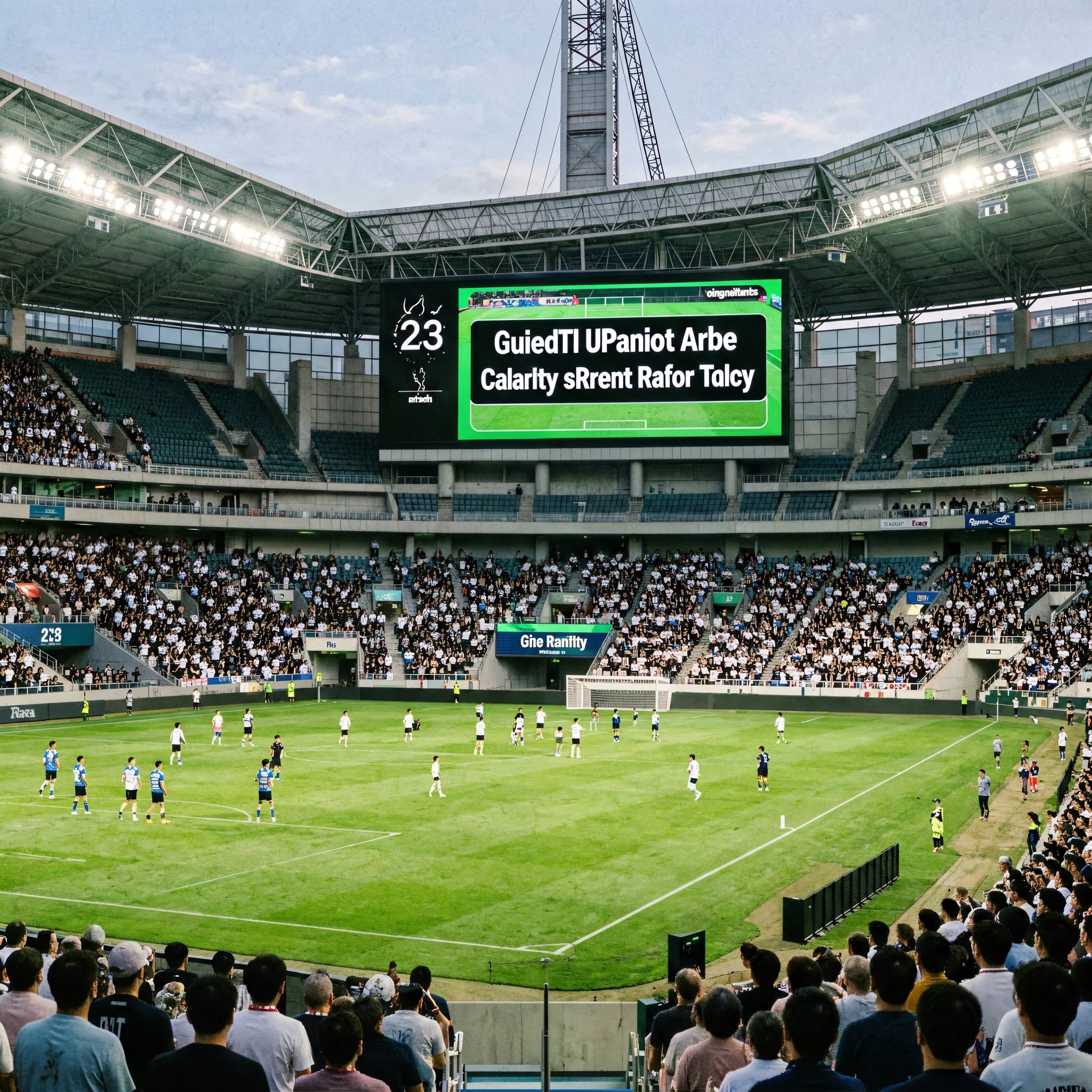
Stadium & Sports Scoreboards
Drive scoreboards and perimeter displays with pre-programmed match-day content. 60Hz output ensures smooth animations and score transitions during live events.
Bank & Government Notice Boards
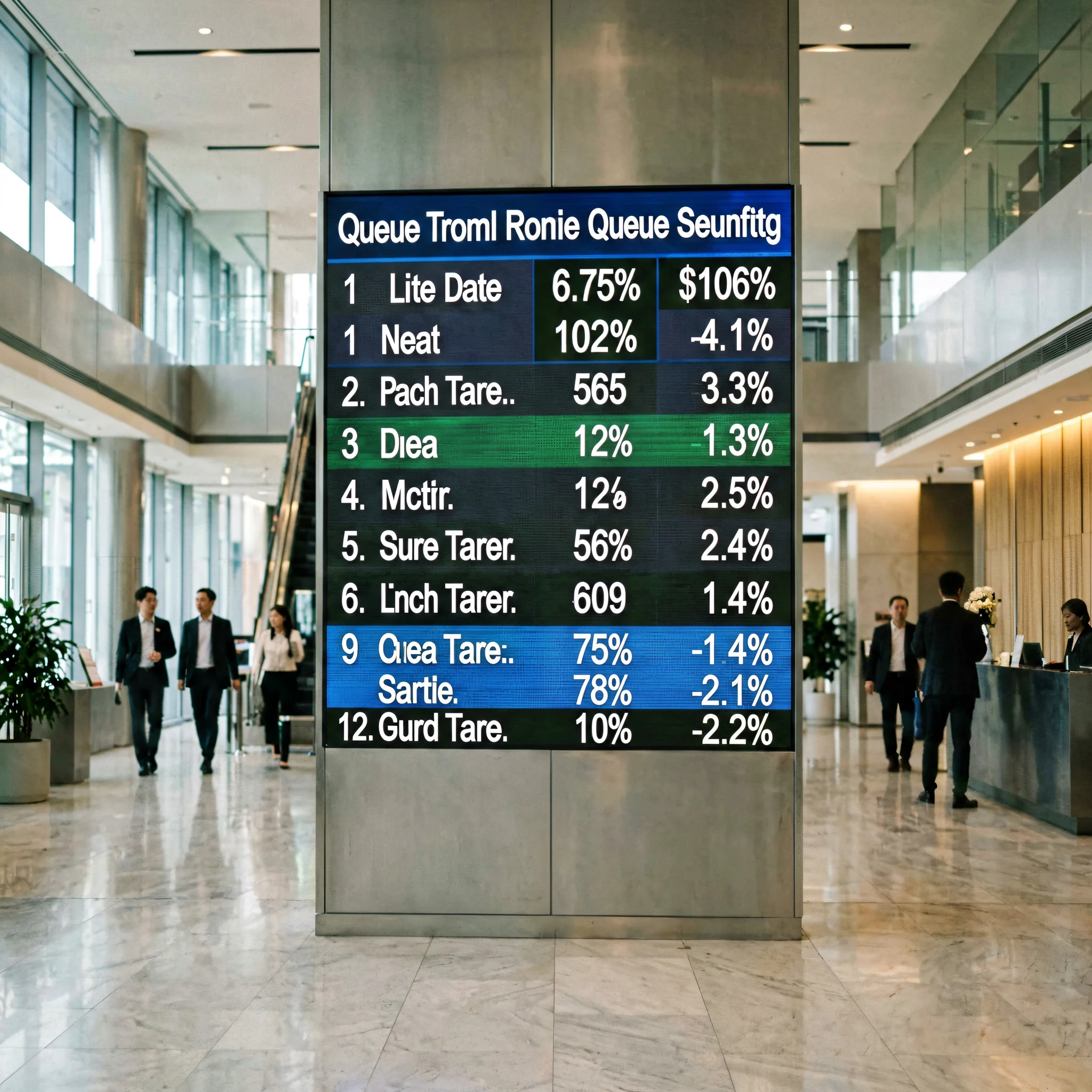
Display interest rates, exchange rates, queue numbers, and public service announcements. Office document support (PPT, DOC) allows direct upload of formatted notices.
Smart City Information Kiosks
Deploy in public squares, parks, and community centers. Integrate PM2.5, noise, and temperature sensors for environmental information displays that serve citizens 24/7.
How to Set Up the HD-A3: A 5-Step Field Installation Guide
One of the HD-A3’s strongest selling points is its rapid deployment. Unlike controllers that require manual IP configuration, the HD-A3 auto-identifies receiving cards by hardware ID. Here is the standard setup workflow used by our field engineers worldwide. For a complete magnetic LED display installation guide, refer to our step-by-step steel structure mounting tutorial.
Physical Connection
Mount the HD-A3 inside the LED cabinet or an external electrical enclosure using the four M3 mounting holes. Connect the OUT (RJ45) port to your first receiving card’s input using a Cat5e/Cat6 network cable. Daisy-chain subsequent receiving cards. Connect the IN (RJ45) port to your local network if using LAN control. Attach the Wi-Fi antenna and, if equipped, the 4G antenna and SIM card. Plug in the 12V DC power adapter.
Power On & Verify
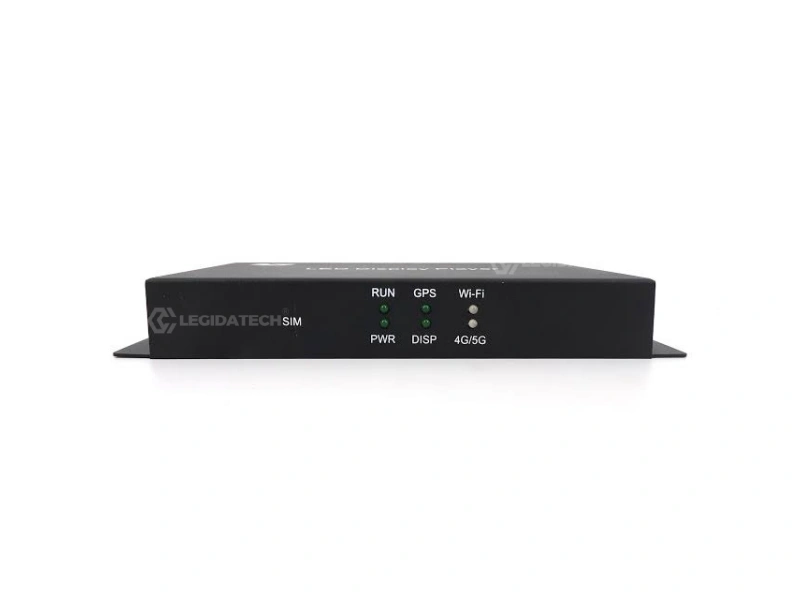
Apply 12V DC power. Check the front panel LEDs: PWR should stay solid green, RUN should flash green. If the DISP LED flashes, the output link to the receiving card is live. Press the TEST button — the connected LED modules should cycle through Red → Green → Blue → White → Grayscale test patterns. This confirms the complete signal chain is working.
Install HDPlayer & Configure Display Parameters
Download HDPlayer from the official Huidu website and install it on a Windows PC connected to the same network as the HD-A3 (or connected directly via RJ45). Open HDPlayer and navigate to Screen Settings. Enter your LED module parameters: pixel pitch, module resolution, scan mode, and the total cabinet configuration (width × height in modules). The HDPlayer will auto-detect the HD-A3 by its hardware ID — no IP address entry needed. For help measuring your LED screen accurately, see our LED screen size measurement guide.
Create & Schedule Your Program
In HDPlayer’s Program Editor, add your content layers: video files, still images, scrolling text, clocks, Office documents, and sensor data overlays. Arrange them on a timeline with start/end times, loop counts, and playback order. Set a playback schedule — for example, different content for morning commute hours vs. evening. Preview the program on your PC monitor before uploading.
Upload & Go Offline
Click Send to Device in HDPlayer. The compiled program transfers to the HD-A3’s 8GB internal memory. Once the transfer completes, the LED display immediately starts playing your scheduled content. You can now disconnect the PC entirely — the HD-A3 runs autonomously. For future updates, repeat via any of the four control methods (cloud, USB, LAN, or Wi-Fi APP).
Why Source Your HD-A3 from LEGIDATECH?
The HD-A3 is manufactured by Shenzhen Huidu Technology — but the partner you purchase from determines your total experience: pricing, pre-sales configuration support, after-sales technical assistance, warranty handling, and shipping logistics. Here is what sets LEGIDATECH apart as your LED screen manufacturer partner for Huidu controllers.

Authorized Huidu Distributor — Factory-Direct Pricing
As an authorized volume distributor of Huidu Technology products, LEGIDATECH procures HD-A3 units directly from the Huidu production line in Shenzhen — no intermediate wholesalers, no markup layers. This translates to competitive B2B pricing whether you are ordering a single test unit or a bulk shipment of 500+ controllers. Every unit ships with the original Huidu serial number, warranty card, and compliance certificates.
Pre-Configured & Bench-Tested Before Shipping
Many suppliers drop-ship controllers in their factory-default state — leaving you to handle firmware updates, screen parameter configuration, and compatibility testing on your own. LEGIDATECH does it differently: every HD-A3 unit is powered up on our test bench, updated to the latest stable firmware, and run through a 24-hour burn-in test with a reference LED module. If your order includes receiving cards, we pre-pair them and verify the complete signal chain. You receive a plug-and-play kit, not a box of unknowns.


Global Logistics + 3-Year Technical Support
We ship HD-A3 controllers worldwide via DHL, FedEx, UPS, and sea freight — with typical delivery times of 3-7 business days for express and 15-25 days for economy. Every order includes our 3-year technical support commitment: English-language WhatsApp and email support from engineers who work with Huidu controllers daily. Need help configuring a complex multi-screen cluster? We can remote into your HDPlayer via TeamViewer and assist in real time. This is what B2B partnership looks like.
Frequently Asked Questions About the HD-A3 Asynchronous LED Controller
Q1: What is the Huidu HD-A3 asynchronous LED controller, and what does it do?
The HD-A3 is a full-color asynchronous LED display control system manufactured by Shenzhen Huidu Technology. It functions as the central processing unit between your content source (PC, USB drive, cloud server, or smartphone) and the LED display panels. Unlike synchronous controllers that require a continuous real-time connection to a computer, the HD-A3 stores all content in its 8GB internal flash memory and plays it independently according to your schedule. It controls up to 655,360 pixels — making it suitable for small-to-medium format LED screens commonly used in outdoor advertising, retail signage, transportation displays, and industrial monitoring applications.
Q2: How many pixels can the HD-A3 control, and is that enough for my LED screen?
The HD-A3 has a maximum loading capacity of 655,360 pixels. In practical terms, this supports common configurations such as 1280×512 (standard wide format), 960×680, or 1024×640. The maximum single-axis width is 4,096 pixels and the maximum height is 2,048 pixels. To determine whether this is sufficient for your screen, multiply your LED display’s width in pixels by its height in pixels — if the result is 655,360 or below, the HD-A3 can drive it. For screens exceeding this pixel count, consider the HD-D16 (1.31 million pixels) or a synchronous controller. As a leading LED screen manufacturer, we can help you calculate the right controller match for any project.
Q3: What is the difference between the HD-A3 and the HD-D16?
The HD-A3 and HD-D16 are both full-color asynchronous controllers from Huidu, designed for different project scales. The HD-D16 supports double the pixel capacity (1,310,720 vs. 655,360 pixels) and has 16GB of onboard memory (vs. 8GB on the HD-A3). Both share the same software ecosystem (HDPlayer), the same connectivity options (Wi-Fi, 4G, LAN, USB), and the same 60Hz output capability. The HD-A3 is the smarter choice for small-to-medium displays where the extra capacity of the HD-D16 would go unused — it offers comparable performance at a lower B2B unit cost. If your single-screen pixel count exceeds 655,360, step up to the HD-D16; otherwise, the HD-A3 delivers optimal value.
Q4: Can I control the HD-A3 remotely from my smartphone?
Yes. The HD-A3 has a built-in 2.4GHz Wi-Fi module that enables direct connection from the Huidu mobile APP (available for both iOS and Android). With the APP, you can switch programs, adjust screen brightness, check playback status, and perform basic text edits — all from your smartphone within Wi-Fi range. For truly remote management from anywhere in the world, add the optional 4G module and a SIM card, or connect the HD-A3 to the internet via its Gigabit Ethernet port and use Huidu’s cloud management platform. All four control methods (Wi-Fi APP, 4G cloud, LAN, USB) are available simultaneously.
Q5: Does the HD-A3 support 4G and 5G connectivity?
The HD-A3 supports 4G connectivity via an optional internal module. The controller has a dedicated SIM card slot and a 4G antenna port on the rear panel. When the 4G module is installed and a data-enabled SIM card is inserted, the HD-A3 connects to Huidu’s cloud platform for remote content management. 5G is not currently supported on the HD-A3 model. For applications requiring the latest cellular standards, consult our team about Huidu’s newer controller models. For most asynchronous LED display deployments — billboards, retail signage, price boards — 4G provides more than sufficient bandwidth for periodic content updates. Pairing the HD-A3 with the right control system is key; for guidance on controller ecosystems, see our NovaStar LED controller comparison guide.
Q6: How do I set up the HD-A3 with a receiving card for the first time?
First-time setup follows this sequence: (1) Physically connect the HD-A3’s OUT (RJ45) port to your receiving card’s input port with a network cable. (2) Power the HD-A3 with the included 12V DC adapter. (3) Install HDPlayer software on a Windows PC connected to the same network. (4) In HDPlayer, go to Screen Settings and enter your LED module parameters (pixel pitch, scan mode, resolution). (5) The HDPlayer will auto-detect the HD-A3 by its hardware ID — no manual IP configuration is required. (6) After parameter confirmation, press the TEST button on the HD-A3 to verify the LED modules cycle through test patterns correctly. (7) Create your program in HDPlayer and click Send to Device. For a complete visual walkthrough, watch the tutorial video embedded in the How-It-Works section above.
Q7: What video, image, and document formats does the HD-A3 support?
The HD-A3’s hardware decoder supports 16 video formats: AVI, WMV, RMVB, MP4, 3GP, ASF, MPG, FLV, F4V, MKV, MOV, DAT, VOB, TRP, TS, and WEBM — all at up to 60Hz frame rate. Image support includes BMP, GIF, JPG, JPEG, PNG, PBM, PGM, PPM, XPM, and XBM. The HD-A3 is one of the few asynchronous controllers that natively supports Microsoft Office formats (DOC, DOCX, XLSX, XLS, PPT, PPTX), allowing you to upload formatted documents directly without converting them to images first. Text files (TXT, RTF, HTML) are also supported with multi-font, multi-color, and multi-size rendering. This broad format coverage eliminates the need for pre-conversion and streamlines your content workflow.
Q8: Is the HD-A3 suitable for outdoor LED screen installations?
Yes, and this is one of the HD-A3’s standout features. With an operating temperature range of -40°C to 80°C and humidity tolerance of 0-95% (non-condensing), the HD-A3 is specifically engineered for outdoor environments. It is widely used in outdoor billboards, gas station price displays, bus stop information boards, and roadside digital signage. For outdoor deployments, we recommend installing the HD-A3 inside a weatherproof electrical enclosure (IP65 or higher rated). The controller itself should be protected from direct rain and dust, though its conformally-coated PCB provides an additional layer of environmental resistance. Combined with a proper outdoor LED display solution, the HD-A3 delivers year-round reliability in challenging climates.
Q9: How do I update content on the HD-A3 without bringing a computer to the site?
There are three computer-free update methods: (1) Smartphone APP — connect to the HD-A3 via Wi-Fi and use the Huidu mobile APP to switch programs and make text edits within Wi-Fi range. (2) 4G Cloud — with the optional 4G module installed, update content remotely from anywhere using Huidu’s cloud platform. (3) USB Drive — compile the program on any computer (even a different location), save it to a USB flash drive, and plug the drive into the HD-A3’s USB port — the controller auto-detects and loads the new content. These options mean that routine content updates require zero on-site technical personnel, significantly reducing the operational cost of managing distributed LED display networks.
Q10: Where can I buy genuine Huidu HD-A3 controllers with warranty and support?
Genuine HD-A3 controllers are available through authorized Huidu distributors. LEGIDATECH is an authorized volume distributor based in Shenzhen, China — we supply HD-A3 units with full manufacturer warranty, serial number verification, and original compliance certificates (CCC, CE, FCC, RoHS, BIS). Every unit is bench-tested before shipping, and we provide 3-year English-language technical support. To request a quotation with volume pricing, click the “Request Factory Quote” button at the top or bottom of this page. As a trusted LED screen manufacturer partner, we ship worldwide via DHL, FedEx, UPS, and sea freight with typical delivery of 3-7 business days for express orders.
Ready to Power Your LED Display with the HD-A3?
Join 500+ B2B customers in 60+ countries who trust LEGIDATECH for Huidu LED control systems. Every HD-A3 ships pre-tested, pre-configured, and backed by our 3-year technical support commitment.
Factory-Direct Pricing
No middlemen, no distributor markups
Pre-Tested Every Unit
24-hour burn-in before shipping
3-Year Technical Support
English WhatsApp + Email + TeamViewer
Huidu HD-A3 Asynchronous LED Controller: The Complete 2026 B2B Buyer’s Guide
Table of Contents
- Why Your Choice of LED Controller Determines Project ROI
- HD-A3 Technical Deep Dive: What Makes It Different
- Asynchronous vs Synchronous: When HD-A3 Is the Right Choice
- Real-World Cost Comparison: HD-A3 vs NovaStar TB Series — 5-Year TCO
- How to Configure HD-A3: A Field Engineer’s Checklist
- Common Installation Pitfalls and How to Avoid Them
- Extreme Environment Performance: From -40°C Siberia to 50°C Dubai
- B2B Procurement Guide: 7 Questions to Ask Your LED Controller Supplier
- HDPlayer Software Ecosystem and Firmware Management
- The Bottom Line: Is the HD-A3 Worth Your Investment?
1. Why Your Choice of LED Controller Determines Project ROI
In the LED display industry, most procurement conversations focus on pixel pitch, cabinet material, and brightness specifications. These are important parameters — but they describe the screen, not the brain that drives it. The LED controller is the single most consequential component affecting the total cost of ownership (TCO) of a digital signage deployment, yet it routinely receives the least attention during the procurement process.
Consider this: a poorly matched controller can force you into one of two expensive scenarios. In the first scenario, you over-spec a high-end synchronous controller for a simple billboard application — paying 3-5× the necessary hardware cost and committing to ongoing operational expenses (dedicated PC on-site, higher power consumption, IT maintenance). In the second scenario, you under-spec an entry-level controller that lacks the memory, connectivity, or environmental tolerance for your actual deployment conditions — leading to premature failures, content update difficulties, and replacement costs within 12-18 months.
The Huidu HD-A3 asynchronous LED controller occupies the optimal middle ground for the majority of commercial and industrial LED display applications. With 655,360 pixels of loading capacity, 8GB of onboard storage, industrial-grade temperature tolerance, and four independent connectivity channels (Wi-Fi, 4G, Gigabit Ethernet, USB), it covers approximately 70% of all small-to-medium format digital signage use cases without the cost premium of synchronous systems. The key insight for B2B buyers is this: matching the controller to the actual operational requirement — not the theoretical maximum — is what drives project profitability.
2. HD-A3 Technical Deep Dive: What Makes It Different
Understanding what distinguishes the HD-A3 from other asynchronous controllers in its price band requires examining three architectural decisions that Huidu engineers made:
Dedicated Hardware Video Decoder. Many entry-level asynchronous controllers use software-based video decoding, which limits both the frame rate (often 30Hz or below) and the supported format range. The HD-A3 uses a dedicated hardware decode pipeline that processes 16 video formats at a full 60Hz frame rate. This is the difference between a price board that shows smooth, professional-looking video ads and one where motion appears choppy — a difference your advertising clients will notice.
Unified Memory Architecture. The HD-A3’s 8GB flash memory is a single, unified pool — not partitioned into separate segments for system firmware, user content, and playback cache. This means you can use the full 8GB for however your content requires it: one large 7.5GB video loop, or hundreds of smaller scheduled programs. The USB 2.0 expansion port allows external storage to supplement internal memory, enabling deployment scenarios where content libraries exceed onboard capacity.
Passive Cooling with Extended Thermal Range. The HD-A3 has no fan — a design choice that eliminates a common point of mechanical failure in outdoor and dusty environments. Instead, Huidu uses a thermally-optimized PCB layout with a large copper ground plane that dissipates heat across the entire board surface. The result is a -40°C to 80°C operating range without moving parts. This is particularly relevant for outdoor billboard and desert installation applications, where fan-cooled controllers have a documented higher failure rate.
3. Asynchronous vs Synchronous: When HD-A3 Is the Right Choice
The most common question from first-time LED display buyers is whether they need a synchronous or asynchronous control system. The answer depends entirely on the content update pattern:
Choose asynchronous (HD-A3) when: Your content changes on a schedule — daily, weekly, or monthly. The display runs the same playlist or program set for extended periods. The installation site may not have a dedicated PC or stable internet connection. You want to manage multiple remote screens from a central location. Examples: billboard advertising networks, gas station price displays, retail menu boards, factory monitoring dashboards, public information kiosks.
Choose synchronous when: Your content must mirror a computer screen in real time. You are displaying live video feeds, camera inputs, or interactive content. Frame-perfect synchronization with an external source is critical. Examples: concert stage backdrops, broadcast studio walls, esports arena screens, live event displays.
If your use case falls into the asynchronous category, the HD-A3 is likely the right controller — and you avoid paying the synchronous premium for capabilities you will never use. For a deeper comparison of LED display technologies beyond controllers, see our guide on DIP, SMD, and COB LED display technologies.
4. Real-World Cost Comparison: HD-A3 vs NovaStar TB Series — 5-Year TCO
Let us examine a realistic deployment scenario: 50 outdoor billboard screens, each 960×512 pixels, distributed across a city. Content updated weekly. Here is the 5-year total cost of ownership comparison between the HD-A3 and a comparable NovaStar synchronous solution:
| Cost Category | Huidu HD-A3 (Async) | NovaStar TB1 + PC (Sync) |
|---|---|---|
| Controller Unit Cost (×50) | $3,500 – $5,500 | $7,500 – $12,000 |
| On-Site PC (per screen) | Not required | $15,000 – $25,000 (50 × $300-$500 mini PCs) |
| 4G Module (per screen) | $750 – $1,500 (optional) | Not applicable (PC-based) |
| Power (5 years, 50 screens) | $1,350 (18W × 24h × 365d × 5y × 50 units × $0.12/kWh) | $5,400 (PC: 60W avg × 24h × 365d × 5y × 50 units × $0.12/kWh) |
| IT Maintenance (5 years) | $2,500 (cloud platform management) | $18,000 (onsite PC maintenance, OS updates, anti-virus, hardware failures) |
| Content Update Labor | $5,000 (1 operator, cloud-based) | $12,000 (per-site or remote desktop complexity) |
| 5-Year TCO Estimate | $13,100 – $15,850 | $57,900 – $72,400 |
The numbers tell a clear story: for a 50-screen deployment with weekly content updates, the asynchronous HD-A3 solution delivers a 5-year TCO that is approximately 75-80% lower than a comparable synchronous setup. The savings come primarily from eliminating on-site PCs (hardware purchase + power + maintenance) and reducing content update labor through centralized cloud management. Even factoring in optional 4G modules for all 50 units, the asynchronous architecture remains dramatically more cost-effective.
5. How to Configure HD-A3: A Field Engineer’s Checklist
Based on hundreds of field deployments, here is the verified configuration sequence that minimizes setup time and avoids the most common configuration errors:
- Physical inspection: Before connecting power, visually inspect the HD-A3 PCB for any shipping damage. Verify the Wi-Fi antenna is securely connected. If using the 4G option, insert a data-enabled SIM card and connect the 4G antenna.
- Module parameter entry: This is the step where most errors occur. In HDPlayer, enter your LED module’s exact parameters — pixel pitch (e.g., P10 = 10mm), module resolution (e.g., 32×16), scan mode (e.g., 1/4 scan), and the total number of modules in your cabinet (width × height). Entering incorrect scan mode is the #1 cause of display artifacts on first power-up.
- Receiving card pairing: Connect the HD-A3 OUT port to your receiving card and apply power. HDPlayer should auto-detect the receiving card by hardware ID. If it does not, check the network cable and verify the receiving card’s indicator LED is lit.
- Test pattern verification: Press the TEST button on the HD-A3. The display should cycle Red → Green → Blue → White → Grayscale. If any color is missing or patterns are distorted, re-check the module parameter settings (step 2).
- Send a simple test program: Before building your full playlist, send a single static image with bold text. Confirm it displays correctly end-to-end. This isolates content issues from configuration issues.
- Schedule and go offline: Set your program schedule, send the final content package, and disconnect the configuration PC. The HD-A3 should continue playing independently.
6. Common Installation Pitfalls and How to Avoid Them
Over years of supporting HD-A3 deployments, our technical team has documented the most frequent issues encountered by system integrators:
Pitfall 1: Using the wrong power adapter. The HD-A3 requires a regulated 12V DC supply capable of delivering at least 2A. Using a lower-quality adapter (or the 5V backup port as primary power) causes intermittent reboots under load. Always use the included Huidu 12V adapter or a quality equivalent.
Pitfall 2: Exceeding the single-axis pixel limit. While the total pixel budget is 655,360, the width cannot exceed 4,096 pixels and the height cannot exceed 2,048 pixels — even if the total is within budget. A 6,000 × 100 configuration has only 600,000 pixels but exceeds the 4,096-pixel width limit and will not work.
Pitfall 3: Daisy-chaining too many receiving cards on one port. The HD-A3’s Gigabit output port can typically drive 8-12 receiving cards in a daisy chain, depending on the total pixel load. Exceeding this causes frame drops. For larger installations, use a network switch after the HD-A3 output.
Pitfall 4: Forgetting to re-tighten antenna connections after transport. The Wi-Fi and 4G antennas can loosen during shipping. Always hand-tighten both antenna connectors before power-up. A loose antenna is the most common cause of “Wi-Fi not working” support tickets.
7. Extreme Environment Performance: From -40°C Siberia to 50°C Dubai
LED controller specifications look impressive on a datasheet, but how does the HD-A3 perform at the extremes? Independent customer reports and our internal testing provide real data points:
Cold climate deployment (Norilsk, Russia — average January temperature: -30°C). A 12-screen outdoor information network has been operating since 2023 with HD-A3 controllers installed in IP66-rated enclosures without supplemental heating. The controllers cold-start successfully at -35°C and maintain stable operation throughout the winter. The key factor is the absence of electrolytic capacitors in critical timing circuits — a design characteristic that prevents the slow-start problem that affects many competing controllers in sub-zero conditions.
Hot climate deployment (Riyadh, Saudi Arabia — peak summer temperature: 48°C ambient, 65°C inside enclosure). A chain of 40+ outdoor advertising displays uses HD-A3 controllers inside ventilated (not air-conditioned) roadside enclosures. After two summer seasons, the controller failure rate is under 2% — significantly below the 8-12% rate reported for fan-cooled synchronous controllers in the same environment. The passive thermal design proves its value in high-temperature, dust-prone environments where fan intakes become clogged.
8. B2B Procurement Guide: 7 Questions to Ask Your LED Controller Supplier
Whether you choose the HD-A3 or another controller, asking these seven questions before placing an order will save you from costly post-deployment surprises:
- “Is this unit tested before shipping, or drop-shipped from the manufacturer?” — If the answer is “drop-shipped,” you are the quality control department. Insist on pre-shipment bench testing with a test report.
- “What firmware version ships with the unit, and how do I update it?” — Controllers shipped with outdated firmware may have known bugs. Verify the firmware version and the update procedure.
- “What is the actual warranty process — return to China, or local replacement?” — A “3-year warranty” is meaningless if the replacement process takes 6 weeks and involves international shipping at your expense. Clarify the practical warranty workflow.
- “Do you provide English-language technical support during my business hours?” — Many Shenzhen-based suppliers offer support only during China business hours (UTC+8). If your deployment is in the Americas, Europe, or Africa, verify the support window.
- “Can you provide a sample unit for compatibility testing before bulk order?” — Reputable suppliers will sell single evaluation units. If the minimum order is 100 units, consider this a red flag.
- “What receiving cards are compatible, and can you supply them as a matched set?” — The HD-A3 works optimally with Huidu R Series cards. Mixing controller and receiving card brands is a common source of compatibility issues.
- “Is there a cloud management platform, and what are the recurring fees?” — Huidu’s cloud platform has no recurring subscription fee for basic remote management. Confirm whether your supplier’s recommended platform has ongoing costs.
9. HDPlayer Software Ecosystem and Firmware Management
The HDPlayer software is the user-facing component of the Huidu ecosystem. It runs on Windows (Windows 7 through Windows 11) and provides three core functions: screen parameter configuration, program editing and scheduling, and remote device management.
A frequently overlooked aspect of HD-A3 ownership is firmware management. Huidu periodically releases firmware updates that add format support, improve connectivity stability, and fix edge-case bugs. The update process is straightforward: download the firmware file from Huidu’s support portal, connect to the HD-A3 via HDPlayer or USB, and apply the update. The controller retains all stored programs and configuration through the update process.
Our recommendation for B2B deployments: standardize on a specific firmware version across your entire fleet. Before adopting a new firmware update, test it on one offline unit for at least 48 hours with your actual content playlist. This avoids the scenario where a firmware change introduces subtle playback issues across dozens of deployed screens simultaneously.
10. The Bottom Line: Is the HD-A3 Worth Your Investment?
After examining the technical architecture, real-world cost data, deployment case studies, and procurement considerations, the verdict is clear:
The HD-A3 asynchronous LED controller represents the optimal price-performance intersection for small-to-medium format commercial LED display deployments. It delivers industrial-grade reliability (CCC/CE/FCC/RoHS/BIS certified, -40°C to 80°C operational), professional media capabilities (60Hz HD hardware decoding, 16 video formats, Office document support), and modern connectivity (Wi-Fi, 4G, cloud, LAN, USB) — without the cost premium of synchronous systems or flagship controllers with capacity you will never use.
For system integrators building billboard networks, retail chains deploying digital signage, municipalities installing public information displays, or industrial facilities implementing production monitoring screens — the HD-A3 should be your default controller selection unless your project specifically requires real-time sync or exceeds 655,360 pixels.
As a factory-direct LED screen manufacturer partner, LEGIDATECH supplies HD-A3 controllers with pre-shipment bench testing, the latest stable firmware, matched receiving cards, and 3-year English-language technical support. To discuss your specific project requirements or request a volume quotation, contact our B2B sales team through the inquiry form on this page.