NovaStar VX Series vs MCTRL Series: All-in-One or Pure Sending Controller — Which Architecture Is Right for You?
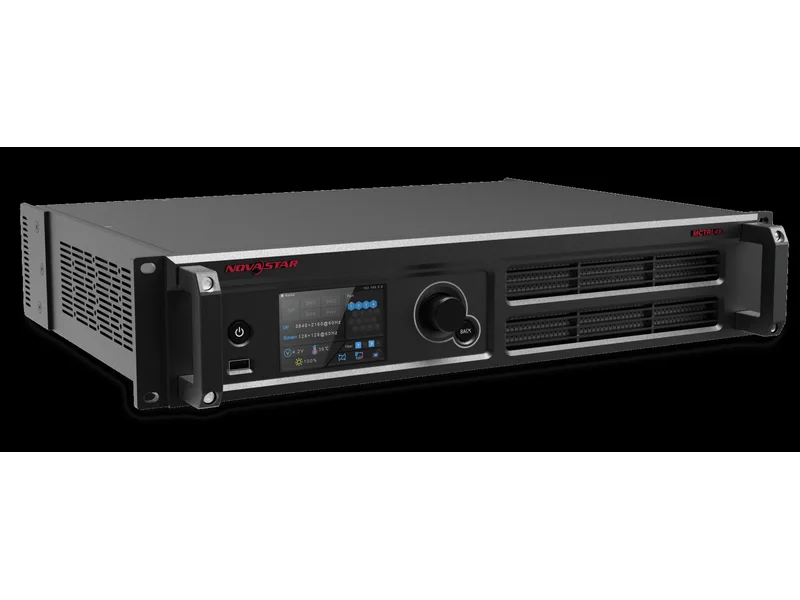
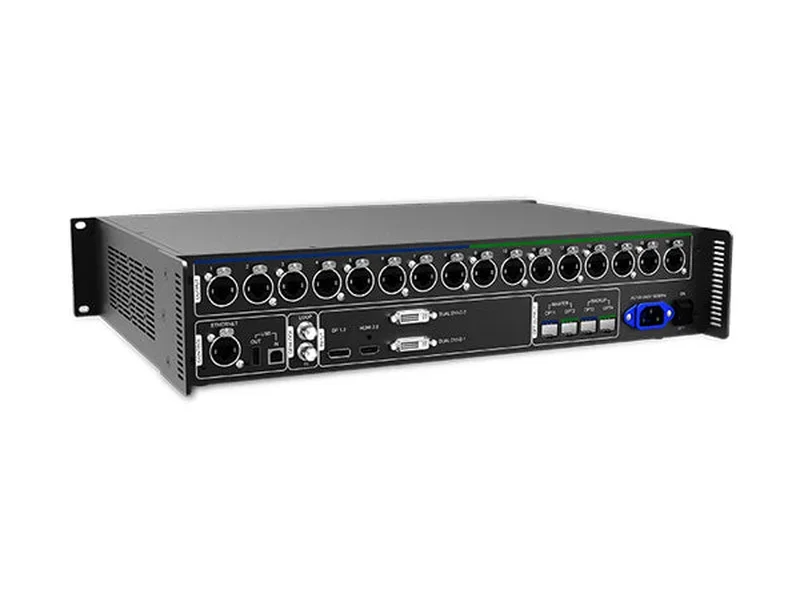
NovaStar makes two families of LED controllers, and choosing between them is one of the most consequential decisions in any LED display project. The VX series are all-in-one controllers — video processor and sending card combined in a single chassis. The MCTRL series are pure sending controllers — they distribute video to LED cabinets but don’t process, scale, or switch it.
Use the wrong architecture and you either overpay for processing features you never use, or under-spec your system and create a signal-chain headache that costs hours of troubleshooting. This guide compares every VX and MCTRL model side-by-side so you can match the right controller to your project.
At LEGIDATECH, we supply the complete NovaStar lineup factory-direct — all units undergo 48-hour burn-in testing, include full accessories, and ship with a 3-year warranty.
The Core Difference: All-in-One vs Pure Sending
| VX Series (All-in-One) | MCTRL Series (Pure Sending) | |
|---|---|---|
| What it does | Video processor + sending card in one device | Sending card only — distributes video to cabinets |
| Video scaling? | ✅ Yes — independent input/output scaling | ❌ No — requires matching input to display resolution |
| Input switching? | ✅ Multiple inputs with auto-switchover | ❌ Single input only |
| PIP / Layers? | ✅ 2–6 independent layers | ❌ No layer support |
| Who provides video processing? | The controller itself | Your source device (PC, media player, external scaler) |
| Typical setup | Source → VX → LED cabinets | Source → External scaler? → MCTRL → LED cabinets |
| Best for | Multi-source, multi-layer, live switching | Single-source, fixed-resolution, cost-sensitive |
Simple rule: If your video source (laptop, media player, camera) already outputs the exact resolution your LED wall needs, an MCTRL is all you need. If you need to switch between sources, scale content, or compose multiple layers, you need a VX — or an MCTRL behind an external scaler (which often costs more than just buying a VX).
VX Series Lineup: The All-in-One Family
| Model | Pixel Capacity | Ethernet | Max Input | Layers | Key Feature | Price |
|---|---|---|---|---|---|---|
| VX4S-N | 2.3M | 4× RJ45 | 1080p@60Hz | 2 | Entry-level all-in-one | $400–$600 |
| VX600 | 3.9M | 6× RJ45 | 4K×2K@60Hz | 3 | Best value mid-range | $800–$1,200 |
| VX16S | 10.4M | 16× RJ45 | 4K×2K@60Hz | 3 | Highest VX pixel capacity | $1,500–$2,000 |
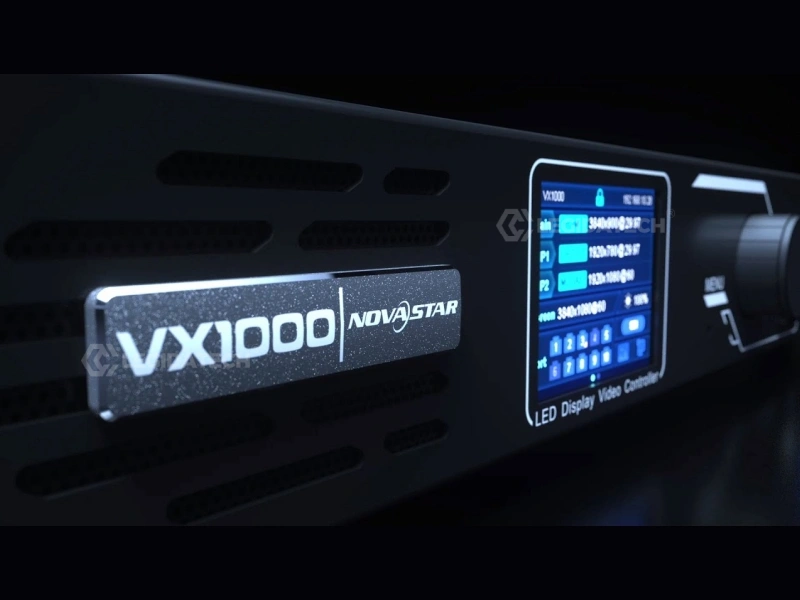
| VX1000 | 6.5M | 10× RJ45 + 2× 10G fiber | 4K×1K@60Hz | 3 | Genlock + 3D + Fiber | $1,800–$2,100 |
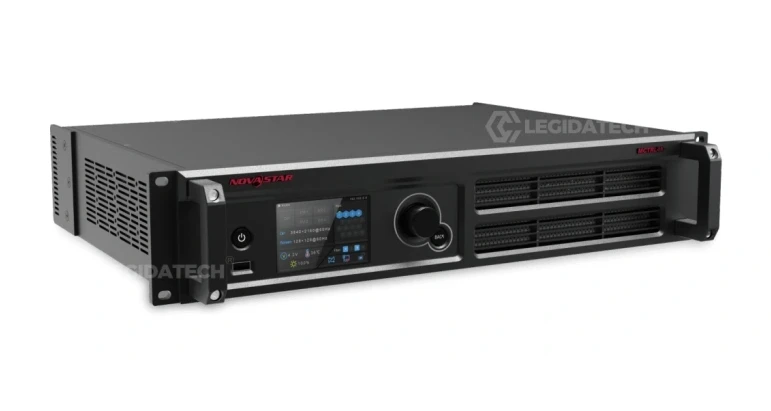
| NovaPro UHD Jr | 4K processing + sending | 16× Ethernet | 4K×2K@60Hz | Multi-layer | Dedicated video controller | $2,500–$3,500 |
VX4S-N — Entry-Level All-in-One
The smallest VX controller. 4 Ethernet ports, 2.3M pixel capacity, 1080p input. Ideal for conference rooms, retail displays, and small fixed installations where you want an all-in-one without paying for capacity you won’t use. Replaces a basic scaler + sending card setup at roughly the same cost while saving rack space.
VX600 — The Mid-Range Sweet Spot
The VX600 (and its Pro variant) supports 3.9M pixels across 6 Ethernet ports, with 4K×2K@60Hz input. Three configurable layers, auto input switching, and fiber output. For mid-size rental stages and corporate events, this is the most popular VX controller — more capacity than VX4S-N at a reasonable price increment.
VX16S — Pixel Powerhouse
10.4M pixels across 16 Ethernet ports — the highest capacity in the VX family. 4K×2K@60Hz input. For large LED walls that exceed the VX1000’s 6.5M capacity but don’t need Genlock or 3D, the VX16S is the logical upgrade. Ideal for commercial displays, venue signage, and large conference halls.
VX1000 — Broadcast-Ready All-in-One
The VX1000 is the benchmark mid-to-high-end all-in-one. 6.5M pixels, 10 Ethernet ports, dual 10G SFP+ fiber, Genlock with IN+LOOP, native 3D stereoscopic via EMT200, and three independent 4K×1K layers. Bypass Mode delivers ~0.5ms latency for live IMAG camera feeds. For concert touring, broadcast studios, and fine-pitch commercial displays, this is the go-to choice.
NovaPro UHD Jr — Dedicated Video Controller
The NovaPro UHD Jr sits above the VX series as a dedicated video controller — designed for installations where video processing is the priority and sending card functionality is secondary. 4K×2K@60Hz processing, 16 Ethernet outputs, multi-layer composition, and full input/output EDID management. For broadcast control rooms and multi-screen venues where a dedicated processing engine is required.
MCTRL Series Lineup: The Pure Sending Family
| Model | Pixel Capacity | Ethernet | Max Input | Key Feature | Price |
|---|---|---|---|---|---|
| MCTRL300 | 1.3M | 2× RJ45 | 1920×1200 | Ultra-portable, 1.04 kg, 3W | $120–$300 |
| MCTRL600 | 2.6M | 4× RJ45 | 1920×1200 | Best value, 6.6W, audio + light sensor | $200–$400 |
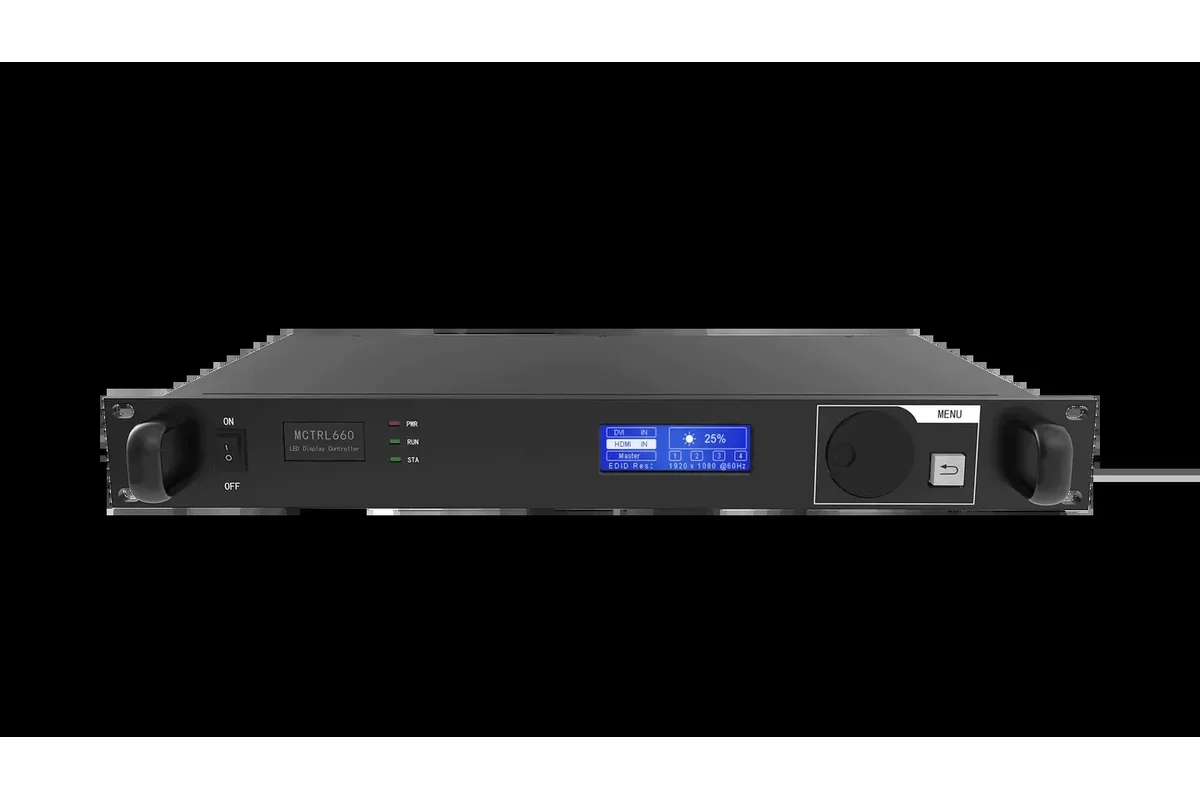
| MCTRL660 | 2.3M | 4× RJ45 | 1920×1200 | Standard workhorse, rugged chassis | $350–$550 |
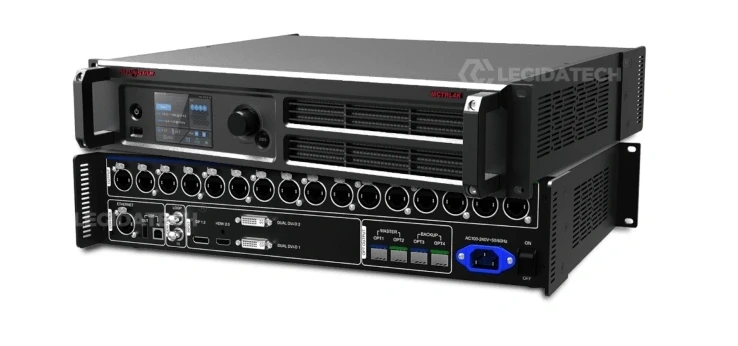
| MCTRL660 Pro | 2.3M | 6× RJ45 + 2× 10G fiber | 1920×1200 | 3G-SDI + GENLOCK + Fiber | $650–$850 |
| MCTRL4K | 8.8M | 16× EtherCON + 4× 10G fiber | 4096×2160 | HDR10/HLG + 3D + GENLOCK | $2,000–$2,500 |
For full details on each MCTRL model, see our MCTRL300 vs MCTRL660 comparison, MCTRL Series full lineup guide, and MCTRL4K vs MCTRL660 Pro comparison.
VX vs MCTRL: Decision Framework
When to Choose VX (All-in-One)
- You switch between multiple video sources — laptop, camera, media server. VX handles auto-switching and failover natively.
- You need PIP or multi-layer composition — presenter + logo + live camera, all on one wall. MCTRL can’t layer.
- Your source resolution doesn’t match the wall — VX scales natively. MCTRL requires the source to output the exact wall resolution.
- You’re building a self-contained control rack — VX eliminates the external scaler, saving 1–2U and $800–$2,500.
- You need rapid scene/preset switching — VX stores 10–256 presets. MCTRL has none.
When to Choose MCTRL (Pure Sending)
- You have one video source at a fixed resolution — a media player outputting exactly the wall’s native resolution.
- You already have a video scaler/switcher — no need to pay for processing twice.
- Budget is the priority — MCTRL controllers cost 50–70% less than equivalent-capacity VX models.
- You need multi-unit hot backup — the MCTRL300’s multi-unit hot backup has no VX equivalent.
- Weight and power matter — MCTRL300 (1.04 kg, 3W) is far lighter and more efficient than any VX.
Cost Comparison: All-in-One vs Scaler + Sending Card
A VX controller’s higher purchase price vs. an equivalent MCTRL is offset by the elimination of an external video scaler. Here’s the math for a typical mid-size rental setup:
| Approach | Equipment | Total Cost | Rack Space | Devices to Troubleshoot |
|---|---|---|---|---|
| All-in-One | VX600 | $800–$1,200 | 1U | 1 |
| Traditional | MCTRL600 + External 4K Scaler | $200–$400 + $800–$1,500 = $1,000–$1,900 | 2–3U | 2–3 |
| All-in-One | VX1000 | $1,800–$2,100 | 1U | 1 |
| Traditional | MCTRL660 Pro + External 4K Scaler with Genlock | $650–$850 + $1,500–$2,500 = $2,150–$3,350 | 2–3U | 2–3 |
The all-in-one approach is typically cheaper at every tier once you account for the external scaler that a pure MCTRL setup requires for multi-source, multi-resolution workflows. The break-even point is when your source device already outputs the exact wall resolution — at which point a pure MCTRL setup costs 50–70% less.
Feature Comparison: VX vs MCTRL at Each Tier
| Requirement | Best VX Model | Equivalent MCTRL Setup | Recommendation |
|---|---|---|---|
| Small conference room (≤2.3M px, 1 source) | VX4S-N | MCTRL300 | If single source → MCTRL300 saves $300. If multi-source → VX4S-N |
| Mid-size rental (2–4M px, 2–3 sources) | VX600 | MCTRL600 + scaler | VX600: 1 device vs 2–3, simpler setup |
| Large rental / broadcast (4–6.5M px, multi-source, Genlock) | VX1000 | MCTRL660 Pro + scaler | VX1000: built-in layers + Genlock + fiber. Pro + scaler costs more |
| Very large walls (6.5–10M px) | VX16S | MCTRL4K (8.8M single) or 2× MCTRL660 Pro | VX16S for multi-source/PIP. MCTRL4K for single-source HDR |
| 4K HDR / 3D wall (>8M px) | — | MCTRL4K | Only MCTRL4K has HDR10/HLG + 3D. No VX model supports HDR |
| Broadcast OB van (SDI, Genlock) | VX1000 | MCTRL660 Pro | VX1000 for multi-layer. MCTRL660 Pro for single-source SDI |
Software: Same Ecosystem, Different Tools
Both families use NovaLCT for screen configuration and firmware updates. But VX controllers add two additional tools:
- V-Can: Real-time control software for VX series — layer positioning, input switching, brightness, preset recall. MCTRL controllers don’t need V-Can because they have no layers or switching to control.
- VICP: Cloud-based monitoring platform for multi-venue VX deployments.
The learning curve is minimal: if you know NovaLCT, you can configure any VX or MCTRL controller. The additional tools only apply to VX-specific features.
Frequently Asked Questions
Can I use a VX controller without its video processing features?
Yes — every VX controller includes Bypass Mode, which passes video through with minimal processing (~0.5ms latency). In this mode, it functions like a pure MCTRL sending card. But you’re paying for processing hardware you’re not using. If you’ll never need scaling or switching, buy an MCTRL.
Which VX model replaces the MCTRL660 Pro?
The VX1000 is the closest VX equivalent — both have Genlock, fiber, and ~6.5M (VX1000) vs 2.3M (MCTRL660 Pro) pixel capacity. But the VX1000 adds layers, input switching, and scaling while costing 2–3× more. If you don’t need those features, the MCTRL660 Pro is the better value for single-source SDI/GENLOCK workflows.
Can I cascade VX and MCTRL controllers together?
Not recommended. VX and MCTRL controllers have different internal architectures, processing pipelines, and control protocols. Mixing them in a synchronized system causes timing discrepancies and configuration conflicts. Use identical models throughout any cascaded deployment.
Does the VX series support HDR?
No VX model supports HDR10 or HLG. HDR is exclusive to the MCTRL4K in NovaStar’s independent controller lineup. If HDR is a project requirement, the MCTRL4K is your only option — VX controllers cannot be used.
For a rental company, should I standardize on VX or MCTRL?
Standardize on both — they solve different problems. For corporate events with a single laptop source: MCTRL600 (cheaper, lighter, simpler). For multi-source events with switching/layers: VX600 or VX1000. For broadcast/SDI jobs: MCTRL660 Pro. For 4K/HDR premium jobs: MCTRL4K. A mixed fleet lets you match the controller to the job rather than forcing every event through the same equipment.
The Bottom Line
VX and MCTRL don’t compete — they complement each other.
Choose VX when you need video scaling, multi-source switching, and layer composition in a single device. The all-in-one architecture eliminates the external scaler and simplifies your signal chain.
Choose MCTRL when you have a single source at a fixed resolution, already own a scaler, or need features exclusive to the MCTRL line — HDR10/HLG (MCTRL4K), native SDI (MCTRL660 Pro), or multi-unit hot backup (MCTRL300).
Most professional rental companies and integrators stock both: VX for multi-source events, MCTRL for single-source and broadcast deployments. The right question isn’t “which family?” — it’s “which model for this specific job?”
Explore the Complete NovaStar Lineup
VX Series (All-in-One):
- VX4S-N — 2.3M px, 4 ports, entry-level all-in-one
- VX600 — 3.9M px, 6 ports, 4K input, best mid-range value
- VX16S — 10.4M px, 16 ports, highest VX capacity
- VX1000 — 6.5M px, 10 ports + fiber, Genlock + 3D
- NovaPro UHD Jr — 4K dedicated video controller, 16 ports
MCTRL Series (Pure Sending):
- MCTRL300 — 1.3M px, 2 ports, ultra-portable
- MCTRL600 — 2.6M px, 4 ports, best value
- MCTRL660 — 2.3M px, 4 ports, standard workhorse
- MCTRL660 Pro — 2.3M px, 6 ports + fiber, 3G-SDI + GENLOCK
- MCTRL4K — 8.8M px, 16 ports + 4× fiber, HDR10/HLG + 3D
VX4S-N, VX600, VX16S, and NovaPro UHD Jr product pages coming soon. Contact us for specifications and pricing in the meantime.
📧 legidatechled@gmail.com
📞 WhatsApp: +86 185 69492693
Published by LEGIDATECH — Your factory-direct source for the complete NovaStar VX and MCTRL controller lineup, LED display cabinets, and complete LED screen solutions.