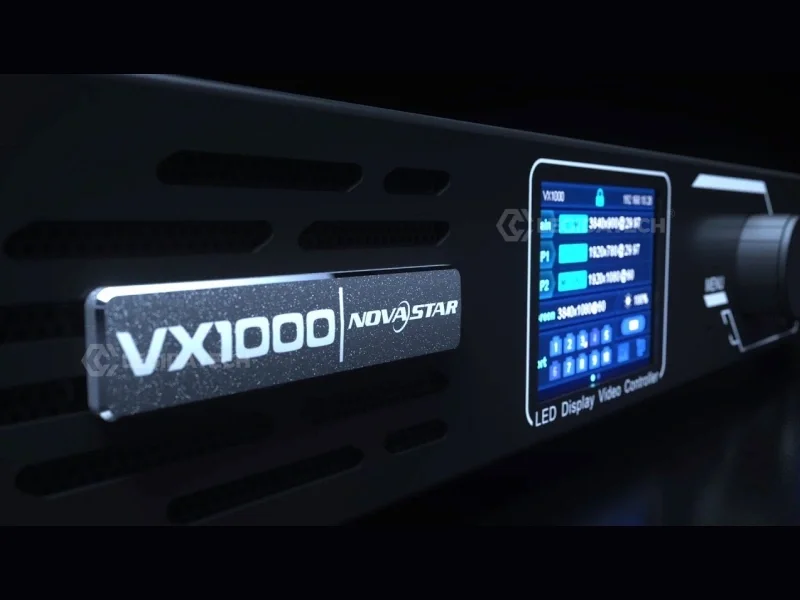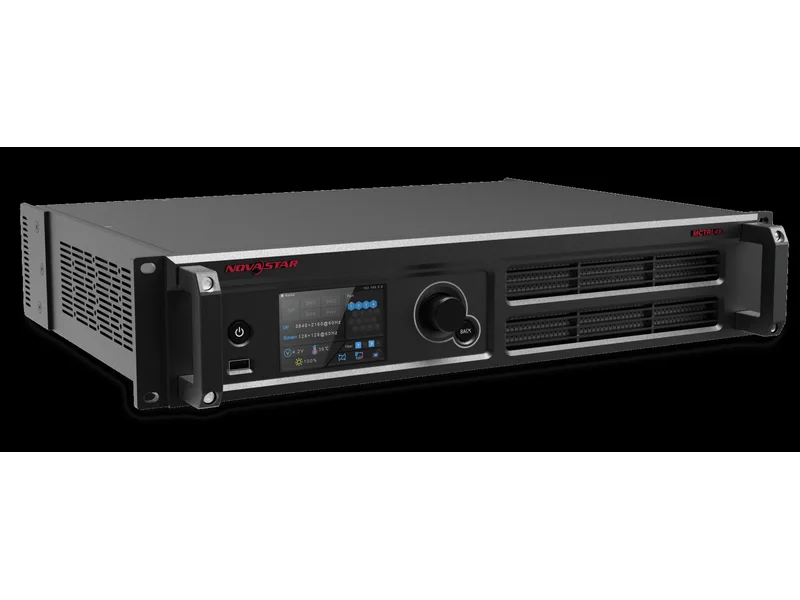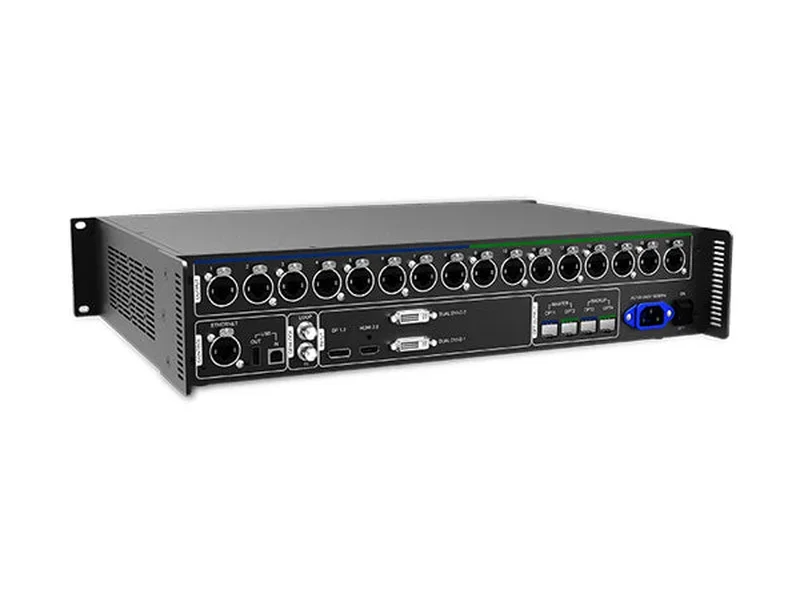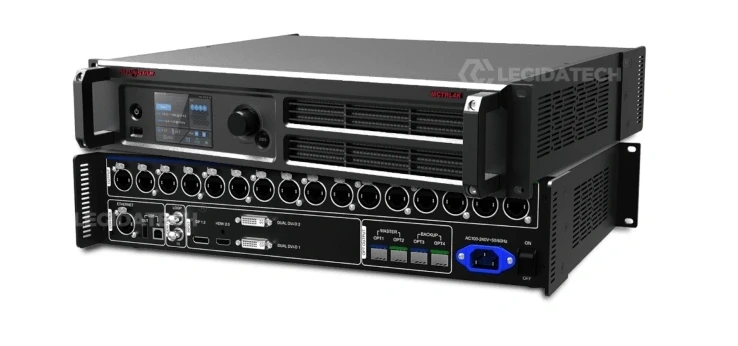
If you’re building or upgrading an LED display system, your choice of controller directly impacts image quality, reliability, and total project cost. The NovaStar MCTRL300 and NovaStar MCTRL660 are two of the most popular synchronous LED controllers on the market — but they serve different project scales and budgets.
At LEGIDATECH, we supply both models with factory-direct pricing, 3-year warranty, and free technical support. This in-depth comparison draws on our experience as a NovaStar partner and LED display manufacturer — not just spec sheets, but real-world performance data from hundreds of installations across 60+ countries.
By the end of this guide, you’ll know exactly:
- Which controller matches your pixel count and project type
- The 8 critical differences most comparison pages miss
- What each controller actually costs over 5 years (not just the purchase price)
- When to skip both and consider the MCTRL660 Pro or MCTRL4K
Quick Comparison: MCTRL300 vs MCTRL660 at a Glance
| Feature | 🌟 MCTRL300 | 🔷 MCTRL660 |
|---|---|---|
| Max Pixel Capacity | 1.3 million pixels | 2.3 million pixels |
| Video Input | 1× SL-DVI | 1× DVI + 1× HDMI |
| Ethernet Outputs | 2× RJ45 (650K px/port) | 4× RJ45 |
| Max Input Resolution | 1920×1200@60Hz | 1920×1200@60Hz |
| Redundancy | ✅ Dual-Port + Multi-Unit Hot Backup | ✅ Dual-Port Backup |
| Max Cascade Units | Up to 20 units | Up to 10 units |
| Audio Sync | ✅ 3.5mm Audio Input | ✅ 3.5mm Audio Input |
| Auto Brightness | ✅ External Light Sensor Port | ✅ External Light Sensor Port |
| Pixel Calibration | ✅ NovaLCT + NovaCLB | ✅ NovaLCT + NovaCLB |
| Power Consumption | 3.0W | 10W |
| Net Weight | 1.04 kg (2.3 lbs) | 2.5 kg (5.5 lbs) |
| Dimensions | 204×160×48 mm | ~270×200×50 mm |
| Operating Temperature | -20°C to +60°C | -20°C to +60°C |
| Certifications | CE, FCC, RoHS, EAC, IC, CB | CE, FCC, RoHS, EAC |
| Market Price Range | $120 – $300 | $300 – $500 |
| Best For | Small-Medium Displays, Rental & Events | Medium-Large Fixed Installations |
MCTRL300 In-Depth: The Compact Workhorse
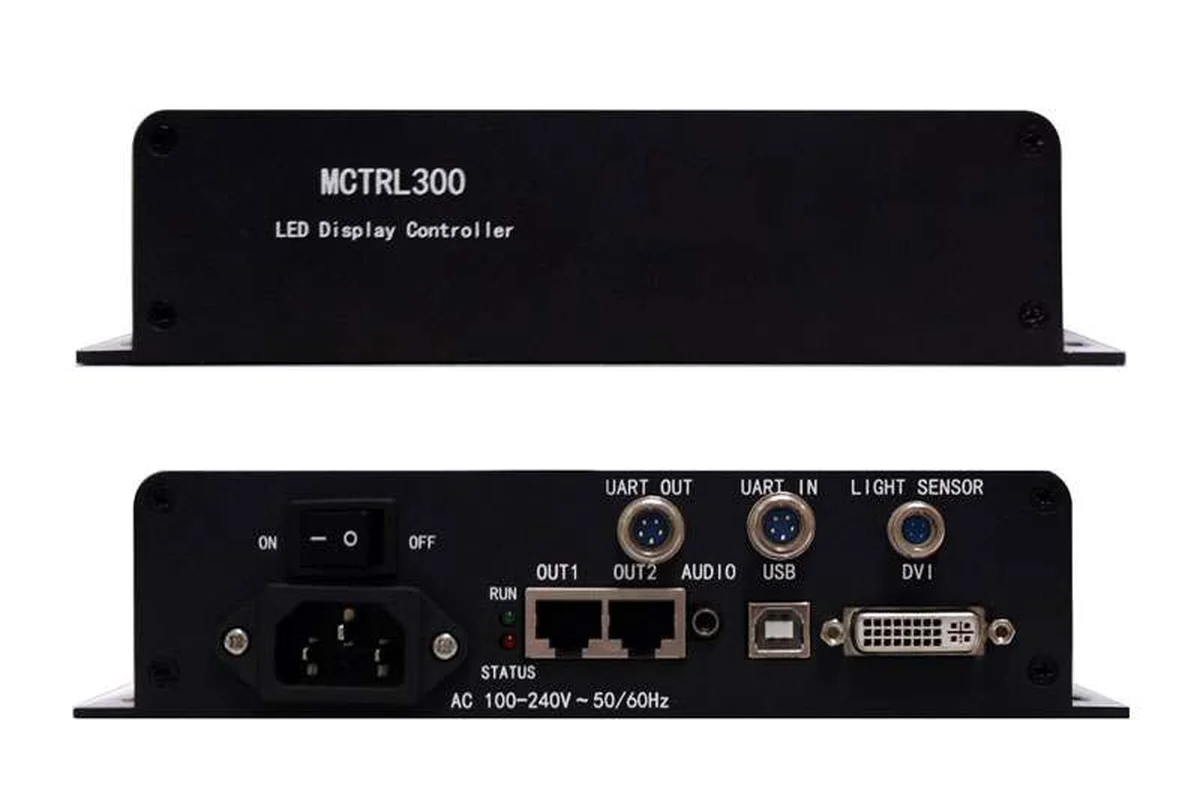
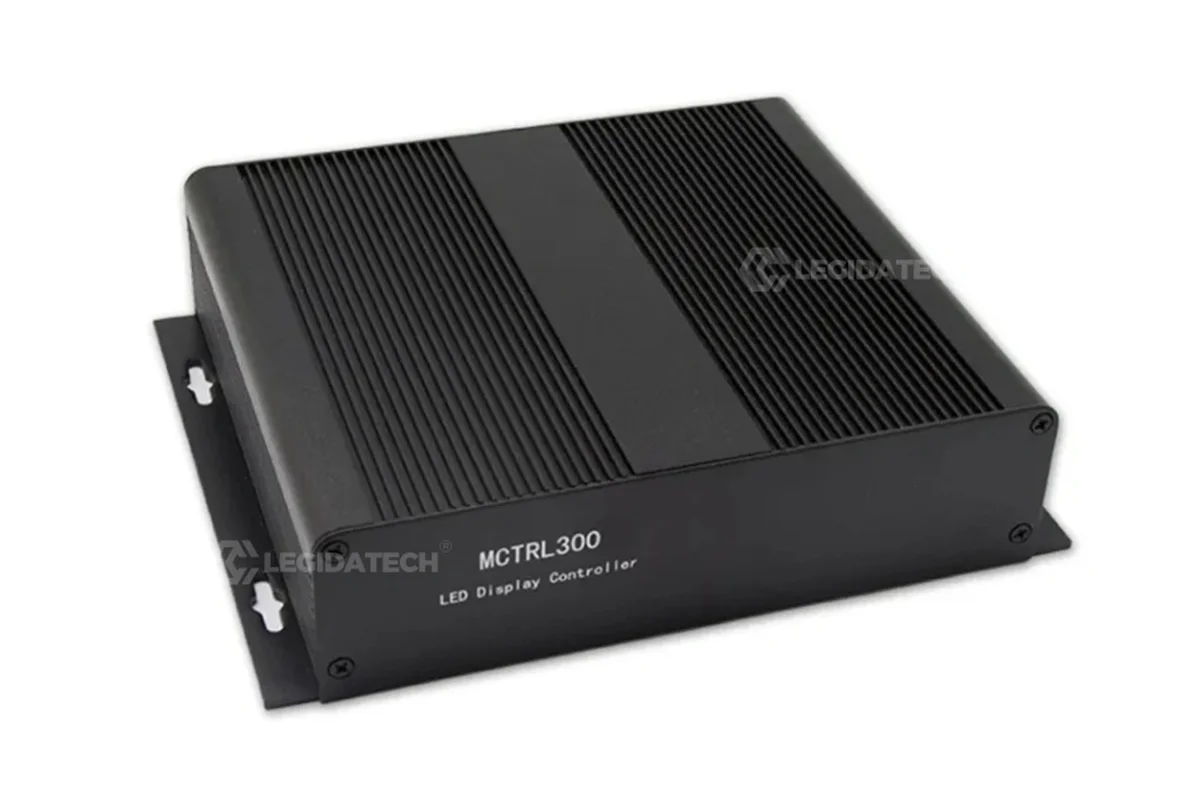
The MCTRL300 is NovaStar’s entry-level standalone synchronous LED controller, part of the M3 series. Internally, it’s essentially an MSD300 sending card integrated into a rugged aluminum enclosure — giving you professional-grade signal processing without opening a PC case.
Why the MCTRL300 Wins for Rental & Mobile Teams
- Ultra-portable: At just 1.04 kg and 204×160×48mm, it fits in a laptop bag. For rental crews moving between venues, this alone saves hours of setup and teardown.
- Best-in-class cascading: Daisy-chain up to 20 units via UART ports — the highest in its price class. Start with one unit for small stages; add controllers as you win bigger projects without replacing hardware.
- Dual redundancy on a budget: Two Ethernet ports with hot backup. If one cable fails mid-show, the second takes over instantly. Most competing controllers at this price point have zero redundancy.
- 3W power draw: That’s less than an LED night light. In a 10-unit rental fleet running 8 hours a day, the energy cost difference vs. a 15W controller adds up to real savings over 5 years.
MCTRL300 Limitations to Know
- DVI only — no HDMI: You’ll need a passive HDMI-to-DVI adapter ($5) if your source doesn’t have DVI output. Not a dealbreaker, but worth noting for laptop-only setups.
- 1.3M pixel ceiling: For displays larger than ~1300×1000 pixels, you’ll need to cascade multiple units or upgrade. See the pixel calculator section below.
- No Genlock: If you’re doing multi-camera broadcast with genlock sync requirements, look at the MCTRL660 Pro or MCTRL4K instead.
MCTRL660 In-Depth: The Professional Step-Up
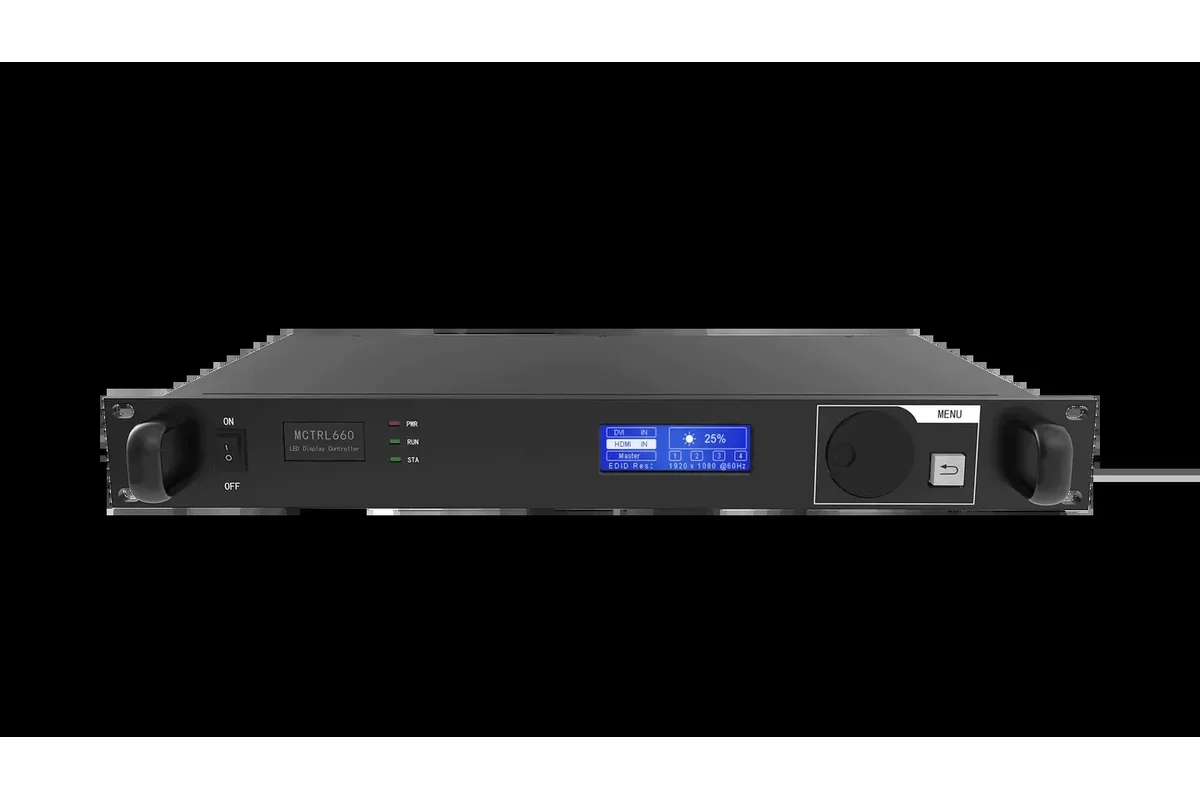
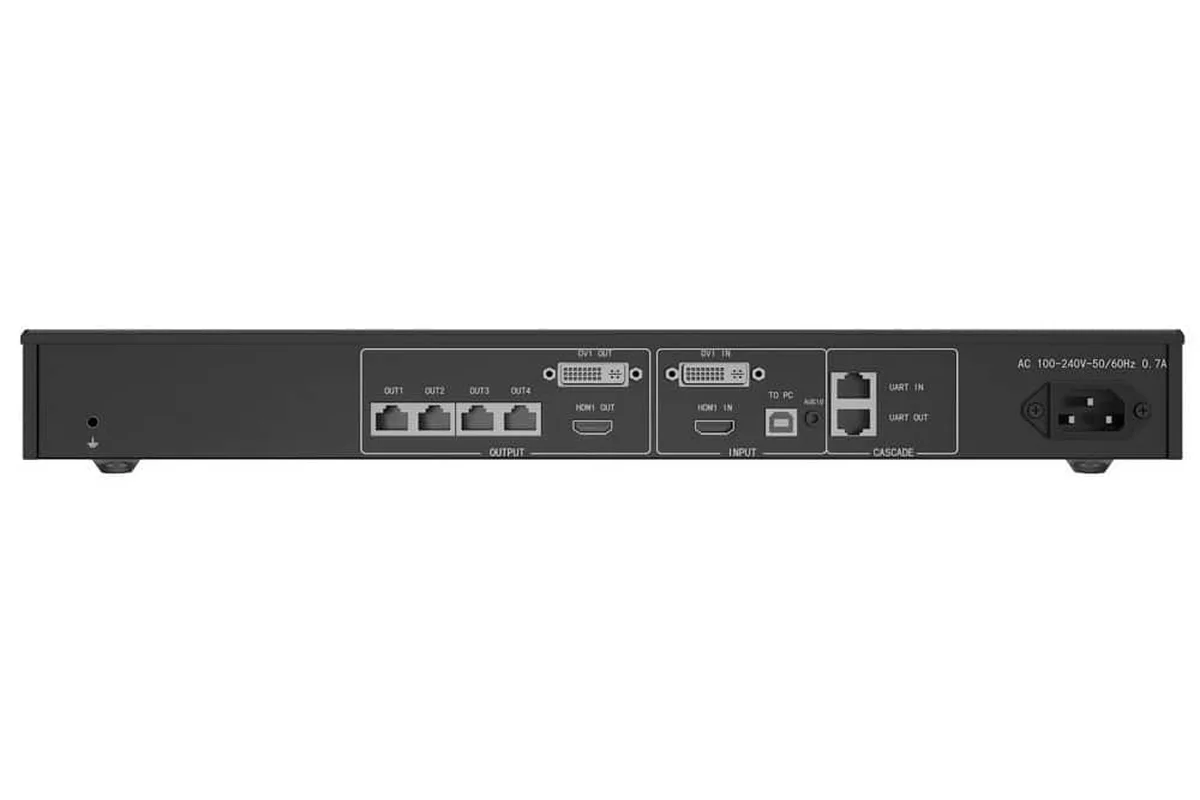
The MCTRL660 is the mid-range offering in NovaStar’s M3 lineup — designed for integrators and fixed-installation contractors who need more pixel headroom and input flexibility. It doubles the Ethernet ports of the MCTRL300 and adds native HDMI input for modern video sources.
Why the MCTRL660 Excels for Fixed Installations
- 2.3 million pixels: Nearly double the MCTRL300’s capacity — enough to drive a full 1920×1080 display at scaled resolution or a 1600×900 display at native resolution on a single unit.
- 4× Ethernet outputs: More ports mean shorter cable chains and better signal integrity. For a 4m×3m fixed wall, you can split the load across 4 ports instead of packing everything into 2.
- HDMI + DVI dual input: No adapters needed. Connect a modern laptop via HDMI while keeping a DVI fallback from your media player — ideal for corporate lobbies and control rooms with multiple source devices.
- Larger control interface: The front-panel LCD screen provides at-a-glance status monitoring without opening NovaLCT — useful for 24/7 operation centers where technicians need quick visual checks.
MCTRL660 Limitations to Know
- Heavier & bulkier: At 2.5 kg and larger dimensions, it’s less convenient for mobile rental crews who move equipment daily.
- Lower cascade limit: Only 10 units can be chained (vs. 20 for MCTRL300), which seems counterintuitive. The trade-off is that each unit handles more pixels, so you need fewer units overall.
- Higher power consumption: 10W vs. 3W — still very efficient by industry standards, but worth factoring into TCO for large deployments.
8 Key Differences That Impact Your Decision
Beyond the spec table, here are the differences that affect how each controller actually performs in the field:
1. Pixel Capacity: 1.3M vs 2.3M — What It Really Means
The MCTRL300’s 1.3 million pixels is enough for a typical P3.91 rental screen of ~4m×3m (48 cabinets at 128×128 pixels each = 786,432 pixels) — with capacity to spare. For context, that’s the most common rental configuration in the industry.
The MCTRL660’s 2.3 million pixels handles the same P3.91 screen at ~5.5m×3.5m (88 cabinets = 1.44M pixels) or a full HD 1920×1080 display with room to spare. If your typical project exceeds 1.3 million pixels, go with the MCTRL660 rather than cascading multiple 300s — it’s simpler to configure and troubleshoot.
2. Input Flexibility: DVI-Only vs HDMI + DVI
The MCTRL300 has one DVI input. This is not a problem in practice — a passive HDMI-to-DVI adapter costs $5 and introduces zero latency or quality loss. But it does mean one extra adapter in your kit and one more potential point of failure.
The MCTRL660’s native HDMI port is more than convenience. HDMI cables are more readily available (every electronics store carries them), and the connector is more compact — important for tight rack installations. If your primary video source is a modern laptop, the MCTRL660 eliminates one adapter from your signal chain.
3. Ethernet Outputs: 2 vs 4 Ports
More ports = shorter Ethernet cable chains per port. Each receiving card hop in a chain slightly degrades the signal. With 4 ports, you can split your display into 4 sections with ~20 cabinets per chain. With 2 ports, each chain handles ~40 cabinets — which can cause signal integrity issues on longer runs.
Practical rule: If your display uses more than 40 cabinets, the MCTRL660’s 4 ports will give you cleaner signal distribution. Below 40 cabinets, the MCTRL300’s 2 ports are perfectly adequate.
4. Redundancy: Multi-Unit Hot Backup (MCTRL300 Wins)
Both controllers support dual-port Ethernet redundancy (one cable fails, the other takes over). But the MCTRL300 adds multi-unit hot backup — if an entire controller fails, a backup unit can take over automatically.
For live events and broadcast where any screen downtime is unacceptable, this gives the MCTRL300 an unexpected advantage over its more expensive sibling. The MCTRL660 has dual-port backup but lacks the multi-unit failover architecture.
5. Cascading: 20 vs 10 Units
The MCTRL300 can cascade 20 units — useful for rental companies that already own a fleet of MCTRL300s and get a large project. Instead of buying a new higher-capacity controller, they chain existing hardware.
The MCTRL660 cascades only 10 units, but each unit handles nearly twice the pixels — so 10× MCTRL660 = 23 million pixels vs 20× MCTRL300 = 26 million pixels. The difference is narrowing, and for most applications, either cascade limit is more than enough.
6. Portability & Weight: 1.04 kg vs 2.5 kg
This difference matters only for mobile applications. For a fixed installation in a corporate lobby, controller weight is irrelevant — you set it once and leave it. For rental crews moving equipment between venues 3-5 times per week, the MCTRL300’s 1.04 kg weight saves real physical effort and reduces flight case requirements.
7. Power Consumption: 3W vs 10W
Both are extremely efficient compared to Colorlight alternatives (15W+) or Linsn (5W). The MCTRL300’s 3W is the lowest in the industry for a synchronous controller. In a control room running 10 units 24/7/365, the difference is approximately 613 kWh/year — about $74/year at $0.12/kWh. Not make-or-break, but it adds up over a 5-year installation lifecycle.
8. Price: ~$120-$300 vs $300-$500
At factory-direct pricing, the MCTRL300 costs roughly half the MCTRL660. But purchase price is only part of the story — see the TCO analysis below. The key insight: don’t buy more capacity than you need. A higher-spec controller provides zero benefit if your display doesn’t use its extra ports or pixel headroom.
How to Choose: Use Case Scenarios
Here’s our recommendation matrix based on real project types we’ve supplied at LEGIDATECH:
✅ Choose the MCTRL300 If:
- Rental & live events: Portability + multi-unit redundancy are critical
- Small-to-medium fixed installs: Retail stores, churches, corporate lobbies under 1.3M pixels
- Budget-constrained projects: You need professional-grade reliability at the lowest price point
- You already own MCTRL300s: Cascade to scale — no need to switch platforms
- Mobile event teams: Lightweight, fits in a laptop bag, minimal setup time
✅ Choose the MCTRL660 If:
- Medium-to-large fixed installations: 1.3M–2.3M pixel displays in corporate, education, or government settings
- Multiple video sources: You need both HDMI and DVI inputs without adapters
- Complex cabinet layouts: 4 Ethernet ports for cleaner signal distribution across many cabinets
- Security/broadcast control rooms: 24/7 operation where the LCD status screen adds monitoring convenience
- Future-proofing: You expect the display might expand beyond 1.3M pixels within 2-3 years
Total Cost of Ownership: 5-Year Analysis
Purchase price is misleading. Here’s a realistic 5-year TCO comparison for a rental company running 10 units, 8 hours per day, 200 event days per year:
| Cost Factor | 10× MCTRL300 | 10× MCTRL660 |
|---|---|---|
| Hardware (factory-direct) | ~$2,000 | ~$4,000 |
| Energy (5 years) | ~$29 (3W × 10 × 1,600h/yr × 5yr) | ~$96 (10W × 10 × 1,600h/yr × 5yr) |
| Cables & Adapters | ~$50 (DVI cables + HDMI adapters) | ~$30 (HDMI + DVI cables) |
| Maintenance | ~$0 (fanless, no moving parts) | ~$0 (fanless, no moving parts) |
| Expected Lifespan | 5–8 years | 5–8 years |
| Residual Value (Year 5) | ~$400 (20% resale) | ~$800 (20% resale) |
| NET 5-Year Cost | ~$1,679 | ~$3,326 |
Key takeaway: The MCTRL300 is not just cheaper to buy — it’s cheaper to own. The MCTRL660’s higher TCO is justified only when your display actually needs its extra capacity and ports. Buying an MCTRL660 for a display below 1.3M pixels wastes both capital and energy without any performance benefit.
Software & Setup: Both Use NovaLCT — Identical Workflow
Both controllers use NovaLCT-MARS for configuration and NovaCLB for pixel-level calibration. The software experience is identical — if you know how to configure one, you know both. This is a major advantage of staying within the NovaStar ecosystem.
Here’s a complete walkthrough of NovaLCT setup that applies to both controllers:
For the MCTRL300 specifically, watch this quick hardware connection guide:
And for the MCTRL660, see this review and overview:
What About the MCTRL660 Pro?
You may encounter the MCTRL660 Pro — a higher-tier variant with 6× Gigabit Ethernet ports, 2× fiber optic outputs, and Genlock support. It’s priced around $1,000–$1,200 and targets broadcast studios, large-scale rental stages, and multi-camera productions where genlock synchronization is mandatory.
If you need more than 2.3 million pixels, consider stepping up directly to the NovaStar MCTRL4K or the NovaPro HD series instead of the MCTRL660 Pro — you’ll get more pixel capacity per dollar at the high end. Contact our team for a tailored recommendation based on your specific project requirements.
How to Calculate Pixel Capacity for Your LED Display
Not sure if your display fits within 1.3M or 2.3M pixels? Here’s the quick formula our engineers use:
- Find your cabinet resolution: A P3.91 500×500mm cabinet = 128×128 pixels = 16,384 px/cabinet
- Count total cabinets: 5m wide × 3m high = 10 cabinets × 6 cabinets = 60 cabinets
- Multiply: 60 × 16,384 = 983,040 pixels
- Compare: 983,040 < 1,300,000 → ✅ Single MCTRL300 is sufficient
If your calculation exceeds 1.3M pixels, you have two options: cascade additional MCTRL300 units (cost-effective if you already own them) or buy an MCTRL660 for new deployments.
Installation Best Practices for Both Controllers
After supporting installations in 60+ countries, here are the top 3 mistakes our engineers see — regardless of which controller you choose:
- #1 — Using cheap Ethernet cables: Cat5e minimum, Cat6 recommended for runs over 30m. Bad cables cause flickering lines that look like controller defects.
- #2 — Not saving config to hardware: In NovaLCT, always click “Save to Hardware” (not just “Save to PC”). Otherwise your settings are gone when you connect a different computer at the venue.
- #3 — Skipping calibration on new installs: Even brand-new LED modules have slight variations. A NovaCLB calibration pass before handover ensures professional-grade uniformity from day one.
Frequently Asked Questions
Can I mix MCTRL300 and MCTRL660 in the same LED display?
Not recommended. NovaStar advises against mixing different controller models within one display system. It can cause synchronization issues, color inconsistency, and configuration complexity. If your display exceeds the MCTRL300’s capacity, uniformly upgrade to all MCTRL660 units — don’t mix. For more on how NovaStar systems work, see our introduction to NovaStar control systems.
Does the MCTRL300 work with HDMI sources?
Yes — use a passive HDMI-to-DVI adapter (~$5, widely available). The electrical signaling is compatible; the adapter just changes the physical connector shape. For USB-C/Thunderbolt laptops, use a USB-C to DVI adapter or dock.
Can I use the MCTRL300 without a computer?
No. Both the MCTRL300 and MCTRL660 are synchronous controllers — they require a live video source (computer, media player, or video switcher) connected via DVI/HDMI. They don’t store or play content independently. For standalone playback, consider NovaStar’s asynchronous PBOX or TB-series controllers.
What’s the difference between the MCTRL300 and an MSD300 sending card?
The MSD300 is a PCIe card that installs inside a PC. The MCTRL300 is the same card integrated into a standalone aluminum enclosure with its own power supply and external ports. Functionally identical — the MCTRL300 just doesn’t require opening a computer case, making it far more practical for rental and mobile use.
How long do these controllers last?
Design lifetime is 5–8 years under normal operating conditions. Both are fanless and solid-state — no moving parts to fail. The most common failure mode is power supply degradation, which is easily replaceable. LEGIDATECH provides a 3-year warranty on both models with extended warranty options for volume orders.
What accessories are included in the box?
MCTRL300 standard package: Controller unit, AC power cord, USB Type-B cable (1.5m), DVI cable (1.5m), UART cascading cable (1m), quick start guide.
MCTRL660 standard package: Controller unit, AC power cord, USB cable, DVI cable, HDMI cable, cascading cable, quick start guide.
⚠️ Some distributors exclude cables to lower the listed price — always confirm what’s included. LEGIDATECH ships the complete set with every order.
Final Verdict: Which One Should You Buy?
🏆 Our Recommendation
For 80% of B2B buyers, the MCTRL300 is the right choice.
It delivers professional-grade signal processing, redundancy, and calibration at roughly half the price of the MCTRL660. Unless your display exceeds 1.3 million pixels or you absolutely need native HDMI input, the MCTRL300 provides everything you need — with better portability, lower power consumption, and superior multi-unit redundancy.
Choose the MCTRL660 only when: your pixel count demands it, you’re building a large fixed installation with complex cabinet layouts, or you need the LCD status panel for 24/7 monitoring scenarios.
Either way, don’t cut costs on the controller. A $50 savings on a budget controller can cost thousands in troubleshooting and client dissatisfaction over the display’s lifespan.
Get Factory-Direct Pricing on Both Models
At LEGIDATECH, we supply genuine NovaStar MCTRL300 and MCTRL660 controllers with:
- ✅ Factory-direct pricing — no distributor markup
- ✅ Complete accessory set — all cables included
- ✅ 3-year warranty with serial number verification
- ✅ 48-hour burn-in testing on every unit before shipping
- ✅ Free technical support — remote configuration assistance included
- ✅ Global express shipping — DHL/UPS/FedEx (3-7 days) or sea freight for volume orders
- ✅ Bulk discounts for 5+, 10+, and 20+ unit orders — ideal for rental companies and integrators
We also stock the full NovaStar lineup: MCTRL4K, VX4S, NovaPro HD, TB-series, and receiving cards. Bundle with LED cabinets for deeper discounts.
Or contact us directly:
📧 legidatechled@gmail.com
📞 WhatsApp: +86 185 69492693
Published by LEGIDATECH — Your factory-direct source for NovaStar controllers, LED display cabinets, and complete LED screen solutions. 15+ years of LED manufacturing experience. Factory visits welcome in Shenzhen, China.